Page 6
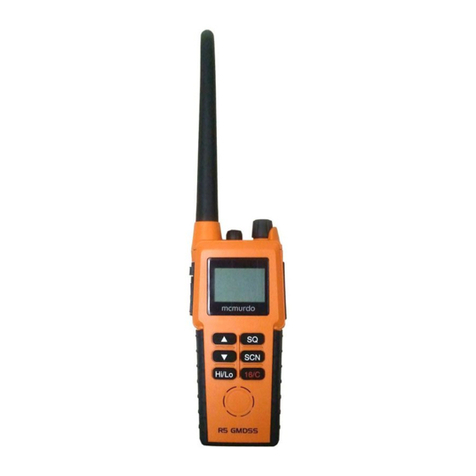
On/Off (1)
Press to turn the R2 on. To turn off, press and
hold the key for approximately 2 seconds. This is to
avoid accidental power off.
Hi/Lo (2)
Toggles between high and low transmit power (see
specification section 3.8). Use the low setting over
short ranges to preserve battery life.
VOL - Volume (4)
SQ - Squelch (5)
Press to selectVolume or Squelch mode then use the
and keys to adjust the level.
The display will show “VOL” or “SQL” for 3 seconds
- if or are not pressed within this time, their
function will revert to channel select.
/ (6 & 7)
These keys will change the selected channel.
PressingVOL, SQ or , then / within 3 seconds
will adjust the volume, squelch or backlighting level
respectively. The bargraph will indicate the level
selected.
SCAN mode (8)
Scans through the channels stored in the channel
memory (display shows MEM SCAN).
• Select channel and press twice to add/delete to
memory scan (display shows ENT or DEL respec-
tively). The icon indicates that the selected
channel is included in memory scan.
• Press and hold until double beep sounds to scan
all channels (display shows SCAN).
• Press and hold until triple beep sounds to inhib-
it/enable selected channel from scan (display shows
INH or ENA respectively). The icon indicates
the selected channel is inhibited.
D/W - Dual Watch / Triwatch (9)
Press to select Dual Watch of selected channel and
Ch16. Display shows D/W.
• Press and hold until double beep sounds for
Triwatch - selected channel, personal channel and
Ch 16. Display shows T/W.
abcd
fgi
e
Fig 2.2 - R2 display functions
a Bar graph -
Power up Battery level
Standby Battery level
Transmit Battery Level
Volume Mode Volume Level
Squelch Mode Squelch Level
pressed Backlight level
b Personal channel indicator
c Channel selected
d Receiving or transmitting indicator
e High or Low power indicator
f Function indicator
g Selected channel stored in memory
h Channel inhibited from scan
i Scan mode selected
h