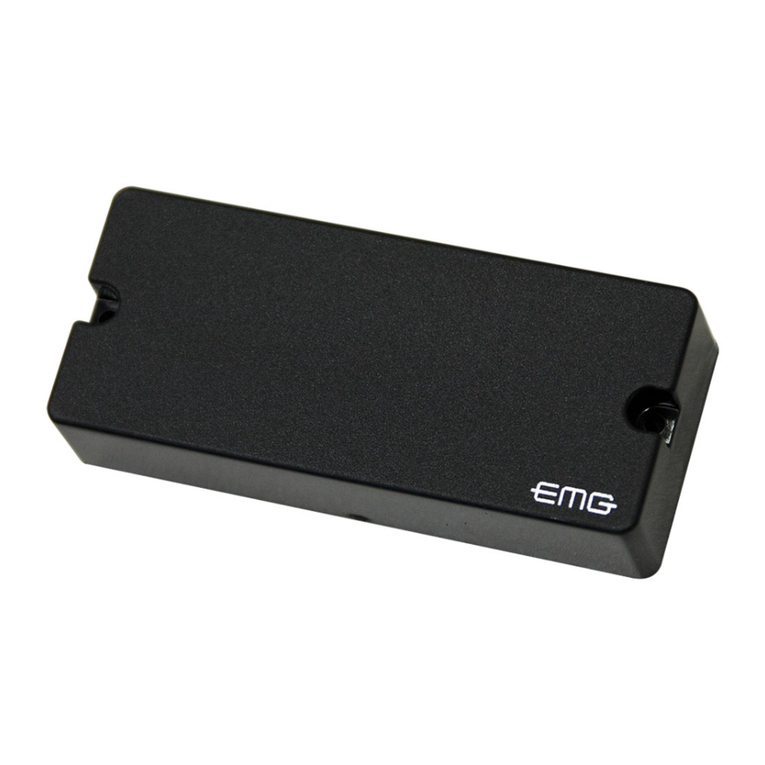
Feed the pickup into the slot from inside the guitar with either side up. Inserting a
toothpick or similar object through the hole from the outside is helpful in nding
the location of the hole inside the guitar.
Important: The t of the saddle in the slot is the single most important factor
in this installation. It is crucial that the bottom of the slot and the lower surface
of the saddle be at and make even contact with the pickup. The saddle should
t loosely enough so that it can be pulled out with your ngertips.
The saddle will then have a slight forward lean when the strings are under tension.
It is absolutely necessary to compensate for this slight lean by sanding a tilt in the
bottom of the saddle so it still sits at on the pickup when the strings are at tension
(FIGURE 5).
If the saddle is too tight, binds at all, or is too loose, this will have a negative eect on
the string balance and output. Set the saddle in the slot, noting how much material
must be removed to compensate for the thickness of the pickup. Sand the bottom
surface of the saddle on a belt sander until the scribe line is just above the bridge
top. Finish sanding the bottom by hand. It is best to do this against a machined at
surfacewithnesandpaper.Useastraightedgewithastronglightsourcetoinspect
the atness of your saddle.
Insert the pickup all the way into the slot, place the saddle on top of it, and
temporarily secure it with a piece of tape. Secure the wire with a wire clip as close
to the exit hole as is practical, with a one- to two-inch service loop.
Failure to secure the wire may produce boominess and feedback. Restring the
guitar, and plug into your amp or PA. Conrm that the EQ controls are at their
default positions and test the Element, paying careful attention to string balance. If
the sound is satisfactory, proceed to the next section. If not, read on.
String balance problems are almost always the result of an uneven interface
between the bottom of the saddle and the saddle slot. If the string balance is
uneven, check these surfaces to ensure that they are both completely at.
Tip: A segmented packaging knife blade is useful for determining the atness of
a saddle slot. Break o enough blade segments so as much of the blade ts into
the slot as possible. Briey use a back-and-forth scraping motion to see if the slot
bottom scrapes evenly. Any high or low spots will be readily apparent. A minor low
spot in the slot may be compensated for by shims under the pickup; however, for
gaps over .005”or multiple gaps, we recommend rerouting the slot.
OUTPUT CONNECTION
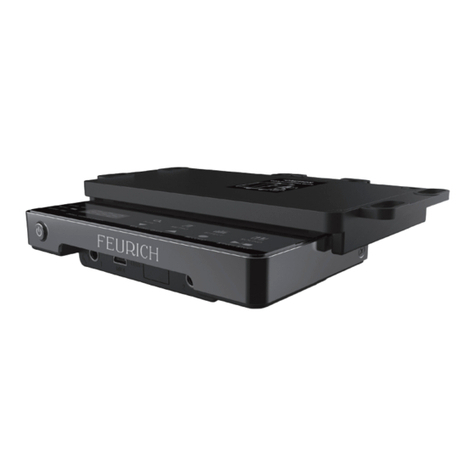
Before installing the Align XT preamp, disconnect the terminal plug that connects
the original preamp to the output jack. Then remove the original preamp and
replace it with the Align XT preamp. The Align XT preamp has a 4 pin plug that
connects to the original terminal jack connected to the endpin jack.
Important: Be sure that the red wire from the Align XT preamp connects to the
red wire from the original terminal jack.
CHARGING AND PLUGGING IN
TochargetheAlignXTPreamp,plugthePowerChargerintoa120/220VACoutlet.
ThenpluginthePowerCharger1/4”stereoplugintothepreamp’sendpinjackand
wait 60 seconds. Now you’re pickup is ready for 8 hours of performance time (actual
playingtimemayvarydependingonplayingstyle).
You can plug your instrument into ANY input of ANY system or amplier regardless
of input impedance. In the same manner, you can use ANY type of shielded MONO
cable - regardless of its capacitance. Your sound will not be altered. You can enjoy
the benets of an active amplied system without worrying about batteries.
Tip: UsingthePowerChargertopowerupyourpreampis
truly remarkable. But what if you forgot or lost your Power
Charger? Don’t worry! Although we don’t promote the use
of batteries, in this case all you need to power up your
systemisanystereocordandacommon9Vbattery.
Plug the stereo cord into your instrument. Hold the 9V
battery so that the positive terminal is touching the Ring
of the stereo plug and the negative terminal is touching the
Ground. Hold it for 60 seconds and you are ready to play for
8 hours. The system will not be damaged by accidentally
connecting the battery in wrong direction.
LIMITED WARRANTY
Thewarrantyperiod isone(1)yearfromthedateofpurchase.Duringthistime,Mi-SiElectronicsDesign,Inc.will
replace a faulty unit at their discretion. This warranty does not cover any consequential damages or damage to the
unit due to misuse, accident or neglect. Mi-Si Electronics Design, Inc. retains the right to make such determination
based on results of inspection performed at the factory. Products returned to Mi-Si Electronics Design, Inc. for repair or
replacement must be shipped in accordance to Return Policy, as follows ...
RETURN POLICY
Mi-Si Electronics Design, Inc. will accept returns for products purchased within 30 days from receiving the goods. To
return products to Mi-Si Electronics Design, Inc. you must do the following:
1.
Email Mi-Si Electronics Design, Inc. at [email protected] describing the reason for the return.2. Enclose a copy of the original Bill of Sale with the product in its original undamaged packaging.The package must
be returned in damage resistant packaging stued with appropriate amounts of cushion.
3. Warranty repairs or replacements will be sent automatically free of charge.
4. The customer will not be refunded shipping or insurance costs. Additionally, return shipping charges, including
insurance, are the sole responsibility of the customer unless the return or replacement is determined to be the
fault of a Mi-Si Electronics Design, Inc.
Mi-Si Align XT Cont’d
www.mi-si.com