manuals.online logo
Brands
  1. Home
  2. •
  3. Brands
  4. •
  5. Moneual
  6. •
  7. Vacuum Cleaner
  8. •
  9. Moneual RYDIS H68 Pro Installation guide

Moneual RYDIS H68 Pro Installation guide

Other manuals for RYDIS H68 Pro

1

Other Moneual Vacuum Cleaner manuals

Moneual H65 User manual

Moneual

Moneual H65 User manual

Moneual ME670 Series User manual

Moneual

Moneual ME670 Series User manual
Moneual RYDIS Hybrid H67 Pro User manual
Moneual

Moneual RYDIS Hybrid H67 Pro User manual

Moneual HC-600 User manual

Moneual

Moneual HC-600 User manual

Moneual RYDIS H68 Pro User manual

Moneual

Moneual RYDIS H68 Pro User manual

Moneual RYDIS Hybrid H67 Pro User manual

Moneual

Moneual RYDIS Hybrid H67 Pro User manual

Moneual ME485 User manual

Moneual

Moneual ME485 User manual

Moneual MBOT500 User manual

Moneual

Moneual MBOT500 User manual

Moneual ME685 Series User manual

Moneual

Moneual ME685 Series User manual
Moneual MV-400 User manual

Moneual

Moneual MV-400 User manual

Moneual MHW-600 User manual

Moneual

Moneual MHW-600 User manual

Moneual MV-300 User manual

Moneual

Moneual MV-300 User manual

Moneual ME770 Style User manual

Moneual

Moneual ME770 Style User manual

Moneual RYDIS MR7700 User manual

Moneual

Moneual RYDIS MR7700 User manual
Moneual MR6800M-M3 Series User manual
Moneual

Moneual MR6800M-M3 Series User manual

Moneual RYDIS MR7700 User manual

Moneual

Moneual RYDIS MR7700 User manual
Moneual RYDIS MR6550 User manual

Moneual

Moneual RYDIS MR6550 User manual

Moneual MBOT 900 User manual

Moneual

Moneual MBOT 900 User manual
Moneual MBOT 500 User manual

Moneual

Moneual MBOT 500 User manual
Moneual RYDIS MR6550 User manual

Moneual

Moneual RYDIS MR6550 User manual
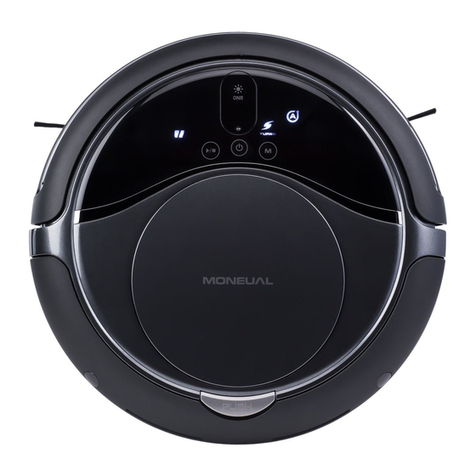
Moneual MR6800M series User manual

Moneual

Moneual MR6800M series User manual

Moneual RYDIS R750 User manual

Moneual

Moneual RYDIS R750 User manual

Moneual H65 User manual

Moneual

Moneual H65 User manual

Moneual ME670 Series User manual

Moneual

Moneual ME670 Series User manual

Popular Vacuum Cleaner manuals by other brands

Shark KD400WM owner's guide

Shark

Shark KD400WM owner's guide

Shark CORDLESS SV780_N 14 user manual

Shark CORDLESS

Shark CORDLESS SV780_N 14 user manual

Philips FC9176/08 manual

Philips

Philips FC9176/08 manual

Kenmore KW3030 user manual

Kenmore

Kenmore KW3030 user manual

AMiO YF-101 user manual

AMiO

AMiO YF-101 user manual

Beko VRT 94929 VI user manual

Beko

Beko VRT 94929 VI user manual

Shark CORDLESS SV780 Series quick start guide

Shark CORDLESS

Shark CORDLESS SV780 Series quick start guide

Lumme LU-3203 instruction manual

Lumme

Lumme LU-3203 instruction manual

Melissa 640-040/051 instruction manual

Melissa

Melissa 640-040/051 instruction manual

Makita DVC152L instruction manual

Makita

Makita DVC152L instruction manual

Bosch BSN1 instruction manual

Bosch

Bosch BSN1 instruction manual

King Canada 8560LST Service manual & parts list

King Canada

King Canada 8560LST Service manual & parts list

EUFY RoboVac 11c+ owner's manual

EUFY

EUFY RoboVac 11c+ owner's manual

Panasonic MC-E4101 Service manual

Panasonic

Panasonic MC-E4101 Service manual

Panasonic MC-V9658 operating instructions

Panasonic

Panasonic MC-V9658 operating instructions

Bosch BGB 2 Series instruction manual

Bosch

Bosch BGB 2 Series instruction manual

Hoover dog & cat TURBO manual

Hoover

Hoover dog & cat TURBO manual

FGE Far Tools NET UP 20 manual

FGE

FGE Far Tools NET UP 20 manual

manuals.online logo
manuals.online logoBrands
  • About & Mission
  • Contact us
  • Privacy Policy
  • Terms and Conditions

Copyright 2025 Manuals.Online. All Rights Reserved.

H68$Pro$FAQ$
!
Customer$Service$
"#$!%&!'$()*+,-!
.$*!/+(!0%(1!'$()*+,2&!/$34+(5!%(0$63+7%$(!85!/,%/9%(:!#)6)!
;$<!1$!=!/$(7+/7!'$()*+,-!
.$*!/+(!0%(1!'$()*+,2&!/$(7+/7!%(0$63+7%$(!85!/,%/9%(:!#)6)!
"#)6)!/+(!=!8*5!'$()*+,2&!46$1*/7&!$(,%()-!
.$*!/+(!0%(1!'$()*+,2&!46$1*/7&!+7!7#)!0$,,$<%(:!$(,%()!6)7+%,)6&!/,%/9%(:!
#)6)!
;$<!1$!=!6):%&7)6!'$()*+,2&!46$1*/7!$(,%()-!
.$*!/+(!+//)&&!'$()*+,2&!>6$1*/7!?):%&76+7%$(!4+:)!85!/,%/9%(:!#)6)!
"#+7!%&!7#)!<+66+(75!0$6!7#)!6$8$7!/,)+()6-!
.$*!/+(!@%)<!7#)!'$()*+,!?$8$7!A,)+()6!B()C.)+6!D%3%7)1!"+66+(75!85!
/,%/9%(:!#)6)!
"#+7!%&!'$()*+,2&!46$1*/7!6)7*6(!4$,%/5-!
.$*!/+(!@%)<!7#)!'$()*+,2&!?)7*6(!>$,%/5!85!/,%/9%(:!#)6)!
;$<!1$!=!&*83%7!+!&*44$67!6)E*)&7!$(,%()-!
.$*!/+(!$4)(!+!()<!&*44$67!7%/9)7!$6!/#)/9!7#)!&7+7*&!$0!)F%&7%(:!&*44$67!
7%/9)7&!+7!7#)!&*44$67!#),41)&9!85!/,%/9%(:!#)6)!
!
Product$Care$
"#)6)!/+(!=!:)7!+!/$45!$0!7#)!*&)6!1$/*3)(7&!$0!'$()*+,!?.G=H!;IJ!>6$-!
.$*!/+(!1$<(,$+1!7#)!?.G=H!;IJ!>6$!K*%/9!L&)6!M*%1)!+(1!L&)6!'+(*+,!85!
/,%/9%(:!#)6)!
!
How to turn on and charge the robot cleaner?
1) Turn the system power switch on.
2) Hold the RYDIS H68 Pro with both hands and put it on the charging
station.
- Match the terminals of the RYDIS H68 Pro with the terminals of the
charging station.
- Put the RYDIS H68 Pro in the front center of the charging station and push
the RYDIS H68 Pro toward the charging station slowly until the status
indicator turns solid red.
- Blue lamp: charging station power on indicator
- Red lamp: RYDIS H68 Pro charging indicator
3) Use the RYDIS H68 Pro after charging.
- It takes up to 2 hours to charge the battery fully.
Battery Status
Charing
Blinking every second
Indicator
Charging
completed
Solid lamp with 3 bars without
blinking
Low battery
Blinking 4 times every second
4) Just press the Start/Pause button and your robot cleaner will start cleaning
automatically.
How to set the Reservation (Scheduled) Cleaning mode for the RYDIS H68 Pro?
1) Turn the system power switch on.
2) Turn the main power button on. The LED light will blink top to bottom. It
will show its ready to operate after 2 seconds.
3) Press the Reservation Mode either 1 hour or Daily by pressing the
RESERVATION button on the remote control.
4) Press the SELECT button to confirm the Reservation setting.
5) RYDIS H68 Pro will be cleaning at the time of your Reservation setting.
What should I do when the robot cleaner suction power is weak?
1) Empty the dust box.
2) Clean the filter of the dust box.
3) Clean if there are foreign substances in the intake.
What should I do when the robot cleaner main brush does not rotate?
1) Clean if there are any foreign substances around the main brush.
2) Check if the main brush is properly inserted, remove and reinsert the main
brush if necessary.
What should I do when the RYDIS H68 Pro works abnormally during cleaning?
1) If Hybrid or Mop Cleaning, check if the H2O Tank is properly inserted.
2) Clean the sensors and the adjacent part with a soft cloth.
What should I do when the buttons on the RYDIS H68 Pro do not respond?
If the main body is directly connected with the adapter for charging, no
button input will work during manual charging.
What should I do when the RYDIS H68 Pro operating time is short?
1. 1) If the RYDIS H68 Pro is left for a long time while it is not
connected to the charging station properly or the rear adapter is not
connected, the battery can become discharged and operating time
shortened.
2. 2) Even when the RYDIS H68 Pro is fully charged, keep it connected
to the charger.
3. 3) If you want to store the RYDIS H68 Pro for a long time, turn the
system power switch off at the rear before storing.
What should I do when the RYDIS H68 Pro side brush is tangled in carpet hair?
1. 1) Gently detach the carpet hair from the side brush, do not apply
force.
2. 2) If still tangled, pull out the side brush from the RYDIS H68 Pro
and reinstall the side brush.
What should I do if the robot cleaner fell down a stair?
First check the drop sensors, they detect stairs and avoid the robot cleaner
from falling.
Follow these steps to keep the sensors at working condition.
1. 1) Turn your robot cleaner upside down.
2. 2) Lightly clean the sensor surface with a wet cotton swab.
3. 3) You can also use a can of pressurized air to blow the dust off the
sensors.
How to keep RYDIS H68 Pro's bin capacity at maximum?
When you first use the RYDIS H68 Pro, you may need to empty it after
every cleaning. After a while, you may not have to empty it after every use.