manuals.online logo
Brands
  1. Home
  2. •
  3. Brands
  4. •
  5. MORLEY
  6. •
  7. Music Pedal
  8. •
  9. MORLEY DDB User manual

MORLEY DDB User manual

Other MORLEY Music Pedal manuals

MORLEY PSVES User manual

MORLEY

MORLEY PSVES User manual

MORLEY GDB1 User manual

MORLEY

MORLEY GDB1 User manual

MORLEY DFBES User manual

MORLEY

MORLEY DFBES User manual

MORLEY SLDW2 User manual

MORLEY

MORLEY SLDW2 User manual

MORLEY XWVES User manual

MORLEY

MORLEY XWVES User manual

MORLEY GDB2 User manual

MORLEY

MORLEY GDB2 User manual

MORLEY CWAES User manual

MORLEY

MORLEY CWAES User manual

MORLEY TRIPLERES User manual

MORLEY

MORLEY TRIPLERES User manual

MORLEY CCBES User manual

MORLEY

MORLEY CCBES User manual

MORLEY AER2 Configuration guide

MORLEY

MORLEY AER2 Configuration guide

MORLEY SLWVES User manual

MORLEY

MORLEY SLWVES User manual

MORLEY FLB2 User manual

MORLEY

MORLEY FLB2 User manual

MORLEY PWV User manual

MORLEY

MORLEY PWV User manual

MORLEY ABYOLD1 User manual

MORLEY

MORLEY ABYOLD1 User manual

MORLEY KRZ-WLES User manual

MORLEY

MORLEY KRZ-WLES User manual

MORLEY PRO-II User manual

MORLEY

MORLEY PRO-II User manual

MORLEY PLAES User manual

MORLEY

MORLEY PLAES User manual

MORLEY DFB1 User manual

MORLEY

MORLEY DFB1 User manual

MORLEY DFB2 User manual

MORLEY

MORLEY DFB2 User manual

MORLEY HORSIES User manual

MORLEY

MORLEY HORSIES User manual

MORLEY SCV User manual

MORLEY

MORLEY SCV User manual

MORLEY PARTLIST User manual

MORLEY

MORLEY PARTLIST User manual

MORLEY PDWES User manual

MORLEY

MORLEY PDWES User manual

MORLEY PWASS User manual

MORLEY

MORLEY PWASS User manual

Popular Music Pedal manuals by other brands

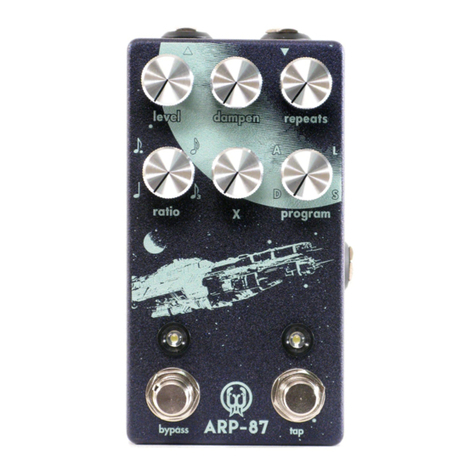
Walrus Audio ARP-87 instruction manual

Walrus Audio

Walrus Audio ARP-87 instruction manual

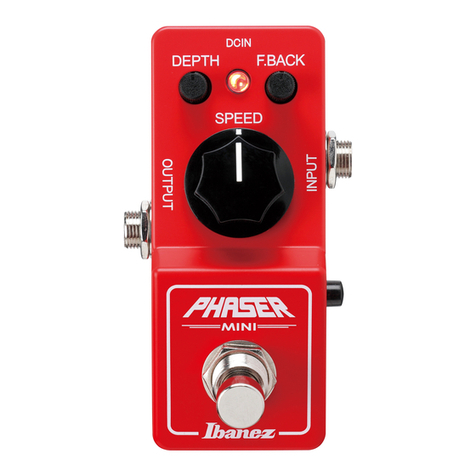
Ibanez Phaser Mini owner's manual

Ibanez

Ibanez Phaser Mini owner's manual

Ashdown GEEZER BUTLER PEDAL OF DOOM user guide

Ashdown

Ashdown GEEZER BUTLER PEDAL OF DOOM user guide

TC Electronic G-Natural user manual

TC Electronic

TC Electronic G-Natural user manual

Pro-MIDI G25 user manual

Pro-MIDI

Pro-MIDI G25 user manual

Whirlwind oc-bass quick start guide

Whirlwind

Whirlwind oc-bass quick start guide

Strymon Lex-rotary user manual

Strymon

Strymon Lex-rotary user manual

Behringer PB600 manual

Behringer

Behringer PB600 manual

Lexicon MX200 user guide

Lexicon

Lexicon MX200 user guide

Dunlop Hendrix 68 Shrine Octavio Fuzz Series quick start guide

Dunlop

Dunlop Hendrix 68 Shrine Octavio Fuzz Series quick start guide

Matthews Effects Whaler V2 manual

Matthews Effects

Matthews Effects Whaler V2 manual

Grid 1 Pedal Jeanie user manual

Grid 1

Grid 1 Pedal Jeanie user manual

Amptweaker tightboost user manual

Amptweaker

Amptweaker tightboost user manual

Ibanez TS-808 Tube Screamer Overdrive Pro owner's manual

Ibanez

Ibanez TS-808 Tube Screamer Overdrive Pro owner's manual

DW 7000 owner's manual

DW

DW 7000 owner's manual

FAMC Liquid-Foot Jr. Series user manual

FAMC

FAMC Liquid-Foot Jr. Series user manual

Dimavery EPVP-50 manual

Dimavery

Dimavery EPVP-50 manual

Tefi Vintage Lab GEGÈ operating manual

Tefi Vintage Lab

Tefi Vintage Lab GEGÈ operating manual

manuals.online logo
manuals.online logoBrands
  • About & Mission
  • Contact us
  • Privacy Policy
  • Terms and Conditions

Copyright 2025 Manuals.Online. All Rights Reserved.

THANK YOU!
For purchasing a Morley® pedal.
Please take a few minutes to familiarize yourself with the
features of your new pedal. With common sense handling,
it should last for years. We know you will appreciate the
rugged construction of your Morley®. Most of all, we hope
you enjoy using it as much as we enjoyed building it.
CONTROLS
The Diamond Distortion has three controls: DRIVE, TONE
& LEVEL. Understanding these controls will help you to
get the sound you are looking for.
The DRIVE control determines the amount of distortion by
driving up the input signal. See diagrams in the sample
settings section of this manual. Keep in mind that your
overall sound is a product of your guitar, amp, pickups,
effects, cables, strings and of course - playing style.
The TONE control allows you to adjust the tone of your
sound from a subtle bass frequency to a biting treble
sound. Again, refer to the sample setting section of this
manual for hints.
The LEVEL control adjusts your overall output level when
in distortion mode. Adjust this control to equal the level of
the distortion to the bypassed signal OR turn it up past
halfway to get a boost when you engage the distortion.
CONNECTIONS
IN: Input jack. Plug instrument into this jack using 1/4”
guitar cable.
OUT: Connect amplifier to this jack using a 1/4” guitar
cable.
9V: Connect Morley 9 volt regulated AC adapter to this
jack.
NOTE: You’ll find your cord fits very tightly into our input
and output jacks. The tight fits helps prevent the cord from
becoming accidentally unplugged from the pedal. Make
sure the cords are completely plugged in for best results.
AC ADAPTER
Use only Morley’s 9-volt regulated adapters. Using a non-
regulated adapter could cause a low frequency hum in
your amplifier.
BATTERY
The DIAMOND DISTORTION is designed to use one 9 volt
battery when not using an adapter. We suggest you use a
good quality alkaline battery.
Your pedal is designed for long battery life. To prolong
battery life, unplug your cord completely from the input
jack when not using the pedal. When the pedal is not used
for extended periods, we recommend you remove the
battery from the pedal or replace it every six month to
prevent leakage problems.
BATTERY REPLACEMENT
When the battery becomes weak, the overall tone of the
distortion will be noticeably weak.
Remove the battery door located on the bottom of the
pedal. (a short cord is attached to the door to help prevent
loss. Once the door is off, the old battery can be removed
from the battery snap and a new battery plugged in. Make
sure the polarity (+/-) is correct before inserting the new
battery.
When you replace the battery door , you will notice it fits
very tightly against the battery. This prevents the battery
from rattling inside the pedal.
WARRANTY
All Morley® pedals are warranted for two years from date
of purchase. To obtain warranty service call
1-800-639-4668.
SPECIFICATIONS
POWER: 9 Volt Battery
CURRENT DRAW: 10 mA @ 9 VDC
WEIGHT: 1.2 lb./ .55 kg
INDICATOR: Distortion on or Bypassed
185 Detroit Street, Cary, IL 60013
Phone: (847) 639-4646
Fax: (847) 639-4723
www.morleypedals.com

Below are a few settings you can try to get started. The
names used below are very general.
Here is a general recommendation for proper hookup of an
effects chain:
NOTE: This pedal is not intended for use through an effects
loop (send and return).
MODEL DDB
OWNER’S MANUAL