06
indicator on the IR receiver lights up or flashes when it receives an infrared signal.
Use the LED indicator to place the IR receiver in the place with the least interference
(LED indicator is not activated or only faintly lights up).
Because of the supplied self-adhesive strip installation is possible almost every-
where. Experiment for the correct place before you fix the IR receiver definitively.
The adhesive strip can cause discoloration on certain surfaces or leave glue
remnants by removal.
Both the built-in and separate IR Receivers have reception sensitivity of around 10
metres with an aperture angle of 90 degrees. Range is also dependent on the remote
control used. The IR reception indication LED in the IR Receiver will light up when it
receives an IR signal.
Check whether the power adapter is connected to the IR System Module.
Ensure that the IR Receiver is are correctly connected and that these are plugged in
properly.
Try to avoid as many sources of disruption as possible, eg. direct sunlight, fluores-
cent lighting, energy-saving bulbs and similar. These may have a negative impact
upon the effectiveness of the system.
Some IR windows from set-top and satellite boxes are very sensitive and are easily
disrupted. These devices then receive too much infrared light and will either work
badly or not work at all. Relocate the IR LED so that less infrared light is received via
the IR window.
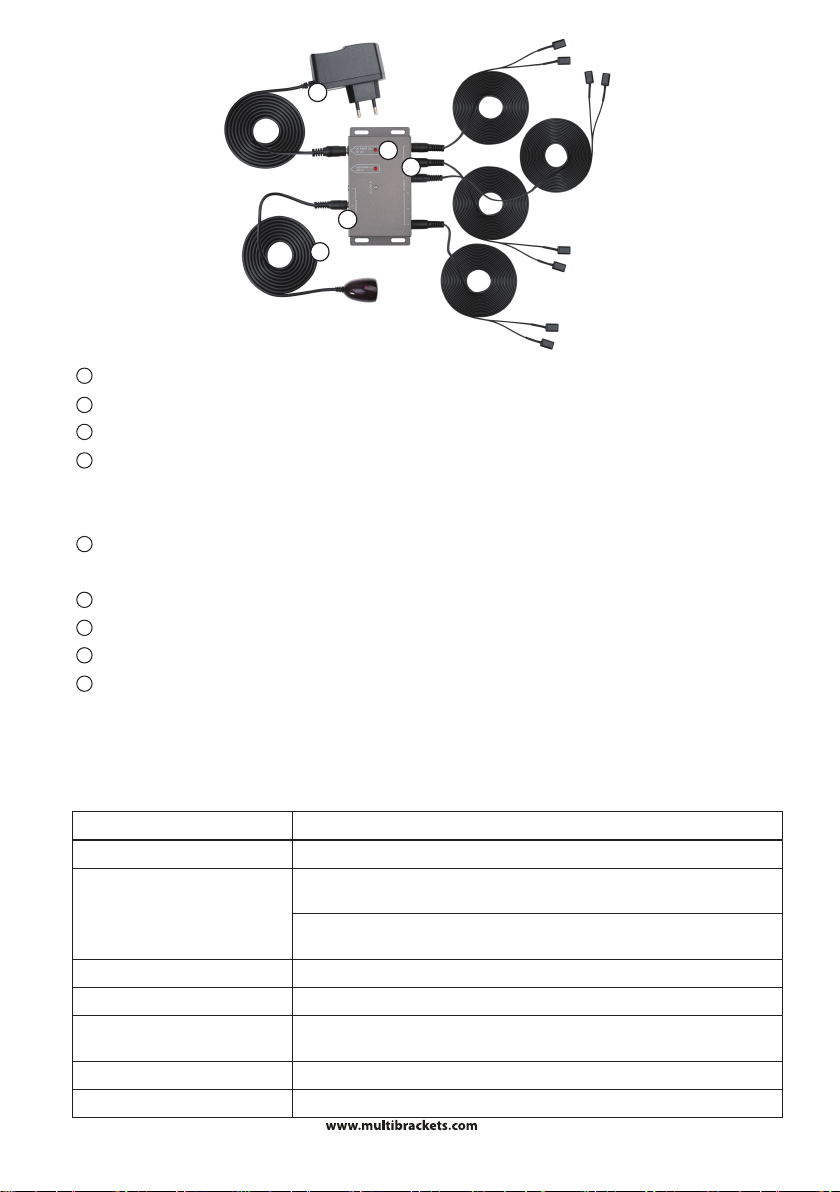
3. Connect the power adapter to the ‘POWER’ connector on the IR Module and plug the
adapter into a socket (100-240V 50/60Hz).
BAD (OR NO) INFRARED RETURN SIGNAL
Check that your set-top box supports IR frequency range provided by the M Universal
IR Extenders range.
TROUBLESHOOTING