Introduction
OCEASOFT LoRaWAN Receiver User Guide Page 6
Table of Contents
1Introduction................................................................................................. 7
1.1 Overview..........................................................................................................7
1.2 Detailed description.......................................................................................8
Key features .........................................................................................................8
Data management..............................................................................................8
Connectivity ........................................................................................................8
Hardware details (both models).......................................................................8
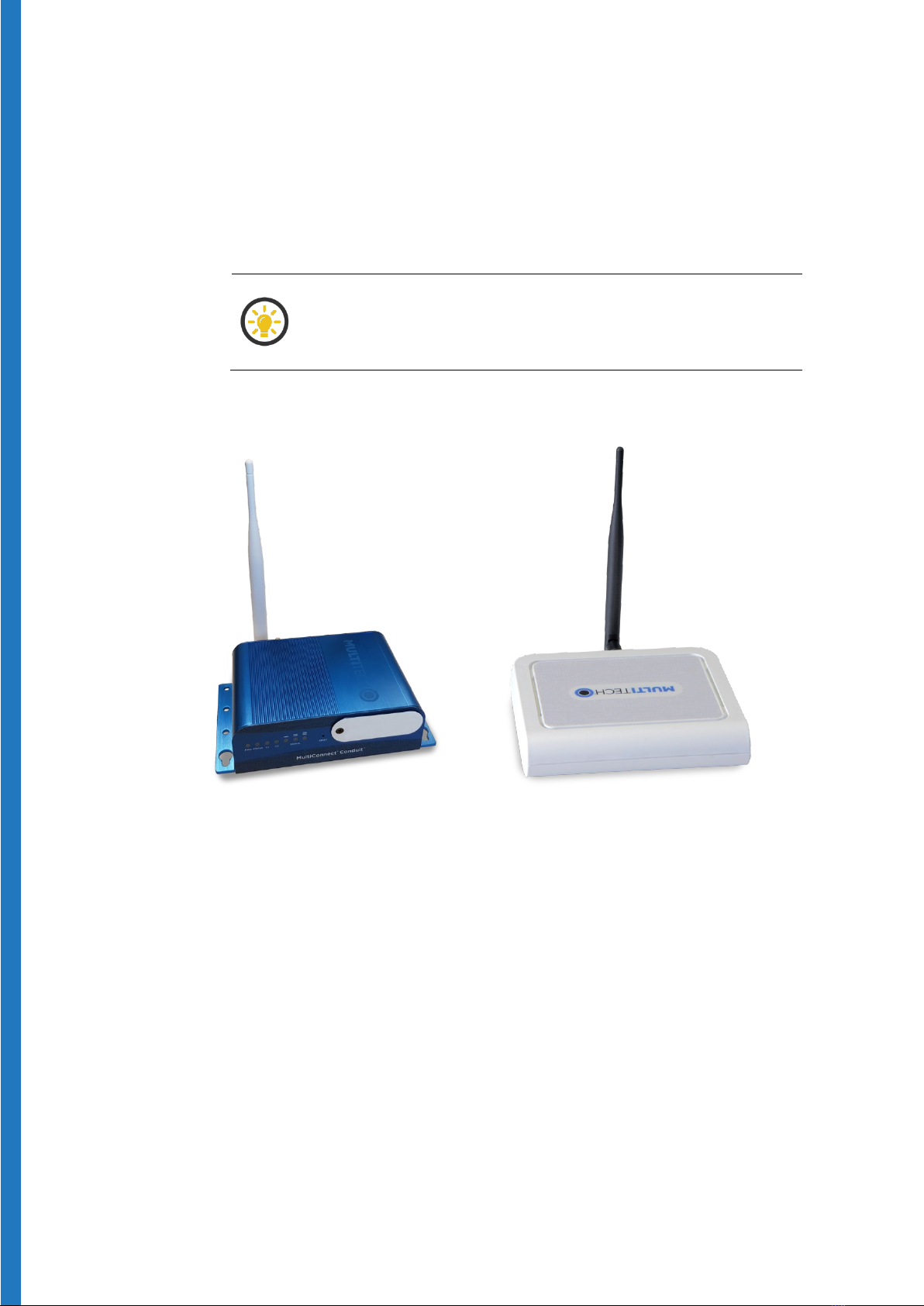
Hardware details - Advanced model (blue) ...................................................8
Hardware details - Pro model (gray)...............................................................9
Technical highlights ...........................................................................................9
Package contents ...............................................................................................9
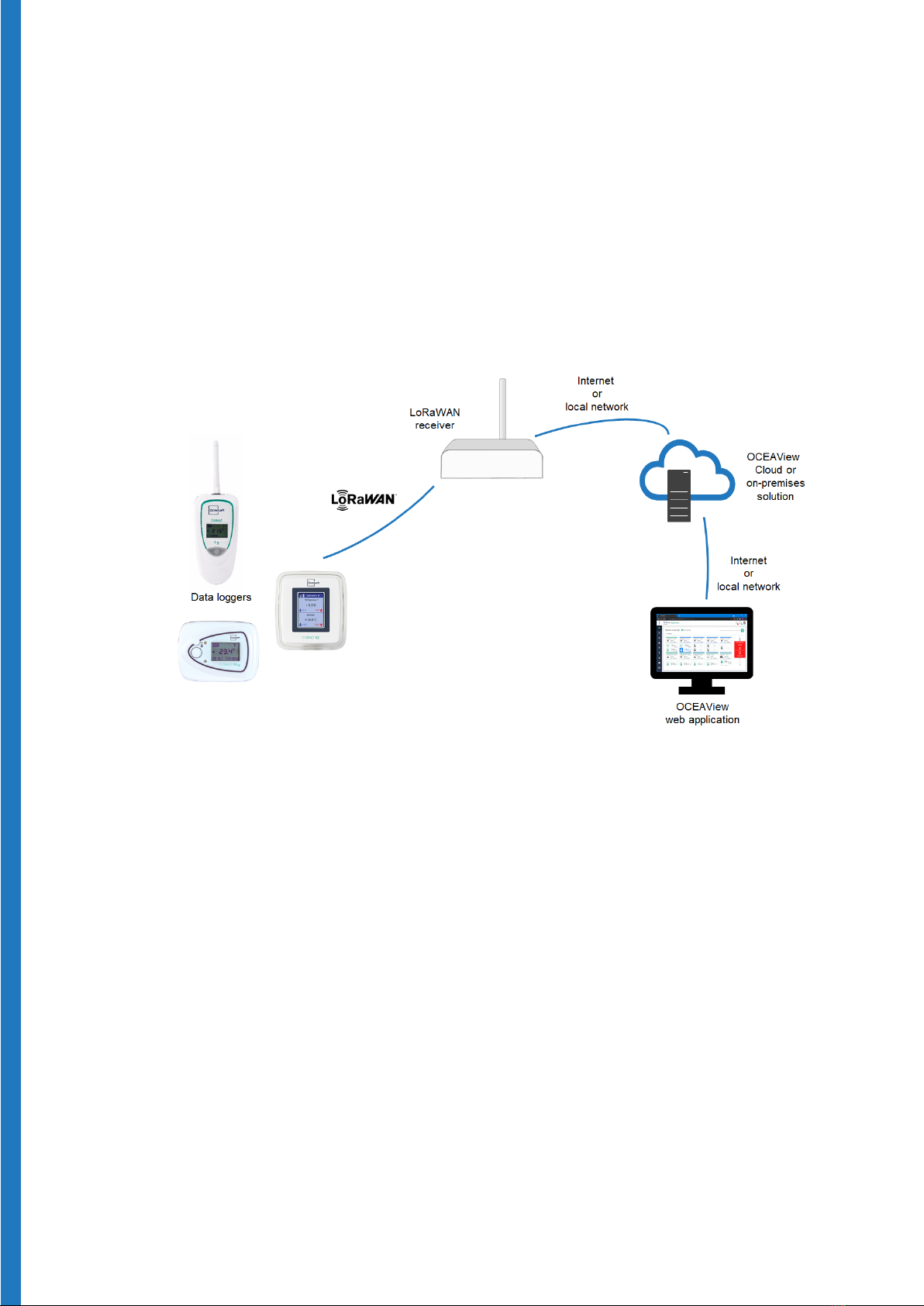
1.3 Architecture and technologies ...................................................................10
2Setting up your receiver .......................................................................... 11
2.1 Getting started.............................................................................................. 11
Plug in the LoRaWAN antenna....................................................................... 11
Plug in the power cable .................................................................................. 13
Connect your computer to the configuration interface........................... 15
2.2 Configure the regional frequency ..............................................................18
2.3 Ethernet connection to your network ...................................................... 20
2.4 Wi-Fi connection to your network (Advanced model only)....................22
Workaround for Wi-Fi connection with static IP address........................ 24
Using a pre-shared WPA/WPA2 key..............................................................25
2.5 Cellular data connection (optional) ...........................................................27
Inserting SIM card in Advanced model.........................................................27
Inserting SIM card in Pro model ................................................................... 28
Software set up .................................................................................................29
2.6 Configuring “failover” order for network access ...................................... 31
2.7 LoRaWAN settings ........................................................................................32
3Troubleshooting .......................................................................................34
4Firmware upgrade from version 1.4.17 to 5.x.x ....................................36