manuals.online logo
Brands
  1. Home
  2. •
  3. Brands
  4. •
  5. Omega Engineering
  6. •
  7. Switch
  8. •
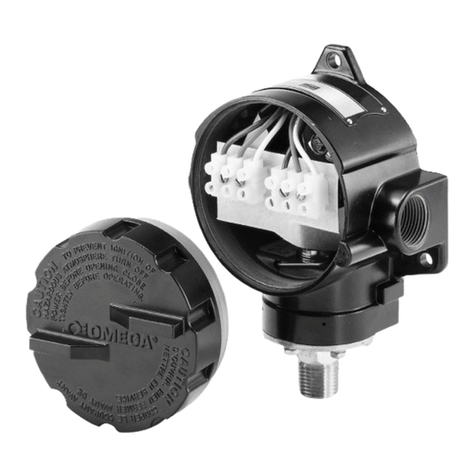
  9. Omega Engineering PSW400 User manual

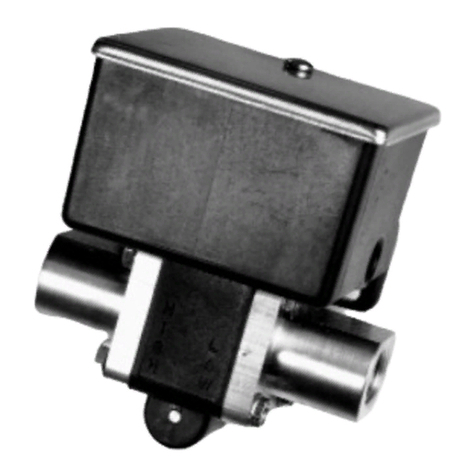
Omega Engineering PSW400 User manual

Other Omega Engineering Switch manuals

Omega Engineering BVLS Series User manual

Omega Engineering

Omega Engineering BVLS Series User manual

Omega Engineering PSW490B User manual

Omega Engineering

Omega Engineering PSW490B User manual

Omega Engineering LVU-700 User manual

Omega Engineering

Omega Engineering LVU-700 User manual

Omega Engineering LVCN700 Series User manual

Omega Engineering

Omega Engineering LVCN700 Series User manual

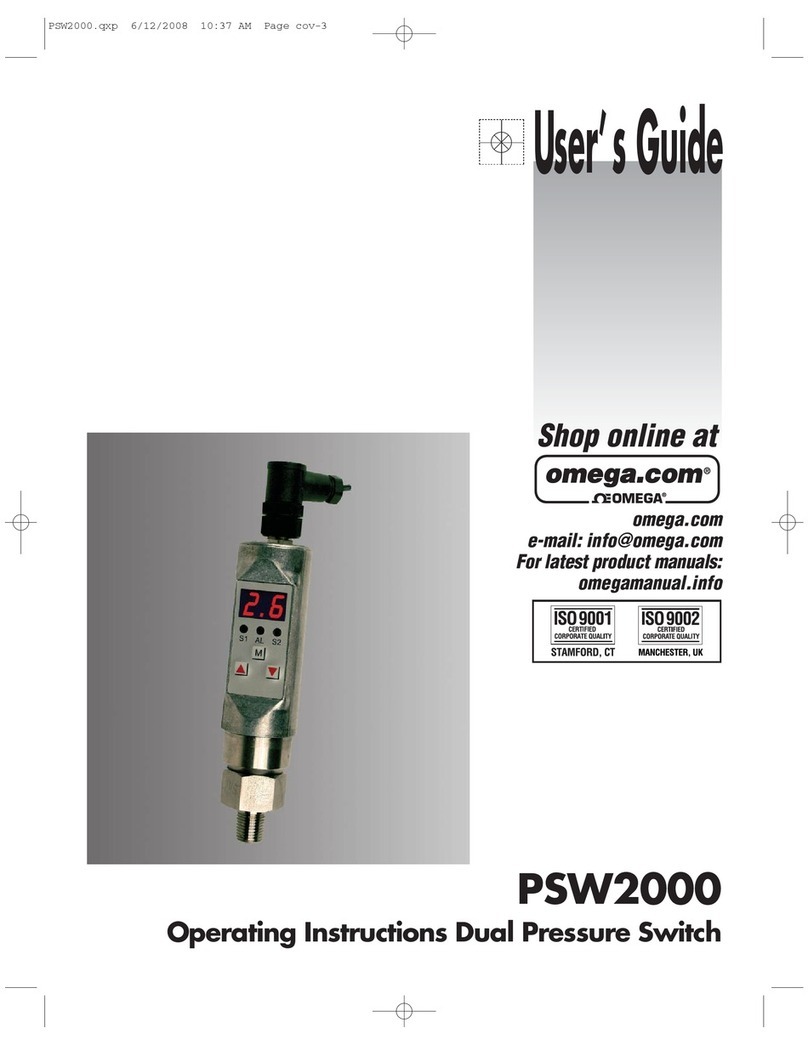
Omega Engineering PSW2000 User manual

Omega Engineering

Omega Engineering PSW2000 User manual

Omega Engineering PSW18H Seriers User manual

Omega Engineering

Omega Engineering PSW18H Seriers User manual

Omega Engineering LV-60 User manual

Omega Engineering

Omega Engineering LV-60 User manual

Omega Engineering PSW141 series User manual

Omega Engineering

Omega Engineering PSW141 series User manual

Omega Engineering FSW-50 Series User manual

Omega Engineering

Omega Engineering FSW-50 Series User manual

Omega Engineering LV-1101 User manual

Omega Engineering

Omega Engineering LV-1101 User manual

Omega Engineering LV-510 Series User manual

Omega Engineering

Omega Engineering LV-510 Series User manual

Omega Engineering LVH-200 Series User manual

Omega Engineering

Omega Engineering LVH-200 Series User manual

Omega Engineering PSW1000 User manual

Omega Engineering

Omega Engineering PSW1000 User manual

Omega Engineering LVP-51 LVP-51 Series User manual

Omega Engineering

Omega Engineering LVP-51 LVP-51 Series User manual

Omega Engineering LVK-10 User manual

Omega Engineering

Omega Engineering LVK-10 User manual

Omega Engineering FSW-410 Series User manual

Omega Engineering

Omega Engineering FSW-410 Series User manual

Omega Engineering LVUN-600 User manual

Omega Engineering

Omega Engineering LVUN-600 User manual

Omega Engineering LV-1201 User manual

Omega Engineering

Omega Engineering LV-1201 User manual

Omega Engineering PSW495B User manual

Omega Engineering

Omega Engineering PSW495B User manual

Omega Engineering 430 User manual

Omega Engineering

Omega Engineering 430 User manual

Omega Engineering PSW32 SERIES User manual

Omega Engineering

Omega Engineering PSW32 SERIES User manual

Omega Engineering PSW-180 Series User manual

Omega Engineering

Omega Engineering PSW-180 Series User manual

Omega Engineering LVU-230 User manual

Omega Engineering

Omega Engineering LVU-230 User manual

Omega Engineering LVR300 Series User manual

Omega Engineering

Omega Engineering LVR300 Series User manual

Popular Switch manuals by other brands

SMC Networks SMC6224M Technical specifications

SMC Networks

SMC Networks SMC6224M Technical specifications

Aeotec ZWA003-S operating manual

Aeotec

Aeotec ZWA003-S operating manual

TRENDnet TK-209i Quick installation guide

TRENDnet

TRENDnet TK-209i Quick installation guide

Planet FGSW-2022VHP user manual

Planet

Planet FGSW-2022VHP user manual

Avocent AutoView 2000  AV2000BC AV2000BC Installer/user guide

Avocent

Avocent AutoView 2000 AV2000BC AV2000BC Installer/user guide

Moxa Technologies PT-7728 Series user manual

Moxa Technologies

Moxa Technologies PT-7728 Series user manual

Intos Electronic inLine 35392I operating instructions

Intos Electronic

Intos Electronic inLine 35392I operating instructions

Cisco Catalyst 3560-X-24T Technical specifications

Cisco

Cisco Catalyst 3560-X-24T Technical specifications

Asante IntraCore IC3648 Specifications

Asante

Asante IntraCore IC3648 Specifications

Siemens SIRIUS 3SE7310-1AE Series Original operating instructions

Siemens

Siemens SIRIUS 3SE7310-1AE Series Original operating instructions

Edge-Core DCS520 quick start guide

Edge-Core

Edge-Core DCS520 quick start guide

RGBLE S00203 user manual

RGBLE

RGBLE S00203 user manual

Thrustmaster FLIGHT SIMULATOR X quick guide

Thrustmaster

Thrustmaster FLIGHT SIMULATOR X quick guide

Southwire SURGE GUARD 41390 RVC troubleshooting guide

Southwire

Southwire SURGE GUARD 41390 RVC troubleshooting guide

Buhler Nivotemp NT 61 Brief instructions

Buhler

Buhler Nivotemp NT 61 Brief instructions

Kramer VS-41HDCP user manual

Kramer

Kramer VS-41HDCP user manual

Techly IDATA AU-270 user manual

Techly

Techly IDATA AU-270 user manual

Belkin F1U109 user manual

Belkin

Belkin F1U109 user manual

manuals.online logo
manuals.online logoBrands
  • About & Mission
  • Contact us
  • Privacy Policy
  • Terms and Conditions

Copyright 2025 Manuals.Online. All Rights Reserved.

®
PSW400
Pressure Switches
INSTRUCTION
SHEET M0534/0902
INSTALLATION INSTRUCTIONS FOR OMEGA®
SERIES PSW400 PRESSURE SWITCHES
The OMEGA®PSW400 Series pressure
control is a precision device which fea-
tures a snap-action switch. Fixed dead-
band is available with dual SPDT indepen-
dently adjustable switches with various
electrical ratings. Adjustable deadband is
available with various electrical rating.
The PSW400 Series snap-action pressure
switch offers a NEMA 7/9 explosion-proof
enclosure, Class I, Div. 1 & 2, Groups B, C
& D and Class II, Div. 1 & 2, Groups E, F
& G.The enclosure is an epoxy-coated
aluminum casting.
INSTALLATION
This control is a precision instrument and
should never be left with internal compo-
nents exposed. During installation, insure
that covers are in place and conduit open-
ings are sealed.
MOUNTING
Four holes in the bracket supplied are used
in surface mounting of the control. Loca-
tion of these holes is shown on the general
dimension drawings. Mount on a vibration-
free surface or pipe. When tightening con-
trol to pressure line, always use the
wrench flats or hex on the pressure connec-
tion. Never tighten by twisting the case.
ELECTRICAL CONNECTION
Remove top cover; the cover unscrews
CCW. Wire directly to the switch according
to circuit requirements.
CONDUIT CONNECTIONS
Two 3
⁄
4˝ NPT holes are provided, one fitted
with a plug., the other with a cap. It is rec-
ommended thatTeflon tape or other sealant
be used on conduit bushing or plug threads
to ensure integrity of the enclosure.
SETPOINT ADJUSTMENTS
Dual Setpoint Switch
Remove front cover, which is held in place
by two screws.There are two range adjust-
ing wheels.The adjusting wheel on the left
(labeled A) controls the left switch, the
adjusting wheel on the right (labeled B)
controls the right switch.The switches are
set independently.
Note:The units are calibrated at the factory
such that for proper operation, switch B
setpoint must be set higher than switch A
setpoint.
For setpoint adjustment to within ±1% of
nominal range, mount the switch on a cal-
ibration stand, and use a suitable refer-
ence such as an OMEGA process gauge
(Model PGH or PGJ), or test gauge (Model
PGT). Monitor switch with a suitable pilot
light or meter.
Pressurize the system to the required set-
point and turn the adjusting wheel until
the switch changes mode. When the set-
point has been achieved, raise and lower
the pressure to insure that the setpoint is
correct.This must be done for both set-
point A and setpoint B.
ADJUSTABLE DEADBAND SWITCH
Remove front cover, which is held in place
by two screws.The adjusting wheel
labeled A controls the reset point of the
switch.The adjusting wheel on labeled B
controls the setpoint of the switch.
Note:The units are calibrated at the factory
such that for proper operation, setpoint B
is always higher than reset point A .
For accurate setpoint adjustment, mount
the switch on a calibration stand, and use
a suitable reference such as an OMEGA
process gauge (Model PGH or PGJ), or test
gauge (Model PGT). Monitor switch with a
suitable pilot light or meter. Pressurize the
system to the required setpoint. Move
adjusting wheel on spring B until switch
changes mode.The lower pressure to the
reset point, move adjusting wheel on
spring A until the switch changes mode.
Raise and lower pressure to insure that
setpoint is correct. Repeat as necessary.
STANDARD RANGES
10, 30, 60, 100 & 150 IN.H2O
STANDARD RANGES – psi
0/15 0/30 0/100 0/400
0/20 0/60 0/200 0/600
3/4 NPT
TYP
Ø.31 (8)
4 HOLES
D
E
F
H
K
A
GClearance
Required for
Cover Removal
I
L
C
B
J
1/4 NPT
L
11/16 (17)
3/4 NPT
TYP
B
Ø.31 (8)
4 HOLES
D
E
F
C
H
J
A
GClearance
Required for
Cover Removal
I
K
1/4 NPT FEMALE
11/16 (17)
ABCDEFGH I J K
77⁄16 53
7⁄811⁄16 25⁄16 15⁄16 11⁄16 43⁄451⁄223⁄425⁄16
(189) (127) (98) (27) (59) (33) (17) (121) (140) (70) (59)
ABCDEFGH I J KL
81⁄853
7⁄811⁄16 25⁄16 211⁄16 43⁄451⁄851⁄223⁄455⁄16
(206) (127) (98) (27) (59) (51) (17) (121) (130) (140) (70) (135)
213/16 (71)
Requires Standard
5/16 (8) Dia. U-Bolt
Not Furnished
Ø.38 (10)
U-Bolt Holes
213/16 (71)
27/32 (56)
PIPE MOUNTING
BRACKET
PSW400 – H2OPSW400 – psi PSW400 – Pipe Mounting Bracket
M0534 8/99 DPS-5C-1P-10/99 Printed in U.S.A.
It is the policy of OMEGA to comply with all worldwide safety and EMC/EMI regulations that
apply. OMEGA is constantly pursuing certification of its products to the European New Approach
Directives. OMEGA will add the CE mark to every appropriate device upon certification.
The information contained in this document is believed to be correct but OMEGA Engineering, Inc. accepts
no liability for any errors it contains, and reserves the right to alter specifications without notice.
WARNING: These products are not designed for use in, and should not be used for, patient connected applications.
WARRANTY/DISCLAIMER
OMEGA ENGINEERING, INC. warrants this unit to be free of defects in materials and workmanship for a period of 13 months
from date of purchase. OMEGA’s Warranty adds an additional one (1) month grace period to the normal one (1) year
product warranty to cover handling and shipping time.This ensures that OMEGA’s customers receive maximum coverage
on each product.
If the unit should malfunction, it must be returned to the factory for evaluation. OMEGA’s Customer Service Department will
issue an Authorized Return (AR) number immediately upon phone or written request. Upon examination by OMEGA, if the
unit is found to be defective it will be repaired or replaced at no charge. OMEGA’s WARRANTY does not apply to defects
resulting from any action of the purchaser, including but not limited to mishandling, improper interfacing, operation outside of
design limits, improper repair, or unauthorized modification. This WARRANTY is VOID if the unit shows evidence of having
been tampered with or shows evidence of being damaged as a result of excessive corrosion; or current, heat, moisture or
vibration; improper specification; misapplication; misuse or other operating conditions outside of OMEGA’s control.
Components which wear are not warranted, including but not limited to contact points, fuses, and triacs.
OMEGA is pleased to offer suggestions on the use of its various products. However, OMEGA neither assumes respon-
sibility for any omissions or errors nor assumes liability for any damages that result from the use of its products in
accordance with information provided by OMEGA, either verbal or written. OMEGA warrants only that the parts man-
ufactured by it will be as specified and free of defects. OMEGA MAKES NO OTHER WARRANTIES OR REPRESENTA-
TIONS OF ANY KIND WHATSOEVER, EXPRESSED OR IMPLIED, EXCEPT THAT OF TITLE, AND ALL IMPLIED
WARRANTIES INCLUDING ANY WARRANTY OF MERCHANTABILITY AND FITNESS FOR A PARTICULAR PURPOSE
ARE HEREBY DISCLAIMED. LIMITATION OF LIABILITY: The remedies of purchaser set forth herein are exclusive and
the total liability of OMEGA with respect to this order, whether based on contract, warranty, negligence, indemnifica-
tion, strict liability or otherwise, shall not exceed the purchase price of the component upon which liability is based.
In no event shall OMEGA be liable for consequential, incidental or special damages.
CONDITIONS: Equipment sold by OMEGA is not intended to be used, nor shall it be used: (1) as a “Basic Component” under
10 CFR 21 (NRC), used in or with any nuclear installation or activity; or (2) in medical applications or used on humans. Should
any Product(s) be used in or with any nuclear installation or activity, medical application, used on humans, or misused in any
way, OMEGA assumes no responsibility as set forth in our basic WARRANTY / DISCLAIMER language, and additionally,
purchaser will indemnify OMEGA and hold OMEGA harmless from any liability or damage whatsoever arising out of the use
of the Product(s) in such a manner.
RETURN REQUESTS / INQUIRIES
Direct all warranty and repair requests/inquiries to the OMEGA Customer Service Department. BEFORE RETURNING ANY
PRODUCT(S) TO OMEGA, PURCHASER MUST OBTAIN AN AUTHORIZED RETURN (AR) NUMBER FROM OMEGA’S
CUSTOMER SERVICE DEPARTMENT (IN ORDER TO AVOID PROCESSING DELAYS). The assigned AR number should then be
marked on the outside of the return package and on any correspondence.
The purchaser is responsible for shipping charges, freight, insurance and proper packaging to prevent breakage in transit.
FOR WARRANTY RETURNS, please have the following
information available BEFORE contacting OMEGA:
1. P. O. number under which the product was PURCHASED,
2. Model and serial number of the product under warranty,
and
3. Repair instructions and/or specific problems relative to
the product.
FOR NON-WARRANTY REPAIRS,
consult OMEGA for cur-
rent repair charges. Have the following information avail-
able BEFORE contacting OMEGA:
1. P. O. number to cover the COST of the repair,
2. Model and serial number of product, and
3. Repair instructions and/or specific problems relative to
the product.
OMEGA’s policy is to make running changes, not model changes, whenever an improvement is possible.This affords our customers the latest in technol-
ogy and engineering.
OMEGA is a registered trademark of OMEGA ENGINEERING, INC.
© Copyright 1999 OMEGA ENGINEERING, INC. All rights reserved.This document may not be copied, photocopied, reproduced, translated, or reduced to
any electronic medium or machine-readable form, in whole or in part, without prior written consent of OMEGA ENGINEERING, INC.
MADE IN
Servicing North America:
USA: One Omega Drive, P.O. Box 4047
ISO 9001 Certified Stamford CT 06907-0047
TEL: (203) 359-1660 FAX: (203) 359-7700
e-mail: [email protected]
Canada: 976 Bergar
Laval (Quebec) H7L 5A1
TEL: (514) 856-6928 FAX: (514) 856-6886
e-mail: [email protected]
For immediate technical or application assistance:
USA and Canada: Sales Service: 1-800-826-6342 / 1-800-TC-OMEGA®
Customer Service: 1-800-622-2378 / 1-800-622-BEST®
Engineering Service: 1-800-872-9436 / 1-800-USA-WHEN®
TELEX: 996404 EASYLINK: 62968934 CABLE: OMEGA
Mexico: Tel: (001) 800-826-6342 FAX: (001) 203-359-7807
En Espan˜ol: (001) 203-359-7803 e-mail: [email protected]
[email protected]
omega.com
TM
®
OMEGAnet®On-Line Service Internet e-mail
www.omega.com [email protected]
Servicing Europe:
Benelux: Postbus 8034, 1180 LA Amstelveen, The Netherlands
Tel: +31 (0)20 6418405 FAX: +31 (0)20 6434643
Toll Free in Benelux: 06 0993344
e-mail: [email protected]
Czech Republic: Rudé armády 1868,73301 Karviná
TEL: +420 (0)69 6311899 FAX: +420 (0)69 6311114
Toll Free in Czech Rep.: 0800-1-66342
e-mail: [email protected]
France: 9, rue Denis Papin, 78190 Trappes
TEL: +33 (0)130 621 400 FAX: +33 (0)130 699 120
Toll Free in France: 0800-4-06342
e-mail: [email protected]
Germany/Austria: Daimlerstrasse 26, D-75392 Deckenpfronn, Germany
TEL: +49 (0)7056 3017 FAX: +49 (0)7056 8540
Toll Free in Germany: 0800 TC OMEGASM
e-mail: [email protected]
United Kingdom: P.O. Box 7, Omega Drive,
ISO 9002 Certified Irlam, Manchester,
M44 5EX, United Kingdom
TEL: +44 (0)161 777 6611 FAX: +44 (0)161 777 6622
Toll Free in England: 0800 488 488

e-mail: [email protected]