manuals.online logo
Brands
  1. Home
  2. •
  3. Brands
  4. •
  5. Onkyo
  6. •
  7. Stereo Receiver
  8. •
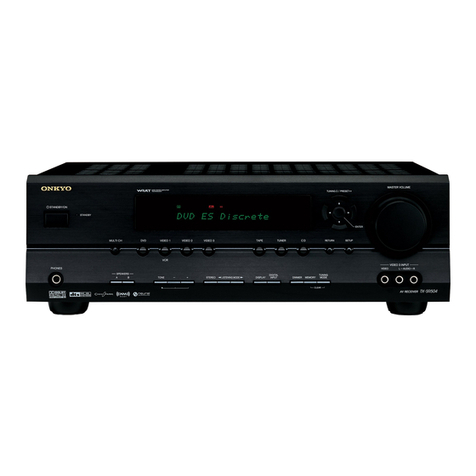
  9. Onkyo TX-SR804 User manual

Onkyo TX-SR804 User manual

Other manuals for TX-SR804

3

This manual suits for next models

1

Other Onkyo Stereo Receiver manuals

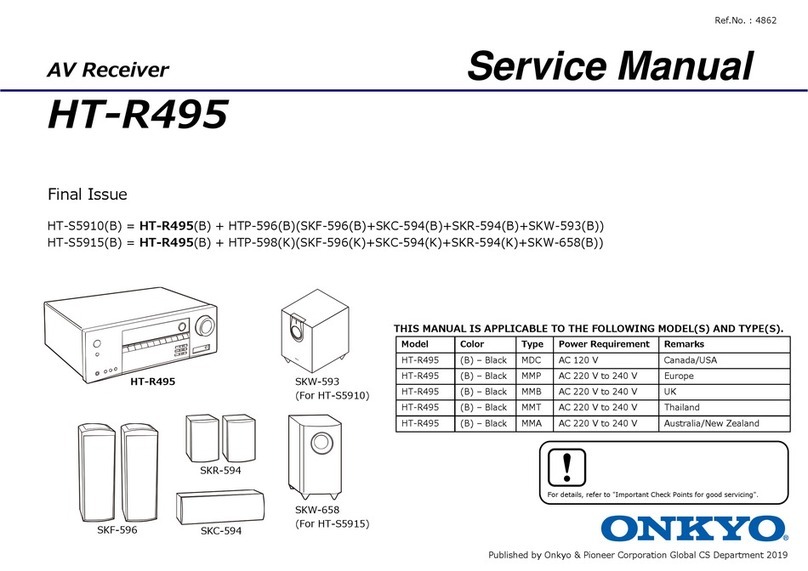
Onkyo TX-RZ720 User manual

Onkyo

Onkyo TX-RZ720 User manual

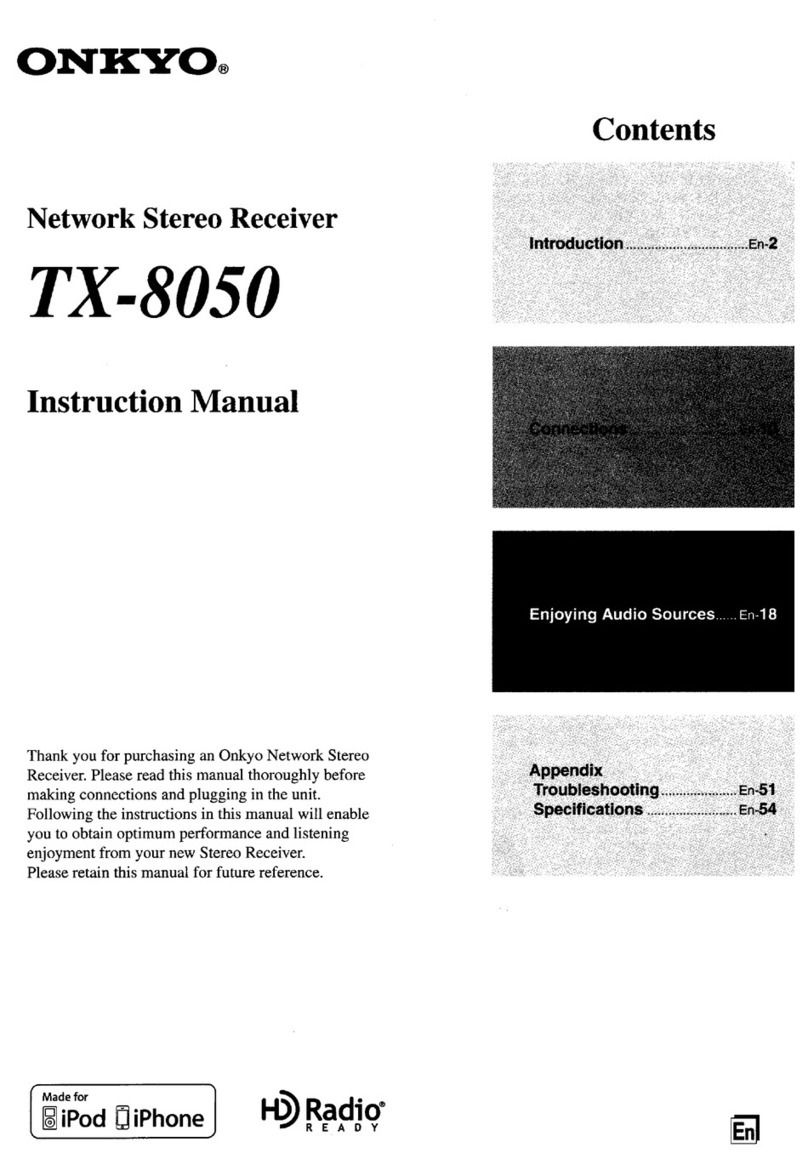
Onkyo TX-SR494 Manual

Onkyo

Onkyo TX-SR494 Manual

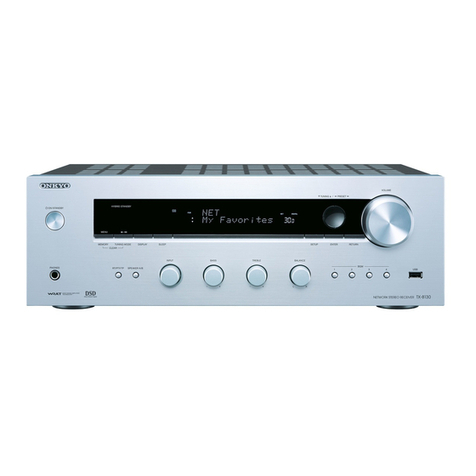
Onkyo TX-NR828(B) User manual

Onkyo

Onkyo TX-NR828(B) User manual

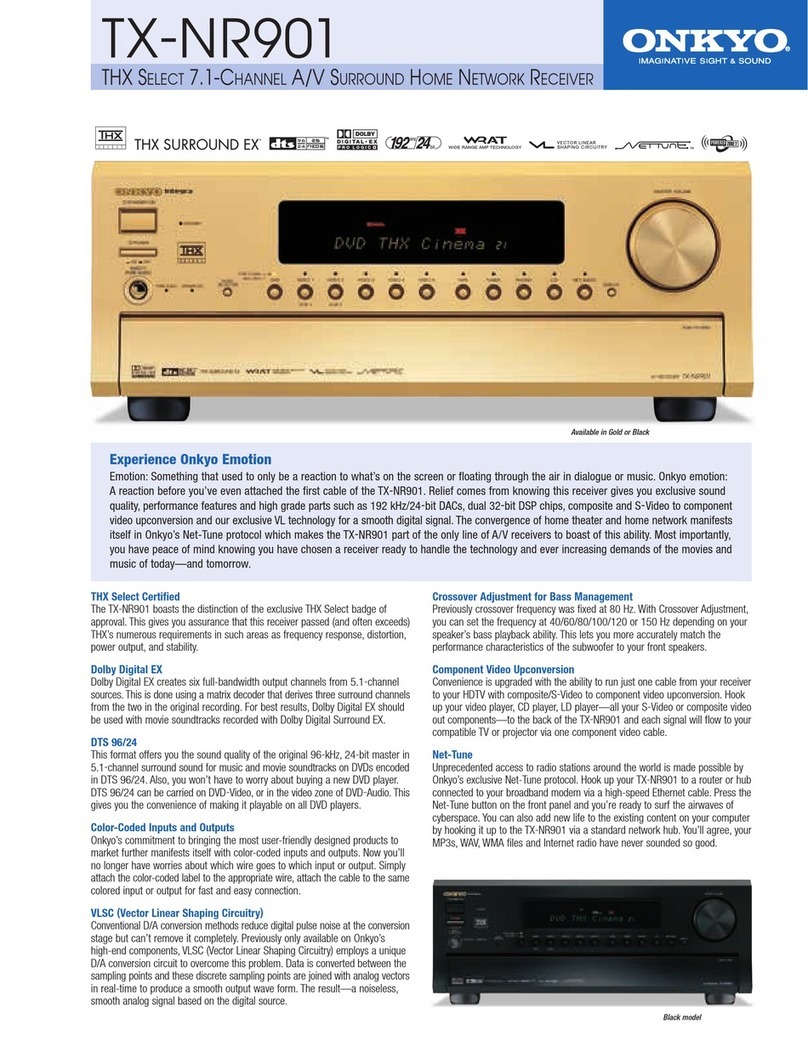
Onkyo Integra TX-DS898 User manual

Onkyo

Onkyo Integra TX-DS898 User manual

Onkyo TX-8020B User manual

Onkyo

Onkyo TX-8020B User manual

Onkyo TX-NR6100 User manual

Onkyo

Onkyo TX-NR6100 User manual

Onkyo TX-NR696-S User manual

Onkyo

Onkyo TX-NR696-S User manual

Onkyo TX-SR603X User manual

Onkyo

Onkyo TX-SR603X User manual

Onkyo TX-SR500 User manual

Onkyo

Onkyo TX-SR500 User manual

Onkyo TX-NR777 Installation guide

Onkyo

Onkyo TX-NR777 Installation guide

Onkyo TX-8260 User manual

Onkyo

Onkyo TX-8260 User manual

Onkyo K-185X User manual

Onkyo

Onkyo K-185X User manual

Onkyo TX-SR308 User manual

Onkyo

Onkyo TX-SR308 User manual

Onkyo TX-SR55 User manual

Onkyo

Onkyo TX-SR55 User manual

Onkyo TX-SR803 User manual

Onkyo

Onkyo TX-SR803 User manual
Onkyo TX-NR676E Installation guide

Onkyo

Onkyo TX-NR676E Installation guide

Onkyo TX-8211 User manual

Onkyo

Onkyo TX-8211 User manual

Onkyo TX-NR636 User manual

Onkyo

Onkyo TX-NR636 User manual

Onkyo DV-BD606 - Blu-ray Single Disc Player User manual

Onkyo

Onkyo DV-BD606 - Blu-ray Single Disc Player User manual

Onkyo TX-8500 User manual

Onkyo

Onkyo TX-8500 User manual

Onkyo TX-L20D User manual

Onkyo

Onkyo TX-L20D User manual

Onkyo TX-NR1000E User manual

Onkyo

Onkyo TX-NR1000E User manual
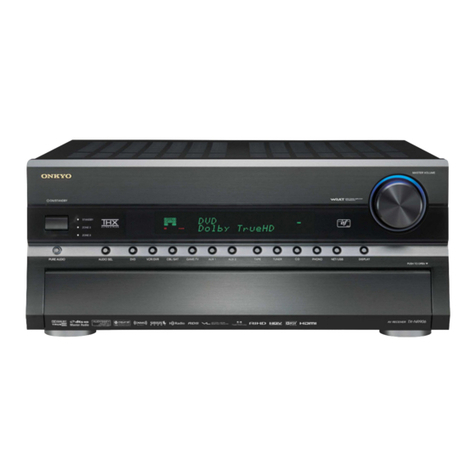
Onkyo TX-SR373 User manual

Onkyo

Onkyo TX-SR373 User manual

Onkyo 889951000747 Installation guide

Onkyo

Onkyo 889951000747 Installation guide

Popular Stereo Receiver manuals by other brands

Teac AG-680 Service manual

Teac

Teac AG-680 Service manual

Kenwood KR-V888D instruction manual

Kenwood

Kenwood KR-V888D instruction manual

Teac AGV1050 owner's manual

Teac

Teac AGV1050 owner's manual

Sony STR-435 operating instructions

Sony

Sony STR-435 operating instructions

Pioneer Elite SC-68 Service manual

Pioneer

Pioneer Elite SC-68 Service manual

Pioneer SX-1250 operating instructions

Pioneer

Pioneer SX-1250 operating instructions

Marantz CINEMA 70S owner's manual

Marantz

Marantz CINEMA 70S owner's manual

Kenwood KMDX92 instruction manual

Kenwood

Kenwood KMDX92 instruction manual

Yamaha RX-830 owner's manual

Yamaha

Yamaha RX-830 owner's manual

Pioneer AVH-Z7250BT owner's manual

Pioneer

Pioneer AVH-Z7250BT owner's manual

Denon AVR-1311 owner's manual

Denon

Denon AVR-1311 owner's manual

Denon AVR-S760H owner's manual

Denon

Denon AVR-S760H owner's manual

Denon AVR-X7200W Service manual

Denon

Denon AVR-X7200W Service manual

Sony XAV-1500 operating instructions

Sony

Sony XAV-1500 operating instructions

Radio Shack DX-399 owner's manual

Radio Shack

Radio Shack DX-399 owner's manual

Sony STR-DE535 - Fm Stereo/fm-am Receiver operating instructions

Sony

Sony STR-DE535 - Fm Stereo/fm-am Receiver operating instructions

Pioneer SX-1000TA operating instructions
Pioneer

Pioneer SX-1000TA operating instructions

Yamaha MusicCast TSR-5B3D owner's manual
Yamaha

Yamaha MusicCast TSR-5B3D owner's manual

manuals.online logo
manuals.online logoBrands
  • About & Mission
  • Contact us
  • Privacy Policy
  • Terms and Conditions

Copyright 2025 Manuals.Online. All Rights Reserved.

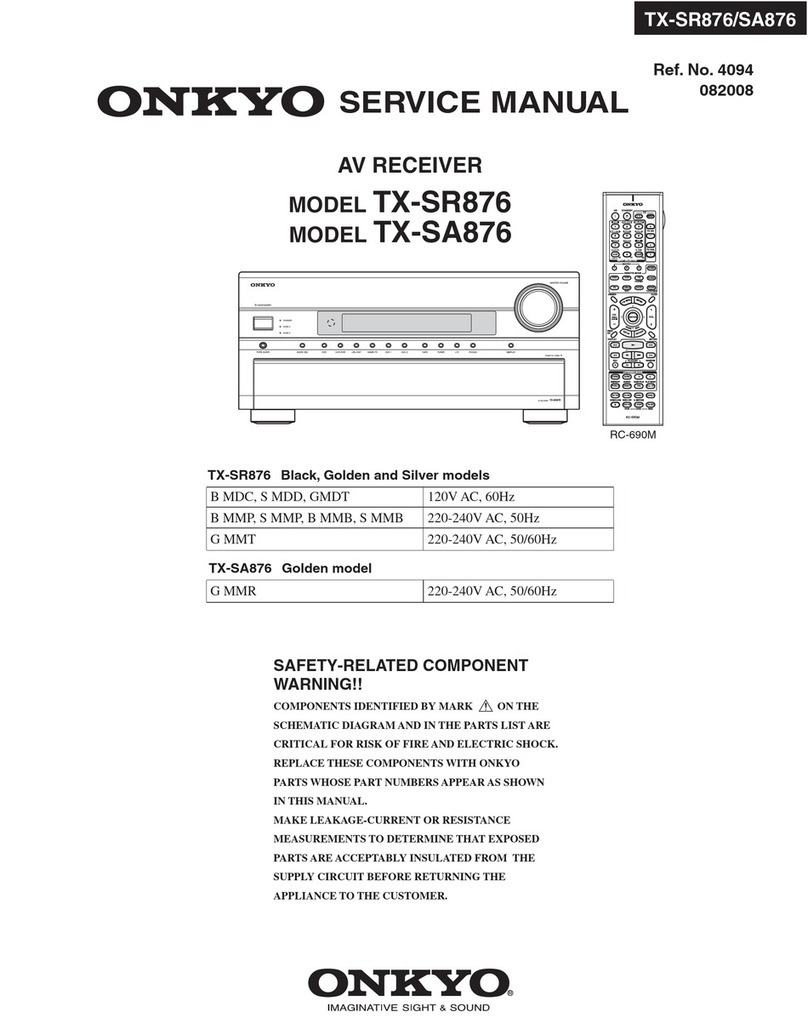
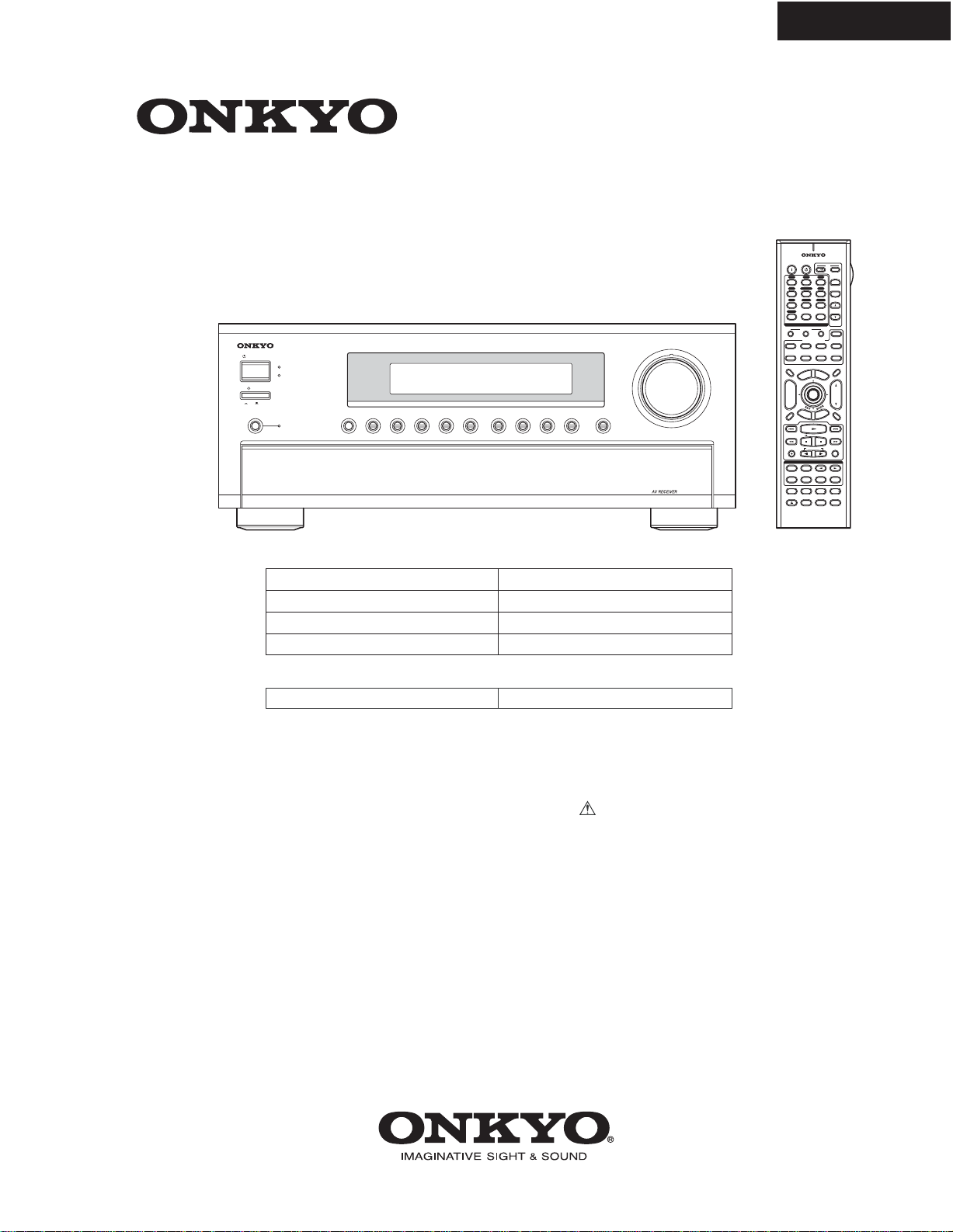
TX-SR804/804E
SERVICE MANUAL
SERVICE MANUAL
Ref. No. 3950
102006
120V AC, 60Hz
230-240V AC, 50Hz
120/220-240V AC, 50/60Hz
220-230V AC, 50Hz
TX-SR804 Black, Golden and Silver models
B MDC, S MDC
B MPA, S MPA
G MWT
G MGK, G MGR, G MGQ
TX-SR804E Black and Silver models
230-240V AC, 50Hz
B MPP, S MPP
AV RECEIVER
MODEL TX-SR804E
SAFETY-RELATED COMPONENT
WARNING!!
COMPONENTS IDENTIFIED BY MARK ON THE
SCHEMATIC DIAGRAM AND IN THE PARTS LIST ARE
CRITICAL FOR RISK OF FIRE AND ELECTRIC SHOCK.
REPLACE THESE COMPONENTS WITH ONKYO
PARTS WHOSE PART NUMBERS APPEAR AS SHOWN
IN THIS MANUAL.
MAKE LEAKAGE-CURRENT OR RESISTANCE
MEASUREMENTS TO DETERMINE THAT EXPOSED
PARTS ARE ACCEPTABLY INSULATED FROM THE
SUPPLY CIRCUIT BEFORE RETURNING THE
APPLIANCE TO THE CUSTOMER.
MODEL TX-SR804
RC-620M
THX
10
--/--- 11 12
REMOTE MODE
HDD
RECEIVER
TAPE/AMP
DVD CD
ZONE2
SAT
TV
VCR
CABLE
MDCDR
STEREO
SURR
DIRECT
SUBTITLEAUDIO
ALLST
PLAY MODE
VIDEO OFF
REPEAT
RANDOMREC PLAYLIST
OPEN/CLOSE
Re-EQ
+
-
T
V CH
T
V VOL
ENTER
S
E
T
U
P
T
O
P
M
E
N
U
M
E
N
U
VOL
+
-
CH
DISPLAY
PREV
CH
DIMMER SLEEP
MUTING
LISTENING MODE
INPUT SELECTOR
32
MACRO
1
+10 0
CLEAR
123
456
789
INPUT
I
ON STANDBY T
V
CD
V1 V2 V3
MULTI CH
DVD
TUNER
PHONO
DISC
ALBUM
V4
TAPE
PURE A
TEST TONE
CH SEL LEVEL LEVEL
L NIGHT
R
E
T
U
R
N
RC-620M
STANDBY/ON
STANDBY
MASTER VOLUME
PHONO
ZONE 2
DISPLAY
PURE AUDIO TUNERTAPE
VIDEO 4VIDEO 3VIDEO 2VIDEO 1
DVDMULTI CH CD
OFF
ON
POWER
PUSH TO OPEN
TX-SR804
TX-SR804/804E
SERVICE PROCEDURE
1. Replacing the fuses
This symbol located near the fuse indicates that the
fuse used is show operating type, For continued protection against
fire hazard, replace with same type fuse, For fuse rating, refer to
the marking adjacent to the symbol.
Ce symbole indique que le fusible utilise est e lent.
Pour une protection permanente, n'utiliser que des fusibles de meme
type. Ce demier est indique la qu le present symbol est apposre.
2. To initialize the unit
This model uses a battery-less memory backup system in order to retain radio presets and other settings
when it's unplugged or in the case of a power failure.
Although no batteries are required, the unit must be plugged into an AC outlet in order to charge the
backup system. Once it has been charged, the unit will retain the settings for several weeks,
although this depends on the environment and will be shorter in humid climates.
1. Press and hold down VIDEO 1 button, then press STANDBY/ON button when the unit is Power on.
2. After " Clear " is displayed, the preset memory and each mode stored in the memory are initialized and will
return to the factory settings, and turn to Standby mode.
4. Memory Backup
3. Safety check out
REF NO. PART NAME DESCRIPTION PART NO. REMARKS
F
9
01 F
USE
1
0
A-
U
L
/
T-2
33
2
5
2
330GR
!
,
<DC
>
F
9
02 F
USE
6
.
3
A-
S
E-EA
K
25207
9
G
R
!
,
<WT
>
F
9
51 F
USE
6
.
3
A-
S
E-EA
K
25207
9
G
R
!
F
9
5
2
F
USE
6
.
3
A-
S
E-EA
K
25207
9
G
R
!
F6
9
01 F
USE
12A-T
U
L-2
50V
2
5
2
30
1
GR
!
F6902 FUSE 12A-TUL-250V 252301GR !
<Notes> <GK> : TX-SR804 Korean model
<GQ> : TX-SR804 Hong kong model
<GR> : TX-SR804 Chinese model
<PA> : TX-SR804 Australian model
<WT> : TX-SR804 World wide model
<PP> : TX-SR804E European model
<DC> : TX-SR804 Canadian model
F
9
01 F
USE
6
.
3
A-
S
E-EA
K
25207
9
G
R
!, <WT,G
Q
,GR,GK,PA,PP
>
F
9
0
3
F
USE
2.
5
A-
S
E-EA
K
2
5
2
0
7
5GR
!, <WT,G
Q
,GR,GK,PA,PP
>
F
9
03 F
USE
5
A-
U
L
/
T-2
33
2
5
2
3
2
6GR
!
,
<DC
>
F
9
31 F
USE
1.
6
A-
S
E-EA
K
2
5
2
0
7
3GR
!
F
9
32 F
USE
1.
6
A-
S
E-EA
K
2
5
2
0
7
3GR
!
(U.S.A. model only)
After correcting the original service problem, perform the following safety check before releasing the unit to
the customer. .
Leakage current Check
Measure the leakage current to a known earth ground (water pipe or conduct etc.) by connecting a leakage current
tester between the earth ground and exposed metal parts of the unit (input/output ground terminals, screw heads or
metal overlays etc.).
Plug the power supply cord directly into a 120Vac 60Hz wall socket and turn STANDBY button on.
Any current measured must not exceed 0.5mA.
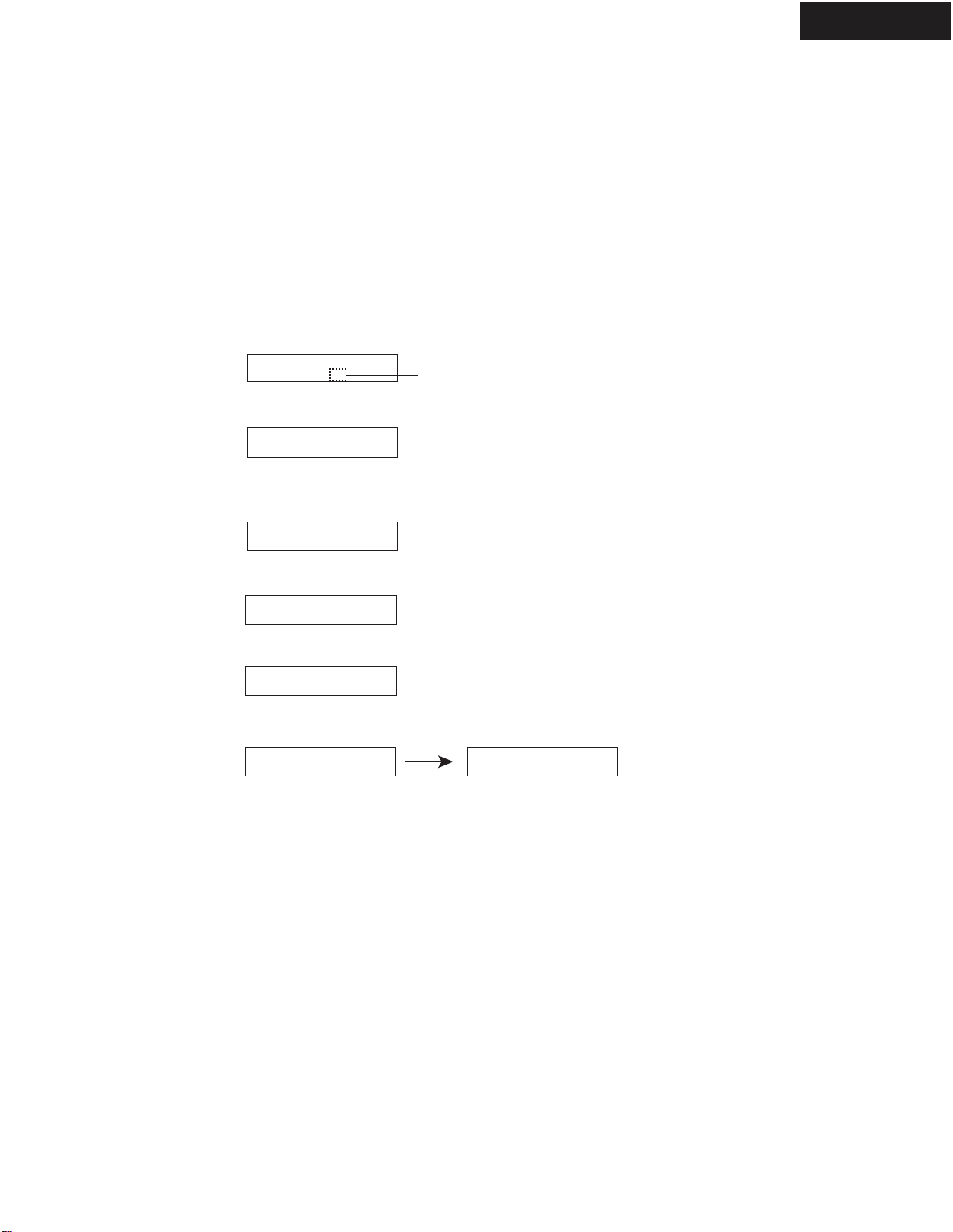
OPERATION CHECK-1
SPEAKER PROTECT-1 (DC VOLTAGE DETECTION)
1. Press and hold down CD button, then press STANDBY/ON button while the unit is Power ON.
" Test - _ " is displayed only for 5 seconds.
2. Press VIDEO 3 button, while the characters of " Test - _ " are displayed.
The unit will be in the state of " Test-4-00 ".
3. Repeatedly press TONE+button until the characters of " Test-4-21 " are displayed.
[Procedure]
<Note> No load. No input signal.
Test - _
Test - 4-00
[When]
1. Exchange power transistors (Q6050 - Q6056, Q6060 - Q6066).
2. Exchange amplifier PC board ass'y (NAAF-8678, NAAF-8682).
Test - 4-21
Check whether the operation starts and continues automatically as follows.
Test - 4-21
Test - 4-22
Test - 4-25
Test - 4-23
Test - 4-24
Protect OK
Protect OK
Protect
Protect OK
Protect OK
Protect OK
Test - 4-35
Clear
Turn off
Front L ch
Check
If all channels are OK, the characters of " Test - 4 - 35 " are finally displayed.
4. Press STANDBY/ON button.
Front R ch
Check
Center ch
Check
Surround L ch
Check
Surround R ch
Check
Blinks
Test - 4-26
Protect OK
Surround Back L ch
Check
Test - 4-27
Protect OK
Surround Back R ch
Check
TX-SR804/804E
TX-SR804/804E
OPERATION CHECK-2
SPEAKER PROTECT-2 (CURRENT DETECTION)
1. Press and hold down CD button, then press STANDBY/ON button while the unit is Power ON.
" Test - _ " is displayed only for 5 seconds.
2. Press VIDEO 3 button, while " Test - _ " is displayed.
The unit will be in the state of " Test-4-00 ".
3. Repeatedly press TONE+
button until " Test-4-35 " is displayed.
4. Connect a dummy load of 3ohms to the Front L ch speaker terminals.
At this time, confirm that the speaker relay is not turned off.
5. Connect a dummy load of 1ohm to the Front L ch speaker terminals.
At this time, confirm that the speaker relay is turned off and " Protect " will bev displayed.
Disconnect the dummy load immediately after checking the display of " Protect ".
6. Check other channels according to the same procedure as 4 and 5.
[Procedure]
<Note>
No input signal.
Do not check two or more channels at the same time.
Do not connect a dummy load to speaker terminals longer than 2 seconds.
Test - _
Test - 4-00
[When]
1. Exchange power transistors (Q6050 - Q6056, Q6060 - Q6066).
2. Exchange amplifier PC board ass'y (NAAF-8678, NAAF-8682).
Test - 4-35
Clear
Turn off
7. Press
STANDBY/ON button.
Test - 4-35
Protect
Test - 4-35
Blinks
FL FR C SL SR SBL SBR
TX-SR804/804E
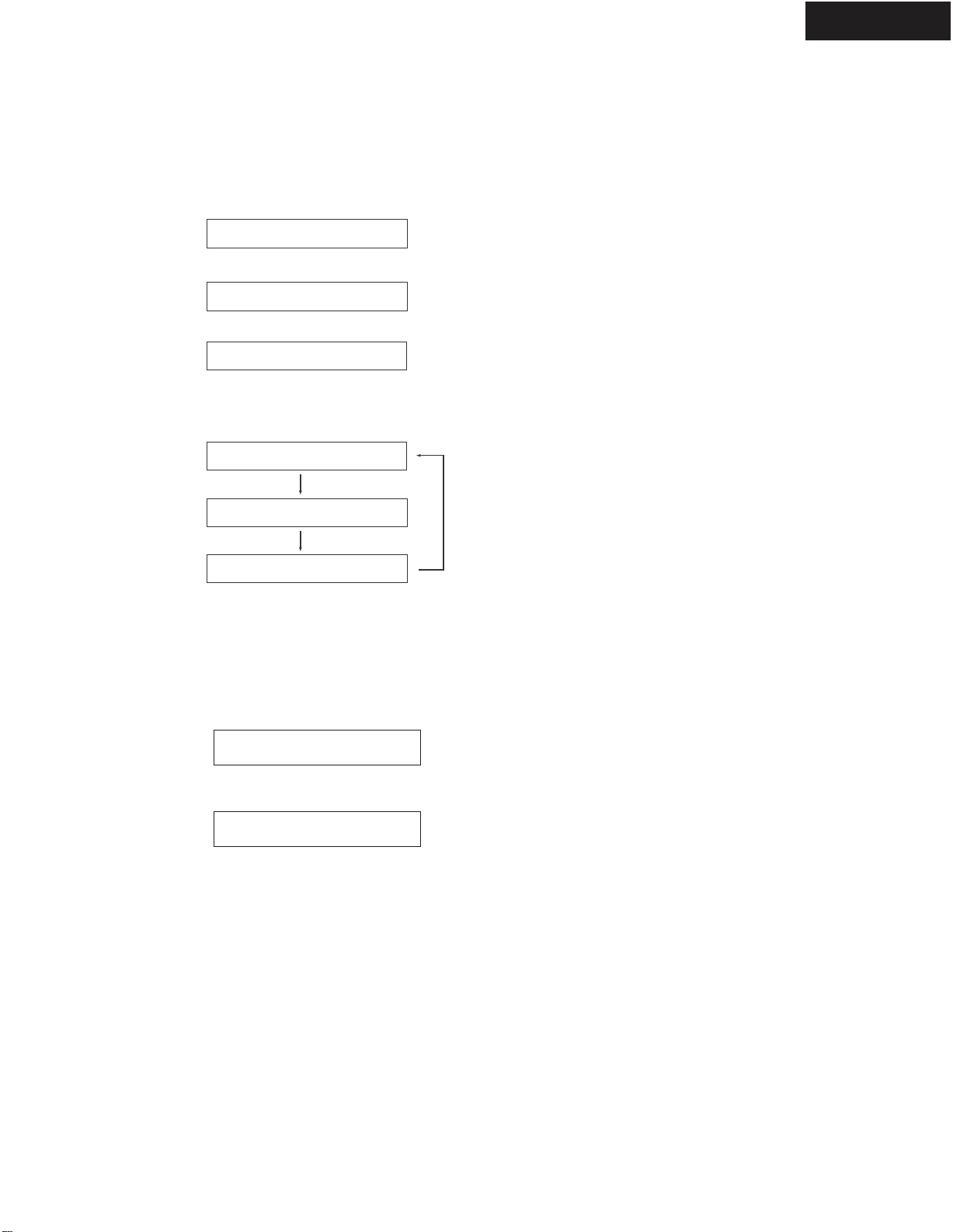
OPERATION CHECK-3
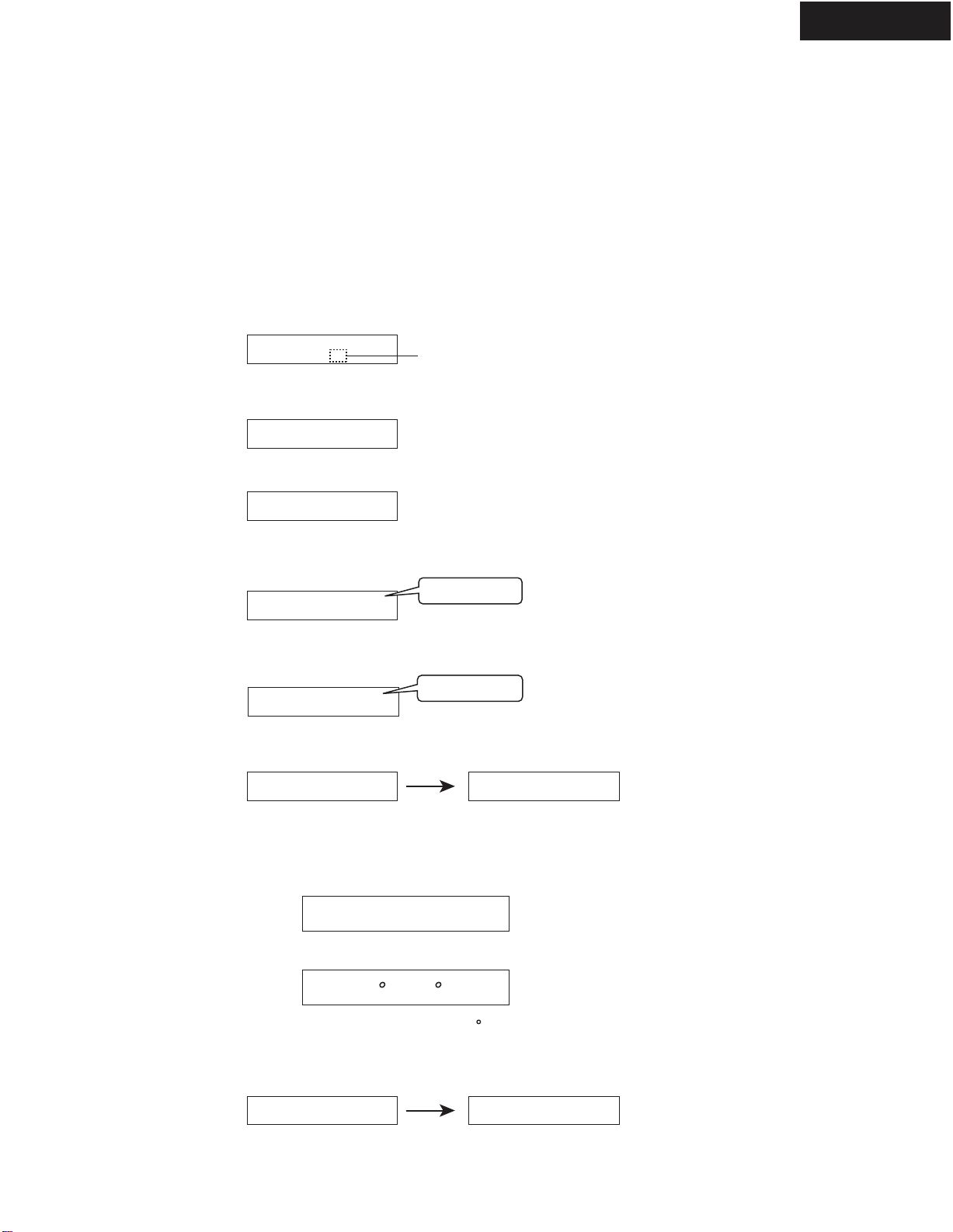
CONTROL OF POWER SUPPLY (SPEAKER OUTPUT SENSOR AND THERMAL DETECTOR)
Test - _
Test - 4-00
Test - 4-36
Clear
Turn off
Test - 4-36 FM STEREO
Blinks
Ver. 1.01/06920a
<Ex.>
<Ex.> T: 25 C/ 77 F
Clear
Turn off
Output Sensor
1. Press and hold down CDbutton, then press STANDBY/ON button while the unit is Power ON.
" Test - _ "will be displayed only for 5 seconds.
2. Press VIDEO 3 button while
" Test - _ " is displayed.
The unit will be in the state of " Test-4-00 ".
3. Repeatedly press TONE+button until
" Test-4-36 " is displayed.
4.At this time, confirm that the red characters of " FM STEREO " is displayed.
And, confirm that the relays (RL6901 and RL6902) are turned off in 2 or 3 seconds. (FL+FR+C+SL check)
6. Press STANDBY/ON button.
[Procedure]
<Note> No output. No input.
[When]
1. Exchange power transistors (Q6050 - Q6056, Q6060 - Q6066).
2. Exchange power amplifier PC board ass'y (NAAF-8678, NAAF-8682).
3. Exchange thermal sensor PC board ass'y (NAETC-8680).
Thermal Detector
1. Press and hold down DISPLAY button, then press STANDBY button when the unit is power ON.
The main microprocessor version will be displayed only for 3 seconds.
2. Press TONE button while the version is displayed, then the temperature will be displayed.
3. Confirm that the displayed temperature is within +/-20 C from the ambient temperatures.
4. Press STANDBY/ON button.
Test - 4-37
5. Press TONE+button and confirm that
the red characters of " FM STEREO " is displayed and
the relays (RL6901 and RL6902) are turned off in 2 or 3 seconds as well as 4. (C+SR+SBL+SBR check)
FM STEREO
TX-SR804/804E
OPERATION CHECK-4
CONTROL OF COOLING FAN
[Procedure]
[When]
1. Exchange power transistors (Q6050 - Q6056, Q6060 - Q6066).
2. Exchange power amplifier PC board ass'y (NAAF-8678, NAAF-8682).
3. Exchange thermal sensor PC board ass'y (NAETC-8680).
1. Confirm that the cooling fan doses not rotate at no audio input signals.
Test - _
Test - 4-00
Test - 4-36
Clear
Turn off
Blinks
2. Press and hold down CDbutton, then press STANDBY/ON button while the unit is Power ON.
" Test - _ " will be displayed.
3. Press VIDEO 3 button while " Test - _ " is displayed.
The unit will be in the state of " Test-4-00 ".
4. Repeatedly press TONE+button until " Test-4-36 " is displayed. Then confirm that the
7. Press the STANDBY/ON button.
Test - 4-37
5. Press TONE+button and confirm that the cooling fan rotates in low speed.
cooling fan rotates in low speed.
Test - 4-39
6. Press TONE+button two times and confirm that the cooling fan rotates in fast speed.
4. Exchange cooling fan.
DEBUG MODE -1
TX-SR804/804E
E6A48K017FF00x0
<Ex.>
How to Set in Debug Mode
1. Press and hold down
DISPLAY button, then press STANDBY button while the unit is power ON.
The version number of microprocessor is displayed only for 3 seconds.
2. Press
DISPLAY button while the version is displayed, then the status of DSP and DIR etc will be displayed.
3. To exit, press STANDBY/ON button.
<Ex.>
How to Check Versions of Main, DSP and Video(HDMI) Microprocessor
1. Press and hold down DISPLAY button, then press STANDBY/ON button when the unit is power ON.
The main microprocessor version will be displayed on FL for 3 seconds.
2. Press SETUP button while the version is displayed, then " DSP Ver: " will be displayed.
3. Press ENTER button while " DSP Ver: " is displayed, then " DSP F/W Update " will be displayed.
4. Again, press and hold down DISPLAY button, then press STANDBY/ON button in order to get DSP version.
5. Press SETUP button a few times.
The versions of DSP ROM ---> Video(HDMI) microprocessor ---> Main microprocessor will be displayed in turn.
DSP Ver:
DSP F/W Update
6. To check DSP version next time, the procedures of 2-4 are not necessary until the power cord is off.
Ver.1.01/06920a
HDM.Ver:06607A
DSP Ver:05Y28A
Ver.1.01/06920a
Ver.1.01/06920a
Refer to next page to see the information displayed for detail.
<Ex.>
<Ex.>
<Ex.>
<Ex.>
TX-SR804/804E
DEBUG MODE -2
14
2568
710
39
1UNLOCK
E = UNLOCK
_ = LOCK
Digital Selector
D = DIGITAL
A = ANALOG
1 = Coax 1
2 = Coax 2
3 = Opt 1
4 = Opt 2
5 = Opt 3
7 = Front Opt
Sampling Frequency
96 = 96kHz
48 = 48kHz
44 = 44.1kHz
32 = 32kHz
--- = Not Detected
2
4
5
-------------------------- DIR -----------------------------
3
----------------------------------------------- DSP ---------------------------------------------------------
Content of Display
11
DIR STATUS
0 = ANALOG
1 = PCM
2 = NOT_PCM
3 = DATA
4 = DTS CD
5 = MCH
6 = NOT DECIDED
PreEmphasis
K = OFF
e = ON
---------------------- MEMORY / DOWNLOAD --------------------
AUTOBOOT DSP AB CODE
0 = FLASH
1 = AB_AC3_PL2
2 = AB_dts_PL2
3 = AB_NEO6
4 = sgen_AB
5 = AB_PL2fs
6 = AB_dts_6dol
7 = AB_dts9624
8 = AAC
AUTOBOOT DSP C CODE
0 = C_dts9624
1 = C_neo6
2 = C_OOS_no_sd
3 = C_OOS
4 = C_oob
5 = C_PL2
6 = C_PL2xTHX
7 = C_THX
8 = c_spsetup
9 = vers
67
00 = POWER OFF
01 = POWER ON WAIT
10 = DSP RESET
11 = DSP RESET WAIT
12 = DSP AB BOOT Ready
13 = DSP AB BOOT start
14 = DSP AB BOOT
15 = DSP C BOOT Ready
16 = DSP C BOOT start
17 = DSP C BOOT
18 = DSP SOFT RESET
20 = DSP C APP_START
21 = DSP C HW CONFIG SET
22 = DSP C SW CONFIG SET
23 = DSP C SW CONFIG SET
24 = DSP C SW CONFIG SET
25 = DSP C SW CONFIG SET
26 = DSP C SW CONFIG SET
27 = DSP C SW CONFIG SET
28 = DSP C SW CONFIG SET
29 = DSP C SW CONFIG SET
2A = DSP C SW CONFIG SET
3F = DSP C KICK START
40 = DSP AB APP_START FF = FREE
41 = DSP AB HW CONFIG SET
42 = DSP AB SW CONFIG SET
43 = DSP AB SW CONFIG SET
44 = DSP AB SW CONFIG SET
45 = DSP AB SW CONFIG SET
46 = DSP AB SW CONFIG SET
47 = DSP AB SW CONFIG SET
48 = DSP AB SW CONFIG SET
49 = DSP AB SW CONFIG SET
4A = DSP AB SW CONFIG SET
4B = DSP AB SW CONFIG SET
4F = DSP AB KICK START
DSP Detect Format
IEC61937 Format
00 = Null
08 = MPEG2 L1
01 = Dolby Digital
09 = MPEG2 L2/3
03 = Pause
0B = DTS1
20 = Silent
21 = DTS LD
22 = DTS CD
23 = PCM
04 = MPEG1 L1
0C = DTS2
05 = MPEG1 L23
/ MPEG2 w/o
0D = DTS3
06 = MPEG2 w/e
1B = MPEG2 AAC1
07 = MPEG2 AAC
1C = MPEG2 AAC2
DSP Decode
O = Decode OK
X = Decode NG
- = ANALOG In
8
910
Mute Condition
0 = mute off
1 = mute during input selector's switching
2 = mute during parameter's switching
4 = DSP Mute
8 = DIR Mute
3 = 1 + 2
5 = 1 + 4
6 = 2 + 4
7 = 1 + 2 + 4
9 = 1 + 8
A = 2 + 8
B = 1 + 2 + 8
C = 4 + 8
D = 1 + 4 + 8
E = 2 + 4 + 8
F = 1 + 2 + 4 + 8
11
----------- Main Microprocessor ------------
FL Display
DSP Status
NOT IEC61937 Format
TX-SR804/804E
DEBUG MODE -3
This debug mode will help in analysing digital audio no sound trouble.
Check information on FL display and the related devices or circuits below.
Trouble Cause Analysis by Debug Mode
Symptom on Display Cause Check
"E" is displayed No input signal to DIR Related devices and circuits from digital
input to Q361
Displayed freq. is different
from input signal freq. No input signal to DIR Related devices and circuits from digital
input to Q361
Displayed format is different
from input signal format No input signal to DIR Related devices and circuits from digital
input to Q361
Displayed format is different
from input signal format Input signal to DSP is no good Related devices and circuits from Q361
to Q201
"x" is displayed Interface between DSP and main
micro processor is no good Related devices and circuits from Q701
to Q201
DSP outputs error to main micro
processor, which outputs mute Q701, Q201, Q301 & related devices and
circuits
Digit No.
on FL
10
9
11
5
3
1
DIR outputs error to main micro
processor, which outputs mute Q5701, Q201, Q361 & related devices
and circuits
11
"4" is displayed
"8" is displayed
TX-SR804/804E
TX-SR804/804E
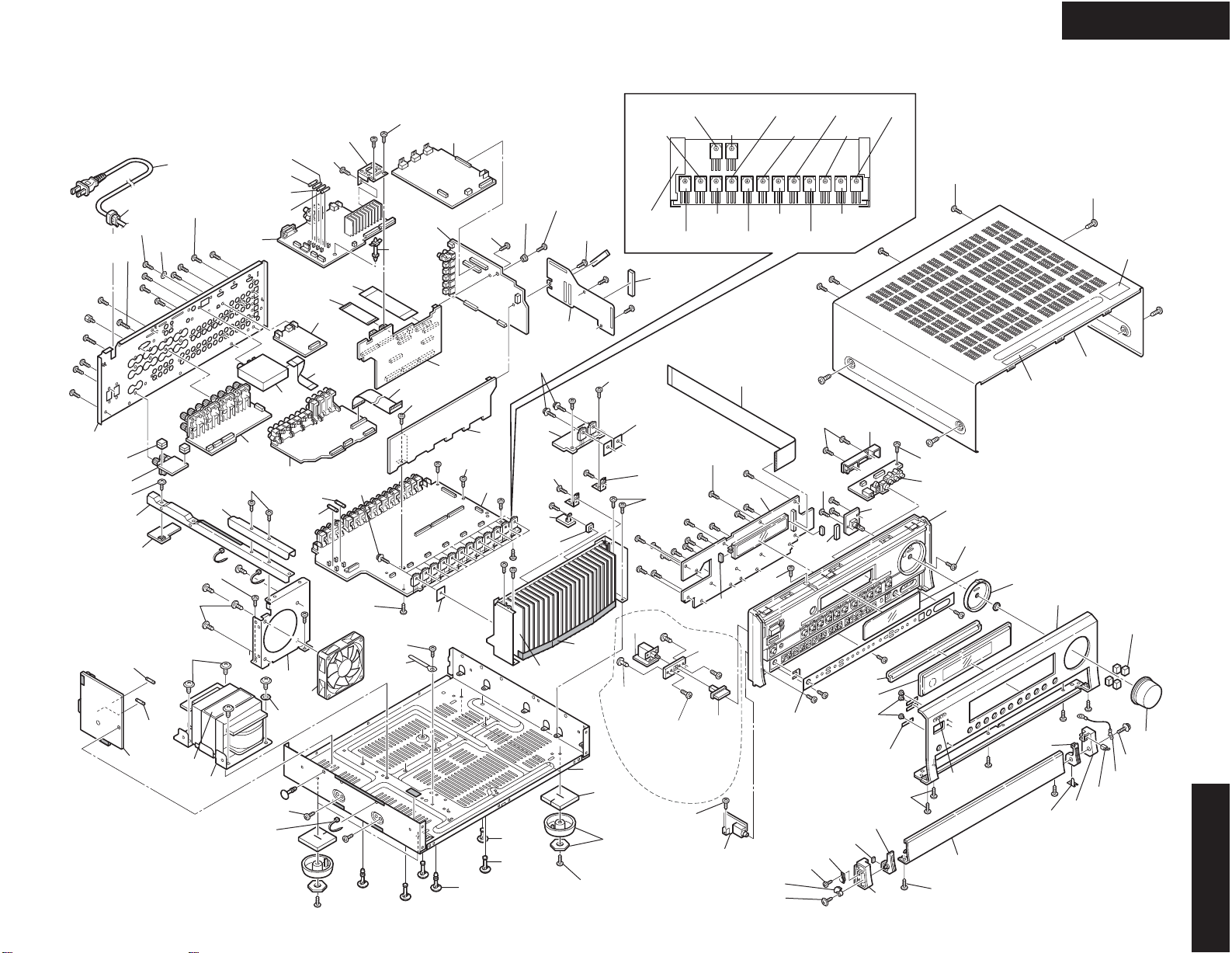
EXPLODEDVIEW
Q6050
Q6051Q6053Q6055 Q6052Q6054
Q6060
Q6061Q6063Q6066Q6065 Q6062Q6064Q6056
A080
A095
A660
A040
A035
A025
A022
A036
A029
A010
A019
A412 A009
A032
A411
A027
A039
A030
A038
A031
A033 A023
A410
A005
A001
A003
A020
A003
A002
A080
A105
A050
A052
A060
A110
T901
A051
A430 A067 F6901
F901
F903
F6902
A077
P8000
A090
A092A068A069
A059
Q951G
Q951F
A401
A405
A404
A403
A691
A003
A115
A063
P7534
U11
U03
U01
U19
U15
U16
U09 U04
U05
U06
U07
U20
U13
U08
U14
U12
U011
U17
P701
P601
P710
P901 F951
F952
F932
F931
U18
U02
A006
Q6050A
x 12 pcs.
Q6050A
x 2 pcs.
A100
x 4 pcs.
A037
x 5 pcs.
A003
x 5 pcs.
A044
x 4 pcs.
A003
x 2 pcs.
A088
x 2 pcs.
A056
x 4 pcs.
A105
x 3 pcs.
A105
x 2 pcs.
A097
x 2 pcs.
A105
x 3 pcs.
A105
x 2 pcs.
A082
x 2 pcs.
A105
x 3 pcs. A105
x 4 pcs.
A089
x 2 pcs.
A087
x 2 pcs.
A082
x 12 pcs.
A092
x 2 pcs.
A057
x 2 pcs.
A070
x 2 pcs.
A408
x 5 pcs.
A402
x 44 pcs.
A062
x 4 pcs.
A119
x 4 pcs.
A111
x 4 pcs.
A114
x 4 pcs.
A054
x 3 pcs.
A053
x 3 pcs.
A055
x 11 pcs.
A106
x 2 pcs.
A003
x 3 pcs.
A003
x 15 pcs.
A011
x 3 pcs.
A020
x 3 pcs.
A402
x 2 pcs.
A101
x 4 pcs.
A081
A099
A418
U22
U21
A416
x 2 pcs.
A417
x 2 pcs.
PP/WT/GR/
GQ/GK models