manuals.online logo
Brands
  1. Home
  2. •
  3. Brands
  4. •
  5. Optiquest
  6. •
  7. Monitor
  8. •
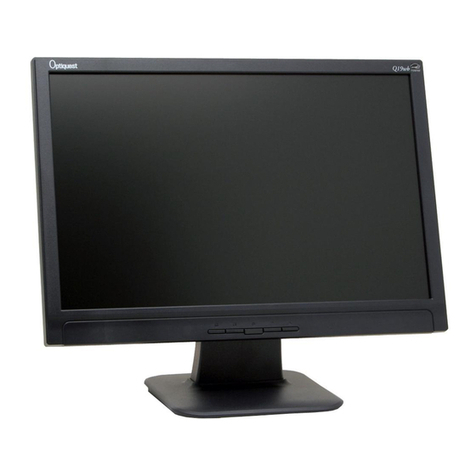
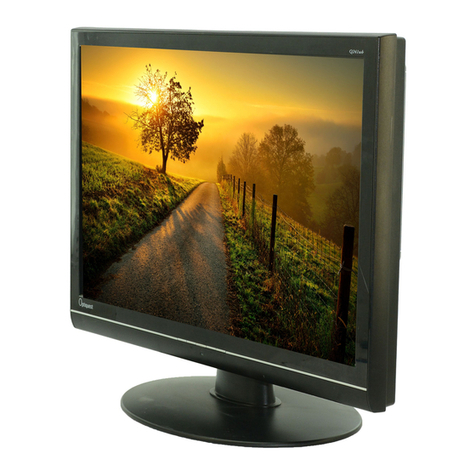
  9. Optiquest Optiquest VS11455 User manual

Optiquest Optiquest VS11455 User manual

Other manuals for Optiquest VS11455

1

This manual suits for next models

1

Other Optiquest Monitor manuals

Optiquest VS11443 User manual

Optiquest

Optiquest VS11443 User manual

Optiquest B270 User manual

Optiquest

Optiquest B270 User manual

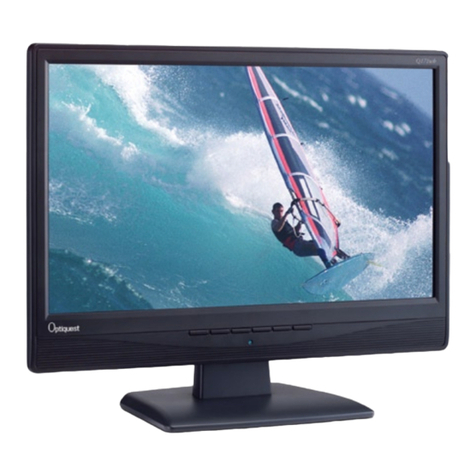
Optiquest Q171WB - Optiquest - 17" LCD Monitor User manual

Optiquest

Optiquest Q171WB - Optiquest - 17" LCD Monitor User manual

Optiquest VS12087 Quick start guide

Optiquest

Optiquest VS12087 Quick start guide

Optiquest Z70 User manual

Optiquest

Optiquest Z70 User manual

Optiquest Optiquest V55 User manual

Optiquest

Optiquest Optiquest V55 User manual

Optiquest VS12106 User manual

Optiquest

Optiquest VS12106 User manual

Optiquest Optiquest VS11455 User manual

Optiquest

Optiquest Optiquest VS11455 User manual

Optiquest VS12118 User manual

Optiquest

Optiquest VS12118 User manual

Optiquest Q241WB - Optiquest - 24" LCD Monitor User manual

Optiquest

Optiquest Q241WB - Optiquest - 24" LCD Monitor User manual

Optiquest Q115 - Optiquest - 21" CRT Display User manual

Optiquest

Optiquest Q115 - Optiquest - 21" CRT Display User manual

Optiquest VS12107 User manual

Optiquest

Optiquest VS12107 User manual

Optiquest Q171B - Optiquest - 17" LCD Monitor User manual

Optiquest

Optiquest Q171B - Optiquest - 17" LCD Monitor User manual

Optiquest V95-2 User manual

Optiquest

Optiquest V95-2 User manual

Optiquest Q22wb-1 User manual

Optiquest

Optiquest Q22wb-1 User manual

Optiquest Q171WB - Optiquest - 17" LCD Monitor User manual

Optiquest

Optiquest Q171WB - Optiquest - 17" LCD Monitor User manual

Optiquest B240 User manual

Optiquest

Optiquest B240 User manual

Optiquest Q2161WB - Optiquest - 21.6" LCD Monitor User manual

Optiquest

Optiquest Q2161WB - Optiquest - 21.6" LCD Monitor User manual

Optiquest Q19wb User manual

Optiquest

Optiquest Q19wb User manual

Optiquest Optiquest Q95 User manual

Optiquest

Optiquest Optiquest Q95 User manual

Optiquest VS12105 User manual

Optiquest

Optiquest VS12105 User manual

Optiquest Q171B - Optiquest - 17" LCD Monitor User manual

Optiquest

Optiquest Q171B - Optiquest - 17" LCD Monitor User manual

Optiquest Q2161WB - Optiquest - 21.6" LCD Monitor User manual

Optiquest

Optiquest Q2161WB - Optiquest - 21.6" LCD Monitor User manual

Optiquest Q241WB - Optiquest - 24" LCD Monitor User manual

Optiquest

Optiquest Q241WB - Optiquest - 24" LCD Monitor User manual

Popular Monitor manuals by other brands

Samsung ME32C user manual

Samsung

Samsung ME32C user manual

ViewSonic VA926-LED user guide

ViewSonic

ViewSonic VA926-LED user guide

Furuno Mu 120c Operator's manual

Furuno

Furuno Mu 120c Operator's manual

Asus VB171D - 17" LCD Monitor Service manual

Asus

Asus VB171D - 17" LCD Monitor Service manual

AOC 9GLR Technical specifications

AOC

AOC 9GLR Technical specifications

DMG RAFFAELLO manual

DMG

DMG RAFFAELLO manual

AOC LM720 - 17" Technical specifications

AOC

AOC LM720 - 17" Technical specifications

Sony Trinitron GDM-F500 Service manual

Sony

Sony Trinitron GDM-F500 Service manual

Memorex MT1701 user guide

Memorex

Memorex MT1701 user guide

ViewSonic VE510s-4 Service manual

ViewSonic

ViewSonic VE510s-4 Service manual

Farenheit T-1503CM instruction manual

Farenheit

Farenheit T-1503CM instruction manual

Ditel DINOS DN129/AT Quick installation guide

Ditel

Ditel DINOS DN129/AT Quick installation guide

Sony SDM-S51 Specifications

Sony

Sony SDM-S51 Specifications

Kenwood DMX1025BT quick start guide

Kenwood

Kenwood DMX1025BT quick start guide

Dell S2409WFP user guide

Dell

Dell S2409WFP user guide

EverFocus EN-7517E instruction manual

EverFocus

EverFocus EN-7517E instruction manual

Dell P3222QE user guide

Dell

Dell P3222QE user guide

Panasonic TH152UX1 - 152" PLASMA TV Service manual

Panasonic

Panasonic TH152UX1 - 152" PLASMA TV Service manual

manuals.online logo
manuals.online logoBrands
  • About & Mission
  • Contact us
  • Privacy Policy
  • Terms and Conditions

Copyright 2025 Manuals.Online. All Rights Reserved.

- User Guide
- Guide de l’utilisateur
- Bedienungsanleitung
- Guía del usuario
- Guida dell’utente
- Guia do usuário
- Användarhandbok
- Käyttöopas
-Podręcznikużytkownika
-Használatiútmutató
-Pyководствопользователя
-Uživatelskápíruka
-Kullanιcιkιlavuzu
- Gebruikshandleiding
-Οδηγόςχρηστών
- 使用手冊(繁中)
- 使用手冊 (簡中)
- 사용자 안내서
- ユーザーガイド
- ﻢﺪﺨﺘﺴﻤﻠﺍﻞﻴﻠﺪ
Q9
LCD Display
Model No. : VS11455
ViewSonic Q9
ViewSonic Q9i
Congratulations!
You have just purchased a TCO’99 approved and labelled product!
Your choice has provided you with a product developed for professional
use. Your purchase has also contributed to reducing the burden on the
environment and also to the further development of environmentally
adapted electronics products.
Whydowehaveenvironmentallylabelledcomputers?
In many countries, environmental labelling has become an established method for encouraging
the adaptation of goods and services to the environment. With the growing manufacture and
usage of electronic equipment throughout the world, there is a recognized concern for the
materials and substances used by electronic products with regards to their eventual recycling and
disposal. By proper selection of these materials and substances, the impact on the environment
can be minimized.
There are also other characteristics of a computer, such as energy consumption levels, that are
important from the viewpoints of both the work (internal) and natural (external) environments.
Electronic equipment in ofces is often left running continuously, resulting in unnecessary
consumption of large amounts of energy and additional power generation. From the standpoint
of carbon dioxide emissions alone, it is vital to save energy.
Whatdoeslabellinginvolve?
The product meets the requirements for the TCO’99 scheme which provides for international
and environmental labelling of personal computers and/or displays. The labelling scheme was
developed as a joint effort by the TCO (The Swedish Confederation of Professional Employees),
Svenska Naturskyddsforeningen (The Swedish Society for Nature Conservation) and Statens
Energimyndighet (The Swedish National Energy Administration).
Approval requirements cover a wide range of issues: ecology, ergonomics, emission of electrical
and magnetical elds, energy consumption and electrical safety.
Ecological criteria impose restrictions on the presence and use of heavy metals, brominated and
chlorinated ame retardants, and other substances. The product must be prepared for recycling
and the manufacturing site(s) shall be certied according to ISO14001 or EMAS registered.
Energy requirements include a demand that the system unit and/or display, after a certain period
of inactivity, shall reduce its power consumption to a lower level in one or more stages. The
length of time to reactivate the system unit shall be reasonable for the user.
Labelled products must meet strict environmental demands, for example, in respect of the
reduction of electrical and magnetical elds as well as work load and visual ergonomics.

ViewSonic Q9
ii
Below you will find a brief summary of the ecological requirements met by this product. The
complete ecological criteria document can be found at TCO Development’s website
http://www.tcodevelopment.com or may be ordered from:
TCODevelopment
SE-114 94 STOCKHOLM, Sweden
Fax: +46 8 782 92 07
E-mail: de[email protected]
Information regarding TCO’99 approved and labelled products may also be obtained at
http://www.tcodevelopment.com
Ecologicalrequirements
Flame retardants
Flame retardants may be present in printed wiring board laminates, cables, and housings. Their
purpose is to prevent or, at least, delay the spread of fire. Up to 30% of the weight of the plastic

in a computer casing can consist of flame retardant substances. Many flame retardants contain
bromine or chlorine, and these flame retardants are chemically related to PCBs (polychlorinated
biphenyls). Flame retardants containing bromine or chlorine and the PCBs are suspected of
giving rise to health effects, including reproductive damage in fisheating birds and mammals,
due to the bio-accumulative* processes when these are not disposed of in accordance with the
strict standards for disposal.
TCO’99 requires that plastic components weighing more than 25 grams shall not contain flame
retardants with organically bound bromine or chlorine. Flame retardants are allowed in the
printed wiring board laminates due to the lack of commercially available alternatives, except
for two types of brominated flame retardants (PBB and PBDE), which are not allowed in the
product at all.
Cadmium**
Cadmium is present in rechargeable batteries and in the colour-generating layers of certain
computer displays.
TCO’99 requires that the product including batteries shall not contain any cadmium.
Mercury**
Mercury is sometimes found in batteries, relays and switches. TCO’99 requires that the product
including batteries shall not contain any mercury. There is, however, one exception. Mercury is,
for the time being, permitted in the back light system of flat panel monitors as there is currently
no commercially available alternative. TCO aims to remove this exception when a mercury free
alternative is available.
Lead**
Lead can be found in picture tubes, display screens, solders and capacitors. TCO’99 requires
that the product including batteries shall not contain any lead.
Hexavalent chromium**
Hexavalent chromium is sometimes used as surface treatment. TCO’99 requires that the product
shall not contain any hexavalent chromium.
* Bio-accumulative is defined as substances which accumulate in living organisms.
**Lead, Cadmium and Mercury are heavy metals which are bio-accumulative.
ViewSonic Q91
ViewSonic Q92
ViewSonic Q93
ViewSonic Q94
ViewSonic Q95
ViewSonic Q96