Conventions Used in This Guide
This guide references various functions of the calculator in the following manner:
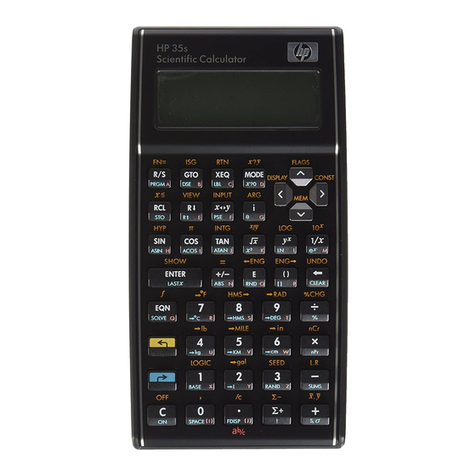
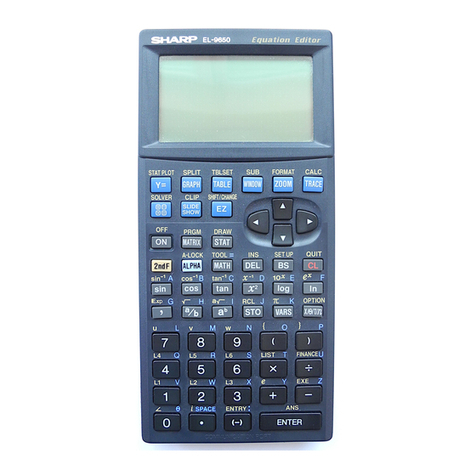
The keys on the calculator are divided into two sections for easier accessibility.
The top part of the calculator is referred to as the Orion, and the bottom part is
referred to as the TI-84 Plus.
When referencing the location of a TI-84 Plus key, the rows begin at the
bottom and the columns begin on the left. For example, the On key is located at
the bottom left of the TI-84 Plus in column 1, row 1.
The location of certain keys on the Orion section of the unit is described as
follows:
oThe six keys on the left side are referenced as top, middle, bottom, and
left, right. For example, the Preference key (Pref.) is the top-right key.
oThe five keys on the right side are referenced as up, down, left, right, and
home.
oBoth sets of keys can be used in conjunction for navigation and other
functions. For example, pressing both the CTRL key, which is the
bottom-left key on the left side of the Orion, and the Left Arrow key,
which is located on the right side of the Orion, lets you navigate to the
far left of the review line.
The following example demonstrates how to calculate the square root of 9 using the
keys on the TI-84 Plus section of the calculator:
1. Press the 2nd key, located in column 1, row 9.
2. Press the Square Root (X2) key (the square root symbol is displayed above this
key), located in column 1, row 5.
3. Press the numeral 9key, located in column 4, row 4.
4. Press the Enter key, located in column 5, row 1.
The TI-84 Plus announces the answer. If you wish to repeat the answer, press
the Repeat key. Repeat is denoted by a looping arrow (the word Repeat is displayed
above the key). Repeat is the top-left key in the left set of keys of the Orion.
Becoming Acquainted With Your Orion TI-84 Plus Talking
Graphing Calculator
Parts List
The box contains the following items: