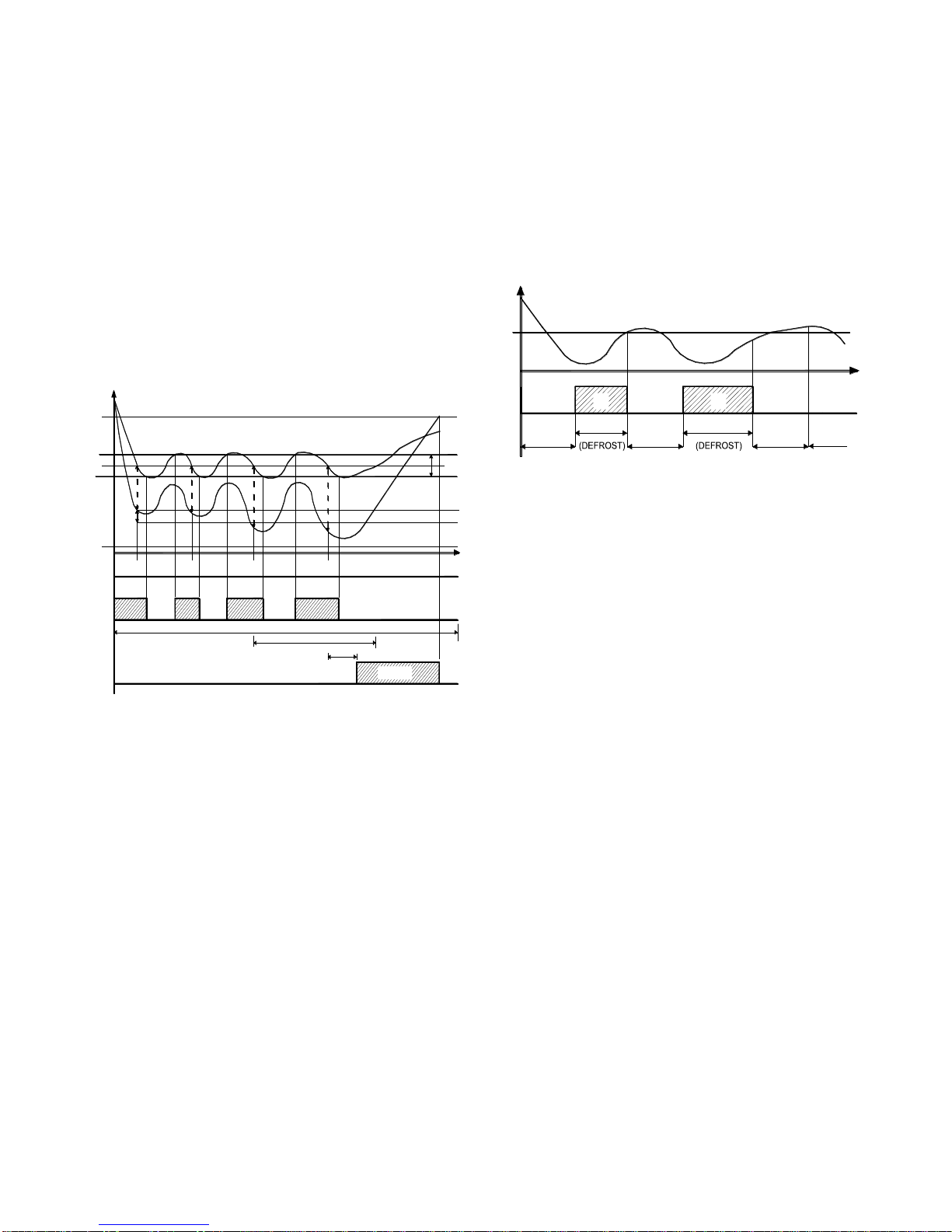
OSAKA - F 200 / F 300 / TSF 200 / TSF 300 / M3 -User Manual - V.2-PAG. 5
= 6 –Door opening with fan and compressor blockade through
normally open contact: similar to "i.Fi" = 5 but with fan and
compressor block. Upon entering open door alarm also fan and
compressor stops.
= 7 –Activating auxiliary output AUX with contact normally open: on
closing the input (and after the time "i.ti") auxiliary output is
activated as described in the operating mode "i.Fo" = 2 auxiliary
output.
= 8 –Selecting the active set point SP/SP2 with contact normally
open: on closing the input (and after the time "i.ti") the set point
temperature regulation "SP2" is activated. When the input is open
the set point "SP" is active.
= 9 –Signalling of external alarm with disablement of all control
outputs with contact normally open: At the end of the entry (and
time "i.ti") comes off all control outputs, alarms are activated and
the device displays on your display alternately noF and the variable
set in the variable torque. "I.dS".
= 10 –On / Off (Stand-by) device using normally open contact: the
closure of the input (and after the time "i.ti") the instrument turns
ON but when opened becomes standby mode.
= 11 –SP/SP2 active set point selection and change of action (H-
C) with contact normally open: on closing the input (and after the
time "i.ti") the regulation set point is activated "SP2" with action C,
when the input is open the set point "SP" is set to action H.
= -1, -2, -3, etc. –Identical functions to the above but with the
inverse logical operation (normally closed contacts).
4.4 –OUTPUTS SETUP FOR RELAYS AND BUZZER
The outputs of the device can be configured via the parameters
"o.o1", "o.o2" and "o.o3" with the following functions:
= Ot - Control compressor / solenoid or cooling element
= DF - Control of defrost heaters
= Fn - Control of evaporator fans
= Au - Output Control Assistant
= At - Allows control device Alarm "comparable" through the
normally open and closed digital input for alarm. (See section
Alarm)
= AL - Allows control device Alarm "non silenceable" through a
normally open contact closed during alarm. (See section Alarm)
= An –To control an alarm silenced through a contact normally
closed and open in alarm.
= -t –To control an alarm silenced through a contact normally
closed and open in alarm when the instrument is turned on.
The output is disabled when the device is not powered or is in
stand-by state. This mode can be used as display lighting, anti-fog
resistance or other utilities.
= -L –To control a device alarm silenced by a contact normally
closed and open in alarm.
= -n –To control an alarm device with memory function through a
normally closed and open in alarm (see alarm memory).
= on –For control of the device to be activated when connected.
The output remains off when the device is not powered or is in
stand-by. This mode can be used as a way to illuminate the display
case, anti-fog resistance or other utilities.
= oF –No function (Output Off)
If one of the outputs is configured as Auxiliary output (= Au)
function must be configured in the "o.Fo" parameter and can be
conditioned by the time set in the parameter. "O.tu". The "o.Fo"
parameter can be programmed with the following functions:
= oF –no function
=1–Output delay regulation.
The auxiliary output is activated by the programmed delay in the
"o.tu" parameter relative to the output configured as "ot". The
output is deactivated when the output "ot" is deactivated. This type
of operation can be used for control of a second compressor or a
parallel control that is useful for the control process. Prevents
booting two devices at once causing a high spot electricity
consumption.
= 2 –Activation by front key ("F" or ). The output is activated by
pressing the key "F" or configured as follows ("t.UF" or "t.Fb" =
1).
This setting has a bistable behavior, which means that pressing the
button the first time, the output is activated while the second pulse
is disabled. In this mode the output can be configured as an
auxiliary off even when in automatic mode after a certain time tax
on the "o.tu" parameter.
With "o.tu" = oF the activated and deactivated manually by
pressing ("F" or ), otherwise the dismount, once activated,
automatically turns off after the set time. This operation can be
used for example to control the chamber light, anti-fog resistance or
to other utilities.
= 3 –Light up showcase and shade (function economy) connected
to "Normal/SP2" mode. The output is activated when Normal mode
is activated, whereas when in SP2 mode remains disabled.
= 4 –Internal cell light. The output remains off and turns on only if
the digital input is configured as door opening ("i.Fi" = 5.6).
The par. "O.bu" lets configure the internal buzzer (if available) as
follows:
= OF –The buzzer is disabled
= 1 –The buzzer is activated only to signal alarms
= 2 –The buzzer is activated only briefly to indicate that you have
pressed a key (no indicates alarms)
= 3 –The buzzer is activated to signal alarms and when pressed a
key.
4.5 –ACTIVE SET POINT SELECTION
The computer program allows 2 types of Set point adjustment ("SP"
and "SP2") and you can select which you want to activate. The
function can be used in the event that it is necessary to switch two
temperature (ex: day / night or positive / negative, etc.).
The active Set point can be selected:
-By "S.SA" parameter.
-Using the "F" / key if the "t.UF" = 3. Parameter
-Use the key DOWN / AUX if "t.Fb" = 3. Parameter
-Using the digital input if par. "I.Fi" = 8 or 11.
It is recalled that the selection of the active Set Point can be
combined with the function of the turn off Auxiliary output if used as
a light showcase and up shade (function economy) with
("o.Fo" = 3) and mode switching action Cooling / Saver for the
configured ("i.Fi" = 8) digital input.
The "SP" and "SP2" can be programmed with a value between the
value programmed on par. "S.LS" and the value set to "S.HS".
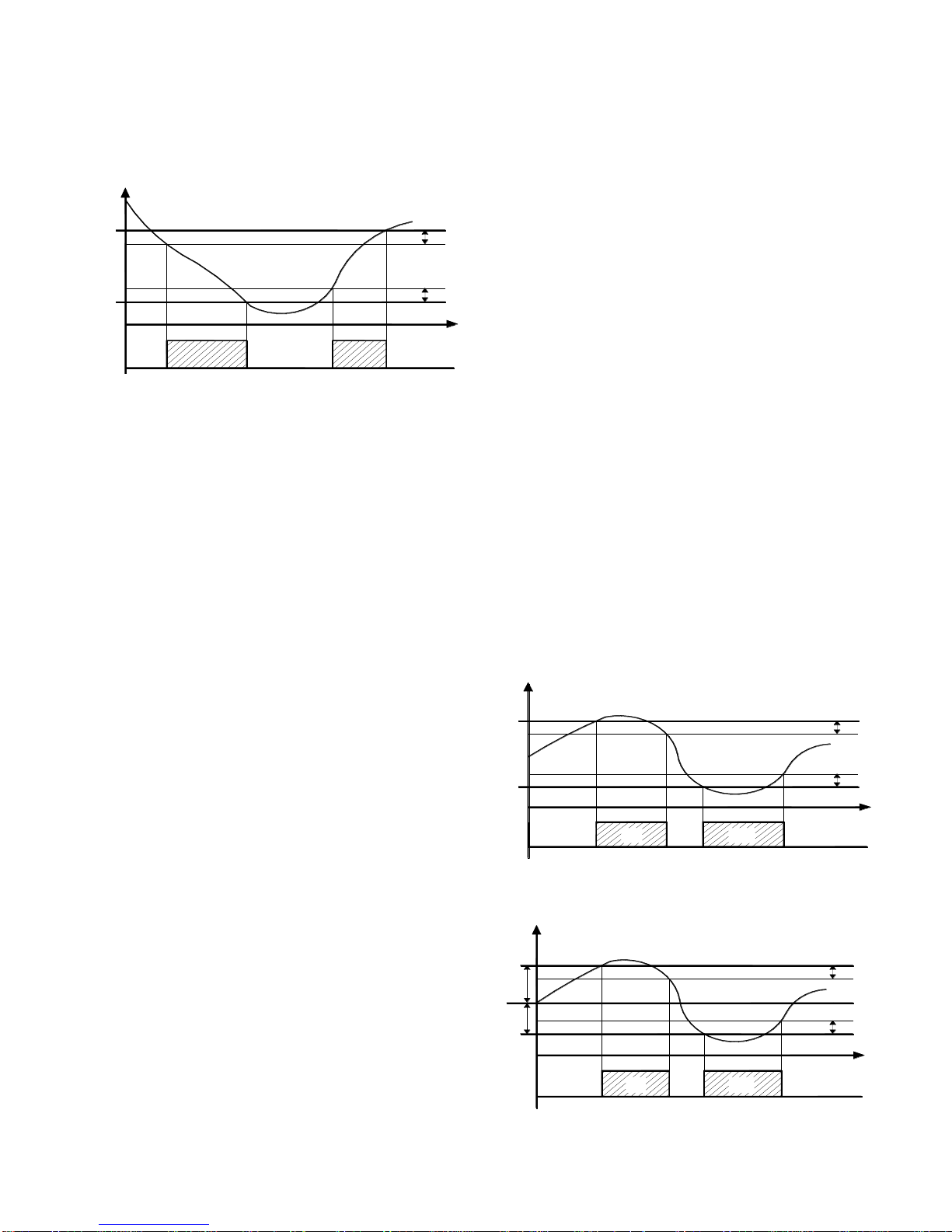
4.6 –TEMPERATURE CONTROL
In the mode of regulation of the type device ON / OFF acts over
outputs configured as "ot" and "HE" in the function of the extent of
the probe Pr1, the active Set Point "SP" (or "SP2") , the
intervention differential "rd" (or "r.Ed") and the operating mode
"r.HC".
As to the mode of operation in programmed "r.HC" the parameter
differential controller is automatically considered a positive value for
a cooling control ("r.HC" = C) or a negative value for the heating
control ("r.HC" = H).
In case that parameter comes programmed "R.HC" = nr ((NOTE !!
the option "Neutral Zone" is only available in the TSF 200
BLUE C and F 300 RT models)) the output configured as "ot" acts
with the cooling action (like "r.HC" = C) and can use a configured
as "HE" acting out the heating action.
In this case the differential regulatory intervention is automatically
considered a positive value for the cooling action and the negative
value for the heating action.