logo
Brands
  1. Home
  2. •
  3. Brands
  4. •
  5. Panasonic
  6. •
  7. TV
  8. •
  9. Panasonic TX-29AD1E User manual

Panasonic TX-29AD1E User manual

Other manuals for TX-29AD1E

1

This manual suits for next models

3

Other Panasonic TV manuals

Panasonic CT-27G7D User manual

Panasonic

Panasonic CT-27G7D User manual

Panasonic TX-W32D4DP User manual

Panasonic

Panasonic TX-W32D4DP User manual

Panasonic TC-21S3RC User manual

Panasonic

Panasonic TC-21S3RC User manual

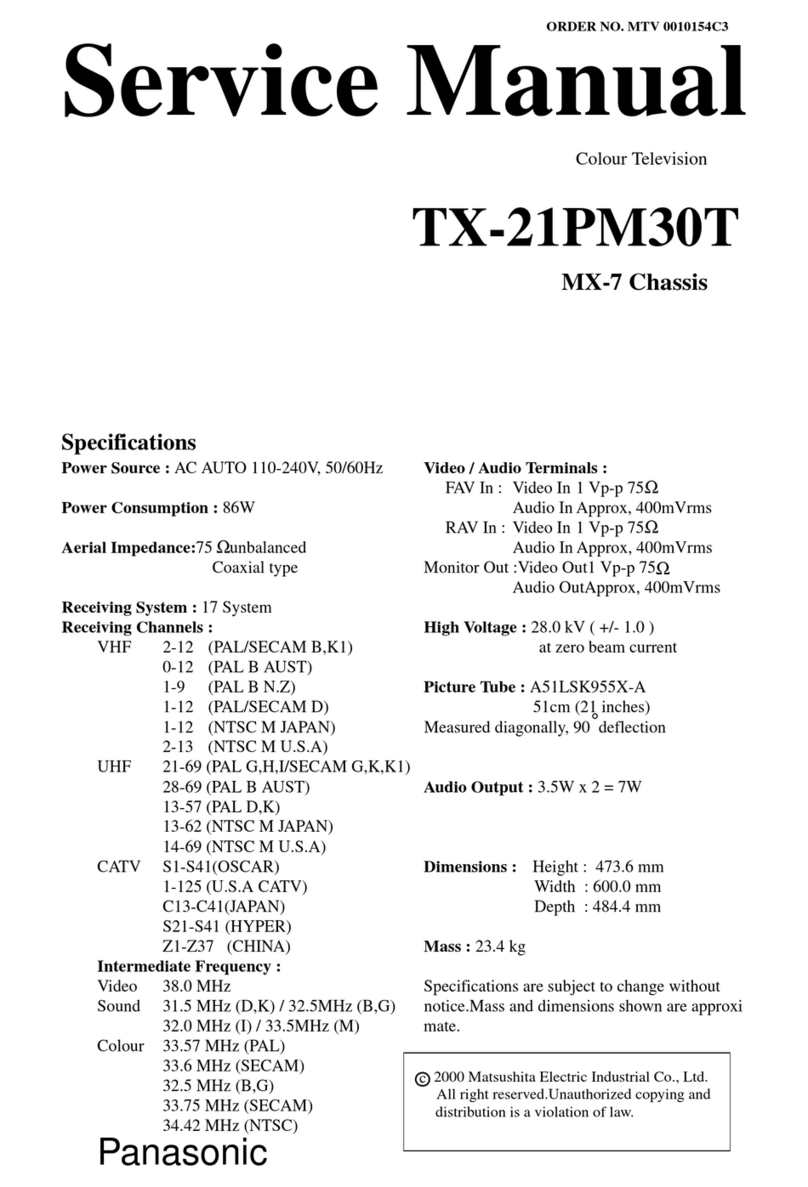
Panasonic TX-21PM30T User manual

Panasonic

Panasonic TX-21PM30T User manual

Panasonic TC-59R62 User manual

Panasonic

Panasonic TC-59R62 User manual

Panasonic TH-42AS700A User manual

Panasonic

Panasonic TH-42AS700A User manual

Panasonic TX-29PS11F User manual

Panasonic

Panasonic TX-29PS11F User manual

Panasonic TR-1030P User manual

Panasonic

Panasonic TR-1030P User manual

Panasonic TX-21GX25R-IRAN User manual

Panasonic

Panasonic TX-21GX25R-IRAN User manual

Panasonic TX-W28R3F User manual

Panasonic

Panasonic TX-W28R3F User manual

Panasonic TX-32LSW484 User manual

Panasonic

Panasonic TX-32LSW484 User manual

Panasonic PT-52LCX65-K User manual

Panasonic

Panasonic PT-52LCX65-K User manual

Panasonic TX-24D300E User manual

Panasonic

Panasonic TX-24D300E User manual

Panasonic TX-55CX400B User manual

Panasonic

Panasonic TX-55CX400B User manual

Panasonic TX-25FG20R User manual

Panasonic

Panasonic TX-25FG20R User manual

Panasonic TX-28LD4DPL User manual

Panasonic

Panasonic TX-28LD4DPL User manual

Panasonic TC-14RM10LP User manual

Panasonic

Panasonic TC-14RM10LP User manual

Panasonic TX-21PZ1 User manual

Panasonic

Panasonic TX-21PZ1 User manual

Panasonic TX-28LD4P User manual

Panasonic

Panasonic TX-28LD4P User manual

Panasonic TX-29AD90F User manual

Panasonic

Panasonic TX-29AD90F User manual

Panasonic Viera TH-103PF9 User manual

Panasonic

Panasonic Viera TH-103PF9 User manual

Panasonic QuintrixF TX-28PK25 User manual

Panasonic

Panasonic QuintrixF TX-28PK25 User manual

Panasonic TX-28LD20F User manual

Panasonic

Panasonic TX-28LD20F User manual

Panasonic CT-32G11 User manual

Panasonic

Panasonic CT-32G11 User manual

Popular TV manuals by other brands

Philips 32PFL7403D null

Philips

Philips 32PFL7403D null

Philips 19PFL3403D null

Philips

Philips 19PFL3403D null

Philips 19PFL5403D null

Philips

Philips 19PFL5403D null

Philips 32PFL7605C null

Philips

Philips 32PFL7605C null

Philips 32PFL7603D - annexe 1 null

Philips

Philips 32PFL7603D - annexe 1 null

Haier HS-2190 null

Haier

Haier HS-2190 null

Philips 19PFL3404D null

Philips

Philips 19PFL3404D null

Toshiba 27A10 owner's manual

Toshiba

Toshiba 27A10 owner's manual

Philips 42PF9630A/37 user manual

Philips

Philips 42PF9630A/37 user manual

Hitachi 32FX48B operating guide

Hitachi

Hitachi 32FX48B operating guide

DAEWOO ELECTRONICS DTQ-14V1FC Service manual

DAEWOO ELECTRONICS

DAEWOO ELECTRONICS DTQ-14V1FC Service manual

Changhong Electric uhd55b6000is Operation manual

Changhong Electric

Changhong Electric uhd55b6000is Operation manual

Philips Matchline 21CE7551 operating instructions

Philips

Philips Matchline 21CE7551 operating instructions

Toshiba 19A20 Service manual

Toshiba

Toshiba 19A20 Service manual

Philips 25PT4523-16 manual

Philips

Philips 25PT4523-16 manual

Sony XBR-100Z9D reference guide

Sony

Sony XBR-100Z9D reference guide

Philips PR0930X3 owner's manual

Philips

Philips PR0930X3 owner's manual

Philips Brilliance 231P4QPY user manual

Philips

Philips Brilliance 231P4QPY user manual

https://manuals.online logo
https://manuals.online logoBrands
  • About & Mission
  • Contact us
  • Privacy Policy
  • Terms and Conditions

Copyright 2025 Manuals.Online. All Rights Reserved.

Safety
Block Diagram(Video)
PCB view(E)
Block Diagram(Audio)
Block Diagram(Control)
PCB view(Y)
Adjustments
Service Hints
Mechanical View
E Schematic (25)
E Schematic (29)
Y Schematic
Parts List
Self Check
Disassembly
Waveforms
Specifications
Location of Controls
Service Information
Service Manual
Colour Television EURO 2 Chassis
TX-25AD1E TX-29AD1E
Notes
Service Support
About....
PCB view(F)
PCB view(A)
F Schematic
A Schematic
PCB view(B) B Schematic
EXIT
PCB view(M) M Schematic
GO
BACK
SM - 95015
Service Manual
Colour Television
TX-29AD1E
TX-25AD1E
EURO-2 Chassis
Specifications
( Information in brackets {} refer to TX-25AD1E)
Power Source : 220-240V AC 50Hz
Power Consumption : 110W { 100W }
Aerial Impedance : 75Wunbalanced, Coaxial Type
Receiving System : PAL B/G, PAL 60,
SECAM B/G
Receiving Channels : VHF E2 - E12
VHF H1 - H2 (ITALY)
VHF A - H (ITALY)
VHF R1 - R2
VHF R3 - R5
VHF R6 - R12
UHF E21 - E69
CATV (S01 - S05)
CATV S1 - S10 (M1 - M10)
CATV S11 - S20 (U1 - U10)
CATV S21 - S41 (HYPERBAND)
Intermediate Frequency :
Video 38.9 MHz
Sound 33.4 MHz/33.16 MHz/33.05MHz
Colour 34.47 MHz
34.5 MHz/34.65 MHz - (SECAM)
Video / Audio
Terminals :
AUDIO MONITOR OUT Audio(RCA x 2) 500mV rms,1kW
AV1 IN Video (21 pin ) 1 Vp-p 75W
Audio (21 pin ) 500mV rms,10kW
RGB (21 pin )
AV1 OUT Video (21 pin ) 1 Vp-p 75W
Audio (21 pin ) 500mV rms, 1kW
AV2 IN Video (21 pin ) 1 Vp-p 75W
Audio (21 pin ) 500mV rms,10 kW
S-Video IN Y : 1 Vp-p 75W
(21 pin ) C : 0.3 Vp-p 75W
AV2 OUT Video (21 pin ) 1 Vp-p 75W
Audio (21 pin ) 500mV rms, 1kW
Selectable output (21 pin )
AV3 IN S-Video IN Y : 1 Vp-p 75W
(4-pin ) C : 0.3 Vp-p 75W
Audio (RCA x 2) 500mV rms,10kW
Video (RCA x 1) 1 Vp-p 75W
High Voltage : 31kV _1kV at zero beam current
Picture Tube : 72cmV{63 cmV}
Super Flat FST 110°
measured diagonally.
Audio Output :
Internal Speaker 2 x 20 W (Music Power)
8WImpedance
Headphones 1 x 8 WImpedance
Accessories supplied : Remote Control
UM3 Battery
Dimensions : Height : 551mm {504mm}
Width : 668mm {606mm}
Depth : 467mm {448mm}
Net Weight 41kg {30kg}
Specifications are subject to change without notice.
Weight and dimensions shown are approximate.
Contents
Safety Precautions 2
Location of Controls 3
Chassis Service Position 4
Service Mode 7
Self Check 8
Adjustment Procedure 8
Alignment Settings 9
Waveform Pattern Table 10
P.C.B. Views 11
Block Diagrams 16
Schematic Diagrams 20
Parts Location 26
Replacement Parts List 27
Safety Precautions
General Guide Lines
1. It is advisable to insert an isolation transformer in the AC
supply before servicing a hot chassis.
2. When servicing, observe the original lead dress in the high
voltage circuits. If a short circuit is found, replace all parts
which have been overheated or damaged by the short circuit.
3. After servicing, see that all the protective devices such as
insulation barriers, insulation papers, shields and isolation R-
C combinations are correctly installed.
4. When the receiver is not being used for a long period of time,
unplug the power cord from the AC outlet.
5. Potentials as high as 32 kV are present when this receiver is
in operation. Operation of the receiver without the rear cover
involves the danger of a shock hazard from the receiver
power supply. Servicing should not be attempted by anyone
who is not familiar with the precautions necessary when
working on high voltage equipment. Always discharge the
anode of the picture to the chassis before handling the tube.
6. After servicing make the following leakage current checks to
prevent the customer from being exposed to shock hazards.
Leakage Current Cold Check
1. Unplug the AC cord and connect a jumper between the two
prongs of the plug.
2. Turn on the receiver's power switch.
3. Measure the resistance value with an ohmmeter, between
the jumpered AC plug and each exposed metallic cabinet
part on the receiver, such as screw heads, aerials ,
connectors, control shafts etc. When the exposed metallic
part has a return path to the chassis the reading should be
between 4M ohm and 20M ohm. When the exposed metal
does not have a return path to the chassis the reading must
be infinite.
Leakage Current Hot Check
1. Plug the AC cord directly into the AC outlet. Do not use an
isolation transformer for this check.
2. Connect a 2k ohm 10W resistor in series with an exposed
metallic part on the receiver and an earth such as a water
pipe.
3. Use an AC voltmeter with high impedance to measure the
potential across the resistor.
4. Check each exposed Metallic part and check the voltage at
each point.
5. Reverse the AC plug at the outlet and repeat each of the
above measurements.
6. The potential at any point should not exceed 1.4 Vrms. In
case a measurement is outside the limits specified, there is a
possibility of a shock hazard, and the receiver should be
repaired and rechecked before it is returned to the customer.
X-Radiation Warning
1. The potential sources of X-Radiation in TV sets are the high
voltage section and the picture tube.
2. When using a picture tube test jig for service ensure that the
jig is capable of handling 32kV without causing X-Radiation.
NOTE : It is important to use an accurate periodically calibrated high
voltage meter
1. Set the brightness to minimum.
2. Measure the high voltage. The meter should indicate 31kV
_1kV at zero beam current if the meter indication is out of
tolerance, immediate service and correction is required to
prevent the possibility of premature component failure.
3. To prevent an X-Radiation possibility, it is essential to use
the specified tube.
HOT CHECK CIRCUIT

Location Of Controls
Service Hints
How to remove the rear cover
1. Remove the 8 fixing screws (A) as shown in Fig.3/Fig.4.
How to move the chassis into the Service position
1. Hold and lift the rear of the E- PCB chassis and M - PCB as shown in fig.5. and gently pull the chassis toward you. Realese the M -
PCB as explained on page 6
2. Turn the chassis through 90_, anti-clockwise, as shown in fig.6.
3. Clip the chassis onto the support bracket as shown in fig.6 and fig.7.
4. After servicing ensure all wiring is returned to its original position before returning the receiver to the customer.
HOW TO REMOVE THE CONTROL PANEL (M-BOARD)
1. Remove the E-board from the cabinet with the M-board attached.
2. Unclip by lifting the front of the M-board vertically.
3. After servicing ensure all wiring is returned to its original position before returning the receiver to the customer.
HOW TO REMOVE THE A - BOARD
1. Disconnect the 5 leads from the A - board.
2. Release the A and F boards securing brackets by pushing the clips in the direction shown in Fig.8, and remove the A - board by
gently lifting vertically.
3. After servicing ensure all wiring is returned to its original position before returning the receiver to the customer.
Service position for the A-Board
1. Remove the A-board from the main chassis (E-board) as shown in Fig.8.
2. Remove the two screws (A) (fig.9) from the plastic AV cover and unclip the AV cover from the A-board.
3. Carefully unclip the three metal clips marked B in fig.9.
4. Unclip the front metal cover (Fig10) and remove from the A-board.
5. Fit the extension leads to the A-board making sure that the A-board does not touch the E-board (fig.11).
6. After servicing ensure all wiring is returned to its original position before returning the receiver to the customer.
Note : The extension lead wire kit is supplied as a service kit. (Part number TZS4EP001).
Service Mode
The remote control is used for entering and storing adjustments, with the exception of cut-off adjustments which must always be done prior to
service adjustment. Perform adjustments in accordance with screen display. The display on the screen also specifies the CCU variants as
well as the approx. setting values.The adjustment sequence for the service mode is indicated below.
1. Set the Bass to maximum position, set the Treble to minimum
position, press the F button followed by the Volume down on
the customer controls at the front of the TV and at the same
time press the Reveal button on the remote control, this will
place the TV into the Service Mode.
2. Press the RED / GREEN buttons to step down / up through
the functions.
3. Press the YELLOW / BLUE buttons to alter the function
values.
4. Press the STORE button on the preset panel after each
adjustment has been made to store the required values.
5. To exit the Service Mode press the Normalisation button.
NOTE: This TV also has the option of using a Memory Pack which enables you to copy the preset TV channels and analogue levels into the
Memory Pack and then upload them onto another EURO-2 TV set.
Using the Memory Pack
TV to Memory Pack process
1. Plug the memory pack into the lower of the two 21 pin
terminals at the back of the TV and switch the TV on. If the
TV has only one 21 pin connector then this will be able to
accept the memory pack.
2. Go into the Service Mode as explained above. The screen
will show:-
3. Press the blue button on the remote control. The screen will
show:-
4. Press the STORE button on the TV. The screen will show:-
5. All the tuning information stored inside the TV will now be
transferred to the Memory Pack. This process will take 2-3
minutes to complete and when finished the screen will show:-
Memory Pack to TV Process
1. Plug the memory pack into the lower of the two 21 pin
terminals at the back of the TV and switch the TV on. If the
TV has only one 21 pin connector then this will be able to
accept the memory pack.
2. Go into the Service Mode as explained above. The screen
will show:-
3. Press the STORE button on the TV. The screen will show:-
4. All the tuning information stored inside the Memory Pack will
now be transferred to the TV. This process will take 2-3
minutes to complete and when finished the screen will show:-
5. The tuning information from the Memory Pack has now been
copied into the TV
6. To exit from the Service Mode switch off the TV.
7. The process has now been completed and the Memory Pack
can now be removed.
Errors
If an error occurs while using the Memory Pack the TV will detect this and the screen will show:-
If this happens then switch off the TV and repeat the process that was being used. If the errors continue to occur then check the connectors
between the TV and the memory pack and check the 9V battery inside the memory pack.
SELF CHECK
Self check is used to automatically check the Bus lines and Hexadecimal code of the TV set.
To enter the Self Check mode press Function down button, on the Preset Panel, at the same time pressing the Status button, on the Remote
Control, and the screen will show:-
Adjustment Procedure
Item/Preparation Adjustments
+B SET-UP
1. Operate the TV set
2. Set the controls:
Brightness minimum
Contrast minimum
1. Set the +B voltage up as follows:
Adjust P633 so that U147 shows 147V +/- 0.5V
2. Confirm the following voltages.
U5 5+/- 0.25V U28 28 +/- 1.0V
U8 8+/- 0.5V U40 38.5+1.5/-1.0V
U12 12 +/- 0.5V U210 209 +/- 10V
U16 16.0 +/- 0.5/-1V U5SB 5.0 +/- 0.25V
U25 24.8 +/- 1.0V UM 8+/- 0.5
RF AGC
1. Receive a test pattern.
2. Connect an oscilloscope between the
tuner RF AGC and ground.
3. Set the oscilloscope gain range to
1V/div.
1. Check that the noise becomes large when the RF AGC VR
P4701 is turned counterclockwise. After the check turn it
clockwise.
2. Gradually turn the RF AGC VR anti-clockwise, and set the
RF AGC VR to the point where the RF AGC voltage is just falling to a
point where this voltage drops by 0.2V from the maximum value.
CUT OFF

1. Receive a black and white signal.
2. Degauss the tube externally.
3. Set the TV into Service Mode 1.
4. Select Ug2 Test.
1. Confirm which colour has the biggest value
2. Turn the screen VR P3368 to minimum.
3. Connect an oscilloscope to the cathode with the biggest value colour.
4. Adjust P3368 to get a low light pulse voltage of 180V +/- 5V.
5. Adjust P3362 to whichever colour reaches 50 +/- 10 first.
COMB FILTER
1. Receive A PAL colour bar signal. 1. Confirm input video signal (pin 4 W2601 is 1Vp-p).
2. Adjust P2601 to obtain 2Vp-p at TPF1.
Alignment Settings
Alignment Function TX-29AD1E TX-25AD1E Settings / Special features
1. Vertical amplitude V-AMP
051 V-AMP
063 Optimum setting
2. Vertical symmetry V-SYM
013 V-SYM
002 Optimum setting
3. Vertical linearity V-LIN
012 V-LIN
-020 Optimum setting
4. Vert. D.C. Vert. D.C.
000 Vert. D.C.
000 Optimum setting
5. V-Pos. V. Pos
003 V. Pos
005 Optimum setting
6. Horizontal amplitude H-AMP
-033 H-AMP
-044 Optimum setting
7. Horizontal position H-POS
049 H-POS
069 Optimum setting
8. Text Position TEXT POSITION
045 TEXT POSITION
049 Optimum setting
9. EW-amplitude E-W AMP1
-058 E-W AMP1
-058 Optimum setting
10. EW-amplitude E-W AMP2
023 E-W AMP2
044 Optimum setting
11. Trapezium-comp TRAPEZ-1
-014 TRAPEZ-1
-000 Optimum setting
12. Trapezium- comp TRAPEZ-2
012 TRAPEZ-2
-009 Optimum setting
13. Colour VCO COLOUR VCO
015 COLOUR VCO
006 Optimum setting
14. Cut-off DC CUT-OFF DC
050 CUT-OFF DC
050 Not to be adjusted.
15. Ug2 Test Ug2 Test
107 021 023 Ug2 Test
94 044 020 To adjust the screen settings.
Turn P3362 until a colour
reaches 25"5, place an
oscilloscope probe on the
cathode with the highest output
and adjust P3368 so the
oscilloscope trace reads
150V 0-peak (160V 0-peak TX -
25AD1E), then turn P3362 up so
the highest numbered box on the
TV screen reads 050 "010.
16. Cutoff Cutoff
045 055 050 Cutoff
057 064 056 Press the GREEN button to step
through the settings.
Adjust for optimum.
17. White White
224 255 237 White
200 255 248 Press the GREEN button to step
through the settings.
Adjust for optimum.