manuals.online logo
Brands
  1. Home
  2. •
  3. Brands
  4. •
  5. Panasonic
  6. •
  7. VCR System
  8. •
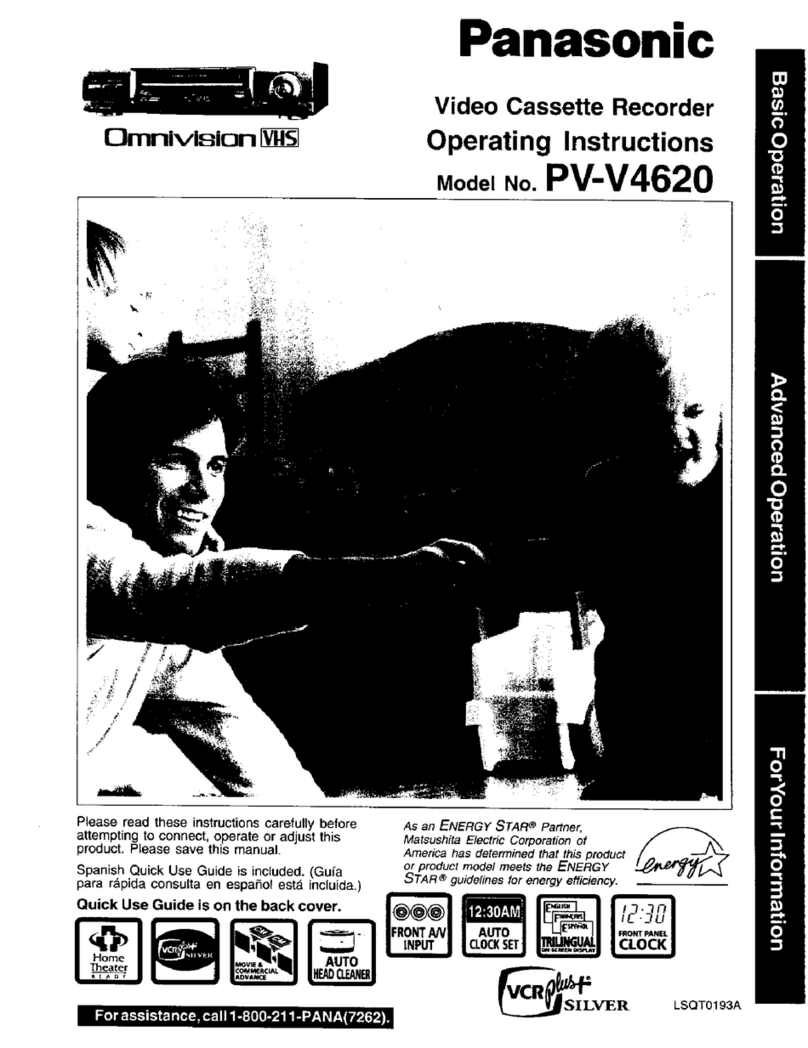
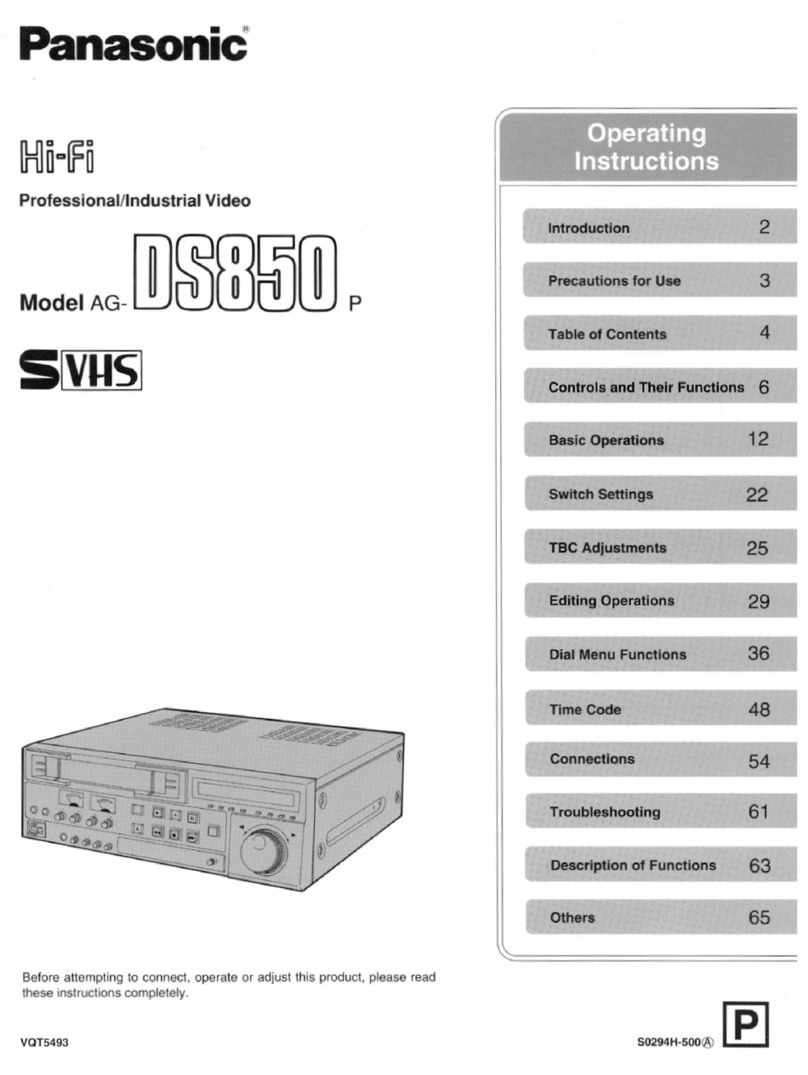
  9. Panasonic Omnivision VHS PV-V4022 User manual

Panasonic Omnivision VHS PV-V4022 User manual

Other manuals for Omnivision VHS PV-V4022

1

This manual suits for next models

1

Other Panasonic VCR System manuals

Panasonic Omnivision PV-7664 User manual

Panasonic

Panasonic Omnivision PV-7664 User manual

Panasonic Omnivision PV-M1349 User manual

Panasonic

Panasonic Omnivision PV-M1349 User manual

Panasonic NV-SD430 Series User manual

Panasonic

Panasonic NV-SD430 Series User manual

Panasonic Omnivision PV-840F User manual

Panasonic

Panasonic Omnivision PV-840F User manual

Panasonic AJ-DCP User manual

Panasonic

Panasonic AJ-DCP User manual

Panasonic NV-FJ630PMP User manual

Panasonic

Panasonic NV-FJ630PMP User manual

Panasonic PV-VS4821-K User manual

Panasonic

Panasonic PV-VS4821-K User manual

Panasonic PV-V4623S User manual

Panasonic

Panasonic PV-V4623S User manual

Panasonic Omnivision PV-8661 User manual

Panasonic

Panasonic Omnivision PV-8661 User manual

Panasonic NV-HV65EC User manual

Panasonic

Panasonic NV-HV65EC User manual

Panasonic NV-L20A User manual

Panasonic

Panasonic NV-L20A User manual

Panasonic NV-SD280EG User manual

Panasonic

Panasonic NV-SD280EG User manual

Panasonic NV-MV40GL User manual

Panasonic

Panasonic NV-MV40GL User manual

Panasonic Quasar Omnivision VHQ040M User manual

Panasonic

Panasonic Quasar Omnivision VHQ040M User manual

Panasonic AJHD150P - DIGITAL HD RECORDER User manual

Panasonic

Panasonic AJHD150P - DIGITAL HD RECORDER User manual

Panasonic Omnivision PV-4614 User manual

Panasonic

Panasonic Omnivision PV-4614 User manual

Panasonic NV-FJ621EG User manual

Panasonic

Panasonic NV-FJ621EG User manual

Panasonic PV-V4525S User manual

Panasonic

Panasonic PV-V4525S User manual

Panasonic NV-F55EG User manual

Panasonic

Panasonic NV-F55EG User manual

Panasonic PV-V4022-A User manual

Panasonic

Panasonic PV-V4022-A User manual

Panasonic PV-V402 User manual

Panasonic

Panasonic PV-V402 User manual

Panasonic NV-HD100A User manual

Panasonic

Panasonic NV-HD100A User manual

Panasonic Omnivision PV-4608 User manual

Panasonic

Panasonic Omnivision PV-4608 User manual

Panasonic AJSD255P - DVCPRO HALF RACK User manual

Panasonic

Panasonic AJSD255P - DVCPRO HALF RACK User manual

Popular VCR System manuals by other brands

Toshiba M-662 owner's manual

Toshiba

Toshiba M-662 owner's manual

Sony GV-500 Primary operating instructions

Sony

Sony GV-500 Primary operating instructions

JVC HR-J282EU Service manual

JVC

JVC HR-J282EU Service manual

RCA VR678HF user guide

RCA

RCA VR678HF user guide

Sylvania SRV196 owner's manual

Sylvania

Sylvania SRV196 owner's manual

Akai VS-606EA Operator's manual

Akai

Akai VS-606EA Operator's manual

Fisher FVH-8300 operating instructions

Fisher

Fisher FVH-8300 operating instructions

Zenith VRL4270HF Operating guide & warranty

Zenith

Zenith VRL4270HF Operating guide & warranty

GE VG2050 user guide

GE

GE VG2050 user guide

Sanyo TLS-9072 instruction manual

Sanyo

Sanyo TLS-9072 instruction manual

Philips VR969/05 operating manual

Philips

Philips VR969/05 operating manual

Memorex MVR4041 Service manual

Memorex

Memorex MVR4041 Service manual

Arm Electronics VCR800 instruction manual

Arm Electronics

Arm Electronics VCR800 instruction manual

Sony SLV-ED115PS operating instructions

Sony

Sony SLV-ED115PS operating instructions

Sanyo VHR-230 series instruction manual

Sanyo

Sanyo VHR-230 series instruction manual

Philips VR 312 user manual

Philips

Philips VR 312 user manual

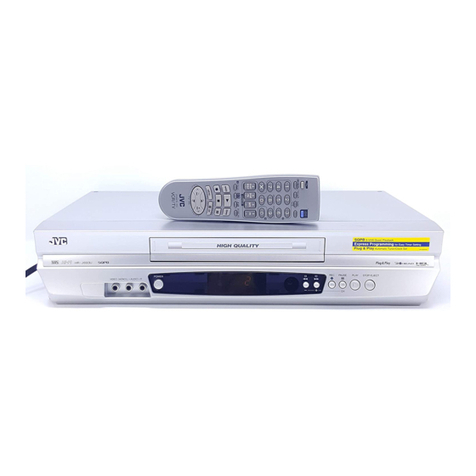
JVC HR-J693U instructions

JVC

JVC HR-J693U instructions

JVC HR-J692US Service manual

JVC

JVC HR-J692US Service manual

manuals.online logo
manuals.online logoBrands
  • About & Mission
  • Contact us
  • Privacy Policy
  • Terms and Conditions

Copyright 2025 Manuals.Online. All Rights Reserved.

Panasonic"
Video Casse_e Recorder
Operating Instructions
(Basic Operations)
For advanced operations, see the separate
"Advanced Operations" instruction book.
131TI'IIvIBiC_ _]_
Models No. PV-V4022/PV-V4522
Table of Contents
Important Safeguards and Precautions .................... 2
Before Using ............................................................ 3
Connections and Initial Setup (Ready to Play) ......... 4
Playback /Record on a Tape ................................... 5
Timer Recording ....................................................... 6
Location of Controls ............................................. 7, 8
Spanish (EspaSol) Quick Use Guide ............ 9, 10, 11
Limited Warranty .................................................... 12
AS an ENERGY STAR ®Partner,
Matsushita Electric Corporation of America
has determined that this product or product
model meets the ENERGY STAR ®
guidelines for energy efficiency.
Please read these instructions carefully before attempting to connect,
operate or adjust this product. Please save this manual.
Spanish Quick Use Guide is included.
(Gu/a para rdpida consulta en espaSol esta incluida.) LSQF0507
m[.11K k_._ k'f # I I [_"JII] [s_* }.,,1,ji _¢.II_ D; |l_t_ i[] ".___|_ _.;__ ._r4 is] il._-.] I [ * •-.211P;. i I • (iN H ei I k'l ! I I ! [ "Ji |)1.1111 [q _H[f_l o_I i P:.k-,le] ! I [1,1(Hi] ii
Important Safeguards and Precautions
FOR YOUR SAFETY, READ AND RETAIN
ALL SAFETY AND OPERATING
THE MANUAL AND ON THE UNIT
INSTRUCTIONS. HEED ALL WARNINGS IN
IINSTALLATION
1 POWER SOURCE CAUTION
Operate only from a power source indicated on
the unit or kl this manual. If necessary, have
your Electric Utility Servzce Company or Video
Products Dealer verify the power source in your
home
2 POLARIZED OR GROUNDING PLUG
As asafety feature, this Video product comes
with either a polarized power cord plug (one
blade is wider than the other), or a three-wire
grounding type plug.
pOLARrZED PLUG CAUTION:
This plug will only fit into an outlet one way. If you
cannot fully insert the plug, try reversing it. If it still
will not fit, have an electrician install the proper wall
outlet. DO not defeat the safety feature by tampering
with the plug.
GROLINDtNG PLUS CAUTION:
This plug will only fit into a three-hole grounding
outlet. If necessary, have an electrician install the
proper outlet. DO not defeat the safety feature by
tampering with the plug.
3 POWER CORD
Make sure power cords are routed so that they
are not likely to have anyth _mS rest on them, roll
over them, or be _the wayof walking traffic.
If an extension cord is used, make sure it also
has either apolarized or grounded plug and that
the cords can be securely connected. Frayed
cords, damaged plugs, and damaged or cra_ed
wire insulation are hazardou_s and shOuld be
replaced by a qualified service technician.
Overloaded outlets and extet_ion cords are fire
hazards and should be avoided.
4 DO NOT BLOCK VENTILATION ROLES
Ventitatior= openlege in the cabinet release heat
generated during operation. If they are blocked,
heat build-up inside the unit can cause failures
that may result in a fire hazard or heat damage
to cassettes. For protection, follow these rides:
a. Never cover ventllegon slots or the unit whtle
in use, or operate the unit when placed on a
bed, sofa, rug, or other soft surface.
b. Avoid buiftgn installation, such as abook
case or rack, unless proper ventilation is
provided.
5 AVOID EXTREMELY HOT LOCATIONS OR
SUDDEN TEMPERATURE CHANGES
Do not place the unit over or near any kind of
heater or radiator, in direct suniight, inside a
closed vehicle, etc.. Co not move the unit
suddenly between areas of extrerr_ temperature
variation, If the unit is suddenly moved from a
cold place to awarm place, moisture may
condense in the unit and on the tape.
6 TO AVOID PERSONAL INJURY
damage to the unit.
•An appliance and cad combination shOuld be
moved with care, Quick stops, excessive force,
and uneven surfaces may cause the appliance
and cart combination to overturn.
-Carefully follow all operating instructions and
use the manufacturer's recommended
accessories when operating this unit or
connecting it to any other equipment
I OUTDOOR ANTENNA INSTALLATION ]
1 SAFE ANTENNA AND CASLE CONNECTION
g an outside antenna or cable system is connected to the
equipment, be suns the antenna or cable system is grounded
so as to provide some protection against butit up static
charges and voltage surges.
Section 810 of the Nat icP.al ___=_ ..'_€',
El_tdca4 Code, ANSI/NFPA _ _
70 in Canada, part 1 of the
Canadldn Electhcal Cocie
provides information with I
respect to proper grounding
of the mast and supporting
structure, grounding of the
lead-in wire to an antenna discharge unff, size
of grounding conduct e_, location of antenna discharge unit,
connection to grounding electrodes and requirements for the
grounding electrode
2 KEEP ANTENNA CLEAR OF HIGH VOLTAGE POWER
LINES OR CIRCU I'FS
An outside antenna system should be local ed well away
from power lines, electric light or power circuits and where it
will never come into contact with these power sources if it
should happen to fall. When inslaiting an outside antenna,
extreme care should be taken to avoid touching power lines,
circuits or other power sources as this could be fatal.
Because of the hazarda involve_, antenna installation should
be left to aprofessional.
USING THE VIDEO UNIT I
If the unit has been in storage or mOved to a new Iocaticn, refer
first to the INSTALLATION section of these safeguards.
1 KEEP THIS VIDEO UNIT AWAY FROM WATER OR
MOISTURE OF ANY KIND.
2 IF EQUIPMENT IS EXPOSED TO RAIN, MOISTURE, OR
STRONG IMPACT, unplug the unit and have it inspected by
a qualif_d se_'ic_ t_hniclan before use=
3 DURING AN ELECTRICAL STORM
During a lightning storm, whether indoom or outdoors, or
before leaving the unit unused for e xte_'lded periods of time,
dis4;orN_eet all'equipment from the power source as well as
the antenna and cable system.
4 WHEN THE UNIT IS PLUGGED IN
• Never expose the unit to rain or water. DO NOT
OPERATE if liquid has been spilled into the unit.
Immedletefy unplug the unit and have it inspected by a
service technician. Fire and shock hazards can result rein
electrical shorts caused by liquid contact irmlde,
•Never drop or push any object through openings in the
unit. Some internal parts carry hazardous voltages and
contact can cause electric shock or fire hazard.
•Avoid placing the unit directly above or below your TV set
as this may cause eieclrieal interference, Keep all
magnets away from electronic equipment,
5 USING ACCESSORIES
Use only accessories recommended by the manufacturer to
avoid risk of fire, shock, or other hazards,
E CLEANING THE UNIT
Unplug the unit, Then, usa a clean, dry, chemically
untreated cloth to gently remove dust or debris. DO NOT
USE cteantng fluids, aerosols, or forced air that could over-
spray, or seep into the unit and cause electrical shOCk. Any
substance such as wax, adhesive tape, etc. may mar the
cabinet surface. Exposure to greasy, humid, or dusty areas
may adverSely affe:t internal parts.
I SERWCE I
1 DO NOT SERVICE TUIS PRODUCT YOURSELF
If* alter carefully following the detailed operating instructions,
this Video product does not operate properly, do not attempt
to open or remove covers, or make any adlust ments not
deschbed in the manual. Unplug the unit and contact a
quaitfied service technician.
2 IF REPLACEMENT PARTS ARE REQUtRED
Make sure the service technlc_an USeS only pads specdicd
by the manufacturer, or those having the same safety
characteristics as the original parts. The use of unaut hodzl_l
substitutes may result in,ire, electric shock, or other
hazards.
3 }'lAVE THE SERVICE TECHNICIAN PERFORM A SAFETY
CHECK
Alter any service or repairs to the unit. request the se_ice
technician to conduct athorough safety check as described
in the manufacture's service literature to ensure that the
Safety Precautions video unit is in safe operating condition.
Warning: To prevent fire or shock hazard, do not expose this equipment to rain or
moisture.
CAUTION: To prevent electric shock, match wide blade of plug to wide slot, fully insert.
Avertissement: Afin de prdvenir tout risque d'incendie ou de chocs _lectriques, nepas
exposer cat appareil bla pluie ou bune humidite excessive.
Attention: Pour _viter lee chocs electriques, introduire la lame la plus large de la fiche
danE la borne correspondante de la prise et pousser jusqu'au fond.
This symbol warns the user that uninsulated
voltage within the unit may have sufficient
magnitude to cause eJectrie shock. Therefore,
it is dangerous to make any kind of contact
with any inside part of this unit.
This symbol alerts the user that important
literature concerning the operation and
maintenance of this unit has been included.
Therefore, it should be read carefully in order
to avoid any problems.
FCC Warning: Any unauthorized changes or modifications to this equipment would void the
user's authority to operate, -2-

Congratulations
on your new purchase! With proper use, this Old or damaged tapes may clog heads.
dependable product will provide years of
enjoyment. Please fill in the information below. Video Head Clog Sensor
(Serial number is on tag on back of VCR.) Screen-right appears dudng _o _
play if clogging is detected, v_cEo_ ,=_
•Date of Purchase To remove screen, press _e_ c_.._
• Dealer Purchased From PLAY. c_,.G c_._=
• Dealer Address •Use "dry" type head
•Dealer Phone No. cleaning cassette only.
•Model NO.
•Sedal No.
[_]F_ttIr_]il ,"F_rLH;1
[] Remote Control [] Batteries 2 "AA"
LSSQ0263 (PV-V4022)
LSSQO264 (PV-V4522)
[] RF Coaxial
Cable
VJAS0196
Model PV-V4522
remote shown.
To order accessories, call toll free
1-800-332-5368.
[] Battery replacement caution
• Do not mix old and new batteries.
•Do not mix alkaline with manganese batteries.
I _1 I[t,.},tid i I |!_[_ H [ ii_ri] i_l IIi i.: i D].;]I il i_. k-i i i i[;
Break off the tab to
prevent recording.
Record Tab
Screw driver
To record again
Cover the hole
with cellophane
tape.
Only use tapes with the _ mark in this unit.
Tape Speed Type of Video Cassette
Setting T60 T120 T160
SP 2 Hours
(Standard Play) 1 Hour 2 HOURS 40 Minuta_
LP 5 Hours
(Long Play) 2Hours 4Hours 20 Minute_
SLP
(Super Long Play', 3 Hours 6 Hours 8 Hours
(Part No. NV-TCL30PT is recommended.)
• Follow cleaning tape instructions carefully.
Excessive use of tape can shorten head life.
Use soft, dry cloth or dusting attachment of a
i:
vacuum to remove dust from all cabinet vent o
holes. You may moisten cloth with nonabrasive. , • _,
antistatic cleaner/polisher.
Caution: : _'
Alcohol and vadous solvents could damage : _"
finish.
Power Source: 120 V AC, 60 Hz ,•"
Approx. 18 W (PV-V4022)
Approx. 23 W (PV-V4522) =_
Poweroff =-
_°
Approx. 2.5 W (PV-V4022) _!, _"_
Approx. 3.0 W (PV-V4522)
Video Signal: EIA Standard NTSC color I_
Video Recording 4 rotary heads helical
System: scanning system _"
1=.
Audio Track: 1 track (Normal) : :
2 channel _°
(Hi-Fi Audio Sound PV-V4522) :
Tuner: ::: •
Broadcast Channels: VHF 2 ~ 13, UHF 14 - 69
CABLE Channels: MJdband A - I(14 ~ 22)
Superband J - W (23 - 36) <
Hyperband AA - EEE
(37 - 64)
Lowband A-5 ~ A-t (95 -99) I.-.]
Special CABLE channel 5A
(01)
Ultraband 65 - 94, 100 -125
Operating
Temperature: 5°C ~ 40 °C (41 °F -104 °F)
Operating Humidity: 10 % ~ 75 %
Weight: 2.5 kg (6.0 Ibs). "=
Dimensions: 360 (_/) x 93 (H) x 242 (D) mm
14-3/16" (W) x 3-11/16" (H) x •
9-9/16" (D) inch _rJ
Note: Designs and specifications are subject
to change without notice. _._
=
Dioital Auto Picture •
Automatically controls the video output signal for
less noise depending on the tape condition.
Diaital Auto Trackina
Continuously analyzes the signal and adjusts for €_
optimum picture quality.
Manual Trackina Control I_
/to reduce picture noiset "-e
Use during Playback and Slow Motion mode to I_
reduce picture noise.
Press CH (TRACKING) 31J_Fon the remote d
control or on the VCR until the picture clears up.
To return to Auto Tracking, press POWER off,
then on again afew seconds later, m
V-Lock Control fto reduce Dleture iittert
In Still mode, CH (TRACKING) _operate as a
V-Lock control.. _. ,
Please make all cable or antenna connections before plugging Into the AC
outlet.
Pluggingthe VCR PowerCordIntoan AC walloutletstartsautochanneland clockset.
For ANT./Cable --- VCR -_ TV VCR IN FROM ANT
(_ Connect cable from Tv
Antenna/Cable to VCR's IN _,,,ro_
FROM ANT. jack. _'_,BLE
_) Connect VCR's OUT TO TV _. ooTTow
jack to TV's ANT. IN jack
with included RF Cable
accessory.
VHF/UHF
For DSS/Cable Box -,- VCR -_ TV
(I)Connect your cable box's
OUT jack to the VCR's IN
FROM ANT. jack with an RF
cable.
(_ Connect VCR's OUT TO TV
jack to TV's ANT. IN jack
with included RF Cable
accessory.
TV VC R IN FROM ANT. CaL4_ TV
Com_t_r 15ox
m
1Turn TV on and tune to channel 3.
2Plug VCR Power Cord Into AC wall
outlet. VCR comes on and auto
channel and clock set starts.
•ff screen below does not appear, check
VCR - TV connection and, if TV is
tuned to channel 3. try switching it to
channel 4.
•To change VCR's output channel,
please refer to "VCR's Output Channel"
in Advanced Operations book (p. 12).
3Settings are made automatically.
When setup is done, this screen
appears.
If "AUTO CLOCK SET IS INCOMPLETE"
appears, manually set clock.
See below.
VC_VCR CLO(_K CHANNEL
] Plugging the AC Power Plug into an AC outlet I !_h'1";I1_1[eJlI_'4R_Jil
_CANCEL :STOP
AUTO CLOCK SET
P_ _EEDING
STOP
If you use acable box, turn it on and set it
to the Public Broadcasting Station (PBS)
channel in your time zone. If you use DSS
receiver, it must be turned off.
If Auto Clock Set was incomplete.
1Press ACTION* on remote to display
CLOCK menu.
2Press • • to select the month and I_
to set. In the same manner, select and
set the date, year, time, and DST
(daylight saving time).
WARNING
Over tightening "Nut type* RF coaxial cables I _Press ACTION to start clock and exit.
f
may damage jacks. Finger tighten only. i
-4-
1 Insert a tape. x_
• Loose or peelln labels
may cause _am.
2Press PLAY to play tape.
• If tape has no rec. tab (p. 3), auto play begins.
I Special Features During Play I 3
•Forward/Reverse Scene Search
Press FF or nEW.
_- Press PLAY to release. 4
After search has begun, each additional
press of FF or nEW changes speed as
shown below.
[SLP] : Approx. 21X *_ Approx. 9X
[LP] : Approx. 9X *-* Approx. 7X
[SP] : Approx. 7X <_ Approx. 3X 5
If at 21X, 9X, or 7X speed the picture is
interrupted, change speed to 9X, 7X, or 3X.
O
•Picture interrupt;onmay occur with some TVs.
•FF and nEW search speed may vary
depending on current tape position.
•Still (Freeze) Picture
---- Press PAUSE/SLOW.
_- Press PLAY to release.
•Frame by Frame Picture
Press PAUSE/SLOW in Still mode.
_.- Press PLAY to release.
•Slow Motion Picture
Hold down PAUSE/SLOW inStillmode.
-_ Press PLAY to release.
• These features work best in SP or SLP mode.
•The sound will be muted.
•To reduce picture noise, see "Manual
Tracking Control" on p. 3.
•After VCR is in Still or Slow mode 3 minutes, it
auto switches to Stop mode to protect the tape
and the video heads.
3Press STOP to stop tape.
•Press nEW or FF in Stop mode to
Rewind or Fast Forward tape.
•Press EJECT on remote,
or STOP/EJECT on VCR to eject tape.
1Insert a tape with a record tab (p. 3). __o_;
2Press CH AV or NUMBER keys
to select the channel. .;;._: =,_
•For "LINE" input, see p. 9 of =Advanced _-__ ___
Operations" book.
•If channel over 100, first press 100 key _=_
then the other 2 digits. :-_-:__/_-_
Press SPEED =;
to select record speed (p. 3), ---'_
Press REC
to start recording.
•To edit. press PAUSE/SLOW to pause,
and again to resume recording.
Press STOP to stop recording.
•OneTouch Recording
(record in progress)
Press REC repeatedly to set length as follows:
30 min. _- 1 hr. -_ 1:30 -_- 2:00 _- 3:00 ÷._.-_I=_._
-_- 4:00 _'- exit. - _ I:I:_
The VCR shuts off at the length set. _'-_; _=!
•Record one station, watch another : "
Press VCP./rv
("VCR" goes out on Mulfi Function Display), ___-_
select channels at'IV (recordingcontinues). _
•Select channels atVCR (in STOP or
PAUSE mode)
Press vcRrrv
("VCR" lights up on Multi Function Display),
--_ select channels at VCR.
O
•Watching one channel and reGording _ :- ,.<
another is not possible when using Cable __ _,_
Box or DSS Receiver. ___ _.
•After 5 minutes in Pause mode, VCR stops _- :
to protect the tape and the video heads .... e-
t_
This video recorder, equipped with
HQ (High Quality) system, is
compatible with existing VHS
equipment. Only use tapes with the
mark. Only tapes tested and
inspected for use in 2, 4, 6, and 8
hour machines are recommended.
Auto Operation Functions
•Auto Play
Insert a tape _'- Power comes on -_ Play starts if no record tab (see p. 3).
•Auto Rewind
Play 3
Fast Forward "- Tape end -_ Rewind
•Play Auto Eject
(Repeat Play must be off)
Play _- Tape end -_ Rewind -_ Tape ejects if no record tab
z
=
*Important: If a remote control button does not work when pressed, ._.
press the VCR button on the remote and try the button again. - _,
-!
11) Press PROG*.
2) Press • to display program screen.
1) Set record DATE,
press AV to select:
1-31= one time,
or DAILY= MON~ FRI,
or WEEKLY= same time
each week and press •.
2) Set remaining items,
press A.• to select and
Examole
Today
L8--9...-....31-- 1 -- 2,..... 6
7 SELECTAI•S_dectionOrder DALLY
LwEE+
(SAT) ...... (MON) (SUN)
press • to set START/STOP times,
CH(channel) or LINE input (p. 3), and
tape speed (p. 3).
Press PROG to end programming.
To Enter More Programs
Press &v to select and
:_ :::: :z__- :: :: press I_ to set an unused program._E,_c_,_,o_,_ Then repeat step 2.
....... Or, press PROG to exit.
4Press POWER off to set the timer. ("TIMER" lights on Multi Function Display.)
I p,l :.MI [_Td_ =p,J 11 p. It_ kll • I ILll'] _ ;I l[ll+ IIP;.I I I
(Recording is not in progress)
a1) Press PROG.
2) Press ,<11_to select LIST.
bPress AV to select
desired program.
limP,::.+%,o++
_ ¢_:mL :ACOlC_T
SEU_CT • • SEI ..
mXlT :PmO_
C To Replace program...
,+-,,_ _ 1) Press •to display.
2) Repeat Step 2
(above) to set new
.... programs.
or
To Clear program...
/_,_ _ Press ADD/DLT.
L.........
gu _ _ mo_ kl Lp_
C_L :ADDICT i
i _LE¢ _r :A •SE_
dPress PROG to end the program.
|Ipl I 1_.I'..IIt_l IIi I[_ II ;'[:;•[e) (_+II l[_ i
(Recording is in progress)
Press POWER and then STOP within 10
seconds to cancel the Timer Recording.
(The TIMER indicator goes out on Multi
Function Display.)
• If you are using a Cable Box, VCR Timer Programming Channel (Step 2 above) must
be set to the Cable Box output channel and your Cable Box must be manually set to
the desired channel The Cable Box must be left on.
• If a power interruption occurs while programming the timer, the timer program(s) may be
canceled. If "TIMER PROGRAMS WERE LOST DUE TO POWER INTERRUPTION" appears
on-screen, please reenter the timer programs.
Important notes when using DSS receiver
•When recording programs via DSS receiver, DSS receiver must be left on.
•When recording programs via an antenna or cable, DSS receiver must be turned off.
-6-
i;Ill iilmi ('_lllllllll Ili11 fill i (H il,-/
VCR (mode)--
(Enables VCR functions)
POWER
(Turns VCR off/on)
VCH/TV
(ForTV orVCRmode)
INPUT
(For LINE or channel)
SPEED --
(Changes tape speed)
EJECT J
(Ejects tape)
COMMERCIAL SKIP/
ZERO SEARCH
(Stads_ SXlP/Zao Sear_t
ACTION.
(Displays menu)
RECORD
(Records a program, etc.)
TAPE POSITION _
(Locates tape position)
COUNTER RESET
(Resets counter to zero)
SAP/HI-R J
For Model PV-V4522 only)
Selects audio mode for play
or record)
VOLUME +/-_
(Adjusts TV volume)
TV (mode)
(Enables TV functions)
-- -DISPLAY
(Display
(Selects c
ADD/DELETE
(_ (_) (_) /(Adds ordeletes a channel)
_=cr _ SEARCH/ENTER
__ _PLAY (Plays a tape)/
FAST FORWARD/SEARCH
Fast forwards tape/forward visual
search)
REWIND/SEARCH
(Rewinds tape/reverse visual
0 0 search)
STOP (Stops tape)
•Remote keys --_
-,PLAY, STOP, REW, and FF I
function as AV_ II, J
operation keys when menu.s J
are displayed. J
-OQOQ
Fp-LAi•<1 I
Y, SG
function
_ .___ _ . operation
/\-PROORAM
/_ _. _PAUSE/SLOW
_\ (Displays still,frame by frame,
)\or slow motionpicture)
i_C_HANNEL • /•
_" TRACKING/V-LOCK
(Selects channeV reduces
picture noise duringPlay and
Slow mode)
EJECT button: Pressto eject tape. EJECT is notavailableduring record.
iill]ili |Ii [-..lrillt,,ii I i'l'l!llt: ii
Model PV-V4522 VCR shown.
POWER /Cassette Compartment
Video
Input
Co_lector r:- _-_ /
Audio Input_ /
Connector CHANNEL A/•
(L/R) TRACKING/V-LOCK
STOP/EJECT
_-- PLAY
Remote RECORD REWIND/
Sensor SEARCH FAST
FORWARD/
SEARCH
*Important: If a remote control button does not work when pressed,
press the VCR button on the remote and try the button again.
-7-
Power Indicator
Lightsupwhen powerison.
Clock/Status/Channel/Speed Display
Displays the current hme. Briefly displays VCR status
when a function button is pressed.
Bdefly displays the channel number, or =LI" or "L2"
when a channel or line input is selected.
Bdefly displays the recording speed when SPEED is
pressed.
Timer Indicator
Lights up when the VCR is set for a Timer
Recording, or when One Touch Recording
(OTR) is used.
Flashes when a Timer Recording is set, but a
tape has not been inserted into the VCR.
oL!
v_ -_ VCR Indloator
m-_| Lights up when the
VCR/TV selector is
set to VCR.
Hi-FI Indicator
(For Model PV-V4522 only)
Ughts up when Hi-Fi audio is
monitored in Playback Mode.
AC Power Plug
While plugged into an AC outlet, the
VCR consumes 3.0 W (PV-V4522)
[2.5 W (PV-V4022)] of electrical
power in off condition.
Audio Input Connector
(L/R)
Video Input Connector
Rear View of Model
PV-V4522 VCR only.
VHF/UHF Antenna
InputTerminal
_,_ VHFiUHF Antenna
_Output Terminal
Video Output _A_ll_p_
Connector Connector (L/R)
u_,cN_t
_uoJo i_
Audio Input_°_Audlo Output
Connector _w_ _j Connector
Rear View of Model
PV-V4022 VCR only.
INote to CABLE installer:
system
This reminder is provided to call the CABLE system iostaller's
attention to Article 820-40 of the NEC in USA (and to the
Canadian Electrical Code in Canada) that provides guidelines
for proper grounding and, in particular, specifies that the cable
ground shall be connected to the grounding system of the
building, as close to the point of cable entry as practical.
-8-
I[o|v] _I_.'4[v]_I:[¢'rLo[v]_11[e.ll I: F:TO,][v]_l I_I[olr:l I1:1 :lr:llyre Ill Uw:li'*l
Favor reallco la €onexion de antena o cable antes de conectat el cordon de
AC a la toma de pared.
Conectandoel cordonde AC de laVCR en toma de pared inloiaraautomaticamentelabusqusdade
canalesy cotocacionde Uempo.
Para Ant/Cable -_- VCR -_ TV
(_ Conecte Ant/Cable a la entrada
de antena de la VCR (VCR In)
Connote la salida de la VCR
(VCR Out) a la entrada de
antena de la TV (TV In) con el
cable-accesorio RF incluido.
Tekfvisot VCR Tm'mk_ IN FROMANT+
Para S!_ ___pnaDlaital de Satelite (DSSV ConvertJdorde cable ÷VCR ÷ TV
Conecte la salida del converUdor
de cable a la "VCR In" con el RF
cable accesorio incluido.
Conecte "VCR Out" a la "TV In"
con el cable-accesorio incluido.
TWrn_d
T_4_1_ _.R I_ FROM _','_ L,;k_h* r,o,w*_d_
d*TVw_
|:l :F±Ii p4_,l_lieIo[e(o]_1: (Ctll :_-'_qIv]_il_l(_ F-'Ia
1Encienda la "IV ycambie a canal 3.
2con._t, corden de AC de la VCR a la
toma de pared. La VCR se activara e
Iniciarn busqueda de canaies y
colocacion de tinmpo.
• Si la pantalla abajo no aparecv
cheque la conexion VCRoTV y si la TV
fun cambiada a el canal 3,trate
cambiando a el canal 4.
• Para cambios ael canal de salida de la
VCR favor hacer refvrvncia a "VCR's
Output Channel" mas advlantv descrito
en el libro de vperacionvv (p. 12).
[Conectando€oedondeACalatomadepared.]
4;- |_,_ILI[,._i_l_V_r_,l_IIf.,!Bill ;I mR;I ;I li[o_
AUTOP_O_RAMACION
EN pROCE_O
CANCELAR : STOP
Si usa cvnvvrtidor de cablv solo enciendala
ysaleccione el canal PBS en su horario de
usa u horado de zona. Si utUiza receptor
DSS este debv estar apagado.
[- PRECAUCION
Si se sobre ajuela "NUT TYPE" el cable coaxial
RF podda de_ar las termlnales de co_exion.
|Ajusta ligeramentv uUl_zasolo Ins dedes,
3Selecciones se realizaron
automatlcamente cuando Iv
configuracion termino, esta pantalla
aparecn. c_t_L
SI "FIJACION AUTOMATICA DEL
RELOJ ES INCOMPLETO" aparece,
coloque manualmente el tiempo,
vealo aba|o.
R_OJ C_U_L
_I_N AUTCt4_C,_
[_c_E_ELOJIDB" RB-OJ S_ INC(_IPLETO
Si la colocacion de tiempo fue incomplete.
1PresJone la tecla ACTION en el
control remoto para visuallzar la
pantalla del men,', RELOJ.
2Presione • • para seleccionar el mes
y•para ajustar. De la misma forma,
seleccione y ajuste la fecha, a6o,
hora y DST (Hora de Vnrano).
3Presione Sos veces la tecla ACTION
para poner el RELOJ en marcha y
salir.
-9-
Inserte una cassette,
• la alimentaci6n del VCR se activa.
En la Pantalla de Visualizaci6n Multi
Funck_nse ilumina =VCR'.
2Presione PLAY para reproducir el
cassette.
•Si el cassette no tiene lengOetade
prevencibn de grabacibn (p. 3), se inicia la
reproduccibn automdticamente.
IDe=lies espectales durante la gmbsok_ I
• Preslone FF o REW para b,',squeda de
escenas hacia delante/hacia atrds.
Preslone PLAY para liberar.
Despues qua la busqueda ha iniciado.
Preslone FF o REW en cada unode los
cambios de velocJdadesmostradas aba)o.
[SLP] aprox. 21X ++aprox. 9X
[LP] aprox. 9X ,_, apmx. 7X
[SP] aprox. 7X *-* aprox, 3X
Sia velocidad de 21X, 9X, o 7X la imagen se
interrumpecambiea velocidad 9X, 7X o 3X.
•Prssione PAUSE/SLOW para imagen
Fija (Congelada).
Preslone PLAY para liberar.
• Presione PAUSE/SLOW en el modo
de Imagen fija pars imagenss cuadro a
cuadro. Presione PLAY para liberar.
•Mantenga pulsado PAUSE/SLOW en
el modo de imagen fija para imdgenes
en camara lenta.
Presionc PLAY para liberar.
3 Preaione STOP para dctener el
cassette.
•Presione REW o FF en el modo de
parada para rebobinado/avance rapido
de el cassette.
•Presione EJECT en el control remoto, o
STOP/EJECT en el VCR para expulsar
el cassette.
1Inserte el cassette con leng,3eta de
protecci6n de grabaci6n (p. 3).
•La alimentaci6n del VCR se activa.
En la pantalla Multi Funcibn se ilumina
"VCR".
2Presione CH &V, o las teclas de
ndmeros para seleccionar el canal.
3Presione SPEED para seleccionar la
velocidad de grabaci6n (p. 3)
•SP = Reproduccibn estdndar,
•LP = Larga duraci6n,
•SLP= Supedarga duraci6n.
4Presione REC para comenzar a grabar.
•Para eliminar escenas indeseadas,
presione PAUSE/SLOW para pausar, y al
presionar nuevamente se reanuda la
grabaci6n.
5 Preslone STOP para detener la
grabaci6n.
•GrabacJ6n de Un Toque (grabar en marcha),
Presione RED repetidamente para colocar
diferentes periodos de tiempo de grabacion
como sigue: 30 min. -,- 1 hr -_- l:30hr
2:00 _3:00 -_ 4:00 -_ Salida.
La VCR se apagara automat_.amente en en
intervalo seleccionado de Uempo.
•Ver un canal y grabar otto.
Preslone VCR/TV
(VCR desplegara "Multi Funtion Display")
_.-Seleccione canales de TV (Mientras
permanece grabando)
•Seleccione canales con VCR
Preslone VCR/TV (Activaran luces en e{
control de multilundones)
-_Seleccione canaJescon VCR.
11)Presione PROG.
2) Presione •para visualizar la
pantalla de Programacibn.
21)Para ajustar la FECHA de
grabaci6n, presione A• para
seleccionar: 1-31 = una vez, o
_-_-_1 DIARIO =ala misma
'' ' _ hora de lunes a viemes,
oSEMANA = a la =
_-_.. • _,_:, misma hora cada
semana y presione •
para ajustar.
Orden Dara eleolr _"
EJemplo (,.s--9"------31--1-- 2.-...6._,_ _=
Fecha de hoy-- 7 &ly oNent_tr=_ UARI0
2) Para ajustar los items qua quedan,
preslone &• para seleccionar y
presione •para ajustar los tiempos
de INICIO/PARADA, CANAL, o
entrada de LINEA, y velocidad del _o
cassette (SP, LP, SLP). gb
Presione PROG para finalizar el
programa.
3Presione &• para seleccionar un
nt_mero que no estd ucando para
ingresar mas programas y presione •
para ajustar. Luego repita el paso 2.
Presione nuevamente
::!!!! !!!: !- PROG para calir.
4Presione POWER off para ajustar el
temporizador.
(Se ilumina =TIMER" en el panel delantero)
11)PresionePROG.
2) Presione < •para ssleccionar la
linea,
2Presione &• para
c_elgccidOonar programa
3Para reemplazar programa...
I_ 1) Pres one •para
_o_] desplegar menu.
I:.... _1 2) Repita paso 2 (p. 5)
f_€_ _ para introducir el
nuevo programa.
Pars cancelar programas...
Preslone ADD/DLT
4Presione PROG Para terminar
programacion.
€:
=;
a
=
;0
f_
.<.
.<
Presione POWER y entonces STOP
durante 10 sag. Para cancelar grabacion.
El indicador de tiempo desptiega seRal en
pantalla.
-10-