
pathway HoverCam Pilot X User manual

By
Pilot X Intel®CoreTM i5
Intel®CoreTM i7
Powered by
Pilot S Qualcomm
SC8180XP
Pilot X/S
Wireless Digital Teaching Station
USER MANUAL
By
P
i
lo
t
X
In
te
l
®
C
or
e
TM
i5
In
te
l
®
C
or
e
TM
i7
P
owere
d
by
Pi
l
ot
S
Qu
al
co
mm
SC
8180
XP
Wire
l
ess Di
g
ita
l
Teac
h
in
g
Statio
n
US
ER MAN
U
AL

In a Hurry?
Watch the Pilot X/S Quick Start Video
Go to www.hovercam.com/support/training-videos
or
Scan this QR code with your phone’s camera:
Pilot X/S Quick Start Video
Qualcomm and the Qualcomm logo are trademarks of Qualcomm Technologies, Inc and/or its or its affiliated companies.
Intel and the Intel logo are trademarks of Intel Corporation or its subsidiaries.
© Copyright 2022 Hovercam®. All rights reserved.Hovercam® is a trademark Pathway Innovations, Inc. This user guide is subject to change without notice.
Depicted product appearance, features and specifications may vary in the final product(s). Hovercam® shall not be liable for technical or editorial errors or
omissions contained herein. Hovercam® disclaims all responsibility and liability for the distribution of and/or reliance on this datasheet. The following granted or
pending patents have been filed by pathway Innovations, Inc. (D.B.A. Hovercam) with the United Sates Patent and Trademark Office (USPTO):
https://www.hovercam.com/patents. Rev. 22
Pilot S
Qualcomm SC8180XP
Powered byPowere
d
by
Pilot X
Intel®Core™ i5 l Intel®Core™i7
Powered by

Table of Contents 2
Welcome ........................................................................................................................... 3
Main Features l What’s in the Box .............................................................................. 3
Podium Diagram ............................................................................................................... 4
Tablet Diagram ..................................................................................................................5
Assembling the Podium ................................................................................................ 6-7
Moving and Adjusting the Podium ................................................................................. 8
Charging the Podium ...................................................................................................... 9
Charging the Tablet ................................................................................................... 10-12
Charging the Tablet Dock ..........................................................................................10
Charging the Tablet Storage Bay l Changing the Combination .................................11
Removing the Tablet l Charging with the Tablet Power Adapter ..............................12
Operating the Tablet ................................................................................................... 13-16
Powering-On l Operating the Touchscreen l Using the Active Stylus ........................13
Internal PC l Windows 10 l Imaging / Formatting ......................................................14
Tablet Mode l Thumb Strap .......................................................................................15
Using the Pop-Out Keyboard & Digital Keyboard l Using Third Party Accessories ...16
Document Camera ...................................................................................................... 17-18
Deploying l Positioning................................................................................................17
Software l Operating ...................................................................................................18
Connecting to a Display: HoverCast ........................................................................ 19-22
HoverCast Wireless HDMI l How Does HoverCast Work?.................................... 19-20
HoverCast Set-Up ......................................................................................................21
HoverCast FAQ’S l Troubleshooting...........................................................................22
HoverCast Positioning Guide .................................................................................... 23-25
Connecting to a Display: Wired .......................................................................................26
Audio Output ............................................................................................................... 27-29
Built-in Speakers l Output Display’s Speakers l HDMI Audio De-Embedder ............27
Tablet / Podium Audio Line In/Out (wired) l Bluetooth................................................28
Built-In Microphone l Auxillary Microphone l USB Microphone l Bluetooth..................29
Technical Specifications ................................................................................................30
Service and Support .........................................................................................................31
Warranty ..................................................................................................................... 32-33
Safety Warnings ......................................................................................................... 34-36
Notices ..............................................................................................................................37
Legal .................................................................................................................................38

Congratulations! With Pilot X/S, you’ve taken a major step in revolutionizing your classroom. Designed
by educational technology professionals in California, the Pilot X/S brings every essential educational
[LJOUVSVN`JVTWVULU[[V`V\YÄUNLY[PWZ!H[HISL[JVTW\[Lr, document camera, and wireless podium.
Say goodbye to messy cables, because with Pilot X/S, you can wirelessly control your classroom
display from anywhere in the room.
•Microsoft®Windows®10 tablet computer (license not included), powered by Intel®(Pilot X)
•Microsoft®Windows®10 ARM 64 (S Mode) tablet computer, powered by Qualcomm (Pilot S)
•13.3” Multitouch display, with #2 pencil stylus capability
•Wireless, lag-free HD casting via HoverCast
•Wirelessly control and cast bi-directional annotations from USB-touch enabled displays
•Fold-out 4K document camera
•Mobile podium charging station for up to 6 hours of wireless use
•Tablet dock with built-in keyboard
• Lockable tablet bay for overnight security and charging
Main Features
What·s in the Box
Podium
Surface
Tablet
Computer
Podium
Pedestal
Podium Wheel
Base
HoverCast Receiver
Magnetic
Document
Bumpers
Active Stylus
with USB charging
cable
Tablet Thumb Strap
with 2x 10mm
screws
Podium Power
Adapter - 10ft.
Tablet Power
Adapter - 10ft.
Hardware and
Assembly Tools
HDMI Cable
- 5ft.
Mini-HDMI to
HDMI 2.0 Cable
- 5ft.
HoverCast
Power Adapter
- 10ft.
Type B USB 2.0
Cable - 5ft.
Type A USB 2.0
Cable - 5ft.
x12
Welcome
3

Podium Diagram 4
1
2
3
4
5
7
8
9
Magnetic Tablet Dock
Pop-Out Keyboard
Tablet Bay Charging Actuator
x2 Magnetic Anti-Slip Bumpers
Tablet Storage Bay
Tablet Bay Key Lock
Magnetic Power Port
Tilt Adjustment Dial
10
6
11
Podium Audio Line In/Out
4x Lockable Wheels
Height Adjustment Foot Pedal
1
2 3
6
7
4
89
11
10
5

18
19
20
21
22 Magnetic Docking Connector
USB 3.0 Type A (2x) - Pilot X
USB 3.0 Type A (2x) - Pilot S
USB 3.0 Type C (2x) - Pilot X
USB 3.0 Type C (1x) - Pilot S
TF Card Slot (1x) - Pilot S**
Audio Line In/Out (x1) - Pilot X/S
Connectivity
13
14
15
16
17
12 AutoFocus On
Image Flip
Zoom-Out
Camera Reset
AutoFocus Lock
Freeze
Camera Controls
11 Zoom-In
8
9
10
7
3
2
5
18
19
20
21
RESET
14 15 16 17
11 12 13
4
22
1
1
2
3
4
5
7
8
9
Fold-Out Document Camera
HoverCast Wireless Antenna
HoverCast Antenna On/Off
1 Watt Tablet Speaker (2x)
Tablet Charging Indicator*
Kensington Lock
13.3” Multi-Touch Display
Fingerprint Scanner / Menu*
Tablet Sleep/Wake Button
Tablet Features
10
6
HoverCast Reset
6
Tablet Diagram
5
*Available on Pilot X model only.
**Additional TF Card Slot (Max. 512 gb)
(1x) on Pilot S model only.

8x 4mm
Bolts
4mm Hex
Driver
Optional
Thread-Locking
Compound
(Not Included)
Notice: Two people are required to safely assemble 3LORW;6
Step 1
Step 2
Step 3
Carefully unpack the 3LORW;6 Podium Surface, Podium Pedestal, Podium Wheel Base,
Hardware and Assembly Tools. Stage the components on the included foam packaging, or
use a padded surface.
Podium Surface Podium Pedestal Podium Wheel
Base Hardware and
Assembly Tools
Place the Podium Surface upside down on a padded surface, making sure the Tilt Adjustment
Dial is in the locked position by rotating it clockwise to the furthest position.
Carefully place the Podium Pedestal onto the Podium Surface, making sure the 8x 4mm bolt
holes line up properly. Next use the included hex driver to secure 8x 4mm Bolts as pictured
below, being careful not to strip the threads.
Optionally, a thread-locking compound may be used to prevent loosening of the bolts over time
(not included). Loctite® Threadlocker Blue 242® is a recommended compound.
x12
Assembling the Podium 6

Step 4
Step 5
Insert the Podium Wheel Base onto the Podium Pedestal, making sure the Height Adjustment
Foot Pedal is on the same side as the Pop-Out Keyboard. Use the included Hex Driver to secure
4x 4mm bolts as pictured below, being careful not to strip the threads.
Optionally, a thread-locking compound may be used to prevent loosening of the bolts over time
(not included). Loctite® Threadlocker Blue 242® is a recommended compound.
Ensure that the 4x Podium Wheels’ levers are in the locked position by pulling up on the
locking levers.
Step 6 With the help of another person, carefully stand the podium onto a level surface.
4x 4mm
Bolts
4mm Hex
Driver
Optional Thread-
Locking
Compound
(Not Included)
Assembling the Podium
7

The Pilot X/S Podium is adjustable for a variety of usage models. It can be used as a desk, a
presentation lectern, a mobile teaching station, and more.
Moving the Podium
Adjusting Height
To move the podium, unlock the 4 wheels on the
Podium Wheel Base by pulling up on the levers
with the top of your foot. Use two hands to
slowly and carefully push the podium to the
desired location, and re-lock the 4 wheels once
in position.
Adjusting Tilt Angle
You can easily adjust the Podium Surface’s tilt
angle to thrLLZL[[PUNZ!¢ÅH[¢HUK¢To
HKQ\Z[[OL[PS[ÄYZ[\USVJR[OLTilt Adjustment
Dial by turning it counterclockwise. With the
wheel unlocked, use two hands to carefully tilt
Podium Surface to the desired tilt angle. When
you are done adjusting the tilt angle, it’s
important to re-lock the Tilt Adjustment Dial by
turning it clockwise until the lock engages.
The podium uses an internal pneumatic cylinder
system to make height adjustments easy. Height
JHUYHUNLIL[^LLUPUJOLZTo adjust the
height, simply press the Height Adjustment
Foot Pedal and push down or pull up on the
Podium Surface with two hands. Release the
foot pedal when the desired height is reached.
When using the podium in the tilted position, the
included Magnetic Anti-Slip Bumpers can be
used to keep papers and other objects from
sliding off the podium. Because the Podium
Surface is ferromagnetic, the bumpers can affix
anywhere on the glass surface.
Magnetic Anti-Slip Bumpers
Moving and Adjusting the Podium 8

The Pilot X/S Podium features an internal battery that can charge the tablet while docked or stored in the
tablet bay. This dual-charging feature extends the tablet battery life, allowing for up to 6 hours of use
(depending on the usage model). The podium should be charged overnight for sufficient battery life
throughout the day. When used alone, the tablet can achieve up to 3 hours of use under standard operating
conditions. To conserve battery life, make sure the document camera is folded away when not in use
(Page 17).
To charge the Podium, plug the Podium Power Adapter into an available A/C Power Outlet. Next, connect
the charging connector to the Podium Charging Port on the right side of the podium.
The Podium Charging Indicator is located on the upper left corner of the Podium Surface. When the
podium is receiving a charge, the three blue lights on the “Pilot Internal Battery” charNPUNPUKPJH[VY^PSSÅHZO
in succession. If the indicator is not lighting up, ensure the Podium Power Adapter is connected properly.
When the podium is disconnected from the Podium Power Adapter, the Podium Charging Indicator will
show the current battery level. Three solid blue lights mean that the podium battery is at 75%-100% of its
capacity; Two solid blue lights mean that the podium battery is between 50%-74% of its capacity; One solid
blue light means that the podium is between 25%-49% of its capaJP[`"6ULÅHZOPUNIS\LSPNO[TLHUZ[OH[[OL
podium is less than 25% of its capacity, and should be charged soon.
0%-24% 25%-49% 50%-74% 75%-100%
Podium Battery Status
Remaining Remaining Remaining Remaining
6 Hours 3 Hours
Charging the Podium
9
This manual suits for next models
4
Table of contents
Popular Digital Presenter manuals by other brands







Samsung
Samsung SDP-850 user manual

Dukane
Dukane DV-P303A Specifications

RemotePoint
RemotePoint Presenter Global user manual
Kensington
Kensington Wireless Presenter with Laser Pointer Operating instruction guide
NEC
NEC DS1-MP10RX2 Important information
Logitech
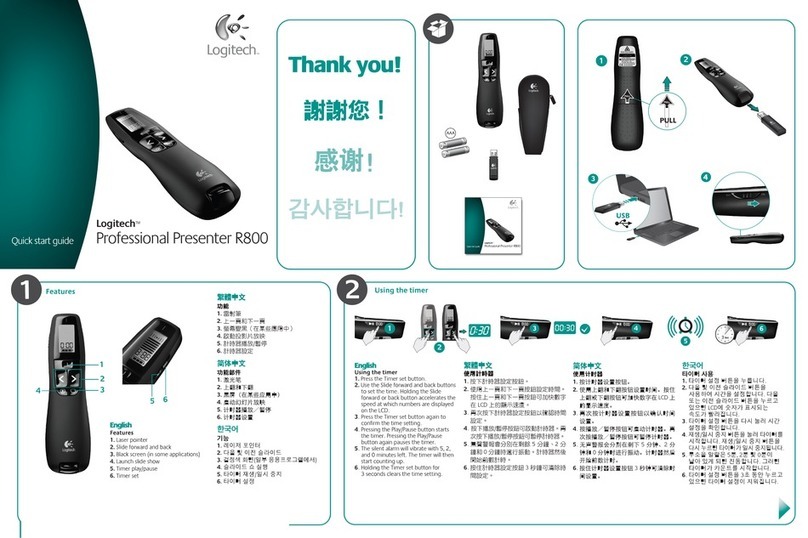
Logitech R800 - Professional Presenter Presentation Remote... quick start guide