manuals.online logo
Brands
  1. Home
  2. •
  3. Brands
  4. •
  5. Philips
  6. •
  7. Cordless Telephone
  8. •
  9. Philips CD365H User manual

Philips CD365H User manual

This manual suits for next models

2

Other Philips Cordless Telephone manuals

Philips CD1503B/17 User manual

Philips

Philips CD1503B/17 User manual

Philips DECT7272S User manual

Philips

Philips DECT7272S User manual

Philips S10 User manual

Philips

Philips S10 User manual

Philips D600 Operator's manual

Philips

Philips D600 Operator's manual

Philips SE2752B/51 User manual

Philips

Philips SE2752B/51 User manual

Philips CD280 User manual

Philips

Philips CD280 User manual

Philips D470 Operator's manual

Philips

Philips D470 Operator's manual

Philips D150 User manual

Philips

Philips D150 User manual

Philips CD1302S User manual

Philips

Philips CD1302S User manual

Philips CD 290 User manual

Philips

Philips CD 290 User manual

Philips D150 Product information sheet

Philips

Philips D150 Product information sheet

Philips Zenia User manual

Philips

Philips Zenia User manual

Philips Xalio 200 User manual

Philips

Philips Xalio 200 User manual

Philips Kala User manual

Philips

Philips Kala User manual

Philips CD1301S/73 User manual

Philips

Philips CD1301S/73 User manual

Philips D460 Product information sheet

Philips

Philips D460 Product information sheet

Philips CD4453S/05 User manual

Philips

Philips CD4453S/05 User manual

Philips B140 Operator's manual

Philips

Philips B140 Operator's manual

Philips CD4953B User manual

Philips

Philips CD4953B User manual

Philips D235 Product information sheet

Philips

Philips D235 Product information sheet

Philips TD 6831 User manual

Philips

Philips TD 6831 User manual

Philips 6523 Series User manual

Philips

Philips 6523 Series User manual

Philips XL3751B/23 User manual

Philips

Philips XL3751B/23 User manual

Philips SE7401B/51 User manual

Philips

Philips SE7401B/51 User manual

Popular Cordless Telephone manuals by other brands

Sony SPP-SS965 - Cordless Telephone operating instructions

Sony

Sony SPP-SS965 - Cordless Telephone operating instructions

Telstra Orb user guide

Telstra

Telstra Orb user guide

Mitel DT390 Quick reference guide

Mitel

Mitel DT390 Quick reference guide

GE 25830 user guide

GE

GE 25830 user guide

Uniden EXR2460 owner's manual

Uniden

Uniden EXR2460 owner's manual

BT DIVERSE 1010 user guide

BT

BT DIVERSE 1010 user guide

BT Graphite 1500 quick start guide

BT

BT Graphite 1500 quick start guide

3Com NBX Guide

3Com

3Com NBX Guide

Panasonic KX-TGK210HK operating instructions

Panasonic

Panasonic KX-TGK210HK operating instructions

Panasonic KX-TCA181EX installation manual

Panasonic

Panasonic KX-TCA181EX installation manual

BT FREESTYLE 3200 user guide

BT

BT FREESTYLE 3200 user guide

Panasonic KX-TG7301E operating instructions

Panasonic

Panasonic KX-TG7301E operating instructions

AUDIOLINE Splash 10x operating instructions

AUDIOLINE

AUDIOLINE Splash 10x operating instructions

Sanyo CLT-J70 instruction manual

Sanyo

Sanyo CLT-J70 instruction manual

Amplicomms BigTel 201 user manual

Amplicomms

Amplicomms BigTel 201 user manual

GE 26992 user guide

GE

GE 26992 user guide

AT&T E1812B user manual

AT&T

AT&T E1812B user manual

Sanyo CLT-670 instruction manual

Sanyo

Sanyo CLT-670 instruction manual

manuals.online logo
manuals.online logoBrands
  • About & Mission
  • Contact us
  • Privacy Policy
  • Terms and Conditions

Copyright 2025 Manuals.Online. All Rights Reserved.

© 2008 Koninklijke Philips Electronics N.V.
All rights reserved.
Document order number: 000000000000
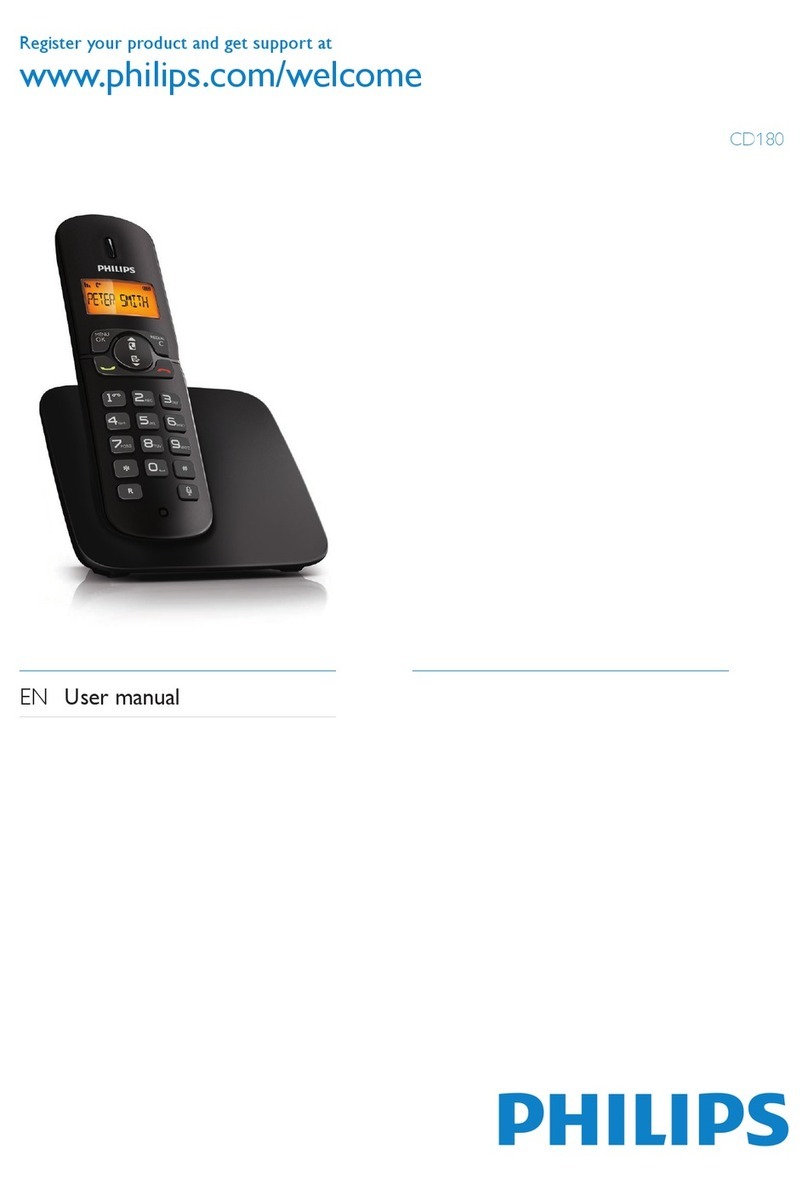
Register your product and get support at
www.philips.com/welcome
CD360
CD365
EN User manual
2
Switch between uppercase and lowercase
23
7 Phonebook 24
View the phonebook 24
Search a record 24
Access the phonebook during a call 24
Call from the phonebook 24
Add a record 24
Edit a record 25
Delete a record 25
Delete all records 25
8 Call log 26
View the call records 26
Return a call 26
Save a call record to the phonebook 26
Delete a call record 26
Delete all call records 26
Set the key tone 27
9 Redial list 28
View the redial records 28
Redial a call 28
Save a redial record to the phonebook 28
Delete a redial record 28
Delete all redial records 28
10 Self-denedsettings  29
Personalize the phone display 29
Personalize the sounds 29
11 Call features 31
Auto hang up 31
Auto conference 31
Dial mode 31
Select the recall duration 31
Manage the area code 32
Auto prex 32
First ring 32
12 Extra features 34
Alarm clock 34
Auto clock 34
Through the base 34
Contents
1 Important 4
Safety 4
2 Get started 10
Connect the base station 10
Connect the charger 10
Wallmount the base station 11
Install the handset 12
Checking the battery level 12
Set the date and time 13
Set the date and time format 13
What is standby mode? 13
Check the signal strength 13
Switch your handset On/Off 13
3 Your CD360/CD365 14
What is in the box 14
Overview of the base station 15
Overview of the phone 15
Display icons 17
4 Calls 18
Make a call 18
End a call 18
Answer a call 18
Adjust the earpiece volume 19
Mute the microphone 19
Turn the speaker on or off 19
Make a second call 19
Answer a second call 19
Toggle between two calls 19
Make a conference call 20
5 Intercom and conference calls 21
Make a call to another handset 21
Transfer a call 21
Make a conference call 21
6 Text and numbers 23
Enter text and numbers 23
EN
3
Keypad lock 34
Locate the handset 35
13 Advanced settings 36
Register the handsets 36
Unregister the handsets 36
Restore default settings 36
14 Telephone answering machine 38
Turn on the answering machine 38
Turn off the answering machine 38
Set the answering machine language 38
Set the answer mode 39
Outgoing messages (OGM) 39
Incoming messages (ICM) 40
15 Default settings 43
16 Technical data 44
17 Frequently asked questions 45
English
EN
4
cHeed all warnings.
dFollow all instructions.
eDo not use this apparatus near water.
fClean only with dry cloth.
gDo not block any ventilation openings.
Install in accordance with the
manufacturer’s instructions.
hDo not install near any heat sources
such as radiators, heat registers, stoves,
orotherapparatus(includingampliers)
that produce heat.
iDo not defeat the safety purpose of
the polarized or grounding-type plug.
A polarized plug has two blades with
one wider than the other. A grounding
type plug has two blades and a third
grounding prong. The wide blade or the
third prong are provided for your safety.
Iftheprovidedplugdoesnottinto
your outlet, consult an electrician for
replacement of the obsolete outlet.
jProtect the power cord from being
walked on or pinched, particularly at
plugs, convenience receptacles, and
the point where they exit from the
apparatus.
kOnly use attachments/accessories
speciedbythemanufacturer.
lUse only with the cart, stand,
tripod,bracket,ortablespeciedby
the manufacturer or sold with the
apparatus. When a cart is used, use
caution when moving the cart/apparatus
combination to avoid injury from tip-
over.
1 Important
Safety
When the power fails, the phone cannot
access emergency services.
Check the signal strength before you make a
call or when you are in a call. (see ‘Check the
signal strength’ on page 13)
Know these safety symbols
This ‘bolt of lightning’ indicates uninsulated
material within your unit may cause an
electrical shock. For the safety of everyone
in your household, please do not remove
product covering.
The ‘exclamation point’ calls attention to
features for which you should read the
enclosed literature closely to prevent
operating and maintenance problems.
WARNING: To reduce the risk of re or
electric shock, this apparatus should not be
exposed to rain or moisture and objects lled
with liquids, such as vases, should not be
placed on this apparatus.
CAUTION: To prevent electric shock, match
wide blade of plug to wide slot, fully insert.
Important Safety Instructions
aRead these instructions.
bKeep these instructions.
EN
5
FCC and IC statements
Equipment approval Information
Your telephone equipment is approved for
connection to the public switched telephone
network and is in compliance with parts
15 and 68, FCC Rules and Regulations and
the Technical Requirements for Telephone
Terminal Equipment published by ACTA.
Noticationtothelocaltelephone
On the bottom of this equipment is a label
indicating, among other information, the US
number and Ringer Equivalence Number
(REN) for the equipment.You must, upon
request,
provide this information to your telephone
company.
The REN is useful in determining the number
of devices you may connect to your telephone
line and still have all of these devices ring
when your telephone number is called. In
most (but not all) areas, the sum of the RENs
of all devices connected to one line should
not exceed 5. to be certain of the number
of devices you may connect to your line as
determined by the REN,
you should contact your local telephone
company.
A plug and jack used to connect this
equipment to the premises wiring and
telephone network
must comply with the applicable FCC Part 68
rules and requirements adopted by the ACTA.
A compliant telephone cord and modular plug
is provided with this product. It is designed
to be connected to a compatible modular
jack that is also compliant. See installation
instructions fordetails.
mUnplug this apparatus during lightning
storms or when unused for long periods
of time.
n Referallservicingtoqualiedservice
personnel. Servicing is required when
the apparatus has been damaged in any
way, such as power-supply cord or plug
is damaged, liquid has been spilled or
objects have fallen into the apparatus,
the apparatus has been exposed to rain
or moisture, does not operate normally,
or has been dropped.
oBattery usage CAUTION – To prevent
battery leakage which may result in
bodily injury, property damage, or
damage to the unit:
Install all batteries correctly, + and•
- as marked on the unit.
Do not mix batteries (old and new •
or carbon and alkaline, etc.).
Remove batteries when the unit is•
not used for a long time.
pApparatus shall not be exposed to
dripping or splashing.
qDo not place any sources of danger on
theapparatus(e.g.liquidlledobjects,
lightedcandles).
rThis product may contain lead and
mercury. Disposal of these materials
may be regulated due to environmental
considerations. For disposal or recycling
information, please contact your local
authorities or the Electronic Industries
Alliance: www.eiae.org.
English
EN
6
telephone equipment, the telephone company
must give you adequate notice, in writing, to
allow you to maintain uninterrupted service.
Interference information
This device complies with Part 15 of the FCC
Rules. Operation is subject to the following
two conditions :
1This device may not cause harmful
interference; and
2This device must accept any interference
received, including interference that may
cause undesired operation.
This equipment has been tested and
found to comply with the limits for
a Class B digital device, pursuant to
part 15 of the FCC Rules. These limits
are designed to provide reasonable
protection against harmful interference in
a residential installation. This equipment
generates, uses and can radiate radio
frequency energy and, if not installed and
used in accordance with the instruction
manual, may cause harmful interference
to radio communications.
However, there is no guarantee that
interference will not occur in a particular
installation. If this equipment does cause
harmful interference to radio or television
reception, which can be determined by
turning the equipment off and on, the
user is encouraged to try to correct
the interference by one or more of the
following measures:
Relocate the receiving antenna.•
Increase the separation between•
equipment and receiver.
Connect the equipment into an outlet on•
a circuit different from that to which the
receiver is connected.
Consult the dealer or an experienced •
radio/TV technician for help.
Note
This equipment may not be used on coin•
service provided by the telephone company.
Party lines are subject to state tariffs, and
•
therefore, you may not be able to use your
own telephone equipment if you are on a
party line. Check with your local telephone
company.
Notice must be given to the telephone
•
company upon permanent disconnection of
your telephone from your line.
•
If your home has specially wired alarm•
equipment connected to the telephone line,
ensure the installation of this product does not
•
disable your alarm equipment. If you
have questions about what will disable alarm
•
equipment, consult your telephone company
or a qualied installer.
Rights of the phone company
Should your equipment cause trouble on your
line which may harm the telephone network,
the telephone company shall, where
practicable, notify you that temporary
discontinuance of
service may be required.Where prior notice is
not practicable and the circumstances warrant
such action, the telephone company may
temporarily discontinue service immediately.
In
case of such temporary discontinuance, the
telephone company must :
1Promptly notify you of such temporary
discontinuance;
2Afford you the opportunity to correct
the situation;
3Inform you of your right to bring a
complaint to the Commission pursuant to
procedures set forth in Subpart E of Part
68, FCC Rules and Regulations.
The telephone company may make changes
in its communications facilities, equipment,
operations or procedures where such action
is required in the operation of its business
and not inconsistent with FCC rules and
Regulations. If these changes are expected
to affect the use or performance of your
EN

7
Note
The Ringer Equivalence Number (REN) for•
this terminal equipment is marked on the
equipment itself.The REN assigned to each
terminal equipment provides an indication of
the maximum number of terminals allowed to
42 FCC and IC statements be connected to
a telephone interface.The termination on an
interface may consist of any combination of
devices subject only to the requirement that
the sum of the Ringer Equivalence Numbers of
all the devices does not exceed ve.
Radio equipment
The term IC before the radio certication
number only signies that Industry Canada
technical specications were met. Operation is
subject to the following two conditions:
1This device may not cause interference;
and
2This device must accept any interference,
including interference that may cause
undesired operation of the device.
Do not attempt to repair or modify
this equipment
Repairs to certied equipment should be
made by an authorized maintenance facility
designated by the supplier.
Warning
Changes or modications to this equipment •not expressly approved by the party
responsible for compliance could void the
user’s authority to operate the equipment.
Service Centers
USA and CANADA
Phone : 1-800-233-8413
FCC RF radiation exposure statement
This equipment complies with FCC RF
radiation exposure limits set forth for an
uncontrolled environment.This equipment
should be installed and operated with a
minimum distance of 20 centimeters between
the radiator and your body.This transmitter
must not be co-located or operating in
conjunction with any other antenna or
transmitter.
For hand held operation, this phone has
been tested and meets the FCC RF exposure
guidelines. Use of other accessories may not
ensure compliance with FCC RF exposure
guidelines.
HearingAidCompatibility(HAC)
This telephone system meets FCC and
Industry Canada standards for Hearing Aid
Compatibility.
Privacy
Privacy of communications may not be
ensured when using this telephone.
Terminal equipment
Note
This equipment meets the applicable Industry•
Canada Terminal Equipment Technical
Specications. This is conrmed by the
registration number. The abbreviation, IC,
before the registration number signies
that registration was performed based on
a Declaration of Conformity indicating that
Industry Canada technical specications were
met. It does not imply that Industry Canada
approved the equipment.
English
EN

8
The RBRC® seal
The RBRC® Seal on the nickel metal hydride
battery indicates that Philips Royal Electronics
is voluntarily participarting in an industry
program to collect and recycle these batteries
at the end of their useful lives, when taken
out of service within the United States and
Canada.
The RBRC® program provides a convenient
alternative to placing used nickel metal hydride
batteries into the trash or municipal waste,
which may be illegal in your area.
Philips’s participation in RBRC® makes it easy
for you to drop off the spent battery at local
retailers participarting in RBRC® program or
at authorized Philips product service centers.
Please call 1-800-8-BATTERY for information
on Ni-MH battery recycling and disposal bans/
restrictions in your area. Philips’s involvement
in this program is part of its commitment to
protecting our environment and conserving
natural resources.
RBRC® is a registered trademark of
Rachargeable Battery Recycling Corporation.
Compliance with EMF
Koninklijke Philips Electronics N.V.
manufactures and sells many products
targeted at consumers, which, like any
electronic apparatus, in general have the
ability to emit and receive electromagnetic
signals.
One of Philips’ leading Business Principles is to
take all necessary health and safety measures
for our products, to comply with all applicable
legal requirements and to stay well within
the EMF standards applicable at the time of
producing the products.
Philips is committed to develop, produce and
market products that cause no adverse health
effects. Philips conrms that if its products are
Declaration of conformity
Hereby Philips Consumer Lifestyle, P&A,
declares that the CD360/CD365 is in
compliance with the essential requirements
and other relevant provisions of Directive
1999/5/EC. You can nd the Declaration of
Conformity on www.p4c.philips.com.
Recycling
Your product is designed and manufactured
with high quality materials and components,
which can be recycled and reused.
Never dispose of your product with other
household waste. Please inform yourself about
the local rules on the separate collection of
electrical and electronic products. The correct
disposal of your old product helps prevent
potentially negative consequences on the
environment and human health.
The packaging of this product is intended to
be recycled. Contact your local authorities
for information about how to recycle the
packaging.
When this logo is attached to a product,
it means a nancial contribution has been
paid to the associated national recovery and
recycling system.
Your product contains batteries covered by
the European Directive 2006/66/EC, which
cannot be disposed of with normal household
waste.
Please inform yourself about the local rules on
separate collection of batteries. The correct
disposal of batteries helps prevent potentially
negative consequences on the environment
and human health.
EN