manuals.online logo
Brands
  1. Home
  2. •
  3. Brands
  4. •
  5. Philips
  6. •
  7. Heart Rate Monitor
  8. •
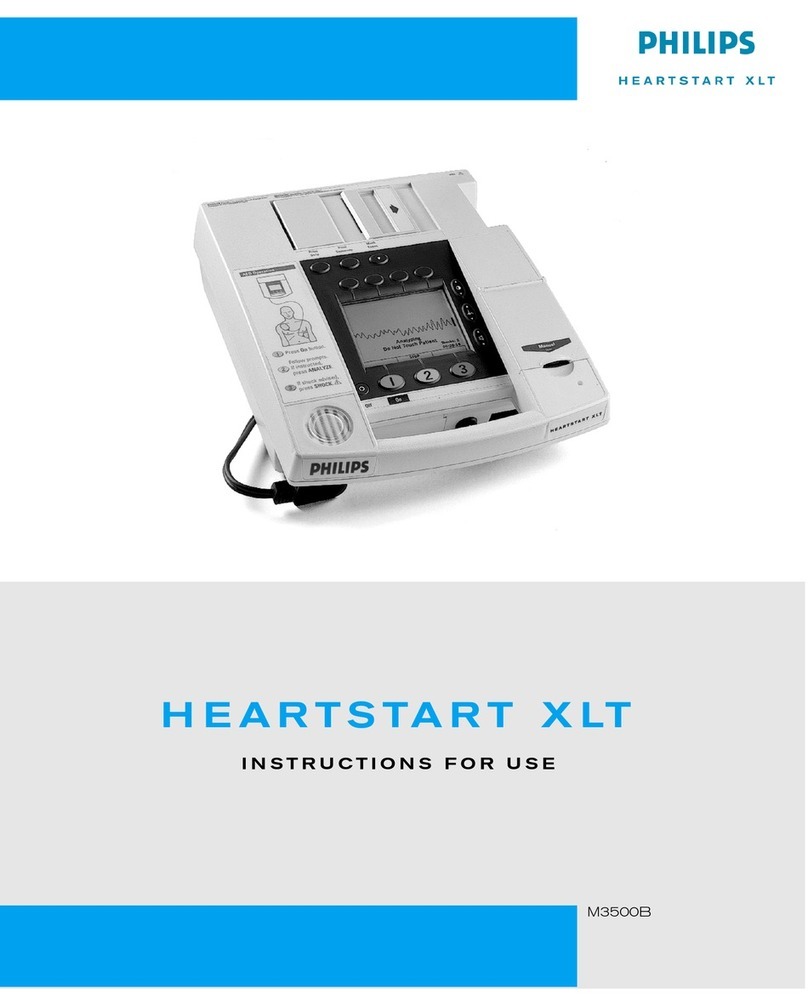
  9. Philips Heartstart XLT User manual

Philips Heartstart XLT User manual

This manual suits for next models

2

Other Philips Heart Rate Monitor manuals

Philips HeartStart MRx User manual

Philips

Philips HeartStart MRx User manual

Philips HEARTSTART XLT M3500B User manual

Philips

Philips HEARTSTART XLT M3500B User manual

Popular Heart Rate Monitor manuals by other brands

Polar Electro Polar FS3c Manuale d'uso

Polar Electro

Polar Electro Polar FS3c Manuale d'uso

Garmin Colorado 300 - Hiking GPS Receiver instructions

Garmin

Garmin Colorado 300 - Hiking GPS Receiver instructions

Sportline SOLO 915 user guide

Sportline

Sportline SOLO 915 user guide

Sportline Solo 920 instruction manual

Sportline

Sportline Solo 920 instruction manual

Mio ALPHA quick start guide

Mio

Mio ALPHA quick start guide

O-Synce MIXfree quick start guide

O-Synce

O-Synce MIXfree quick start guide

New Balance NX 710 CardioTRNR user manual

New Balance

New Balance NX 710 CardioTRNR user manual

Sportline 905 instruction manual

Sportline

Sportline 905 instruction manual

Oregon Scientific SE188 manual

Oregon Scientific

Oregon Scientific SE188 manual

Tanita AM-160 instruction manual

Tanita

Tanita AM-160 instruction manual

Mocacare MOCAheart user manual

Mocacare

Mocacare MOCAheart user manual

Datel Go-tcha Evolve for Pokémon Go user guide

Datel

Datel Go-tcha Evolve for Pokémon Go user guide

ItsImagical PRO SPORT SMART BAND quick guide

ItsImagical

ItsImagical PRO SPORT SMART BAND quick guide

Crane D02J56 operating manual

Crane

Crane D02J56 operating manual

Acumen BASIX instruction manual

Acumen

Acumen BASIX instruction manual

NAV Master II owner's manual

NAV

NAV Master II owner's manual

Oregon Scientific SH201 manual

Oregon Scientific

Oregon Scientific SH201 manual

JUNSD JS-702 instruction manual

JUNSD

JUNSD JS-702 instruction manual

manuals.online logo
manuals.online logoBrands
  • About & Mission
  • Contact us
  • Privacy Policy
  • Terms and Conditions

Copyright 2025 Manuals.Online. All Rights Reserved.

HEARTSTART XLT
Service Manual
M3500B/
M5500B
Service Manual
M3500B HeartStart XLT/
M5500B Heartstart 4000
Defibrillator/Monitor
ii
Notice
About This Edition
Edition 2
Printed in the USA
Publication number M3500-90900
The information in this manual applies
to the M3500B HeartStart XLT Release
Main 34 and earlier, and to the
Heartstart 4000 Release Main 34 and
earlier. This information is subject to
change without notice.
Philips Medical Systems shall not be
liable for errors contained herein or for
incidental or consequential damages in
connection with the furnishing, perfor-
mance, or use of this material.
Edition History
Edition 1.1, March 28, 2000
Edition 2, February 2003
Copyright
Copyright © 2003
Philips Electronics North America
Corporation
3000 Minuteman Road
Andover, MA 01810-1099 USA
(978) 687-1501
All rights are reserved. Reproduction in
whole or in part is prohibited without
the prior written consent of the copy-
right holder.
WARNING
Radio Frequency (RF) interference
from nearby transmitting devices may
seriously degrade performance of the
M3500B/M5500B defibrillator/moni-
tor. Electromagnetic compatibility with
surrounding devices should be assessed
prior to using the defibrillator.
CAUTION
Use of supplies or accessories other
than those recommended by Philips
Medical Systems may compromise
product performance.
THIS PRODUCT IS NOT INTENDED
FOR HOME USE.
IN THE U.S., FEDERAL LAW
RESTRICTS THIS DEVICE TO SALE
ON OR BY THE ORDER OF A PHY-
SICIAN.
Medical Device Directive
The M3500B/M5500B Defibrillator/
Monitor complies with the requirements
of the Medical Device Directive 93/42/
EEC and carries the 0123 mark
accordingly.
Authorized EU-representative:
Philips Medizinsysteme Böblingen
GmbH
Hewlett Packard Str. 2
71034 Böbingen
Germany
Canada EMC:ICES-001
iii
Conventions
This manual uses the following text conventions:
NOTE Notes contain additional information on servicing this product.
CAUTION Caution statements describe conditions or actions that can result in damage to
the equipment or loss of data.
WARNING Warningstatementsdescribe conditionsoractionsthatcanresult inpersonal injury
or loss of life.
Text represents messages that appear on the display
represents softkey labels that appear on the display
above or below the button to which they correspond
Softkey
Contents
v
Introduction
Overview ............................................................................................................................... 1-1
Defibrillator/Monitor ...................................................................................................... 1-1
Batteries, Power Modules, Battery Charger Adapter ..................................................... 1-2
Installation ...................................................................................................................... 1-2
Upgrades ......................................................................................................................... 1-2
Preventive Maintenance .................................................................................................. 1-2
Repair Philosophy ........................................................................................................... 1-3
Defibrillator/Monitor ................................................................................................ 1-3
Batteries, Power Modules, Battery Charger Adapter ............................................... 1-3
Performance Verification and Safety Tests
Overview ............................................................................................................................... 2-1
Mandatory Testing ................................................................................................................ 2-1
External Repairs/No Trouble Found ............................................................................... 2-1
Printer .............................................................................................................................. 2-2
Internal Repairs ...............................................................................................................2-2
Test and Inspection Matrix ................................................................................................... 2-3
Test Equipment ..................................................................................................................... 2-8
Configuration and Diagnostic Modes ................................................................................. 2-10
Configuration Mode ...................................................................................................... 2-10
Diagnostic Mode ........................................................................................................... 2-11
Performance Verification .................................................................................................... 2-12
Visual Inspection .......................................................................................................... 2-12
Functional Checks ......................................................................................................... 2-13
ECG Functional Checks .......................................................................................... 2-13
Shock Advisory Functional Check ......................................................................... 2-14
Synchronized Cardioversion Functional Check ..................................................... 2-14
Sp02Functional Check ........................................................................................... 2-15
Diagnostic Tests .................................................................................................................. 2-16
The System Log ............................................................................................................ 2-16
Extended Self Test ........................................................................................................ 2-17
User Interface Tests ...................................................................................................... 2-19
To check the Controls (keys): .................................................................................2-19
To check the display: .............................................................................................. 2-20
To check the audio output: ...................................................................................... 2-20
To check the printer: ............................................................................................... 2-21
ECG Tests ..................................................................................................................... 2-22
ECG Status messages .............................................................................................. 2-23
DC Offset ................................................................................................................ 2-23
ECG amplifier tests ................................................................................................. 2-23
PCI function ............................................................................................................ 2-24

vi
Contents
Pacing Test ....................................................................................................................2-25
Defibrillator Test (AC Power At 200 J) ........................................................................ 2-27
Defibrillator Test (Battery Power At 200 J) ................................................................. 2-28
Defibrillator Disarm Test .............................................................................................. 2-29
Safety Tests ...................................................................................................................2-30
Earth Leakage ......................................................................................................... 2-30
Patient Lead Leakage .............................................................................................. 2-30
Battery Capacity Test ..........................................................................................................2-31
Troubleshooting
Overview ............................................................................................................................... 3-1
Repair Philosophy ........................................................................................................... 3-1
Equipment Required ....................................................................................................... 3-1
Troubleshooting and Repair Methodology ........................................................................... 3-2
Interview the User ..................................................................................................... 3-2
Identify the Problem ................................................................................................. 3-2
Perform the Repair .................................................................................................... 3-2
Test the Unit .............................................................................................................. 3-2
Initial Assessment ................................................................................................................. 3-3
Attempt Power Up .................................................................................................... 3-3
Evaluate the Response .............................................................................................. 3-3
Diagnosing External Failures ................................................................................................ 3-4
Capture the Configuration Data ................................................................................ 3-4
Print the System Log ................................................................................................. 3-4
Rule out external components and improper use ...................................................... 3-4
Diagnosing Internal Failures ................................................................................................. 3-5
Run Self Tests ........................................................................................................... 3-5
Use the Troubleshooting Tables ............................................................................... 3-5
Configuration and Diagnostic Modes ............................................................................. 3-5
Accessing Configuration Mode ...................................................................................... 3-5
Accessing Diagnostic Mode ........................................................................................... 3-6
Printing the System Log ........................................................................................... 3-6
Troubleshooting Tables ........................................................................................................ 3-8
Using the Tables ............................................................................................................. 3-8
Unit Unresponsive ................................................................................................................ 3-9
Error Codes ......................................................................................................................... 3-11
System Messages ................................................................................................................3-13
Momentary Messages ......................................................................................................... 3-16
Audio Tones .................................................................................................................. 3-17
Extended Self Test Failures .......................................................................................... 3-18
vii
Contents
Operational Problems ......................................................................................................... 3-19
ECG Monitoring ........................................................................................................... 3-19
SpO2Monitoring ........................................................................................................... 3-21
Defibrillation and Cardioversion .................................................................................. 3-22
Pacing ............................................................................................................................ 3-24
Printer ............................................................................................................................ 3-25
Display .......................................................................................................................... 3-26
Audio ............................................................................................................................ 3-27
Keys .............................................................................................................................. 3-28
Battery and Power Modules .......................................................................................... 3-29
Data Card ......................................................................................................................3-31
Calling for Service - Philips HeartStart XLT ..................................................................... 3-32
United States of America .............................................................................................. 3-32
Latin America ............................................................................................................... 3-32
Canada .......................................................................................................................... 3-32
Other International Areas .............................................................................................. 3-33
Calling for Service - Laerdal Heartstart 4000 ..................................................................... 3-34
United States of America ......................................................................................... 3-34
International Customers ................................................................................................ 3-34
Removal and Replacement
Overview ............................................................................................................................... 4-1
Servicing Notes ..................................................................................................................... 4-1
Key Components ............................................................................................................. 4-1
Removal, Handling, and Replacement ........................................................................... 4-1
Flex Circuit Connections .......................................................................................... 4-1
Flex Circuit Handling ............................................................................................... 4-2
Internal Connections ................................................................................................. 4-2
Cable and Assembly Placement ................................................................................ 4-2
Instrument Reassembly ............................................................................................. 4-2
Tool Requirements ................................................................................................................ 4-3
User-replaceable Parts and Accessories ................................................................................4-4
Manual Door ................................................................................................................... 4-4
Removal .................................................................................................................... 4-4
Replacement .............................................................................................................. 4-4
Carrying Case ................................................................................................................ 4-7
Removal .................................................................................................................... 4-7
Replacement .............................................................................................................. 4-8
User Maintenance ................................................................................................................. 4-9
Cleaning the Printer Printhead ........................................................................................ 4-9
viii
Contents
External Assemblies ........................................................................................................... 4-10
Printer Assembly ........................................................................................................... 4-11
Removal .................................................................................................................. 4-11
Replacement ............................................................................................................ 4-12
Printer Sliding Door ...................................................................................................... 4-13
Removal .................................................................................................................. 4-13
Replacement ............................................................................................................ 4-13
Printer Platen .................................................................................................................4-14
Removal .................................................................................................................. 4-14
Replacement ............................................................................................................ 4-14
Battery Cover ................................................................................................................ 4-15
Removal .................................................................................................................. 4-15
Replacement ............................................................................................................ 4-16
Main Fuse ..................................................................................................................... 4-17
Removal .................................................................................................................. 4-17
Replacement ............................................................................................................ 4-17
Battery Eject Assembly ................................................................................................ 4-17
Removal .................................................................................................................. 4-17
Replacement ............................................................................................................ 4-18
Data Card Door ............................................................................................................. 4-18
Removal .................................................................................................................. 4-18
Replacement ............................................................................................................ 4-18
Labels .................................................................................................................................. 4-19
Label Descriptions ........................................................................................................ 4-19
Case Label Set ........................................................................................................ 4-19
Branding Label Set ................................................................................................. 4-21
Ambient Light Sensor Label ................................................................................... 4-21
Speaker Label Set ................................................................................................... 4-22
Removing and Replacing Labels .................................................................................. 4-22
Removal .................................................................................................................. 4-22
Replacement ............................................................................................................ 4-22
Opening the Sealed Case .................................................................................................... 4-23
Discharging the Power Supply Capacitors ................................................................... 4-23
Primary Method ...................................................................................................... 4-23
Secondary Method: ................................................................................................. 4-23
Separating the Case ..................................................................................................... 4-25
Discharging the Defibrillator Capacitor ....................................................................... 4-27
Primary Method ...................................................................................................... 4-27
Secondary Method .................................................................................................. 4-28
Identifying Internal Subassemblies ..................................................................................... 4-29