Rev 1.2 Copyright © Phymetrix Inc. 2008
4
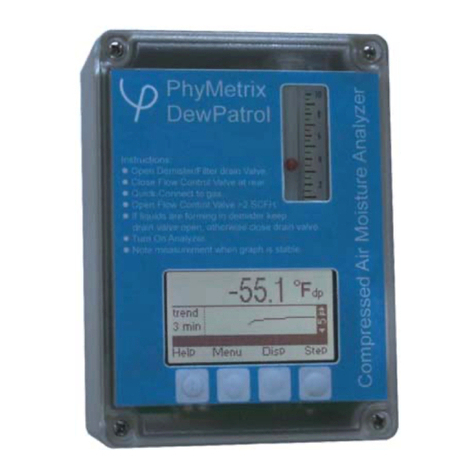
5. UNITS – The moisture content of the gas being measured can be displayed in a variety of units °C & °F
dewpoint, ppmV, ppmW, µB H2O vapor pressure, grams of H2O / m3, and Lbs H2O /106standard cubic feet in
Natural Gas. Use the “Step” button (right most) to highlight the units of the measurement and use the ▲and ▼
buttons to change the units to the desired values. If the instrument is unlocked then the unit changes will be
permanent even if the analyzer is powered OFF. If the instrument is locked then the change will last for 5
seconds so the newly selected units can be viewed but the analyzer will reset the selection to the original units.
The status bar will indicate “Locked – change is temporary” and will produce beeping sounds.
6. LOCKING – The analyzers are shipped in the Locked mode from the factory, if desired they can be unlocked
via the system menu. Press the “Menu” button, then press the “Step” button a few times until the highlight bar is
over the “Un-Lock” menu selection, and then press the “Goto” button. If the analyzer is locked then the right
most button will be labeled “Unlock”. If the analyzer is unlocked then the right most button will be labeled “Lock”.
Use this button to change the state of the analyzer. There are also “OK” and “Cancel” buttons for completing the
locking / unlocking function. The analyzer may be left in the unlocked mode thus allowing easy permanent
changes of its setup. However if the analyzer is made available to many users with a mix of training on its use;
then it may be desirable to leave it locked.
7. MENUS – There are 3 menu screens providing various functions for operating the analyzer. To access MENU-1
press the “Menu” button when in any display mode. Then using the “Step” button move the highlight bar over
the desired function. Pressing the “Goto” button chooses the highlighted function. To access MENU-2 and
MENU-3 press the “Goto” button when the highlight bar is on the “More…” selection. Pressing the “Back” button
returns to the previous menu or to the display mode.
Read the full user’s manual for details on the functions provided in the menus. Much of it may be learned using
the PC emulation program available for training.
8. BATTERY – The analyzer uses a rechargeable Li-Ion battery. If the status bar displays a Low Battery message,
the battery should be recharged which can be done by plugging the analyzer into any computer’s USB port or
using the provided wall transformer. Technical Specifications
Temperature Range Enclosure: -40°C to +60°C Electronics: -40°C to +85°C LCD operating: -20°C to +70°C storage: -30°C to +80°C
Moisture Sensor: -20°C to +60°C Pressure Sensor: -20°C to +85°C
Moisture Sensor
Range -110°C to +20°C
Accuracy: ±2°C temperature corrected Repeatability: 0.8°C Response time: 95% of step change in 3 min.
Sample flow: >1 LPM
Temperature Sensors -40°C to +70°C ±2°C
Pressure Sensor 0 to 300 PSIA ±1%, 316L stainless steel wetted parts
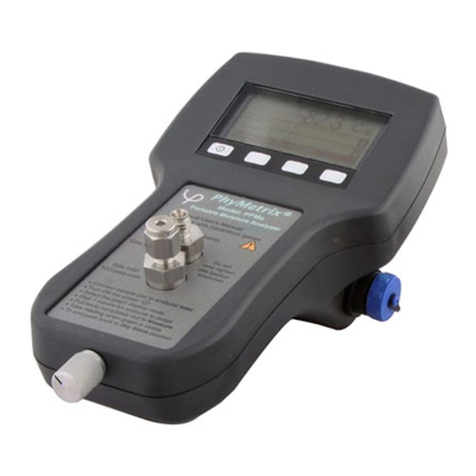
Ergonomics Comfortable to hold in hand, soft contoured body design, lightweight less than 2 Lbs
Easy to read graphic LCD display with user controlled backlight brightness
Snap dome tactile membrane switches with dynamically assigned legends
Audible feedback on button press as well as for warnings and alarms
Hook and magnet for easy temporary field securing / mounting
Auto scaling graph histogram on moisture measurement display for stability verification
Easy to use with verbose built-in context sensitive Help screens
Battery Saver, with user selectable Auto-power-down times, can also be disabled
Built-in pressure measurement and pressure corrected moisture readings simultaneously available with the uncorrected reading for greater ease of understanding
Verbose Status bar with indications, warnings and audible errors
User selectable locking with or without a password.
Built-in clock calendar
Electrical External AC Universal Power adapter supplied (100-240VAC 50-60Hz)
Rechargeable Li-Ion battery, recharges from the USB connection or from a universal power adapter
Sampling system and sensor are isolated form electrical interface and supply grounds
Measurement resolution of moisture sensor: 1pF resulting in less than 0.01°C
External power and I/O: USB mini B connector - IP67 / IP68
Mechanical Enclosure
Impact resistant (>7 Nm to EN 50014) Polyamide 12, IP65/EN 60529 ATEX hazardous area use (Ex II 2 G) approved (PTB 02 ATEX 1076U), Flammability: UL 94 HB
Abrasion resistant Polycarbonate display lens
Dimensions- L: 7.36” (187mm) W: 4.17” (106mm) H: 1.97” (50mm)
Weight Total 1.75 Lbs
1/8” Swagelok® Inlet and Outlet fitting adapters for the SAE/MS 5/16-24 ports.
All 316 Stainless Steel and PTFE wetted parts, small surface area stainless steel sampling chamber for fast response time.
Integral Sensor retraction into desiccant storage chamber for fast response-time when measuring low moisture content.
Miscellaneous
Features NIST traceable calibrations
Units of measure: °C & °F dewpoint, ppmV, ppmW, µB H2O vapor pressure, grams of H2O / m3and Lbs H2O /106standard cubic feet in Natural Gas.
Digital & Analog I/O: USB, 4/20mA
Data logging – single point, multipoint, time stamping etc…
Virtual Analyzer PC software for training, allows the user to experience the exact interface on their own PC with voice help explanations