manuals.online logo
Brands
  1. Home
  2. •
  3. Brands
  4. •
  5. Planet Audio
  6. •
  7. Car Receiver
  8. •
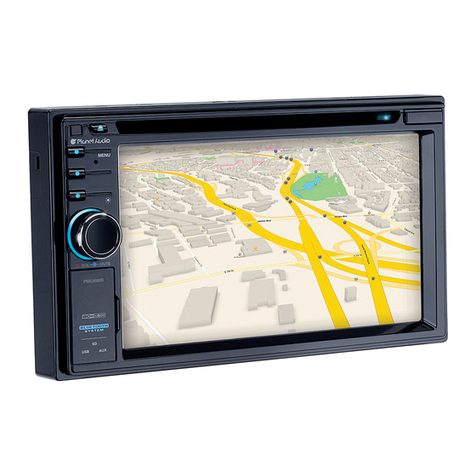
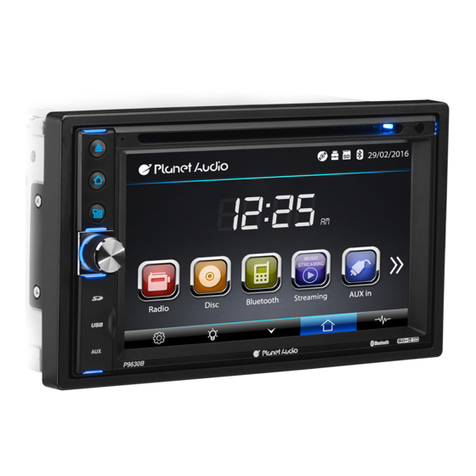
  9. Planet Audio P9745B User manual

Planet Audio P9745B User manual

Other manuals for P9745B

1

Other Planet Audio Car Receiver manuals
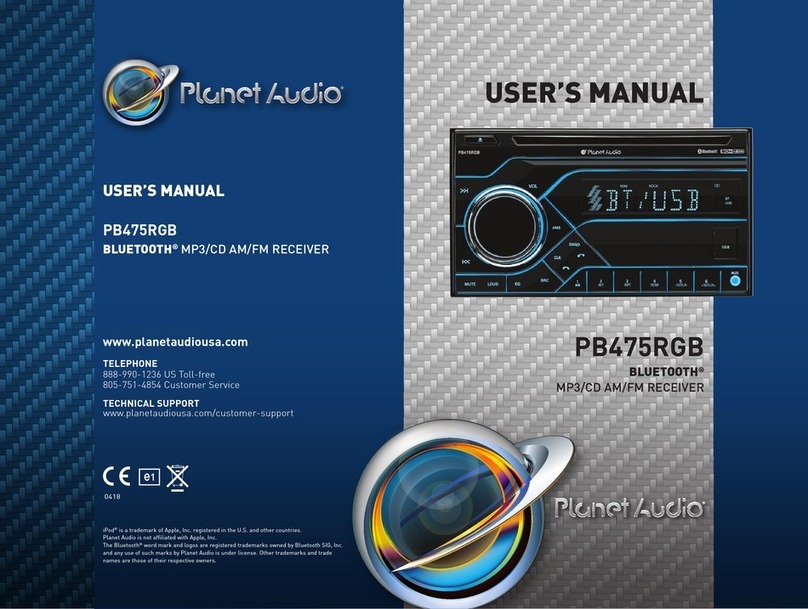
Planet Audio Car Audio System User manual

Planet Audio

Planet Audio Car Audio System User manual

Planet Audio P9640B User manual

Planet Audio

Planet Audio P9640B User manual

Planet Audio PNV9680 User manual

Planet Audio

Planet Audio PNV9680 User manual

Planet Audio P385UA User manual

Planet Audio

Planet Audio P385UA User manual

Planet Audio P9950CPA User manual

Planet Audio

Planet Audio P9950CPA User manual

Planet Audio P9725B User manual

Planet Audio

Planet Audio P9725B User manual

Planet Audio P9615BI User manual

Planet Audio

Planet Audio P9615BI User manual

Planet Audio P370MB User manual

Planet Audio

Planet Audio P370MB User manual

Planet Audio PC45RGB User manual

Planet Audio

Planet Audio PC45RGB User manual

Planet Audio P590V User manual

Planet Audio

Planet Audio P590V User manual
Planet Audio P395UAB User manual

Planet Audio

Planet Audio P395UAB User manual

Planet Audio P9692B User manual

Planet Audio

Planet Audio P9692B User manual

Planet Audio PI9764B User manual

Planet Audio

Planet Audio PI9764B User manual

Planet Audio P255B User manual

Planet Audio

Planet Audio P255B User manual

Planet Audio PC3.5B User manual

Planet Audio

Planet Audio PC3.5B User manual
Planet Audio P100CPA User manual

Planet Audio

Planet Audio P100CPA User manual

Planet Audio P9640B User manual

Planet Audio

Planet Audio P9640B User manual

Planet Audio P9756 User manual

Planet Audio

Planet Audio P9756 User manual
Planet Audio PI9760 User manual

Planet Audio

Planet Audio PI9760 User manual

Planet Audio Red Line P5200T User manual

Planet Audio

Planet Audio Red Line P5200T User manual

Planet Audio PNV9680 User manual

Planet Audio

Planet Audio PNV9680 User manual
Planet Audio P375MB User manual

Planet Audio

Planet Audio P375MB User manual

Planet Audio PINV750BT User manual

Planet Audio

Planet Audio PINV750BT User manual

Planet Audio P265IU User manual

Planet Audio

Planet Audio P265IU User manual

Popular Car Receiver manuals by other brands

Linear Series LS5050 Operation and installation manual

Linear Series

Linear Series LS5050 Operation and installation manual

Kenwood KRC-160 instruction manual

Kenwood

Kenwood KRC-160 instruction manual

Sony XR-CA430X Service manual

Sony

Sony XR-CA430X Service manual

T+A Elektroakustik K1 CD-RECEIVER operating instructions

T+A Elektroakustik

T+A Elektroakustik K1 CD-RECEIVER operating instructions

SoundMax SM-CDM1052 instruction manual

SoundMax

SoundMax SM-CDM1052 instruction manual

Xtrons HD107HD user manual

Xtrons

Xtrons HD107HD user manual

Mopar RB3 manual

Mopar

Mopar RB3 manual

Clarion ADDZEST DMZ615 owner's manual

Clarion

Clarion ADDZEST DMZ615 owner's manual

Sony XAV-601BT Specifications

Sony

Sony XAV-601BT Specifications

PIE GM12-POD/S Operation manual

PIE

PIE GM12-POD/S Operation manual

Hyundai H-910H instruction manual

Hyundai

Hyundai H-910H instruction manual

Sony XR-C6100 Service manual

Sony

Sony XR-C6100 Service manual

Sony CDX-L600X - Fm/am Compact Disc Player Installation/connections

Sony

Sony CDX-L600X - Fm/am Compact Disc Player Installation/connections

Motorola VWA63 Service manual

Motorola

Motorola VWA63 Service manual

Sound Storm STM93R user manual

Sound Storm

Sound Storm STM93R user manual

Nextar D3201 instruction manual

Nextar

Nextar D3201 instruction manual

Alpine CDE-163BT owner's manual

Alpine

Alpine CDE-163BT owner's manual

Kenwood KDC-X303 quick start guide

Kenwood

Kenwood KDC-X303 quick start guide

manuals.online logo
manuals.online logoBrands
  • About & Mission
  • Contact us
  • Privacy Policy
  • Terms and Conditions

Copyright 2025 Manuals.Online. All Rights Reserved.

1.Welcome
2.Warning
3.Note
4.Features
5.Basic Operation
6.Panel Arrangement
7.Basic Functions
8.Main Menu Touch Operation
9.OSD Setup
10.Remote Control Function
11.Disc Play Touch Operation
12.DVD Mode
13.RDS User Operation
14.Radio Operation
15.DVD Basic Operation
16.VCD Basic Operation
17.CD Basic Operation
18.MP3/USB/SD Operation
19.Bluetooth Touch Operation
20.Other Play Mode
21.CCD/Trouble Shooting
22.Wiring Diagram
23.Specifications
24.Accessory
P9745B
3
4
4
5
6
7
8
9
11
12
14
16
18
20
22
23
33
36
38
39
41
42
43
44
45
1.WELCOME
2.WARNING
1. Please keep the disc slot clean, wipe it off when there is some dirt on it. You should
wipe off any dirt on the disc before you place it into the unit. If the disc is dirty and you
place it inside the unit, it will cause the unit to go into an error and will not play the
disc. Please ask professional to clean the laser.
2. Playing the radio at higher volumes for a long period of time may cause hearing
issues. You should play this unit at a moderate listen level.
3. This unit is set up by precision parts. If you open up this unit, you will void any and
all of your warranty.
4. Please do not touch LCD display with any hard object so that you prevent it from
getting scratched or damaged.
5. To avoid an accident caused by watching the LCD screen. This unit has a vehicle
lock out wire so that you will not be allowed to watch a video while driving down the
road.
6. This unit is meant for a 12V power and negative ground system from a vehicle.
NOTE:
We keep improving this product all the time. There may be some changes in it that are
not in this manual.
24.ACCESSORY
Accessory Quantity
User Manual 1PC
Wire
USB Cable
Remote controller
Warranty card
1PC
1PC
1PC
2PCS
INSTRUCTIONS INSTRUCTIONS
4 45
thank you for enjoying our series of digital car A/V product.
To properly use this product, please go through this instruction manual for installation
and operation, put it in a safe place for future use!
3.NOTE
● This unit can play the following disc
Power supply
Power range
Max operate current
Dimensions
Ground system
FM tuner
European frequency range
Signal/Noisse ratio
Stereo separation
Search station volt
Distortion rate
AM tuner
Limit noise sensitivity
DVD PLAYER
Signal/Noise ratio
Frequency response
DC 12V
10.8-16.0V DC
10A
178X153X101MM
Negative ground
87.5-108MHz
55dB
30dB
20-30dBuv
1.5%
522-1620KHz
32dB
70dB
20Hz-20KHz
23.SPECIFICATIONS:
USA frequency range 87.5-107.9MHz
European frequency range
USA frequency range 530-1710KHz
Amp Rating 85 Watts x 4 Channels
INSTRUCTIONS INSTRUCTIONS
5
44
INSTRUCTIONS INSTRUCTIONS
4.FEATURES
DVD PLAYER
1. MPEG-4 Decoder Technology
2. Compatible with MP4 (AVI/5.X), DVD (DVD-R/DVD-RW), VCD,
SVCD, CD-RW, WMA, MP3, JPG
3. Supporting Multiple Subtitles, Angles, Languages
4. Child lock function
5. 4-Channel Audio Output
6. Pause, Play, Up/Down, Stop, Zoom, PBC Function
RADIO
1. AM/FM Radio Tuner
2. 30 Radio Preset Stations (18FM, 12AM)
LCD DISPLAY
1. 7” - 16:9 TFT LCD Display
2. Touchscreen
22.WIRING DIAGRAM
This player is equipped with ISO standard connector, please follow below instruction:
● Yellow – 12 V Constant
● Black – Ground wire
● Blue - Power Antenna
● Pink – Parking Brake (-)
● White/White black - Left front speaker (+-)
● Purple/Purple black - Right rear speaker (+/-)
● Green/Green black- Left rear speaker (+/-)
● Red - ACC ON (+12V) ● Grey/Grey black - Right front speaker (+/-)
Note:
The “PARKING BRAKE” wire must be connected to the parking brake system
of your car. When the parking brake is engages, the LCD will be allowed to view
your video. If not, the screen will produce an image saying, “PARKING BRAKE”.
This is a safety feature designed for the driver not to watch a video while driving.
The video output on this unit will not be affected by this.
6 43
● Orange – Back-Up Camera Trigger (+)
● Blue/White-Remote Amp Turn On
VOL BAS TRE L/R
F/R
5.BASIC OPERATION21.CCD(Back-Up Camera)
7
42
INSTRUCTIONS INSTRUCTIONS
6.PANEL ARRANGEMENT 20.OTHER PLAY MODE
41
8
1.SOURCE Button
2.Mute Button
3.VOL- Button
4.VOL+ Button
5. 
6. P
7.Menu Button
8.OPEN Button
9.MINI USB Port
10. AUX IN
11. 
12.
13.MIC Input
DN Button
U Button
RESET Button
Remote Control Receiver
11 12
13
INSTRUCTIONS INSTRUCTIONS
7.BASIC FUNCTION
9 40
1.SOURCE Button
press this button to power on,press this button longer to power off.In normal situation,
press this button can switch the playing mode.
2.
3.VOL- Button
Press this button shortly increase volume level one step by one step.
Press this button longer increase volume level continuously.
4.VOL+ Button
Press this button shortly decreasa volume level one step by one step.
Press this button longer decreasa volume level continuously.
5.
6.
7.MENU Button
press this button to back to the main menu in any made.
8.OPEN Button
Press this button can eject the disc.
9.MINI USB PORT
Connect the USB memory to this socket,and the unit can play music format files supported
by this unit in the USB memory.
10.AUX IN
External connected audio input.
MUTE / TFT on/off Button
Press this button to shut off the sound output, re-press this button can resume the
sound output, long press this button can turn off the TFT LCD display.
DN Button
Short press this button to make the monitor glide down steply; Long press this button to
make the monitor glide down to the lowest position.
UP Button
Short press this button to make the monitor glide up steply; Long press this button to
make the monitor glide up to the top position.
39
10
19.
14.Disc Slot
15.Slot indicator light
16.SD Slot
13.MIC input
Bluetooth MIC input.
BASE
11.RESET Button
Press this button and this unit will be restored to the initial state.
12.Remote Control Receiver
It is able of receiving infrared signals launched by the remote control matching the unit.
INSTRUCTIONS INSTRUCTIONS
8.MAIN MENU TOUCH OPERATION
RADIO
AUX INPUT
DVD
BLUETOOTH
USB/SD
GPS
POWER
OSD SET
TV CDC
*This unit without CDC/TV/GPSfunction.
38 11
9.OSD SETUP
37
12
10. CD Program Play
In CD mode, you can set the sequence of playing by the program function, the operation
is as follows:
When CD is playing, press ST/PROG button, then the display shows:
Input the number of the song you want to program by the remote control, program the
first song, input your desired song, for example, the sixth song, and press number button
6 on the remote control. Program the second song, press button move the cursor to
2 . Input your desired song, for example, the ninth song, press number button 9 on
the remote control. Press button to program play.
Back to the normal mode, press the ST/PROG button, then press button.
Note: This function can only be worked by the remote control.
PROG
TC
3__:__
4__:__
TC
7__:__
8__:__
5__:__
6__:__
TC
11__:__
12__:__
9__:__
10__:__
TC
15__:__
16__:__
13__:__
14__:__
PLAY DELETE
1__:__
2__:__