EnglishDeutsch
 logo
Brands
  1. Home
  2. •
  3. Brands
  4. •
  5. Polar Electro
  6. •
  7. Fitness Electronic
  8. •
  9. Polar Electro Loop 2 User manual

Polar Electro Loop 2 User manual

Other manuals for Loop 2

2

Other Polar Electro Fitness Electronic manuals

Polar Electro S725X User manual

Polar Electro

Polar Electro S725X User manual

Polar Electro s3+ stride sensor User manual

Polar Electro

Polar Electro s3+ stride sensor User manual

Polar Electro RCX3 User manual

Polar Electro

Polar Electro RCX3 User manual

Polar Electro RS 800 SD User manual

Polar Electro

Polar Electro RS 800 SD User manual

Polar Electro FT80 User manual

Polar Electro

Polar Electro FT80 User manual

Polar Electro Loop User manual

Polar Electro

Polar Electro Loop User manual

Polar Electro FT60 User manual

Polar Electro

Polar Electro FT60 User manual

Polar Electro Team2 User manual

Polar Electro

Polar Electro Team2 User manual

Polar Electro Loop 2 User manual

Polar Electro

Polar Electro Loop 2 User manual

Polar Electro FT40TM User manual

Polar Electro

Polar Electro FT40TM User manual

Polar Electro Equine FT1 User manual

Polar Electro

Polar Electro Equine FT1 User manual

Polar Electro RCX5 User manual
Polar Electro

Polar Electro RCX5 User manual

Polar Electro V650 User manual

Polar Electro

Polar Electro V650 User manual

Polar Electro Y6 User manual

Polar Electro

Polar Electro Y6 User manual

Polar Electro M430 User manual

Polar Electro

Polar Electro M430 User manual

Polar Electro Polar RS800CX User manual

Polar Electro

Polar Electro Polar RS800CX User manual

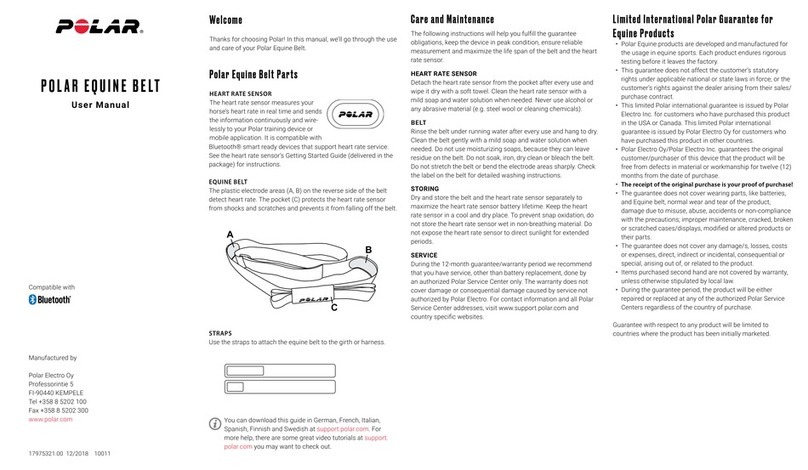
Polar Electro Equine Belt User manual

Polar Electro

Polar Electro Equine Belt User manual

Polar Electro S625X User manual

Polar Electro

Polar Electro S625X User manual

Polar Electro Cardio GX User manual

Polar Electro

Polar Electro Cardio GX User manual

Polar Electro FT4 User manual

Polar Electro

Polar Electro FT4 User manual

Polar Electro M200 User manual

Polar Electro

Polar Electro M200 User manual

Polar Electro TriFIT 700 User manual

Polar Electro

Polar Electro TriFIT 700 User manual

Polar Electro RCX3 User manual

Polar Electro

Polar Electro RCX3 User manual

Polar Electro CS600X User manual

Polar Electro

Polar Electro CS600X User manual

Popular Fitness Electronic manuals by other brands

Tunturi Platinum Pro user manual

Tunturi

Tunturi Platinum Pro user manual

ergoline ergoselect 150 Operator's manual

ergoline

ergoline ergoselect 150 Operator's manual

Kettler SM3635-68 Training and operating instructions

Kettler

Kettler SM3635-68 Training and operating instructions

BH FITNESS G6424i manual

BH FITNESS

BH FITNESS G6424i manual

BodyMedia DD100 manual 

BodyMedia

BodyMedia DD100 manual 

Octane Fitness ZERO RUNNER ZR7000 Console Guide & Set-Up Instructions

Octane Fitness

Octane Fitness ZERO RUNNER ZR7000 Console Guide & Set-Up Instructions

New Balance EX2 900 user manual

New Balance

New Balance EX2 900 user manual

Energetics PR 3000p manual

Energetics

Energetics PR 3000p manual

Sportline Solo 910 user manual

Sportline

Sportline Solo 910 user manual

Suunto T6D user guide

Suunto

Suunto T6D user guide

Tacx Bushido T1980 user manual

Tacx

Tacx Bushido T1980 user manual

BingoFit 907HR user manual

BingoFit

BingoFit 907HR user manual

Omron HJ-303 user manual

Omron

Omron HJ-303 user manual

OXYLANE ONmove 200 GPS user guide

OXYLANE

OXYLANE ONmove 200 GPS user guide

BH FITNESS G2376D manual

BH FITNESS

BH FITNESS G2376D manual

pivotal tracker 1 troubleshooting guide

pivotal

pivotal tracker 1 troubleshooting guide

Oregon Scientific ECG Monitor SE332 user manual

Oregon Scientific

Oregon Scientific ECG Monitor SE332 user manual

Wintec Easy Band user manual

Wintec

Wintec Easy Band user manual

https://manuals.online logo
https://manuals.online logoBrands
  • About & Mission
  • Contact us
  • Privacy Policy
  • Terms and Conditions

Copyright 2026 Manuals.Online. All Rights Reserved.

SET UP YOUR POLAR LOOP 2
1. Open your internet browser,
go to ow.polar.com/start and
download the FlowSync software.
You need FlowSync to setup and
sync your activity tracker.
2. Open the installation package
and follow the on-screen
instructions.
3. Once the installation is complete,
FlowSync opens automatically
and asks you to connect your
Polar product.
4. Plug Polar Loop 2 into your
computer’s USB port with the
cable provided in the sales
package. Let your computer
install any suggested USB drivers.
CUSTOMIZE BRACELET SIZE
1. Open the buckle.
2. Detach the buckle from both ends.
To take your Polar Loop 2 activity tracker into use, you need a computer with an
Internet connection to access the Polar Flow web service.
5. The Flow web service opens
automatically in your internet
browser. Create an account,
or sign in if you already have a
Polar account.
6. To nalize the setup click Done.
You need to wait until syncing
is completed, before you can
unplug your Polar Loop 2.
7. If there is a rmware update
available for your Polar Loop 2,
we recommend you install it at
this stage.
You’re ready to go. Have fun!
Don’t charge the device when the USB
connector is wet.
Learn more about your Polar
Loop 2 from the full-length
user manual, FAQs and
tutorial videos at
polar.com/support/Loop2 .
3. Measure your wrist size.
4. Trim the band from both ends.
5. Reattach the buckle.
Wear the bracelet on your non-dominant hand
to get the most accurate results.
The bracelet is more comfortable to wear when it
is a bit loose.
3 21
21&
Cut along
the line
3 & 2
Example
3 & 2
IT’S MUCH MORE
Your Polar Loop 2 guides you towards a more active and
healthy life. Together with Polar Flow web service and/
or Polar Flow mobile app it helps you to understand how
your choices and habits aect your well-being.
POLAR LOOP 2
Your Polar Loop 2 keeps track of all your activity and
guides you towards reaching your daily activity goal.
POLAR FLOW APP
View your activity, training and sleep data at a glance.
The app syncs data wirelessly from your Polar Loop 2 to
the Polar Flow web service. Get it on the App StoreSM or
Google PlayTM.
POLAR FLOW WEB SERVICE
Track your achievements, get guidance and see detailed
analysis of your activity, sleep and training results. Find all
this and more at ow.polar.com.
POLAR H7 HEART RATE SENSOR
Connect Polar Loop 2 with Polar H7 heart rate sensor and
get more out of your daily sports. The heart rate sensor
can be purchased separately.
SMART NOTIFICATIONS
Get notications about incoming calls, messages and
calendar events from your phone on your Polar Loop 2.
You can activate the Smart Notications feature in the
Polar Flow mobile app.
TECHNICAL SPECIFICATION
Polar Loop 2
Battery type 38 mAh Li-pol battery
Operating time Up to 8 days with 24/7 activity
tracking and 1h/day training
Operating temperature 0 °C to +50 °C/ 32 °F to 122 °F
Water resistance 20 m
Materials Silicone (pink and white models),
Thermoplastic polyurethane (black
model), Acrylonitrile butadiene styrene,
Glass ber, Polycarbonate, Stainless
steel
FIND PRODUCT SUPPORT
polar.com/support/Loop2
STAY TUNED WITH POLAR
facebook.com/
polarglobal
youtube.com/
polar
twitter.com/
polarglobal
instagram.com/
polarglobal
App Store is a service mark of Apple Inc.
Google Play is a trademark of Google Inc.
Manufactured by
Polar Electro Oy
Professorintie 5
FI-90440 KEMPELE
Tel +358 8 5202 100
Fax +358 8 5202 300
www.polar.com
Compatible with
GETTING STARTED GUIDE
Setup at ow.polar.com/start
English
FOLLOW YOUR DAILY ACTIVITY
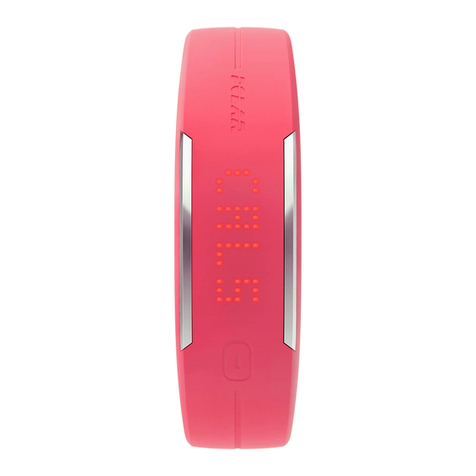
You can cycle through Polar Loop 2 LED display views
by tapping the touch button repeatedly. You will see
more information about each headline if you wait two
seconds and let the screen scroll by itself.
ACTV stands for daily activity. The daily activity goal is
visualized with an activity bar.
For more detailed analysis, sync your data to Polar Flow
web service. You can do this either via Flow mobile app or
by connecting your Polar Loop 2 to your computer using
the USB cable. Make sure you have FlowSync software
installed and running on your computer.
• TO GO tells you how much longer you need to be
active to reach your daily activity goal.
• JOG stands for high intensity activity like jogging,
exercise class, basketball, football, tennis or
squash.
• WALK stands for medium intensity activity like
walking, circuit training, bowling, skateboarding,
gentle swimming or table tennis.
• UP stands for low intensity activity up on your
feet like cleaning, washing the dishes, gardening,
playing the guitar, baking, walking slowly or tai
chi.
CALS stands for calories burned measured as
kilocalories.
STEP stands for steps you have taken.
IT’S TIME TO MOVE is shown, if you’ve been still for 55
minutes. Stand up and nd your own way to be active.
If you’re not active in the next ve minutes, you’ll get
an inactivity stamp.
ENG 09/2015