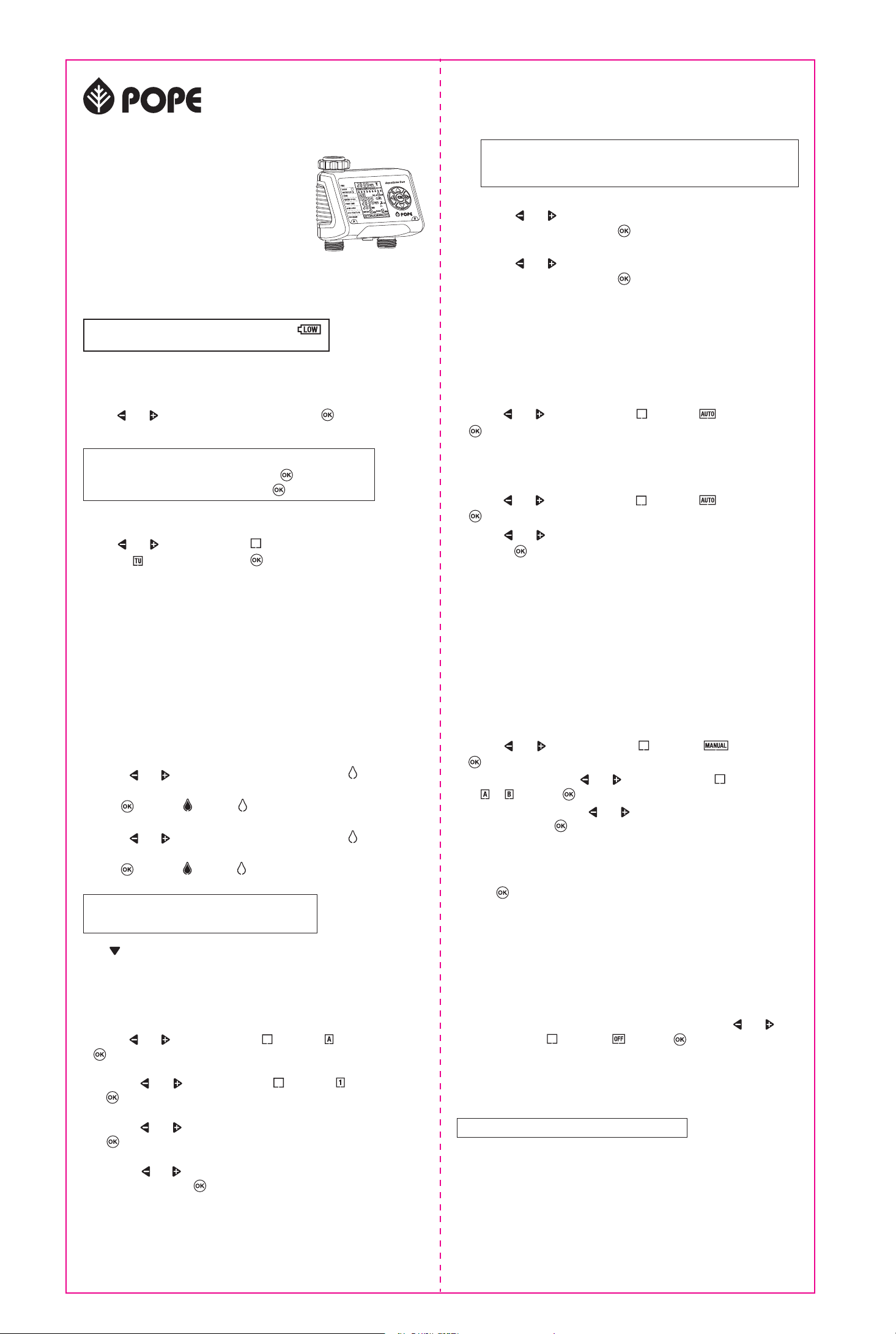
To water manually at any time, regardless of the programmed auto sequence:
1. Use the and buttons to move the indicator to and press
to confirm.
2. Select the Zone using the and buttons to move the indicator
to or and press to confirm.
3. Set How Long by using the and buttons to set the required watering
duration and press to confirm.
4. If required, activate Eco Function, as in Programming step 2d. If not required,
leave the WATER MIN time set to 0.
5. Repeat steps 2 to 4 for the other zone, if required.
6. Press twice to confirm and start watering. The display alternately shows
Zone A and its remaining watering time, and Zone B and its remaining
watering time, changing each 5 seconds.
3. To set up WATER CYCLES 2, 3 and 4 for Zone A,
repeat Programming steps 2a to 2d
4. To set up WATER CYCLES 1, 2, 3 and 4 for ZONE B,
repeat Programming steps 1 to 3.
1. Use the and buttons to move the indicator to and press
to confirm.
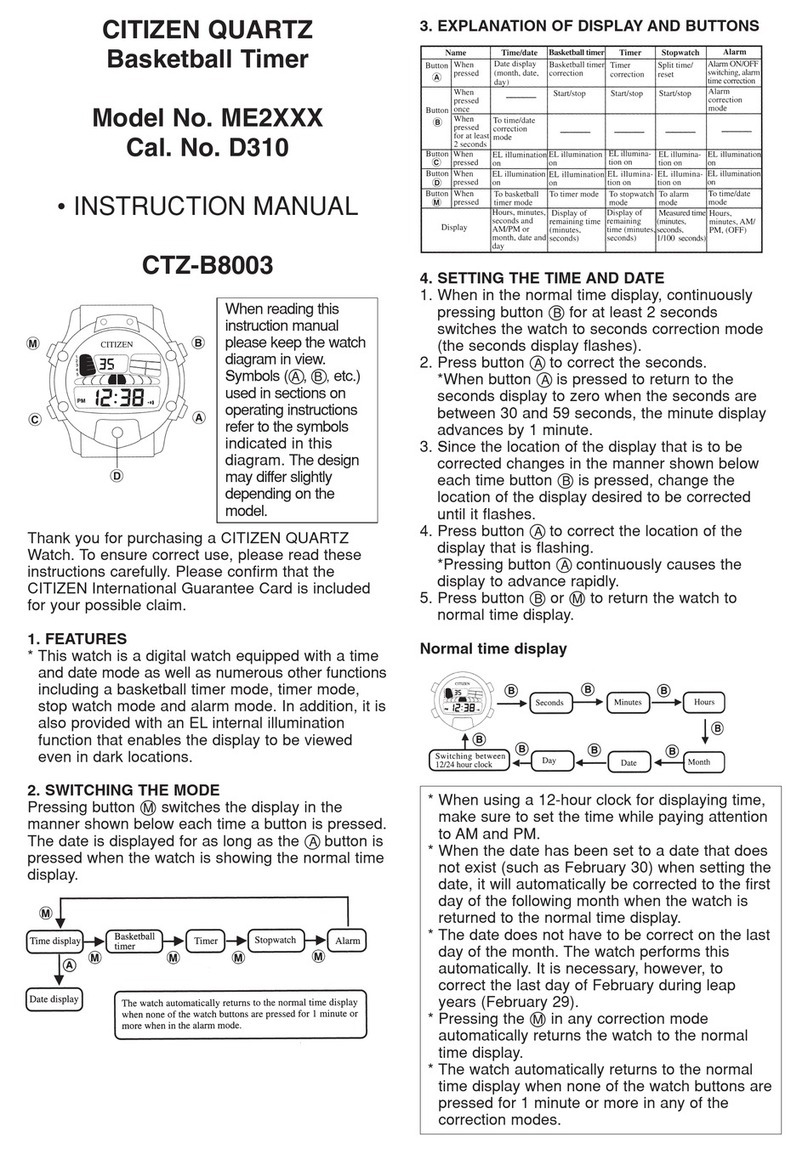
Activate Programming
Manual Watering
1. For outdoor use only.
2. Maximum operating water pressure: 800kPa.
3. Operating water temperature range: 0°C to 38°C.
4. To store the timer when not in use:
a. Turn off the tap and remove the timer
b. Set the timer to Manual to open the valve and empty out all of the water
c. Remove the batteries
d. Dry the timer and store in a dry place.
Care and Maintenance
If rain is forecast, you can suspend the auto program for up to 6 days from
the time you program the delay.
1. Use the and buttons to move the indicator to and press
to confirm.
2. Use the and buttons to set the number of days of delay required,
and press twice, to confirm.
Rain Delay
The timer can be programmed before installation
To suspend automatic watering for an extended period, use the and
buttons to move the indicator to and press to confirm.
Disabling the Program
1. Attach the timer to the tap and hoses.
2. Turn on the tap and leave it on. Once the watering programs are activated,
the timer will control the water flow, as programmed.
Installation
i. Set up WATER MIN
Use the and buttons to set the required WATER MIN duration
(up to 19 minutes), then press to confirm.
Watering can be programmed to occur on selected days of the week, or at two
or three day intervals.
1. Watering on selected days.
Use the and buttons to move the flashing water drop to the desired
watering day of the week.
Press to confirm or cancel the watering day of the week.
2. Watering every second or third day
Use the and buttons to move the flashing water drop to the desired
past the weekdays to “2nd” or “3rd”.
Press to confirm or cancel the selection.
Use the and buttons to move the indicator to the current day of the
week (e.g. for Tuesday) and press to confirm.
The factory default clock setting is for 12-hour time.
To change to 24-hour time, press and hold for 10 seconds.
To return to 12-hour time, press and hold for 10 seconds.
Use the and buttons to set the correct time. Press to confirm.
Hint - hold the button down to increase the scrolling speed.
Setting the Time
Setting the Day
Setting the Watering Day
1. Select the Zone
Use the and buttons to move the indicator to and press
to confirm.
2. Select the Water Cycle
a. Use the and buttons to move the indicator to and press
to confirm.
b. Set Start Time
Use the and buttons to set the required watering start time and press
to confirm.
c. Set How Long
Use the and buttons to set the required watering duration (up to 240
minutes) and press to confirm.
d. Activate Eco Function
The Eco Function creates pauses in the watering cycle, reducing water
run-off by allowing time for the ground to absorb the water.
WATER MIN and PAUSE MIN can be customised for different applications
(irrigation or lawn and garden), landform (flat or sloping) and soil density
(clay or sand).
Setting the Watering Day
Three examples are:
• Irrigation – wat er 5 minutes, pause 2 minutes
• Flat Lawn – water 4 minutes, pause 1 minute
• Sloping Lawn – water 2 minutes, pause 2 minutes
At least one watering day or watering period must
be set before moving to the next step.
Press to move to the next step.
Once the ECO function has been programmed and activated, it is
applied to all the programmed water cycles. If it is not needed, the ECO
function may be skipped by leaving WATER MIN set to 0.
ii. Set up PAUSE MIN
Use the and buttons to set the required PAUSE MIN duration
(up to 19 minutes), then press to confirm.
1010377
Pull out the battery holder from the back of the timer and insert two (2)
AA Alkaline batteries, making sure that the orientation is as shown on the
diagram in the holder. Re-insert the battery holder.
Battery Installation
Replace the batteries when the battery status is .
Do not use rechargeable batteries.
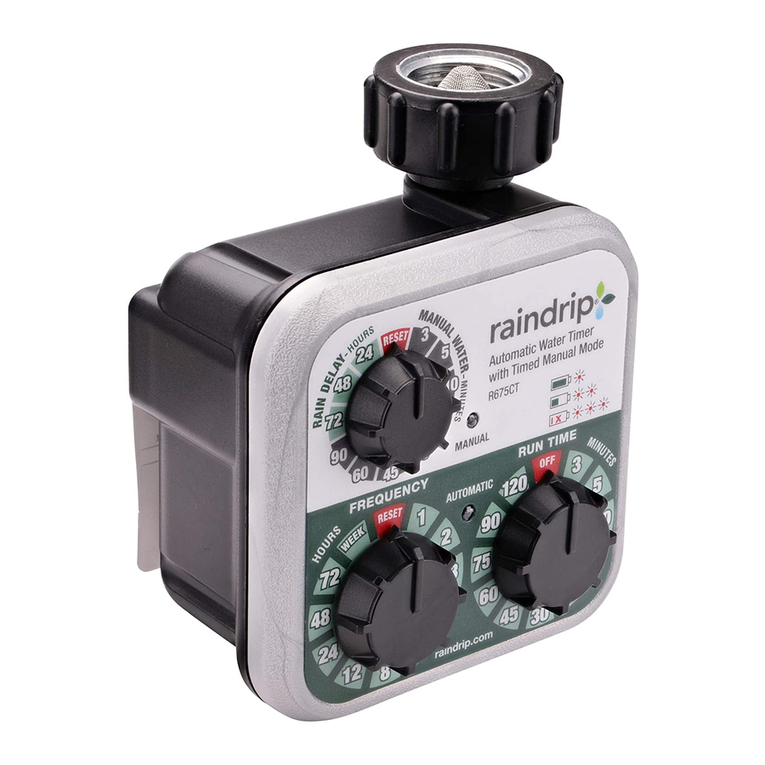
AquaZone Duo Water Timer
With the AquaZone Duo Water Timer, you can
program up to four automatic watering cycles for
each of its two zones. An Eco Function helps reduce
wasteful water run off, and watering can be
suspended when rain is forecast