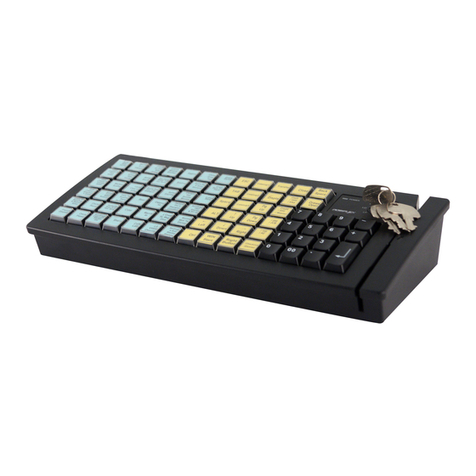
This numerical keypad is a set of “numerical keys” which is composed of 12
numerical keys each is preprinted with one from the set of “0”, “00”, “.”, “1”,
“2”, “3”, “4”, “5”, “6”, “7”, “8” and “9” plus “-“, “+” and a double size
“Enter” key (ref. Fig. 3-6). However, there are means for the user to break the
monotony and to improve the efficiency in application of this programmable
keyboard.
First of all, there are 4 legend sheets of different colors in the accessory
bag that the user may want to print the identification for each programmed key
into each cell of the sticker matrix and then stick each cell printed with the
identification onto the surface of the corresponding key top. A key cap from
the accessory bag can be snapped on the key top to protect the sticker (ref. Fig.
3-2). In this way the user may feel a lot easier in using the programmable
keyboard.
At the bottom of the programmable keyboard, the user may find an
adjustable key clip which can be used to pick up the key cap whenever
required (ref. Fig. 3-2). The two “feet” of the key clip should be pulled wide
for use with double key (ref. Fig. 3-3). It is advisable to use a flattop (minus
sign) screw driver to help getting the key top off when necessary (ref. Fig. 3-2
and 3-3 ).
Whenever there comes the need to install a key top onto the
programmable keyboard, the user should notice that at the bottom of each key
top, one of the four walls is springy and in the hole on the keyboard to accept
the bottom of the key top there is a protuberance at the lower side. The user
should match the springy wall of key top against the protuberance in the hole
(ref. Fig. 3-4) and press the key top down till a click sound is heard. The key
cap (except the blank key) should be placed after the printed label is stuck onto
the key top.
Furthermore, there are blank keys available which the user can use to
form visible partitions or clusters of key tops on the programmable keyboard.
When the user wants to make a group of keys on the programmable keyboard
clearly separated from the rest part of the keyboard for certain specific
application, he/she can use the blank keys to replace the normal individual
keys around the area. The top surface of a blank key is at the ground level of
the key stroke for other keys (ref. Fig. 3-6). The blank key will not be pressed
down when pressed. The user may order for accessional quantity of the blank
keys as option for his/her application.
There are also double key available for the user to configure the
programmable keyboard such that the most frequently used keys may occupy
larger areas. The double key occupies two adjacent positions and uses only the
bottom position for key content (ref. Fig. 3-3). An example of using the above
mentioned alternate key tops is shown in Fig. 3-6