www.pulsar.pl INTRE
TABLE OF CONTENTS
1. General description. .............................................................................................................................3
2. Components arrangement. ..................................................................................................................3
3. Installation.............................................................................................................................................4
3.1 Basic guidelines. ..............................................................................................................................................................4
3.2 Connection to the RS485 bus...........................................................................................................................................4
3.3 Connection to the Ethernet network.................................................................................................................................4
3.4 Installation of the interface...............................................................................................................................................5
4. Configuration of the RS485-Ethernet interface.................................................................................6
4.1 Introductory information..................................................................................................................................................6
4.2 STEP 1 - Restoring the factory settings. ..........................................................................................................................6
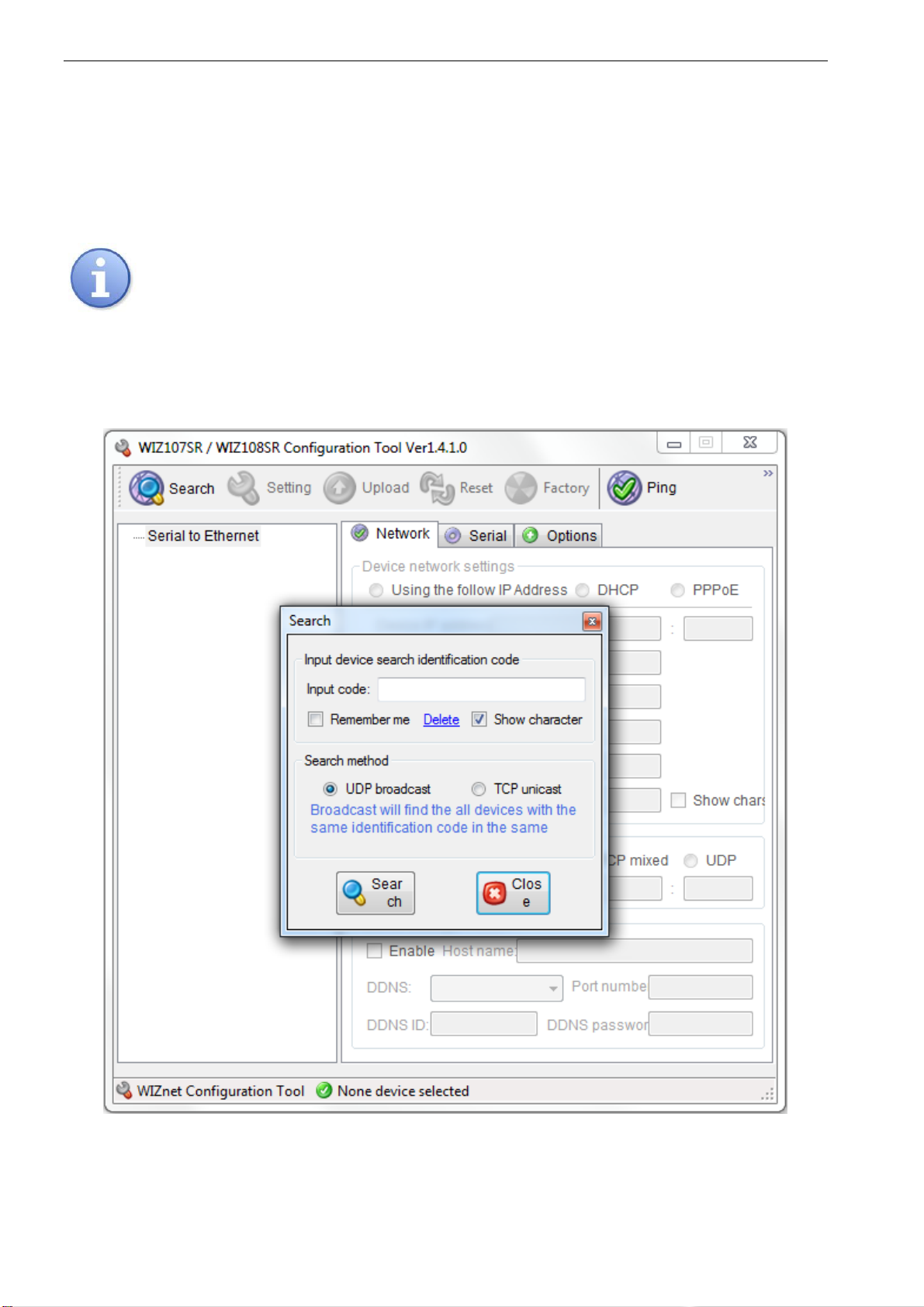
4.3 STEP 2 –Interface network search. .................................................................................................................................7
4.4 STEP 3 –Setting the network address –the „Network” tab. ...........................................................................................9
4.5 STEP 4 –Setting the serial port parameters –the “Serial” tab. .....................................................................................10
4.6 STEP 5 –Additional settings –the "Options" tab..........................................................................................................11
4.7 STEP 6 –Saving the configuration................................................................................................................................11
4.8 The connection scheme in the LAN / WAN network. ...................................................................................................12
4.8.1 LAN network communication:..................................................................................................................................12
4.8.2 WAN network communication:.................................................................................................................................13
5. Configuration of power supplies.......................................................................................................14
5.1 Configuration of power supplies of the PSBEN series with LCD display .....................................................................14
5.1.1 Setting the communication address ..........................................................................................................................14
5.1.2 Setting the transmission parameters.........................................................................................................................15
5.2 Configuration of power supplies of the PSBEN series with LED display .....................................................................16
5.2.1 Setting the communication address.............................................................................................................................16
5.2.2 Setting the transmission speed and parity of the transmission .................................................................................17
5.3 Configuration of power supplies of the EN54 series with LCD display ........................................................................18
5.3.1 Setting the communication address.............................................................................................................................18
5.3.2 Setting the transmission parameters.........................................................................................................................19
5.4 Configuration of power supplies of the EN54 series with LED display ........................................................................20
5.4.1 Setting the communication address ..........................................................................................................................20
5.4.2 Setting the transmission speed..................................................................................................................................21
6. Configuring the connection in PowerSecurity program.................................................................22
7. Technical parameters.........................................................................................................................23