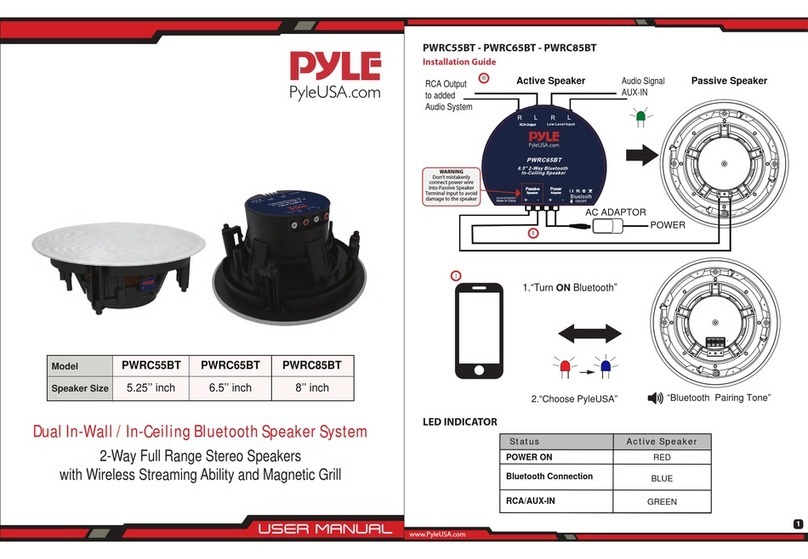
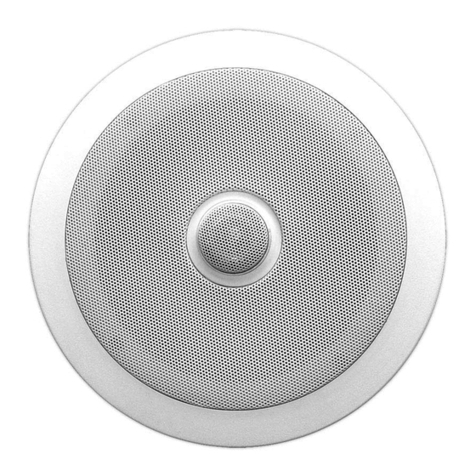
IN-CEILING SPEAKER
INSTALLATION MANUAL
www.pyleaudio.com
INSTALLATIONTECHNICAL PARAMETERS
TROUBLESHOOTING
IF THERE IS NO SOUND FROM ANY OF THE SPEAKERS:
IF THERE IS NO SOUND COMING FROM ONE SPEAKERS:
IF THERE IS LOW(OR NO)BASS OUTPUT:
IF THE SYSTEM PLAYSAT LOW VOLUMES BUT SHUTS OFF AS VOLUME IS INCREASED:
TOOLS NEEDED
The in-wall/in-ceiling speakers
were designed to be easily
installed.However,if you are
unsure of your ability to prop-
erly install these loudspeakers
please contact your dealer or a
quali fied installer.
Pencil Phillips #2 screwdriver
Measuring tape Utility knife
Carpenter’s level Awl
Check that receiver/amplifier is on and a source is playing.
Check all wires and connections between receiver/amplifier and speakers.Make sure all wires are connected.Make
sure none of the speaker wires are frayed,cut,punctured or tounching each other.
Review proper proper operation of your receiver/amplifier.
Check the“Balance”control on your receiver/amplifier.
Check allwires and connections between receiver/amplifier and speakers.Make sure all wires are connected.Make
sure none of the speaker wires are frayed,cut,punctured or tpunching each other.
Make sure the connections to the left and right“speaker Inputs”have the correct polarity(+ and -).
Consider adding a powered subwoofer to your system.
In Dolby Digital or DTS modes,make sure your receiver/processor is corectly configured.When using a subwoofer,
make sure thesubwoofer output of the receiver/processor has been enabled.If no subwoofer is being used,
make sure the left and right front and rear speakers have been configured as“LARGE”See your receiver/processor’s
owner’s manual for futher information on correct speaker configuration in Dolby Digital,DTS and other surround sound
modes.
Check all wires and connections between receiver/amplifier and speakers.Make sure all wires are connected.Make
sure none of the speaker wires are frayed,cut,punctured or touching each other.
If more than one pair of main speakers is being used,check the minimum-impedance requirements of your
receiver/amplifier.
Thank you for purchasing this PYLE in-wall/in-ceiling speaker system.It is a
state-of-the-art product carefully designed and manufactured for your installation
needs,and has been thoroughly tested to ensure consistent and reliable perfor-
mance.
If you have any question about the installation or operation of your PYLE
in-wall/in-ceiling speaker system which are not answered by this manual,contact
your dealer immediately.
INCLUDED
SPEAKER CONNECTIONS
REAR SPEAKERS
IN-CEILING
CONNECTION TIPS
SPEAKER PLACEMNT
IN-CEILING SPEAKERS
EXISTING CONSTRUCTION
IN-CEILING SPEAKERS
FRONT SPEAKERS
srtips of
adhesive Screws Template
One pair of speakers with grilles.
One pc of speakers with grills
for PDIC56/PDIC66/PDIC86/PDIC106
M4x60mm
4pcs
40 60
00
WALL
5-6FT
WALL WALL WALL WALL
LEFT RIGHT
LEFT RIGHT
Frontor Rear Speaker Outputs
Proper placement of the speakers is an imporant step in obtaining
the most realistic soundstage possible.These recommendations are
for the optimum placement of the londspeakers.Use these placement
recommendations as a guide. Slight variations will not diminish your
listening pleasure.The front speakers should be placed the same di--
stance from each other as they are from the listening position.They
should be placed at about the same height from the floor as the liste-
ner’s ears will be,with the tweeters aimed toward the listener at ear-level height.In a home theater configu-
ration,the two surround,speakers should be placed slightly behind the listening position and ideally should
face each other and be at a level higher than the listener’s ears.If that is not possible,they may be placed in
a wall(or in the ceiling)behind the listening position,facing forword.The surround speakers should not call
attention to themselves.They should provide a diffuse,ambient sound accompanying the main program mat-
erial heard in the front speakers. In Dolby*Digital and DTS systems,aim the tweeters toward the listening
position at ear-level height.
The wires for both speakers
should be the same length.If
one speaker is placed closer to
the amplifer than the other,
hide the excess wire behid
the wall.Speakers and elec-
tronics terminals have corre-
sponding(+)and(-)terminals.
We use red to denote the(+)termi-
nal and black for the(-)termi-
nal.It is important to connect
both speakers identically:(+)on
the speaker to(+)on the ampli-
fier and(-)on the speaker to(-)
on the amplifier.Wireing“out
of phase” results in thin sound,
weak bass and a poor stereo
image.With the advent of multi-
channel surround sound
systems,connecting all of the
speakers in your system with
the correct polarity remains
equally important in order to
preserve the proper ambience
and directionality of the
program material.
5.25" 2-W ay Ceiling Speaker System
*Black PP C one W ith Rubber Edge
*1/2" Tita n ium D om e Tweeter In Sw ive l Mount
*P o w e r: 15 0 W a tts R a te d P ea k
*Frequency Response: 80H Z-20KH Z
*Im p e d a n c e : 8 O h m s
*Se n sitivity : 8 8 d B
*w ith E lectronic C rossove r N etw o rk
*Supplied W ith Round Grille s A n d S q u a re G rilles
*Size: Round / Square Grille s : 8 ” / 8 ” *8 ”
*Cutout Size :6 ”
*Mountin g D e p th :3 ”
PDIC56 PDIC66
PDIC86 PDIC106
45
/
310
/310
/310
/
6.5" 2-W ay Ceiling Speaker System
*Black PP C one W ith Rubber Edge
*1/2" Tita n ium D om e Tweeter In Sw ive l Mount
*Power: 200 W atts Rated Peak
*Frequency Response: 60H Z-20KH Z
*Im p e d a n c e : 8 O h m s
*Se n sitivity : 8 9 d B
*w ith E lectronic Crossover Netw o rk
*Supplied W ith Round Grille s A n d S q u a re G rilles
*Size: Round / Square G rille s : 9 ” /9 ” * 9 ”
*Cutout Size :8”
*Mountin g D e p th :3 ”
12
/12
/12
/
8 " 2 - W a y C e iling Speaker System
*Black PP C one W ith Rubber Edge
*1/2" Tita n ium D om e Tweeter In Sw ive l Mount
*Power: 250 W atts Rated Peak
*Frequency Response: 40H Z-20KH Z
*Im p e d a n c e : 8 O h m s
*Se n sitivity : 8 9 d B
*w ith E lectronic Crossover Netw o rk
*Supplied W ith Round Grille s A n d S q u a re G rilles
*Size: Round / Square G rille s : 11 ” / 11 ” *1 1 ”
*Cutout Size :9 ”
*Mountin g D e p th :3 ”
25
/
15
/
12
/
15
/15
/
10 " 2- W a y C e iling Speaker System
*Black PP C one W ith Rubber Edge
*1/2" Tita n ium D om e Tweeter In Sw ive l Mount
*Power: 300 W atts Rated Peak
*Frequency Response: 35H Z-20KH Z
*Im p e d a n c e : 8 O h m s
*Se n sitivity : 8 9 d B
*w ith E lectronic Crossover Netw o rk
*Supplied W ith Round Grille s A n d S q u a re G rilles
*Size: Round / Square G rille s : 12 ” / 12 ” * 12 ”
*Cutout Size :1 0 ”
*Mountin g D e p th :3 ”
45
/
45
/
12
/
45
/45
/
This product gets the patent of innovatio n o f th e s tru c tu re , e a s y fo r installation.
Use new environm ental p ro te c tion A BS m aterial, w ith longer service life, not easy to change color.
Cut the drywall.
Note:Always allow at least
one-half inch between a wall
stud and the speaker cutout or
the locking tabs will not be able
to swivel into place.
Connect the speaker wires to
the speaker.
Replace the metal grille. Complete.
Screw down each of the four
Phillips head screws.The
locking tabs will swivel into
place and secure the unit to
the rear surface of the drywall.
Put in the strips of adhesive to
secure the grille.
-2- -3- -4- -5- -6-
1600-63rd Street
Brooklyn,NY 11204 USA