manuals.online logo
Brands
  1. Home
  2. •
  3. Brands
  4. •
  5. Qstarz
  6. •
  7. GPS
  8. •
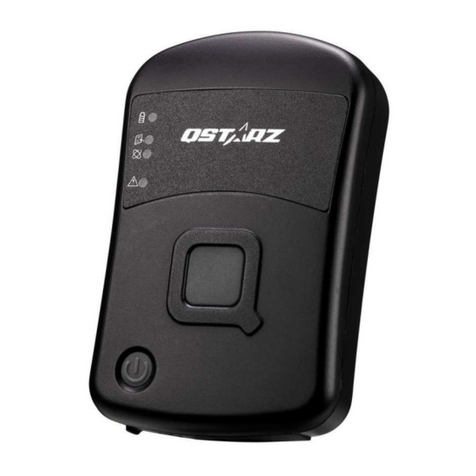
  9. Qstarz Sports Recorder BT-Q1300ST User manual

Qstarz Sports Recorder BT-Q1300ST User manual

Other manuals for Sports Recorder BT-Q1300ST

1

Other Qstarz GPS manuals

Qstarz QFinder User manual

Qstarz

Qstarz QFinder User manual

Qstarz BT-Q816 User manual

Qstarz

Qstarz BT-Q816 User manual

Qstarz BT-Q818 User manual

Qstarz

Qstarz BT-Q818 User manual

Qstarz BT-Q880 User manual

Qstarz

Qstarz BT-Q880 User manual

Qstarz CR-Q1100P User manual

Qstarz

Qstarz CR-Q1100P User manual

Qstarz GM-Q778 User manual

Qstarz

Qstarz GM-Q778 User manual

Qstarz CR-Q1100V User manual

Qstarz

Qstarz CR-Q1100V User manual

Qstarz eXtreme BT-Q818XT Installation guide

Qstarz

Qstarz eXtreme BT-Q818XT Installation guide

Qstarz BT Q816X User manual

Qstarz

Qstarz BT Q816X User manual

Qstarz BT-Q1000 User manual

Qstarz

Qstarz BT-Q1000 User manual

Qstarz BT-Q1000X User manual

Qstarz

Qstarz BT-Q1000X User manual

Qstarz eXtreme BT-Q818X User manual

Qstarz

Qstarz eXtreme BT-Q818X User manual

Qstarz eXtreme BT-Q818XT User manual

Qstarz

Qstarz eXtreme BT-Q818XT User manual

Qstarz BT-Q800 User manual

Qstarz

Qstarz BT-Q800 User manual

Qstarz BT-Q1200 Super 99 User manual

Qstarz

Qstarz BT-Q1200 Super 99 User manual

Qstarz BT-Q1000XT User manual

Qstarz

Qstarz BT-Q1000XT User manual

Qstarz BT-Q1000XT User manual

Qstarz

Qstarz BT-Q1000XT User manual

Qstarz Travel Recorder NANO BT-Q1300 User manual

Qstarz

Qstarz Travel Recorder NANO BT-Q1300 User manual

Qstarz BT-Q920 User manual

Qstarz

Qstarz BT-Q920 User manual

Qstarz eXtreme BT-Q818X User manual

Qstarz

Qstarz eXtreme BT-Q818X User manual

Qstarz BT-Q1000XT User manual

Qstarz

Qstarz BT-Q1000XT User manual

Qstarz eXtreme BT-Q818X User manual

Qstarz

Qstarz eXtreme BT-Q818X User manual

Qstarz BT-Q1000XT User manual

Qstarz

Qstarz BT-Q1000XT User manual

Qstarz BT-Q890 User manual

Qstarz

Qstarz BT-Q890 User manual

Popular GPS manuals by other brands

Polar Electro RCX3 Getting started guide

Polar Electro

Polar Electro RCX3 Getting started guide

Tobii Pro Spectrum user manual

Tobii Pro

Tobii Pro Spectrum user manual

Gosafe G91I user manual

Gosafe

Gosafe G91I user manual

Fisher TW-8800 operating manual

Fisher

Fisher TW-8800 operating manual

LG LN740 Series Specifications

LG

LG LN740 Series Specifications

Prestigio GeoVision 430 user manual

Prestigio

Prestigio GeoVision 430 user manual

JVC KW-NT3HDT instructions

JVC

JVC KW-NT3HDT instructions

Yoctopuce Yocto-GPS user guide

Yoctopuce

Yoctopuce Yocto-GPS user guide

RightWay GPS Navigator RW 200 user manual

RightWay

RightWay GPS Navigator RW 200 user manual

TomTom VIA user guide

TomTom

TomTom VIA user guide

Garmin ECHOMAP PLUS owner's manual

Garmin

Garmin ECHOMAP PLUS owner's manual

Telit Wireless Solutions GM862GPS Series Hardware user's guide

Telit Wireless Solutions

Telit Wireless Solutions GM862GPS Series Hardware user's guide

Hama 53118 Operating	 instruction

Hama

Hama 53118 Operating instruction

Garmin DEZL 580 owner's manual

Garmin

Garmin DEZL 580 owner's manual

Jigabot EX quick start guide

Jigabot

Jigabot EX quick start guide

Pointer Cellocator CelloTrack XT LTE overview

Pointer

Pointer Cellocator CelloTrack XT LTE overview

Queclink GV55LITE user manual

Queclink

Queclink GV55LITE user manual

Starcom Systems Kylos Compact user guide

Starcom Systems

Starcom Systems Kylos Compact user guide

manuals.online logo
manuals.online logoBrands
  • About & Mission
  • Contact us
  • Privacy Policy
  • Terms and Conditions

Copyright 2025 Manuals.Online. All Rights Reserved.

Table of Contents
1. OVERVIEW 1
2. PRODUCT NOTICE 1
3. FEATURES 2
4. PRODUCT SPECIFICATION 3
5. ARDWARE INTRODUCTION 4
5-1.
A
PPEARANCE
............................................................................................ 4
5-2.
H
ARDWARE
F
UNCTION
............................................................................... 5
5-3.
C
HARGING
B
ATTERY
................................................................................... 5
5-5.
LED
I
NDICATORS
....................................................................................... 6
6. SETUP BT-Q1300ST 7
6-1.
I
NSTALL THE DRIVER AND SOFTWARE FOR
BT-Q1300ST ...................................
6-2.
I
NSTALL
G
OOGLE
E
ARTH
........................................................................... 10
7. START TO USE 10
-1.
F
ULLY CHARGE THE BATTERY WHEN USING AT THE FIRST TIME
........................... 10
-2.
S
ET
BT-Q1300ST
TO
5
HZ LOG
................................................................... 11
-3.
S
TART THE SOFTWARE UTILITY
.................................................................... 11
-4.
C
HANGE LOG SETTING IN ACCORDANCE WITH YOUR SPORTS ACTIVITY
................. 15
-5.
S
WITCH TO E
X
TREME
10H
Z SPORT MODE BY
Q
STARZ
G
PS
V
IEW SOFTWARE
APPLICATION
................................................................................................. 15
-6.
S
AFETY
N
OTICE DURING
S
PORTS
A
CTIVITY
.................................................... 1
8. USEFUL REFERENCE APPLICATIONS ON T E INTERNET 18
8-1.
LOCR
GPS
P
HOTO
.................................................................................... 18
8-2.
GPSB
ABEL
............................................................................................. 19
8-3.
SPORTSMATE....................................................................................... 20
8-4.
J
ET
P
HOTO
S
TUDIO
................................................................................... 20
8-5.
V
EO
G
EO
................................................................................................ 21
8-6.
R
ACE
C
HRONO
......................................................................................... 23
9. TROUBLE S OOTING 24
10. SAFETY NOTICES 28
BT-Q1300S Sports Recorder
………………………………………………………………………………………….…………………………………………………………………………….
……….…..……………………………………………………………………………………………………………………......................
1
www.Qstarz.com
1. Overview
Qstarz is dedicated to exceed customer’s expectation and give you
the extraordinary experience beyond navigation ever more. Now,
with the BT-Q1300ST Sports Recorder™, which includes dual
software: QTravel for travel log and photo geotag; QSports™ for
sports activities, you are able to easily schedule your training plan,
control your health status, and analyze your sports data.
Register your Qstarz Product:
Register your Qstarz product to get the latest news, software update,
event, and product information.
http://www.qstarz.com/reg.php
2. Product Notice
On andling
If BT-Q1300ST isn’t used in temperature between -10℃
℃℃
℃ ~ 60℃
℃℃
℃,
its battery charging capability will decrease. Leave the
BT-Q1300ST far from heat or high temperature environment.
And also, do not expose your BT-Q1300ST in temperature
higher than 140℉
℉℉
℉/60℃
℃℃
℃ to prevent the battery inside
BT-Q1300ST from overheating, exploding or burning itself. The
built in battery inside the BT-Q1300ST should be recycled.
Do not leave the unit staying below car’s wind shield after car
parked during hot summer season. Some position below wind
shield may generate high temperature over 158℉
℉℉
℉/70℃
℃℃
℃. Such
temperature may melt the unit and damage the battery.
It is recommended to turn BT-Q1300ST off in the hospital.
Wireless GPS receiver may interfere with the medical
equipments which use radio frequency.
The manufacturer assumes no responsibility for any damages
and loss resulting from the use of this manual, or from deletion
Keep Fit Easy BT-Q1300S Sports Recorder
..............................................................................................................................................................................
……….…..……………………………………………………………………………………………………………………......................
www.Qstarz.com 2
of data as a result of malfunction, dead battery, or from misuse
of the product in any way.
Please clean the unit with a dry and clean soft close. Do not use
harsh cleaning solvents, chemicals, alcohol, or strong
detergents.
Do not attempt to open BT-Q1300ST by yourself. Unauthorized
hacking may damage the unit, and void your warranty.
On Battery & Safety
Charging time is about 1 hour typically for this unit. We suggest
disconnecting the unit from the cigarette charger or AC charger
after the unit has been fully charged.
When the unit is not in use or not charged, we suggest
disconnecting the unit from the cigarette charger. Otherwise
battery drain may result.
Note that the built in battery cannot be charged outside the
temperature range 0℃
℃℃
℃ ~ 45℃
℃℃
℃.
..
.
The charging time might be extended if you use the product
while charging
Do not heat or leave the unit in high temperature or direct
sunshine for a long period of time as the built-in battery
capacity will deteriorate, or will become unchargeable.
3. Features
Adopt the MTK II chipset with high sensitivity -165dBm and
Super igh 66-Channel performance tracking
Record and manage your various exercise/sports
Stand-Alone sports recorder to log up to 200,000 waypoints(*)
Slim, Thin, Light, and Stylish design, only 62L x 38W x 7 (mm)
Support button push manually to memorize your location
immediately
Support Multi-mode setting to record data (Vehicle, Bicycle,

BT-Q1300S Sports Recorder
………………………………………………………………………………………….…………………………………………………………………………….
……….…..……………………………………………………………………………………………………………………......................
3
www.Qstarz.com
Jog)
Fast Position Fix, Cold start 35s, Warm start 33s, ot start 1s
Auto On-Off function for smart power control
Personal/Portable Navigation (PDA, Smartphone, PC, etc.)
DGPS(WAAS+EGNOS+MSAS), QZSS support
A-GPS support boosts the fix speed to 15sec faster
Built-in Photo Geotag and visualized travel path
Smart training plan and track for personal analysis
Share your tracks of sports or travel with friends
Be your Sports Mate for ealth control
4. Product Specification
General
GPS Chip MTK II GPS Module
Frequency L1, 15 5.42MHz
C/A Code 1.023MHz chip rate
Channels 66-CH Performance
Antenna (Internal) Built-in patch antenna with LNA
Sensitivity Tracking -165dBm
Datum WGS84
Performance Characteristic
Position Without aid: 3.0m 2D-RMS
Accuracy <3m CEP(50%) without SA (horizontal)
DGPS (WAAS, ENGOS, MSAS): 2.5m
Velocity Without aid: 0.1m/s, DGPS (WAAS, ENGOS,
MSAS): 0.05m/s
Time 50 ns RMS
Cold/Warm/Hot Start
35/33/1 sec, average
Dynamic Condition
Altitude <18,000m
Velocity <515m/sec
Acceleration <4g
Protocol
GPS Output Data NMEA 0183 (V3.01) -GGA, GSA, GSV, RMC
(Default)
Keep Fit Easy BT-Q1300S Sports Recorder
..............................................................................................................................................................................
……….…..……………………………………………………………………………………………………………………......................
www.Qstarz.com 4
VTG, GLL(Optional)
Baud Rate 115,200 bps
Power
Built-in rechargeable Li-ion battery
Bluetooth
Standard Fully compliant with Bluetooth V1.2
Bluetooth Profile Serial Port Profiles (SPP), Up to 10 meters
Others
Size / Weight 62 (L) X 38 (W) X (H) mm/ 22g
Operating
Temperature - 10 ℃ to + 60 ℃
Storage Temperature - 20 ℃ to + 60 ℃
Charging 0 ℃ to + 45 ℃
5. ardware Introduction
5-1. Appearance
1. Power Button (ON/OFF/Enable LOG mode/Disable LOG mode /
Push to LOG)
2. Power jack (mini USB type)
3-a Bluetooth status LED (Blue)
>BT-Q1300ST with Bluetooth
3-b Bluetooth status LED (OFF)
>BT-Q1300ST without
Bluetooth
4. Battery status LED
(Red/Green)
5. GPS status LED (Orange)
6. Log status LED (Green)
. Internal antenna
BT-Q1300S Sports Recorder
………………………………………………………………………………………….…………………………………………………………………………….
……….…..……………………………………………………………………………………………………………………......................
5
www.Qstarz.com
5-2. ardware Function
ardware
Function Description
Power Jack Take the power cable and connect it to the
power jack (mini USB type) for charging only
Power Button
(On)
Press power button and hold for 4 sec to
power BT-Q1300ST on.
Power Button
(Off)
Press power button and hold for 4 sec to
power BT-Q1300ST off
Power Button
(Enable Log
mode)
Log is on when BT-Q1300ST is powered on by
pressing power button and hold for 4 sec.
The LOG status LED (green) would blink, and
start to log.
Power Button
(Disable Log
mode)
After power on BT-Q1300ST, press power
button and hold for 2 sec to disable log
mode. Then BT-Q1300ST would stop logging
with the LOG status LED (green) Off. Press
power button and hold for 2 sec to enable log
again.
Power Button
(Push to Log)
Press power button once to push to log the
favorite Point of Interest.
5-3. Charging Battery
For the first time using the BT-Q1300ST,
please charge battery until it is fully charged.
Take the power cable and connect it to the
power jack (mini USB type) and recharge
through USB cable, travel charger, or car

cigarette adaptor. This will begin to charge
the battery. Charging time is about 1 hours
typically.
Keep Fit Easy BT-Q1300S Sports Recorder
..............................................................................................................................................................................
……….…..……………………………………………………………………………………………………………………......................
www.Qstarz.com 6
- When the Power LED is Red, battery power is in low status. Please
recharge.
- When the Power LED is Green, the battery is under charging mode.
- When the Power LED is blinking (Green), the battery is fully
charged.
NOTE: Please recharge the battery on a regular interval if the unit is
not used for a long time.
5-5. LED Indicators
LED Status Flash ON OFF
Power
(Red/Green)
Low Power (Red)
Fully charged(Green)
Recharging
(Green)
GPS not
powered
Bluetooth
(Blue)
Flash per 2 sec.:
Bluetooth connected
and transmitting Mode
Flash per 5 sec.: Power
saving mode
Not
connected
/Pairing
GPS not
powered /
Log Mode is
on
GPS
(Orange)
GPS position is fixed,
Navigation
Detecting
Satellite,

GPS
position not
fix
GPS not
powered
Log (Green)
Log Mode is on
1Hz Log Mode:
Flash per 2 sec(Green)
5Hz Log Mode:
Flash per 1 sec(Green)
POI(Point of Interest) is
recorded:
Flash 3 times
Memory is
full
GPS not
powered /
Not
connected
BT-Q1300S Sports Recorder
………………………………………………………………………………………….…………………………………………………………………………….
……….…..……………………………………………………………………………………………………………………......................
7
www.Qstarz.com
6. Setup BT-Q1300ST
6-1. Install the driver and software for BT-Q1300ST
System Requirement (Only compatible with Microsoft Windows XP
/ Vista/ Win7)
Minimum System Requirement Recommended
System Requirement
- Windows XP or Vista
- Pentium 3, 500Mhz

- 128M RAM
- 128MB disk space
- Network speed: 128Kbits/sec
- 3D-capable video card with
16Mbytes of VRAM
- 800x600, "16-bit High Color"
screen
- Windows XP
- Pentium 4 2.4GHz+ or AMD
2400xp+
- 512M RAM
- 2 GB of free disk space
- Network speed: 68 Kbits/sec
or better (DSL/Cable)
- 3D-capable video card with 32
MB of VRAM or greater
- 1280x1024, "32-bit True Color"
screen
1. Please insert the software CD to your computer, and find the
folder “Utility\Qstarz PC Suite\”. Double click
“Qstarz_PC_Suite_installer.exe” to install the software utility
package. This software package contains USB driver,QTravel™, and
QSports™ inside.
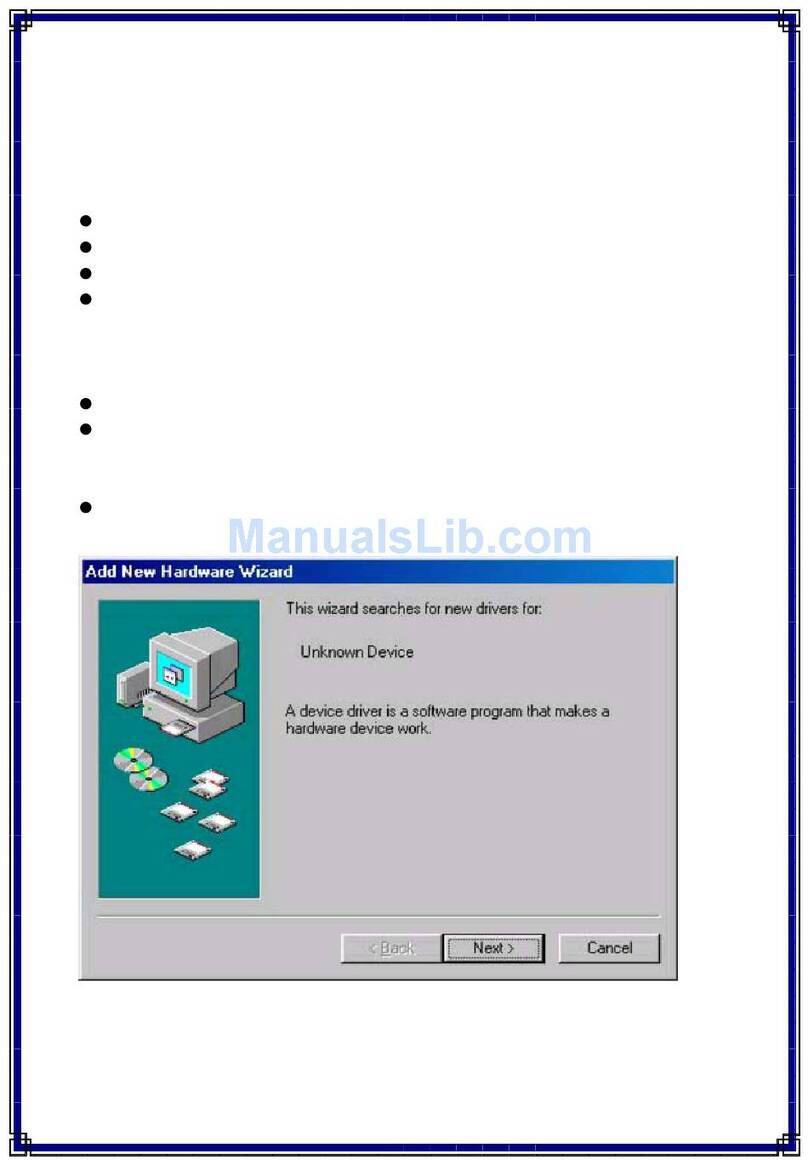
2. System would pop up the utility installation dialog. Please click
<Next> for the next step.