manuals.online logo
Brands
  1. Home
  2. •
  3. Brands
  4. •
  5. Radioddity
  6. •
  7. Marine Radio
  8. •
  9. Radioddity voyage Rv6 User manual

Radioddity voyage Rv6 User manual

Popular Marine Radio manuals by other brands

Garmin GTX 45R installation manual

Garmin

Garmin GTX 45R installation manual

Garmin GTX 33 installation manual

Garmin

Garmin GTX 33 installation manual

Thrane&Thrane TT-6222A VHF DSC user manual

Thrane&Thrane

Thrane&Thrane TT-6222A VHF DSC user manual

Vesper Cortex HV1 installation guide

Vesper

Vesper Cortex HV1 installation guide

Thrane&Thrane Sailor RT5022 VHF DSC manual

Thrane&Thrane

Thrane&Thrane Sailor RT5022 VHF DSC manual

Saab R5 SUPREME AIS Operation & installation manual

Saab

Saab R5 SUPREME AIS Operation & installation manual

West Marine VHF580 owner's manual

West Marine

West Marine VHF580 owner's manual

Garmin VHF 315 Series installation instructions

Garmin

Garmin VHF 315 Series installation instructions

Barco MDSC-2226 user guide

Barco

Barco MDSC-2226 user guide

West Marine VHF490 owner's manual

West Marine

West Marine VHF490 owner's manual

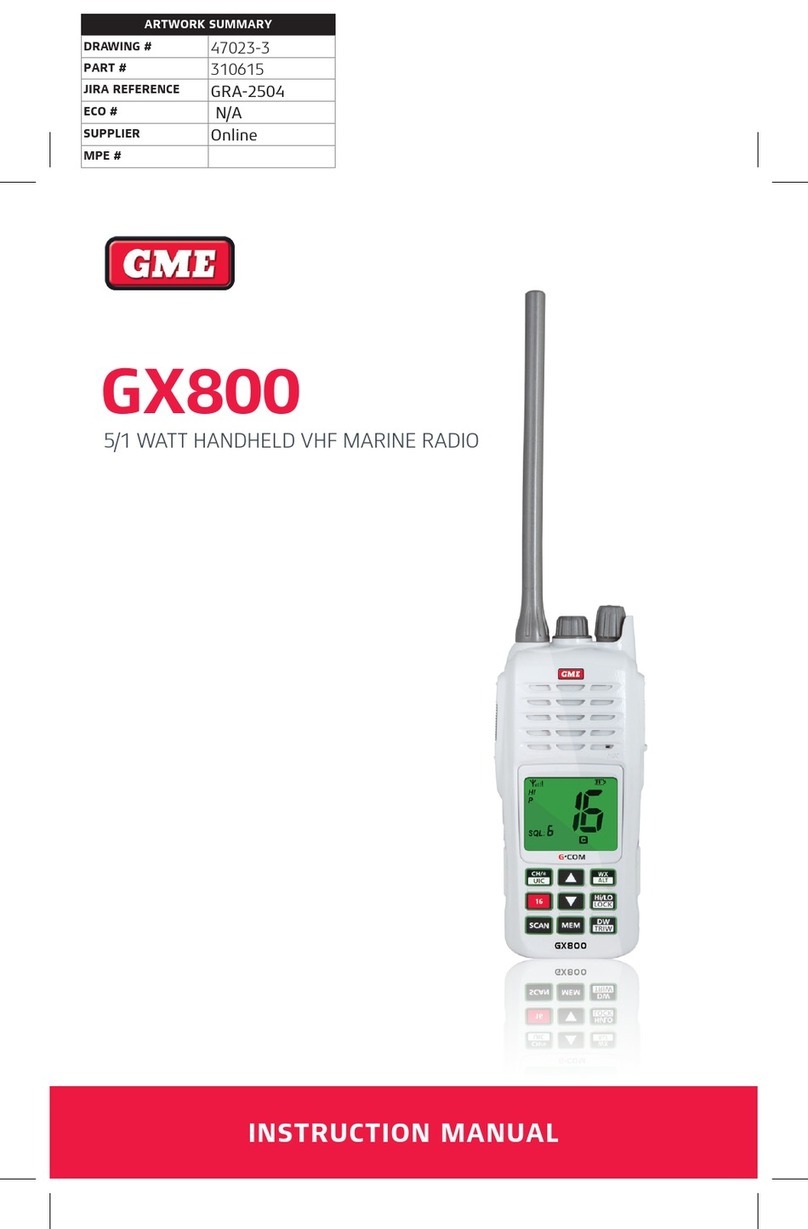
GME GX800 instruction manual

GME

GME GX800 instruction manual

Garmin VHF100 - 25W VHF RADIO Declaration of conformity

Garmin

Garmin VHF100 - 25W VHF RADIO Declaration of conformity

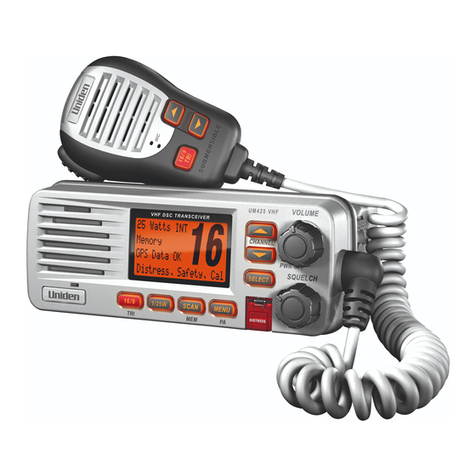
Uniden UM425 VHF DSC owner's manual

Uniden

Uniden UM425 VHF DSC owner's manual

Kongsberg cNODE MiniS LF instruction manual

Kongsberg

Kongsberg cNODE MiniS LF instruction manual

Trig Avionics TT26 installation manual

Trig Avionics

Trig Avionics TT26 installation manual

West Marine VHF500 owner's manual

West Marine

West Marine VHF500 owner's manual

Siemens SIMATIC RTLS4060T manual

Siemens

Siemens SIMATIC RTLS4060T manual

Cobra Marine MARINE MR HH330 FLOAT owner's manual

Cobra Marine

Cobra Marine MARINE MR HH330 FLOAT owner's manual

manuals.online logo
manuals.online logoBrands
  • About & Mission
  • Contact us
  • Privacy Policy
  • Terms and Conditions

Copyright 2025 Manuals.Online. All Rights Reserved.

User Manual
www.radiaddity.com
16 CCH
FAV
TAG
VOL SQL
MONI
SCAN
DUAL
Hi Lo
Marine VHF radio
Radiod ity voyage Rv6d
A Better Store
Overview of Radioddity
“You, our friend and customer, are our focus”
Nothing is more important than your time and money. When you buy radios online, you face a dilemma:
buy from a reputable website at a high price, or try to save money by choosing a dealer who may or may
not offer quality goods, service and advice. At Radioddity.com, you do not have to choose between low
prices and a secure shopping experience. Whether you are buying from us for the first time or a seasoned
amateur radio operator, we always hope that with our products, prices, content and sources, you will find
exactly what you need.
In recent years, Radioddity has better met the needs of wireless device buyers by creating a secure
shopping experience. We do this by offering the highest quality products at an affordable price and
providing you with first-class service. You deserve no less.
Our promise: to give you the best shopping experience
Strong partnerships enable us to offer you the latest technology and outstanding value for money under
the Radioddity brandname. Our thoughtful and responsive customer service teams help us deliver on our
promise to you and meet your every day needs even better.
Wether providing you with the latest and greatest DMR and analog radios, accessories and related
products, providing outstanding technical support, or by working with the leaders of the amateur radio
industry to develop helpful content to assist you with your purchase: Your concerns are our concerns.
We want to connect you with high quality radios at low prices. If, in your opinion, we do not honor this
promise in any way, please let us know by e-mail:
support@radioddity.com
CAUTION
NEVER connect the transceiver to an AC outlet, this may pose a fire hazard or result in an electric shock.
DO NOT use or place the transceiver in direct sunlight or in areas With temperatures below-15℃ or above
+55℃.
KEEP the transceiver at least 1meter away from your ves-sel’s magentic navigation compass.
BE CAREFUL, the transceiver meets IP-67 requirements for waterproof protection. However, once the
transceiver has been dropped, waterproof protection cannot be guar-anteed because of possible damage
to the transceiver’s case or the waterproof seal.
MAKE SURE the flexible antenna and battery cover are securely attached to the transceiver, and that
antenna and battery cover are dry before attachment. Exposing the in-side of the transceiver to water will
result in serious dam-age to the transceiver.

The radio floats in fresh or salt water when the supplied accessories
are attached.
Scanning
what's in the box
o
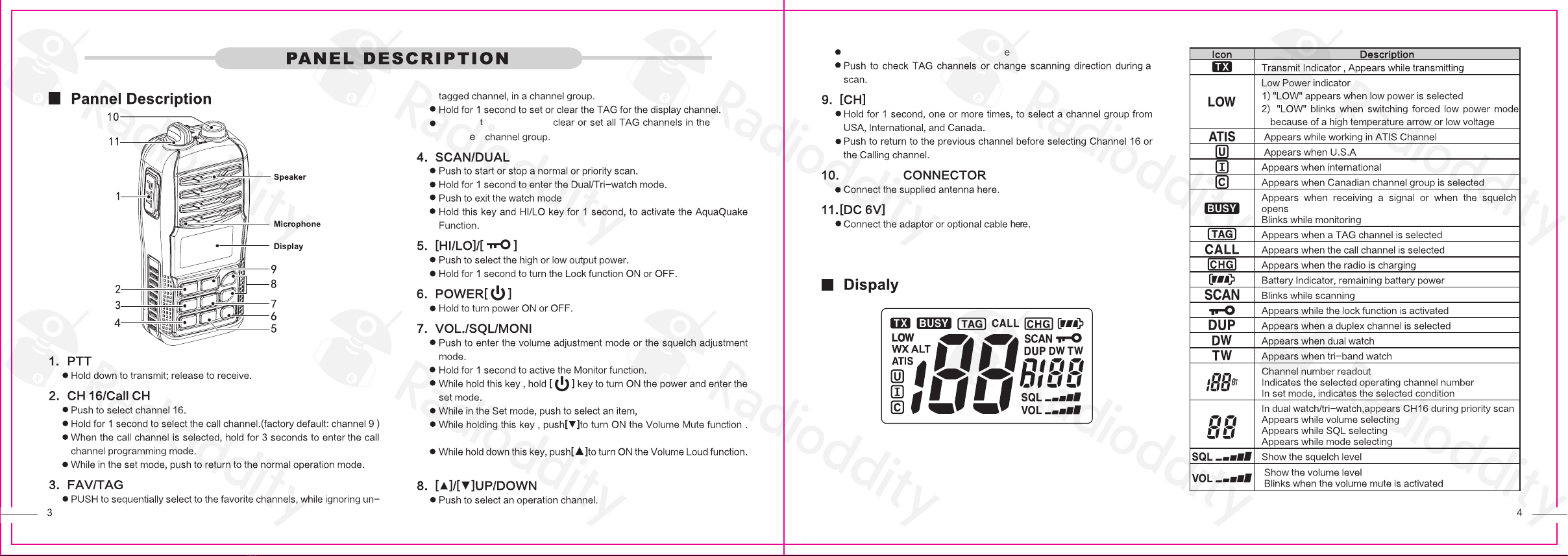
Power Button
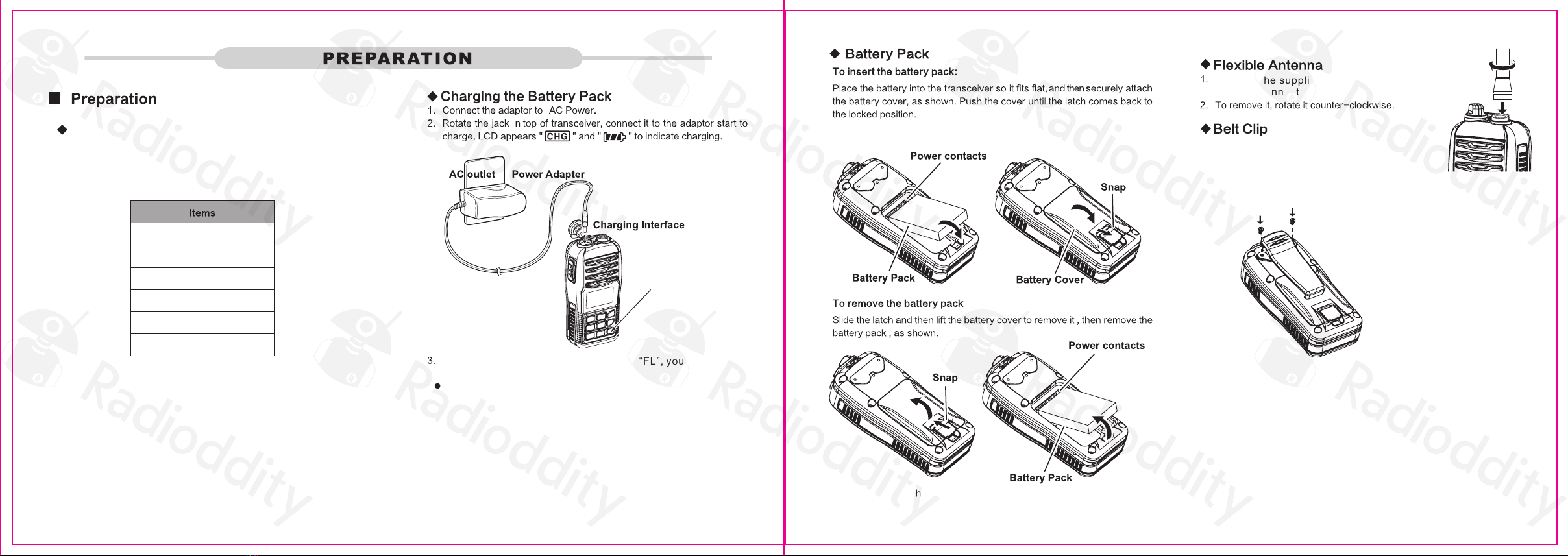
If battery charging is full, LCD appears “FL”, you should remove
the adaptor.
NOTE: If you have not inserted the battery pack, the LCD
will show "Er".
Connect the supplied flexible antenna to the
antenna connector, rotate it clockwise until it is tight.
what’s in the box Note: lf the battery cover is not covered better, the radio may leak water
from here. At the back of the radio there are two paralleI screws
mounted above the battery, remove these and thread
them through the holes on the belt clip as you screw
them back into the radio body.
Note: Do not short the battery terminals or discard the batteries in a fire.
Thanks for choosing Radioddity marine VHF radio. We recommend you
to check the items listed in the following table before discarding the
package.
1 pcs RV6 radio body
1 pcs antenna
1 pcs Adaptor Charger
1 pcs belt clip
1 pcs handstrap
1 pcs user manual
1 2
Hold and turn radio ON to
selected
ANTENNA
NOTE: Ensure the cap for the DC charging connector is affixed
correctly to avoid water ingress.
Press this button again to turn off the function.
While in the setting mode,pushtoselectthesettingorvalueofanitem.
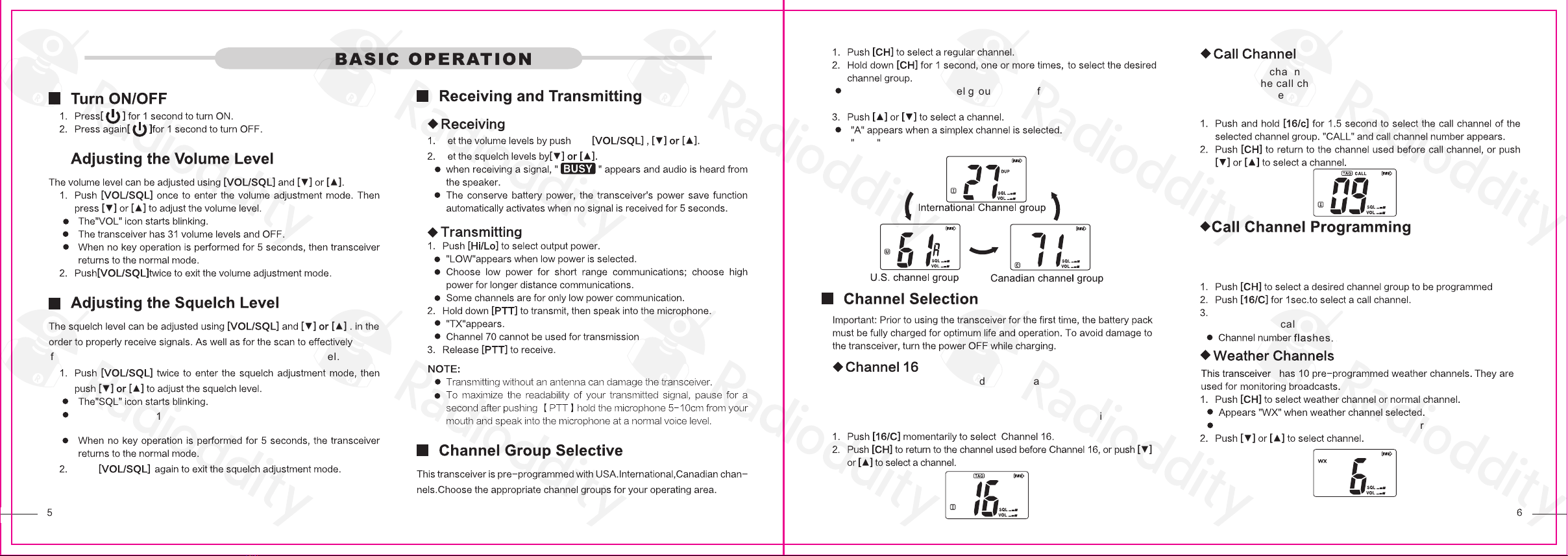
function, the squelch must be adjusted to the proper level.
The radio has 11 squelch levels: OP is completely open;
10 is maximum squelch; 1 is minimum squelch.
Push
S
S
ing
The selectable channel groups are different, depending on
the version.
Channel 16 is the distress and safety channel. It is used for
establishing initial contact with a station and for emergency
communications. Channel 16 is monitored during both dual
watch and Tri-watch while standing by, you must monitor Channel 16.
Each regular channel group has separate leisure-use call
channels. The call channel is monitored during tri-watch. The call
channels can be programmed and are used to store your most
frequently used channel in each channel group for quick recall.
Appears “WX ALT” when the weather alert function is ON.
Call channel is used to access Channel 16 (default is channel 9).
You can program the call channel with your most frequently used
channel in each channel group for quick recall.
Push [16/C] for 3sec. till you hear a “BEEP” tone and “DUDU”
tone to enter call channel programming mode.
DUP appears when a duplex channel is selected.
activate
flash
will flashing.
s
Scanning
When a signal is received, the scan pauses until the signal
disappears or resumes after pausing 5 seconds, depending on
the set mode setting.
Push [VOL/SQL] to turn it off.
Note: The mute function refers to the transmit and receive
volume,the mute function is activated,and the button
sound is not affected.
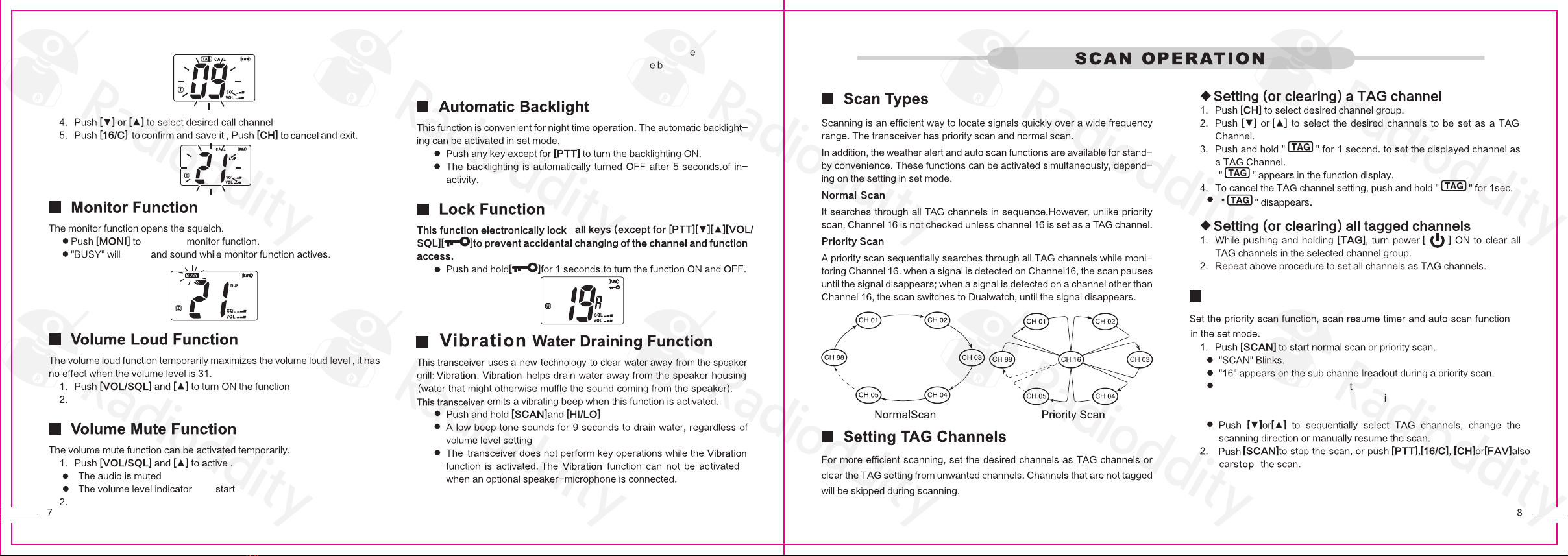
The set mode is used to channel the settings of the transceiver ’s
functions: beep tone function, priority scan function, scan resume
timer, auto scan function, dual/tri-watch function, monitor key action,
automatic backlighting, LCD contrast setting and power save function.
transceiver. is
remains open
The power save function reduces current drain by turning
OFF the receiver circuit for preset intervals.
inactivity.
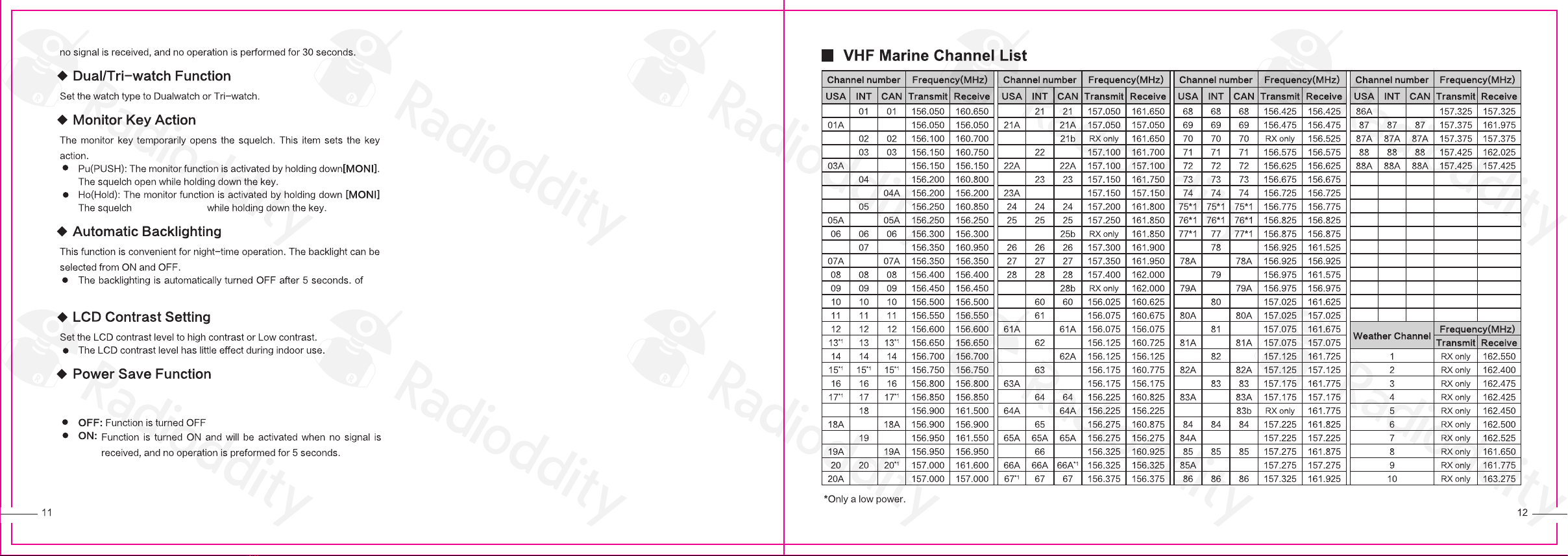
TX: 156.025 – 157.425MHz
RX: 156.000 – 163.425MHz
programming.