Caution:
To avoid possible electric shock or personal injury:
Please read the instruction manual carefully before use and strictly observe the
safety rules and warnings listed in the instruction manual.
• If the Voltage Detector is not used according to the instructions the protection
function provided by the NCVD (Non-Contact voltage detector) may be affected
and invalidate any warranties.
• Do not use if the LCD display is not illuminated green when switched on.
• Before using the Voltage Detector, always test on a known power supply to ensure
it’s in good working condition.
• When using the Voltage Detector, if the tip does not illuminate or no beeping
sound,voltage could still be present. Voltage Detector indicates active voltage in
the presence of electrostatic fields of sufficient strength generated from the source
(Mains) voltage. If the field strength is weak the Voltage Detector may not provide
indication of live voltages. The existence of voltage may be affected by several
factors including but not limited to shielded wires / cables, thickness and type of
insulation, distance from voltage source, differences in socket design / recessed
sockets, condition of the Voltage Detector and batteries.
• Always check the Voltage Detector before use to ensure there is no damage. Never
use the equipment if any parts are damaged.
• Do not use the detector on voltage exceeding the marking on the Voltage Detector.
• Extra care should be taken when working with voltages above 30V, due to the risk
of electric shock.
IMPORTANT:
Always follow the Standard Electrical Best Practice guidelines.
A copy of these can be found at http://www.hse.gov.uk/electricity
Features:
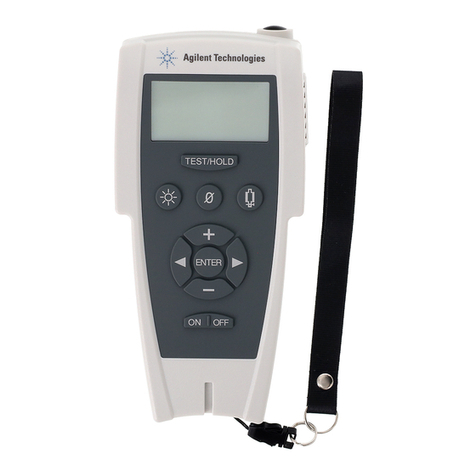
1. Probe (NCV Sensor)
2. Flashlight
3. Signal Indicator
4. LCD Screen
5. Power Switch
6. Sensitivity / Flashlight (with sensitivity indicator)
7. Battery cover
Instruction Manual:
Power On / Off
Press the power switch for more than 1 second, the detector will beep once and the
LCD screen will light up green.
High / Low Sensitivity
When the Voltage Detector is turned on, it will default to ‘Low Sensitivity’ mode
(48~1000V AC).
High Sensitivity’ mode (12~1000V AC), press the sensitivity / flashlight button. The
sensitivity / flashlight button will then light up to show it’s in ‘High Sensitivity’
mode.
Flashlight
Turn power on.
Press the sensitivity / flashlight button and hold for more than 2 seconds. The
flashlight will illuminate.
The flashlight is turned off by pressing the sensitivity / flashlight key and holding
for more than 2 seconds.
If the detector has no activity it will automatically turn off after approx 3 minutes.
Auto Power Off:
After approx 3 minutes without any operation and no signal detection, the Voltage
Detector will be automatically shut down to extend the battery life.
Low Battery Indicate
When the battery voltage drops to less than 2.5 volts, the display will display
“ “ Symbol. When the battery voltage drops to less than 2.3 Volts the voltage
detector will automatically turn off. When the batteries are low please replace the
batteries.
Detecting Voltage:
AC Detection
When the probe is placed near AC voltage the signal indicator will illuminate to
show voltage has been detected and also start to beep. The bar-graph on the
screen will become higher or lower as the voltage signal intensity is detected and
the beep sound will become faster or slower with signal intensity.
The detector can be used to detect the live and neutral side within a power point.
Example: A Power Socket should be live (right hand side plug pin point) The
detector tip will flash red / LCD screen will display red and the beeping will be at
a fast rate. The left hand side plug point (neutral). The detector will flash red / LCD
will show green and have a slow rate beep.
Note: certain covers / insulations can stop the detector from identifying Live /
Neutral
Technical:
Operating voltage:
AC Voltage: 121000V (50/60Hz)
High Sensitivity - 12 1000V
Low Sensitivity - 48 1000V
CAT III - 1000V
Application Environment:
Operating Temperature: 0~40°C
Storage Temperature: -10~50°C
Battery: 2 x 1.5V AAA
Humidity: ≤ 95%
Replacing The Batteries:
Rotate the battery cover anti-clockwise (Fig.1) then remove the old batteries.
Install the new batteries according to the positive and negative instructions on the
underside of the detector (Fig.2).
Caution:
To avoid electric shock, the battery cover should always be replaced before
checking any voltage.
Caution / Warning: Risk of Danger.
Double Insulated.
CAT
|||
IEC Over-Voltage Category III
CAT III equipment is designed to protect against transients
in equipment in fixed-equipment installations, such as
distribution panels, feeders and short branch circuits, and
lighting systems in large buildings.
Fig.1
Fig.2
(See underside for battery direction)
Explanation of Symbols: