™
SETTING UP YOUR RAZER SILA
Note: Before proceeding, make sure that your modem has an active Internet connection.
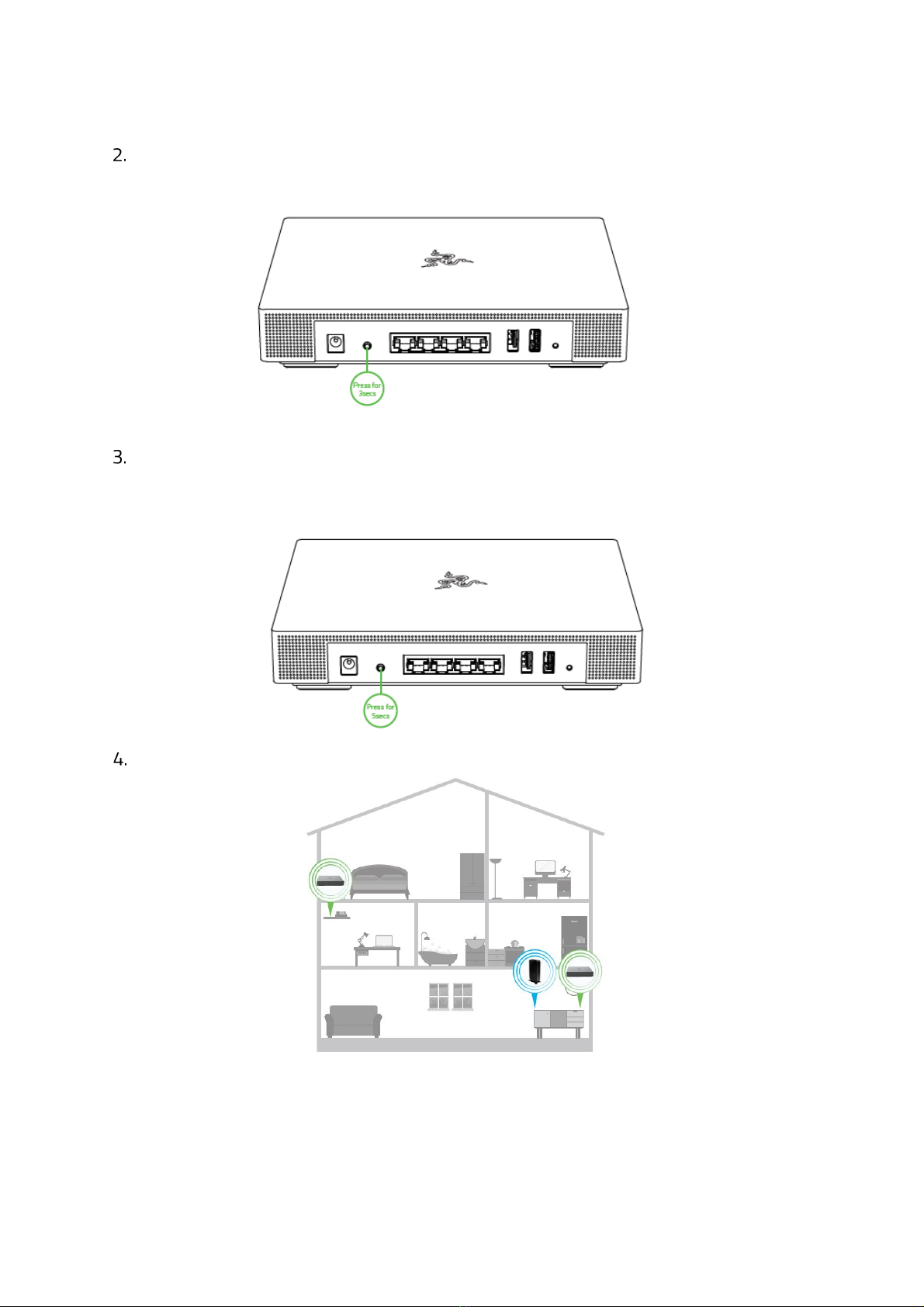
Position the Razer Sila on a flat surface near your modem.
Note: To optimize your router’s wireless performance, make sure to place your router away from metal obstructions,
direct sunlight, and devices or appliances such as cordless phones, microwaves, refrigerators, or other similar
equipment which may interfere with your router’s wireless signal.
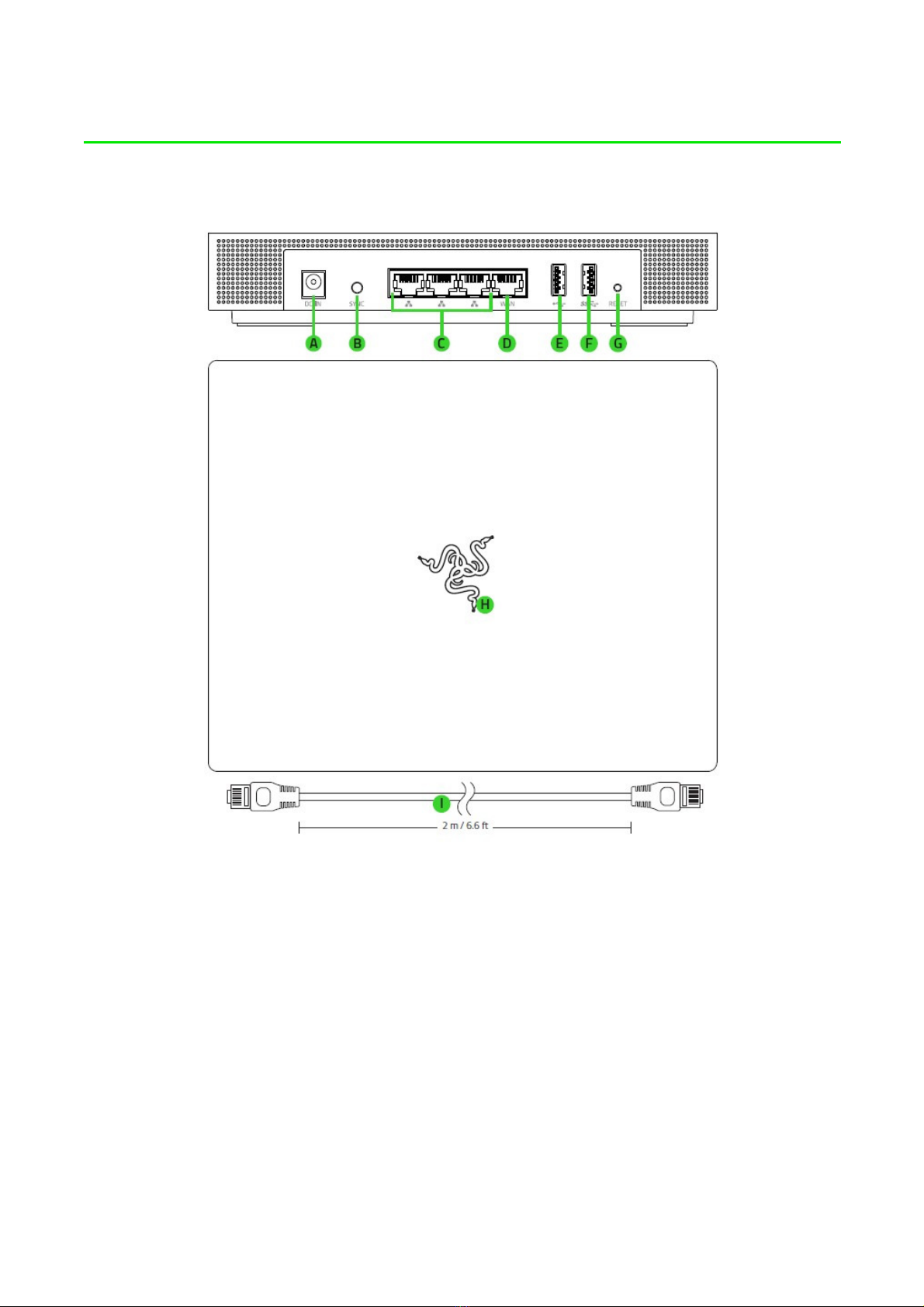
Using the included network cable, connect the WAN port of your Razer Sila to any of your
modem’s LAN ports. You may also connect other ethernet devices (e.g. computer, game
console) to the LAN ports of your Razer Sila.