manuals.online logo
Brands
  1. Home
  2. •
  3. Brands
  4. •
  5. Retsch
  6. •
  7. Kitchen Appliance
  8. •
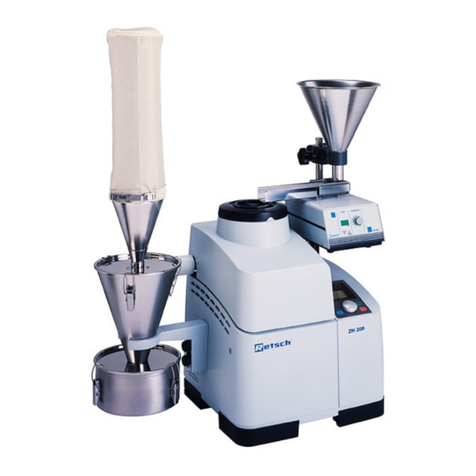
  9. Retsch ZM 200 Operating instructions

Retsch ZM 200 Operating instructions

Other manuals for ZM 200

2

Other Retsch Kitchen Appliance manuals

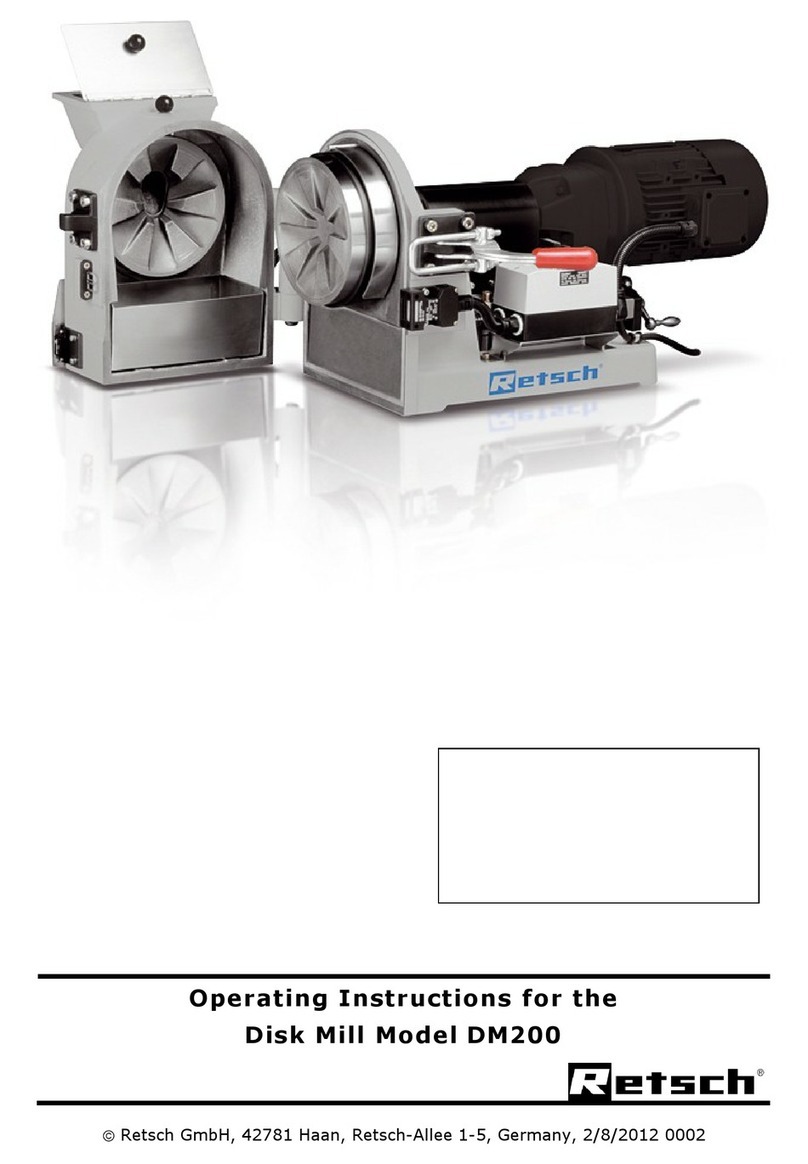
Retsch DM200 User manual

Retsch

Retsch DM200 User manual

Retsch ZM 200 User manual

Retsch

Retsch ZM 200 User manual

Popular Kitchen Appliance manuals by other brands

Saturn ST-EK8037 manual

Saturn

Saturn ST-EK8037 manual

BOSKA Pro 853560 instruction manual

BOSKA

BOSKA Pro 853560 instruction manual

Enders 7909 instruction manual

Enders

Enders 7909 instruction manual

Kalorik USK PPG 37241 operating instructions

Kalorik

Kalorik USK PPG 37241 operating instructions

Scarlett SC-FD421001 instruction manual

Scarlett

Scarlett SC-FD421001 instruction manual

FoodSaver V4925 owner's manual

FoodSaver

FoodSaver V4925 owner's manual

Course	Housewares B416144 quick start guide

Course Housewares

Course Housewares B416144 quick start guide

AEG SANTO Series operating instructions

AEG

AEG SANTO Series operating instructions

Melissa 643-036 instruction manual

Melissa

Melissa 643-036 instruction manual

cecotec ROCK'NTOAST 3IN1 instruction manual

cecotec

cecotec ROCK'NTOAST 3IN1 instruction manual

Gourmia GMF225 instructions

Gourmia

Gourmia GMF225 instructions

Electrolux EKM7 Series Instruction book

Electrolux

Electrolux EKM7 Series Instruction book

Magio MG-965 instruction manual

Magio

Magio MG-965 instruction manual

Keimling Naturkost Excalibur 56301WH Operation manual

Keimling Naturkost

Keimling Naturkost Excalibur 56301WH Operation manual

Beper 90.071 use instructions

Beper

Beper 90.071 use instructions

Geryon E2900-M user manual

Geryon

Geryon E2900-M user manual

Morphy Richards 46718 owner's manual

Morphy Richards

Morphy Richards 46718 owner's manual

Kenwood A995 manual

Kenwood

Kenwood A995 manual

manuals.online logo
manuals.online logoBrands
  • About & Mission
  • Contact us
  • Privacy Policy
  • Terms and Conditions

Copyright 2025 Manuals.Online. All Rights Reserved.

© Retsch GmbH, 42781 Haan, Retsch-Allee 1-5, Germany
Version Q25.08.2015
Repair Manual for Rotor Mills
Ultra-Centrifugal Mill ZM200
2
Copyright
Copyright by
Retsch GmbH
Retsch-Allee 1-5
D-42781 Haan
Germany
3
1Notes on the Repair Manual ..................................................................................................................5
1.1 General Points................................................................................................................................... 5
1.2 Important instructions for all repair work............................................................................................ 5
1.3 Necessary documents....................................................................................................................... 5
1.4 Tools.................................................................................................................................................. 5
1.5 Returned goods delivery note/declaration of safeness ..................................................................... 6
2Packaging, Transport and Set-Up.........................................................................................................8
3Disassembly, Assembly and Repair Instructions ...............................................................................9
3.1 Taking off the Housing....................................................................................................................... 9
3.1.1 Required tools:............................................................................................................................... 9
3.1.2 Required spare parts::................................................................................................................... 9
3.1.3 Description of procedure................................................................................................................ 9
3.2 Instructions for Adjusting Trunnions ................................................................................................ 11
3.2.1 Required tools:............................................................................................................................. 11
3.2.2 Description of the procedure........................................................................................................ 11
3.3 Replacing the Control PCB GP2 ..................................................................................................... 14
3.3.1 Required tools:............................................................................................................................. 14
3.3.2 Required spare parts:.................................................................................................................. 14
3.3.3 Description of the procedure........................................................................................................ 14
3.4 Replacing the Frenic-Mini Frequency Converter............................................................................. 17
3.4.1 Required tools:............................................................................................................................. 17
3.4.2 Required spare parts:.................................................................................................................. 17
3.4.3 Description of the procedure........................................................................................................ 17
3.5 Replacing the Siei Frequency Converter with a Frenic-Mini FC...................................................... 20
3.5.1 Required tools:............................................................................................................................. 20
3.5.2 Required spare parts:.................................................................................................................. 20
3.5.3 Description of the procedure........................................................................................................ 20
3.6 Replacing the Display...................................................................................................................... 25
3.6.1 Required tools:............................................................................................................................. 25
3.6.2 Required spare parts:.................................................................................................................. 25
3.6.3 Description of the procedure........................................................................................................ 25
3.7 Replacing the Fan............................................................................................................................ 26
3.7.1 Required tools:............................................................................................................................. 26
3.7.2 Required spare parts:.................................................................................................................. 26
3.7.3 Description of the procedure........................................................................................................ 26
3.8 Replacing the Motor-Driven Lid Lock .............................................................................................. 27
3.8.1 Required tools:............................................................................................................................. 27

3.8.2 Required spare parts:.................................................................................................................. 27
4
3.8.3 Description of the procedure........................................................................................................ 27
3.9 Replacing the Motor......................................................................................................................... 29
3.9.1 Required tools:............................................................................................................................. 29
3.9.2 Required spare parts:.................................................................................................................. 29
3.9.3 Description of the procedure........................................................................................................ 29
3.10 Software (Firmware) Update............................................................................................................ 31
3.10.1 Required tools:......................................................................................................................... 31
3.10.2 Required spare parts:.............................................................................................................. 31
3.10.3 Procedure ................................................................................................................................ 31
3.11 Error Messages ............................................................................................................................... 33
4Drawings ...............................................................................................................................................35
4.1 Views of the Device......................................................................................................................... 36
4.2 Circuit diagram for the device.......................................................................................................... 45
5Changes ................................................................................................................................................47
6Index ......................................................................................................................................................48
5
1 Notes on the Repair Manual
1.1 General Points
This repair manual for the tap sieving machine contains all the information
necessary for the areas specified in the table of contents.
For your own safety, we recommend that you have the necessary repairs done
only by Retsch GmbH or an authorised agency (service technicians).
If repairs not described in this manual are necessary, please consult your supplier
or contact Retsch GmbH directly:
Retsch GmbH
Retsch-Allee 1-5
42781 Haan / Rhl.
Germany
1.2 Important instructions for all repair work
The following tests must be conducted every time repairs are done:.
•...
•...
•...
The permissible measurements can be found in the test instructions for the device.
1.3 Necessary documents
Repair Manual
Operating Instructions
Test Instructions
1.4 Tools
The following tools should be ready to hand:
Notes on the Repair Manual
6
03.025.0042
83.009.0027
83.009.0029
USB cable
Adjusting device
Pronged wrench A/F 30
Phillips screwdriver Ph1
Hexagonal socket wrench A/F 5.5
Hexagonal socket wrench A/F 7
Hex key A/F 2.5
Hex key A/F 5
Hex key A/F 4
Needle-nose pliers
1.5 Returned goods delivery note/declaration of safeness
If it is necessary to return a machine to Retsch, the returned goods delivery note
and the declaration of safeness must be used. Such a form can be downloaded
from
www.retsch.com.
Before the machine is repaired, have your customer fill in the following Returned
Goods Delivery Note and issue a Declaration of Safeness. This protects you from
any harmful grinding residue in the machine.
Notes on the Repair Manual
7
Please stick this declaration onto the outside of the packaging!
Returned goods delivery note/declaration of safeness
We endeavour to fulfil your wishes quickly and specifically and also to protect the health of our employers. Please understand therefore
that the RETSCH device and the corresponding accessories can only be accepted for repair, maintenance or calibration if this
document is filled in correctly and completely. Otherwise, we reserve the right to refuse to accept the delivery and to return it at the
sender’s expense.
1. Details of your RETSCH device and accessories:
Designation:
Article and serial number:
Which accessories are used with the device? (Please enclose details on applications too if you wish).
2. Reason for the return (including description of fault):
Do you require a cost estimate (subject to a charge)?: yes no
3. The following materials were prepared with the device:
I/we assure that the RETSCH device and/or the corresponding accessories in the consignment were properly
cleaned:
3.a The materials in any residual contamination are harmless for anyone coming in contact with them.
3.b We cannot confirm that residual contamination will not present risks to health and we recommend the following
preventative safety measures (enclose safety data sheet):
I/we assure that the details in this declaration are correct and complete. I am/we are aware that RETSCH can refuse to accept
particularly contaminated devices/accessories or devices/accessories that present inestimable health risks for RETSCH employers.
Place/date Legally binding signature
Please enter your contact details here:
Company/Institute:
Department:
Person to contact:
Road:
Postcode/city:
Phone/fax:
E-mail:
FB-S+E-807-003_D_ Change Status B 12/2006
Packaging, Transport and Set-Up
8
2 Packaging, Transport and Set-Up
WARNING
Serious personal injury
Falling loads
–The appliance is very heavy and can therefore cause serious personal
injuries if it falls down.
•Lifting above head height is not permissible!
The packaging has been adapted to the mode of transport. It conforms to the
generally applicable packaging guidelines.
NOTE
Storage of packaging
–In the event of a complaint or return of goods, unsuitable packaging or
inadequate safeguarding for the machine can jeopardize your warranty
claims.
•Please retain the packaging for the duration of the warranty period.
NOTE
Electrical connection
–Mechanical or electronic components can become damaged.
•Observe the specifications on the type plate.
•
•
•.
•Please check the type plate for details on the necessary voltage and
frequency for the device.
•Make sure the levels agree with the existing mains power supply.
•Use the supplied connection cable to connect the device to the mains power
supply.
CAUTION
When connecting the power cable to the mains supply, use an external fuse that
complies with the regulations applicable to the place of installation. .
Disassembly, Assembly and Repair Instructions
9
3 Disassembly, Assembly and Repair Instructions
3.1 Taking off the Housing
3.1.1 Required tools:
Hexagonal socket wrench A/F 7
Hex key A/F 4
3.1.2 Required spare parts::
22.153.0003 spare housing
22.153.0002 housing lid
05.009.0060 cover cap
3.1.3 Description of procedure
Use the socket wrench to loosen the hexagonal
screws on the base plate. If the housing lid was closed normally (without
electrical power), use the provided hex key to open
the housing lid.
Hexagonal screws
4.2 x 19
Disassembly, Assembly and Repair Instructions
10
To unlock the closure gear, insert the key
and then push it in further with some degree
of force.
As you push the key in, turn it in a clockwise
direction as far as it will go.
The lid can be opened now.
Now remove the labyrinth disc. Remove the black cover caps on the motor
flange and loosen the 4 screws on the motor
flange.
Now pull the rotary knob off the control
display.
Remove the housing. Pull it up carefully and
straight. When putting it back on, make sure
the housing is guided in the rear panel.