SSC-3000
Upload/Download Assembly
Rockford Systems LLC
2 Call: 1-800-922-7533
UPLOAD/DOWNLOAD OF JOB SETUPS
Note: The upload/download of job setups can only be done on SSC-3000 controls with CPU Software Version 1.21 or higher.
The upload/download assembly, part No. RYL-116, consists of a 10’ serial cable and a CD with upload/download software.
The upload/download feature gives you the ability to back up all of your job setups to a file on your computer. After the job setup database has been
downloaded, you can upload individual job setups back to the SSC-3000 control on the same machine or to other machines.
Exit Setup Abort
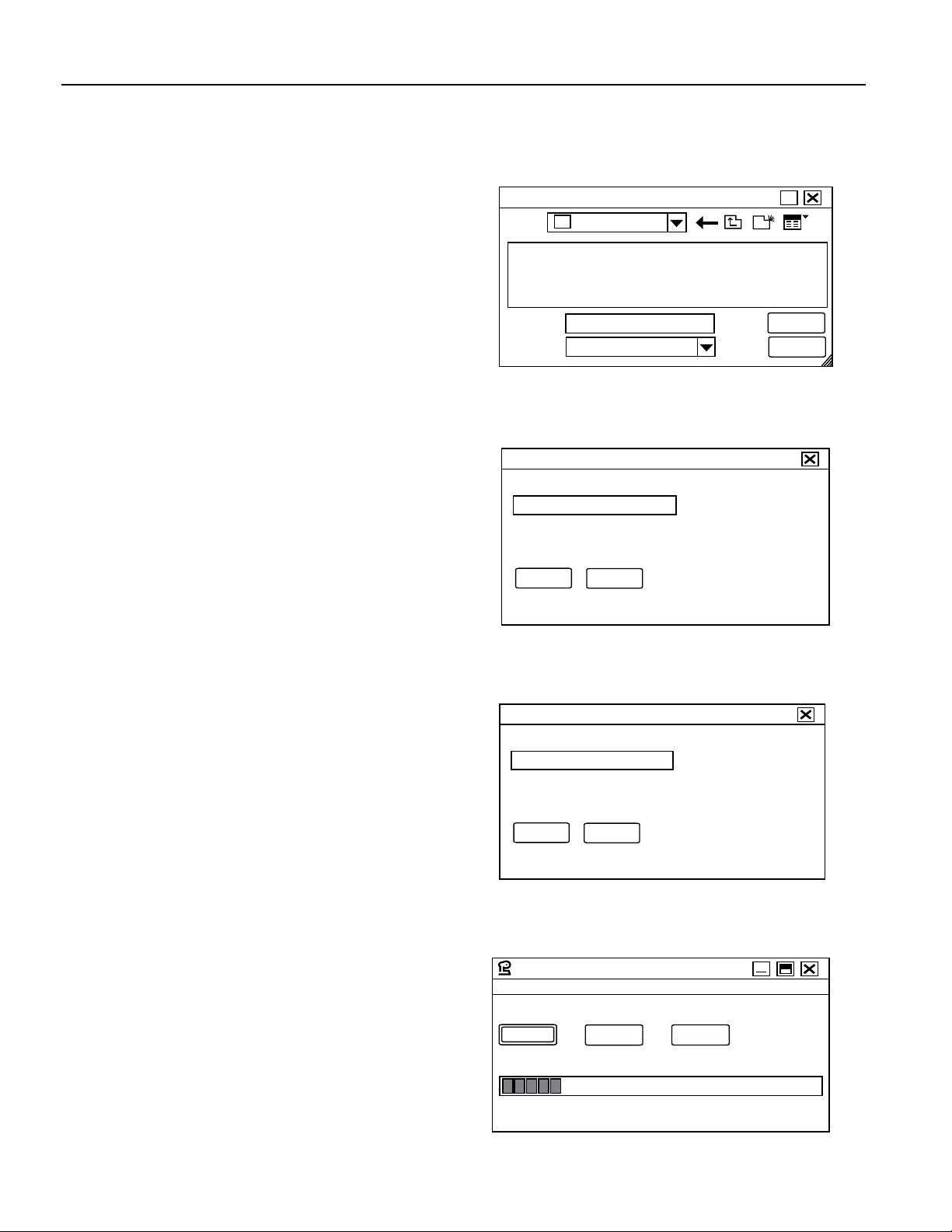
SSC3000 Upload/Download Utility
Download
Upload Cancel
From Control To Control
Figure 1.1
SSC-3000 Upload/Download Utility
CONNECTING THE CABLE
Plug the male DB-9 connector of the 10’ serial cable in to the P5
network port on the SSC-3000 Main CPU Card. Plug the other end in
to a serial port on your computer.
INSTALLING THE SOFTWARE
Insert the Upload/Download Software CD in your computer and dou-
ble-click the executable Setup file (SETUP.EXE). This will start the instal-
lation wizard, which will guide you through the installation.
SETUP
Once the program is installed, launch the program called SSC3000
Upload-Download. The program will open; see Figure 1.1.
Before being able to upload/download, you will need to make sure that
the correct serial port is selected. At the top of the SSC3000 Upload-
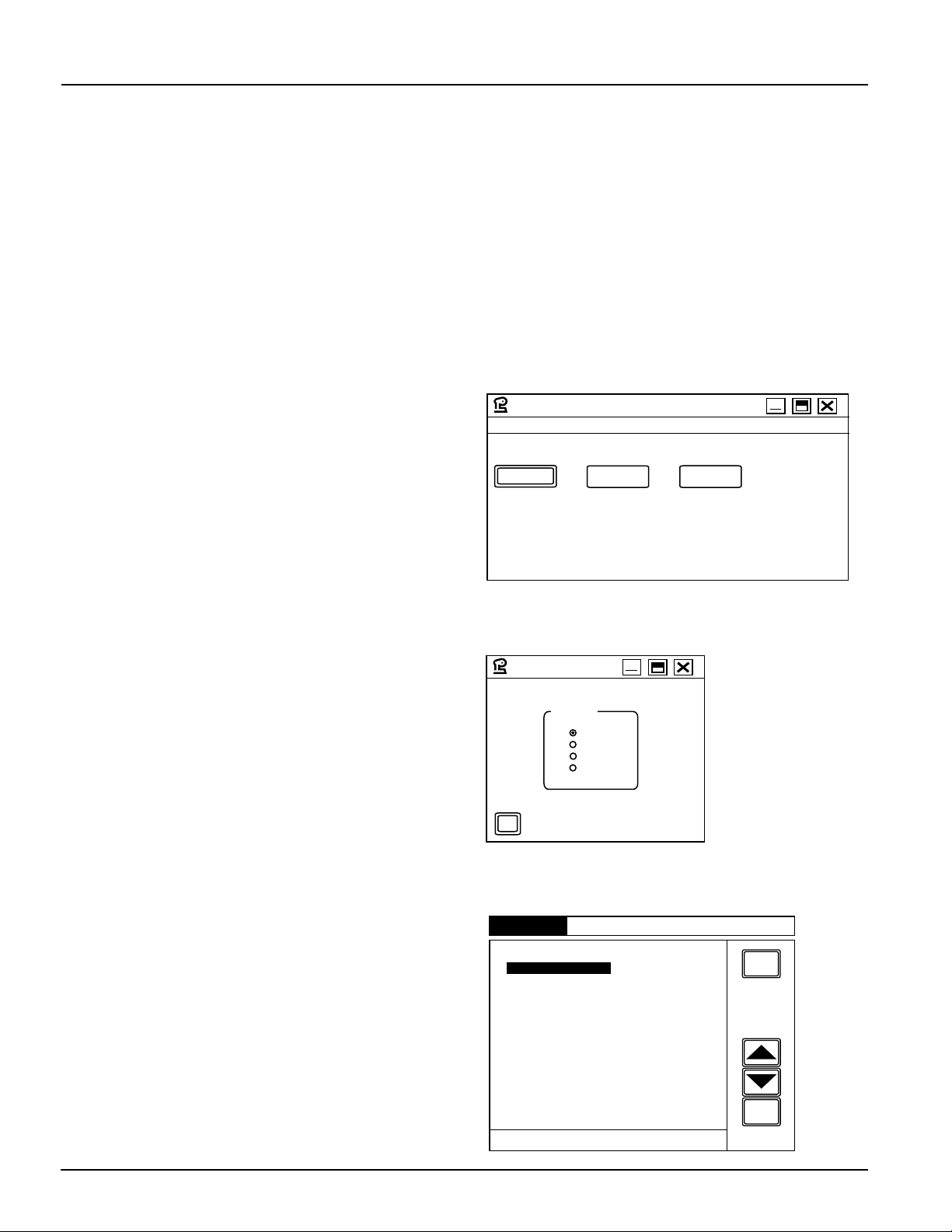
Download program window, click Setup. The Setup window will open;
see Figure 1.2.
Select the serial port on your computer that you connected the upload/
download cable to, and then click OK.
On the SSC-3000 control, select the ON position of the Program On/
Off selector switch. Then press PROG, which is located in the bottom
right corner of any of the main program screens. The MAIN PROGRAM
SCREEN will be displayed. See Figure 1.3.
The SSC-3000 control is now ready for upload/download of job setups.
Setup
OK
Serial Port
COM 1
COM 2
COM 3
COM 4
Figure 1.2
Setup
MAIN PROGRAM SCREEN
PLS OUTPUTS
DIE PROTECTION
SSC-3000 PRESS AUTOMATION CONTROL
EXIT
SCREEN
USE UP / DN
ARROWS TO
HIGHLIGHT
A PROGRAM
SCREEN
ENTER
PRESS ENTER
TO SELECT
USER INPUTS
BRAKE MONITOR
JOB SETUPS
COUNTERS
SYSTEM SETUP
USER MESSAGES
ANGLE SETTINGS
TIMED SETTINGS
OPTIONAL MODES
VAR SPD SETTINGS
Figure 1.3
Main Program Screen
Copyright © 2019 by Rockford Systems LLC. All rights reserved. Not to be reproduced in whole or in part without written permission. Litho in U.S.A.