Rockwell Automation Publication 440G-IN025A-EN-P - October 2023 3
TLSZR/L-GD2 Guard Locking Switch (Series F) Installation Instructions
Figure 4 - Auxiliary/Manual Release [mm (in.)]
When the safety switch has power and is in the Locked state, operation of the
auxiliary release causes the safety switch to enter a fault condition (the status
indicator flashes red).
To reset the safety switch, cycle the power.
To manually release the safety switch, remove the secure Torx screws and press
the internal mechanism.
Figure 5 - Actuator Minimum Operating Radius [mm (in.)]
The minimum operating radius is for all planes of approach of the actuator key,
both along the length and perpendicular to the key. Use the two setscrews on the
actuator to optimize the key angle.
Figure 6 - Fit the Override Covers (Cat. No. TLSZR-GD2)
The cover with manual override key provides an auxiliary release function for use
when power is not available to achieve automatic/electrical interlocking.
Mount Restrictions
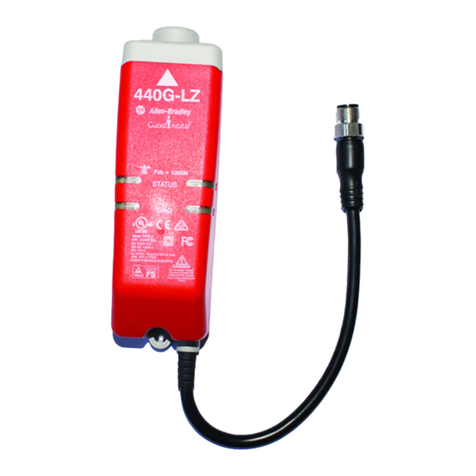
If you mount a TLS-Z safety switch close to another safety switch, a 440G-LZ guard
locking switch, or a 440N-Z SensaGuard™ switch, the two inductive fields interact
causing crosstalk, which results in nuisance faults and false operation. For correct
operations, maintain a minimum distance of 75 mm (3 in.) between safety
switches.
Commissioning
Before use, the safety switch must first learn a new RFID door target. This step is
not done at the factory, as there are two options:
• Multi-time learn: The safety switch can learn up to eight targets
consecutively
• One-time learn: The safety switch can learn just one target, for life,
non-reversible.
You can perform a one-time learn at any time. For example, the safety
switch can multi-time learn consecutively four different targets, and then
complete a one-time learn to help prevent the safety switch from learning
any more targets.
Multi-time Learn Process
Learn the First Multi-time Target
• Connect the safety switch to 24V DC (see Wiring Diagrams on page 6). The
status/diagnostic indicator flashes the number of times the safety switch
can learn a new target (eight times when new). The flash repeats, which
indicates that the safety switch has not yet learned a target.
• The safety switch automatically starts the learn process once a target and
actuator are placed into the door-closed and locked position of the safety
switch.
Learn Additional New Multi-time Targets
Mount the new target to the door and repeat Learn the First Multi-time Target on
page 3. While finalizing the program, the status indicator flashes green the number
of learns that remain.
One-time Learn Process
• Follow the Multi-time Learn Process on page 3 except at step 6 of the
learning sequence, withdraw the target and actuator from the safety
switch until the status indicator shows steady red. Then replace the target
and actuator back to the safety switch. You must complete this action
within 15 s.
• The status indicator flashes and then turns solid as usual to indicate that
learn is complete.
80 (3.19)
80 (3.19)80 (3.19)
80 (3.19)
1
1.2 N•m (10.62 lb•in)
2
90° 90°
IMPORTANT During the learning process, insert and withdraw the target
and actuator from the safety switch together in their
normal mounting configuration. If you introduce or
withdraw either the target or actuator without the other
present, a nonrecoverable fault condition can occur. You
must then cycle power.
IMPORTANT After installation and commissioning, coat the actuator,
safety switch, and safety switch lid fixing screws with
tamper evident varnish or similar compound.
IMPORTANT Leave the target/actuator unit in the door-closed position
during the learning process. If you remove the unit during
the learning process, the ability to learn an additional
target is disabled.
Table 6 - Status Indicator Learning Sequence
Step Status Indicator
1 Target present Flashes green, 1 Hz rate
2 Verifying target Flashes green/red, 1 Hz rate (15 s)
3 Programming safety switch Flashes green/red, 4 Hz rate (15 s)
4 Programming finalizing Flashes green (number of learns left, 15 s)
5 Verifying target Flashes green/red, 1 Hz rate (15 s)
6 Ready state (learn is complete) Cat. No. TLSZR: Steady green
Cat. No. TLSZL: Steady red
IMPORTANT Power-to-unlock safety switches: You must manually
release the safety switch to withdraw the target and
actuator away from the safety switch as described.