7
vercal axis. It allows to correct centering between
the photocells in installaons with xing surfaces
that are parallel to each other.
For seng up the horizontal axis, loosen up the
two screws indicated with number 1 in the picture
6, adjust the movable part unl reaches the ideal
posion, then screw the two screws number 1
back. For seng up vercal axis, rotate the screw
indicated with number 2 in the picture 6, clockwise
or counterclockwise unl reaches the opmum
posion.
Control of the correct alignment between the
photocells
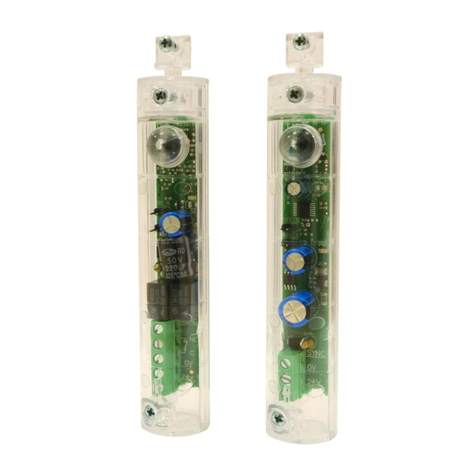
The photocell RX has one red led (indicated with L in
the pictures 1 and 2). Its brightness is proporonal
to the power of the received signal and at the same
me, it indicates the correct alignment between
the photocells. Bigger is the brightness, greater it
is the power received and therefore it is beer the
alignment. Even if the photocell RX works also with
low signal received, it is recommend to perform the
best alignment possible, to guarantee an ecient
funconing even in cases of fog, dust or rain.
Connecons of the outputs of the photocells RX
The outputs of the photocells RX are relays contacts
free of tension.
Cauon: by convenon the switches NC (normally
close) and NO (normally open) indicates in this
instrucon the reference to the photocells RX
acvated by the infrared ray.
Descripon of the outputs of the terminal blocks:
– Terminal n°3 switch NC (normally close)
– Terminal n°4 switch COMUNE for the terminals
3 and 5
– Terminal n°5 switch NO (normally open)
Usually, for the automac entrances, switch NC
(terminals 3-4) is used because, if there is an
obstacle between the photocells, the switch NC
opens.
For the courtesy funcon, it is used the switch
NO (terminals 4-5) because, if there is an obstacle
between the photocells, the switch NO closes.
5 Tesng
Tesng of one pair of photocell
The tesng allows to verify the correct funconing
6 Maintenance
Do scheduled maintenance every 6 months, for
checking cleaning and funconing of all of the
photocells.
In case of dirt, wet, insects or anything else, clean
the photocell and run again the tesng process.
In case of oxide on the circuit board, please consider
the replacement.
7 Disposal
The product must be always uninstall by the technical
and qualied sta, using appropriate processes for the
correct removal of the product.
This product is made of dierent materials, some
of them could be recycled others must be disposed
through recycling or disposal systems established by
local regulaons for this product.
It is forbidden to dispose the product into the house
garbage. Make the “separate collecon” for disposal
according to the methods established by local
regulaons; otherwise return the product to the seller
when you buy the new equivalent product.
Local regulaons may provide for heavy penales for
illegal disposal of this product.
Cauon: some parts of the product may
contain pollutants and hazardous, if
thrown they may cause dangerous eects
to the environment and to the human
health.
of the photocells and the possible interference with
other transmission devices with infrared light that
are installed nearby.
Acvate the control device to which are connected
the photocells.
With something cylindrical of about 50mm of
diameter, break o many mes the beam of light
between the photocells. Repeat the same operaon
posioning near the photocell TX, near the
photocell RX and in the center between the two. If
the control device noce correctly each interrupon
at all points, the tesng is successfully completed. In
the case of two or more pairs of photocells installed,
repeat the same step taking care to verify possible
interferences between them.