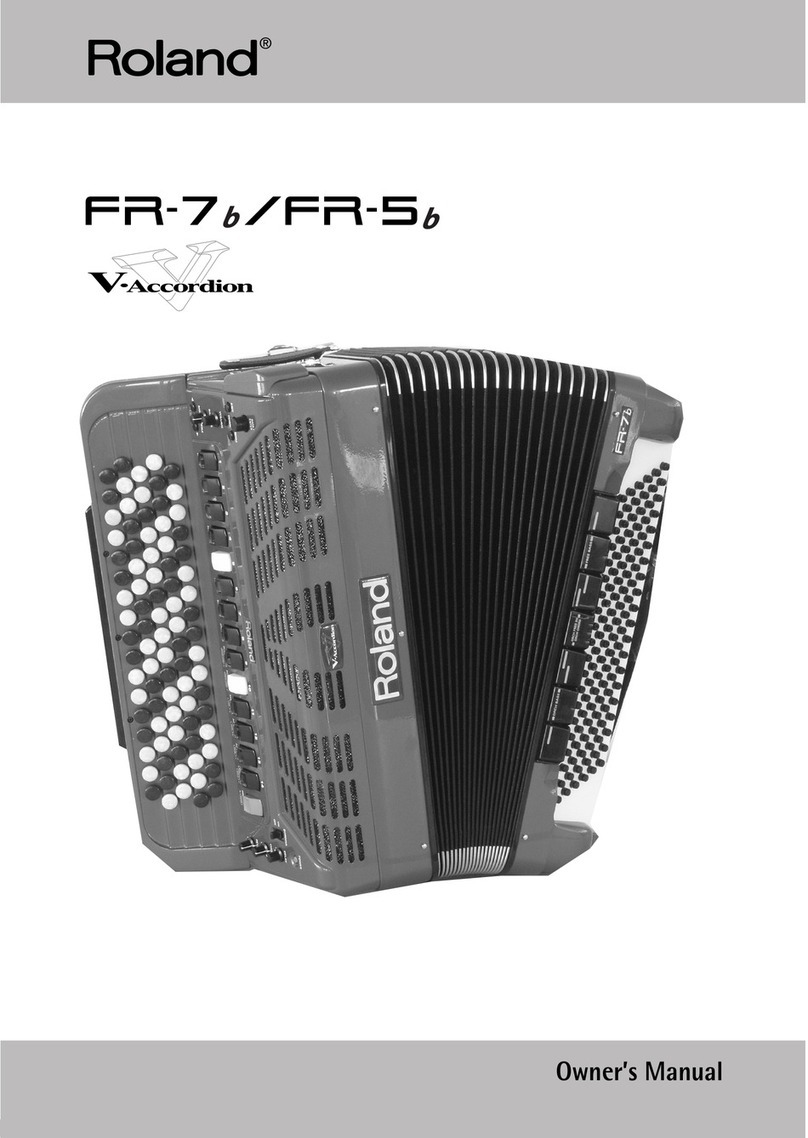
Roland C-190 User manual

r
C-190
ENGLISH ENGLISH ENGLISH ENGLISH
Owner’s Manual. . . . . . . . . . . . . . . . . . . . . . . . . . . . . . . 3
Bedienungsanleitung . . . . . . . . . . . . . . . . . . . . . . . . . 27
Mode d’emploi . . . . . . . . . . . . . . . . . . . . . . . . . . . . . . . 51
Manual del Usuario . . . . . . . . . . . . . . . . . . . . . . . . . . . 75
Manuale Utente. . . . . . . . . . . . . . . . . . . . . . . . . . . . . . 99
Handleiding . . . . . . . . . . . . . . . . . . . . . . . . . . . . . . . . 123

2
r
C-190
Portable Organ

r
Owner’s Manual
C-190
ENGLISH ENGLISH ENGLISH ENGLISH
Thank you for purchasing a Roland C-190 Portable Organ. The C-190 is a new organ with si ulated two- anual func-
tionality designed for religious congregations and all other occasions that call for high-quality organ or orchestral
usic in a portable instru ent.
Simultaneous use of organ and or hestral sounds
The C-190 co es with the finest organ sounds Roland has to offer. On top of that, it also features excellent instru ent
sounds that can be used alongside the organ section.
You can “split” the 76-note keyboard into two sections (“divisions”) and play the C-190 like a two- anual organ.
Bass and Manual parts
Though a single-keyboard instru ent, the C-190 allows you to play onophonic bass organ parts and polyphonic
instru ent sounds. The PEDAL part usually plays a onophonic bass line that doubles the lowest note you play on the
keyboard. You can, however, connect an optional MIDI pedal unit to the C-190 and play the PEDAL section polyphoni-
cally using your feet.
Re ord your own performan es
The C-190 akes it easy to record your own perfor ances.
Before using this instru ent, carefully read the section on the next page. It provides i portant infor ation concerning
the proper operation of the C-190.
To get the ost out of the C-190 and to ensure any years of trouble-free service, we urge you to read through this
Owner’s Manual thoroughly.
To avoid confusion, let’s agree to use the word “button” for all keys on the front panel, and only use “key” when refer-
ring to the C-190’s keyboard.
Copyright © 2005 ROLAND EUROPE. All rights reserved. No part of this publication ay be reproduced in any for without the written per ission of Roland Europe S.p.a.

4
r
C-190
Portable Organ
• Before using this unit, ake sure to read the instructions
below, and the Owner’s Manual.
.................................................................................................
• Do not open (or odify in any way) the instru ent, and
avoid da aging the supplied adapter.
.................................................................................................
• Do not atte pt to repair the instru ent, or replace parts
within it. Refer all servicing to your retailer, the nearest
Roland Service Center, or an authorized Roland distribu-
tor, as listed on the “Infor ation” page.
.................................................................................................
• Never use or store the unit in places that are:
• Subject to te perature extre es (e.g., direct sunlight
in an enclosed vehicle, near a heating duct, on top of
heat-generating equip ent); or are
• Da p (e.g., baths, washroo s, on wet floors); or are
• Hu id; or are
• Exposed to rain; or are
• Dusty; or are
• Subject to high levels of vibration.
.................................................................................................
• Be sure to use only the adapter supplied with the instru-
ent. Also, ake sure the line voltage at the installation
atches the input voltage specified on the na e plate.
.................................................................................................
• Avoid da aging the adapter’s cord. Do not bend it exces-
sively, step on it, place heavy objects on it, etc. A da -
aged cord can easily beco e a shock or fire hazard. Do
not use the adapter when it shows clear signs of da age.
.................................................................................................
• This instru ent ay be capable of producing sound lev-
els that could cause per anent hearing loss. Do not
operate for a long period of ti e at a high volu e level,
or at a level that is unco fortable. If you experience any
hearing loss or ringing in the ears, you should i edi-
ately stop using the unit, and consult an audiologist.
.................................................................................................
• Do not allow any objects (e.g., fla able aterial, coins,
pins); or liquids of any kind (water, soft drinks, etc.) to
penetrate the instru ent.
................................................................................................
• I ediately turn the power off, re ove the adapter
fro the outlet, and request servicing by your retailer,
the nearest Roland Service Center, or an authorized
Roland distributor, as listed on the “Infor ation” page
when:
• The the adapter has been da aged; or
• Objects have fallen into, or liquid has been spilled onto
the instru ent; or
• The instru ent has been exposed to rain (or otherwise
has beco e wet); or
• The unit does not appear to operate nor ally or exhib-
its a arked change in perfor ance.
................................................................................................
• In households with s all children, an adult should pro-
vide supervision until the child is capable of following all
the rules essential for the safe operation of the unit.
................................................................................................
• Protect the unit fro strong i pact.
Do not drop it!
................................................................................................
• Do not force instru ent to share an outlet with an
unreasonable nu ber of other devices. Be especially
careful when using extension cords—the total power
used by all devices you have connected to the extension
cord’s outlet ust never exceed the power rating (watts/
a peres) for the extension cord. Excessive loads can
cause the insulation on the cord to heat up and eventu-
ally elt through.
................................................................................................
• Before using the unit in a foreign country, consult with
your retailer, the nearest Roland Service Center, or an
authorized Roland distributor, as listed on the “Infor a-
tion” page.
................................................................................................
Used for instructions intended to alert
the user to the risk of injury or material
damage should the unit be used
improperly.
* Material damage refers to damage or
other adverse effects caused with
respect to the home and all its
furnishings, as well to domestic
animals or pets.
Used for instructions intended to alert
the user to the risk of death or severe
injury should the unit be used
improperly.
The ●symbol alerts the user to things that must be
carried out. The specific thing that must be done is
indicated by the design contained within the circle. In
the case of the symbol at left, it means that the power-
cord plug must be unplugged from the outlet.
The symbol alerts the user to important instructions
or warnings.The specific meaning of the symbol is
determined by the design contained within the
triangle. In the case of the symbol at left, it is used for
general cautions, warnings, or alerts to danger.
The symbol alerts the user to items that must never
be carried out (are forbidden). The specific thing that
must not be done is indicated by the design contained
within the circle. In the case of the symbol at left, it
means that the unit must never be disassembled.

-190 Portable Organ
r
5
• The instru ent and the adapter should be located so
their position does not interfere with their proper venti-
lation.
.................................................................................................
• Always grasp only the plug or the body of the adapter
when plugging into, or unplugging fro , an outlet or this
instru ent.
.................................................................................................
• Whenever the unit is to re ain unused for an extended
period of ti e, disconnect the adapter.
.................................................................................................
• Try to prevent cords and cables fro beco ing entan-
gled. Also, all cords and cables should be placed so they
are out of the reach of children.
.................................................................................................
• Never cli b on top of, nor place heavy objects on the
unit.
................................................................................................
• Never handle the adapter with wet hands when plugging
into, or unplugging fro , an outlet or this unit.
• Before cleaning the unit, turn off the power and unplug
the adapter fro the outlet (p. 9).
................................................................................................
• Whenever you suspect the possibility of lightning in your
area, disconnect the adapter fro the outlet.
................................................................................................
Contents
1. Panel descriptions . . . . . . . . . . . . . . . . . . . . . . . . . . 6
Rear panel . . . . . . . . . . . . . . . . . . . . . . . . . . . . . . . . . . . . 8
Headphone sockets. . . . . . . . . . . . . . . . . . . . . . . . . . . . . 8
2. Getting started . . . . . . . . . . . . . . . . . . . . . . . . . . . . . 9
Connecting the adapter. . . . . . . . . . . . . . . . . . . . . . . . . 9
Turning the power on and off. . . . . . . . . . . . . . . . . . . . 9
Adjusting the volu e . . . . . . . . . . . . . . . . . . . . . . . . . . . 9
Connecting headphones (sold separately) . . . . . . . . . 9
Listening to the de o songs. . . . . . . . . . . . . . . . . . . . 10
3. Playing organ music. . . . . . . . . . . . . . . . . . . . . . . . 11
Registering the MANUAL I division . . . . . . . . . . . . . . 11
Adding the MANUAL II division . . . . . . . . . . . . . . . . . 11
Playing the MANUAL I and II divisions via separate
keys. . . . . . . . . . . . . . . . . . . . . . . . . . . . . . . . . . . . . . . . . 12
Tre ulant . . . . . . . . . . . . . . . . . . . . . . . . . . . . . . . . . . . . 12
Using the PEDAL division. . . . . . . . . . . . . . . . . . . . . . . 12
Selecting other organ ti bres . . . . . . . . . . . . . . . . . . 14
4. Using the orchestral sounds . . . . . . . . . . . . . . . . . 15
Selecting sounds . . . . . . . . . . . . . . . . . . . . . . . . . . . . . . 15
Using a sustain pedal . . . . . . . . . . . . . . . . . . . . . . . . . . 15
Orchestra Melody function . . . . . . . . . . . . . . . . . . . . . 15
Using a chi e sound . . . . . . . . . . . . . . . . . . . . . . . . . . 15
5. Additional functions . . . . . . . . . . . . . . . . . . . . . . . 16
Adding reverb . . . . . . . . . . . . . . . . . . . . . . . . . . . . . . . . 16
Selecting different tunings . . . . . . . . . . . . . . . . . . . . . 16
Transposing (sa e fingering, different notes) . . . . . 17
Recording your perfor ance . . . . . . . . . . . . . . . . . . . 18
Using the audio outputs . . . . . . . . . . . . . . . . . . . . . . . 18
6. Using the -190’s memories . . . . . . . . . . . . . . . . . 19
Saving your settings as registrations. . . . . . . . . . . . . 19
Loading the settings of a e ory . . . . . . . . . . . . . . . 19
Saving settings to the global area . . . . . . . . . . . . . . . 19
7. Specialist functions. . . . . . . . . . . . . . . . . . . . . . . . . 20
Windchest Panning . . . . . . . . . . . . . . . . . . . . . . . . . . . 20
Changing the volu e and brilliance . . . . . . . . . . . . . 20
Assigning other sounds to the tilt tabs. . . . . . . . . . . 21
Initializing your C-190. . . . . . . . . . . . . . . . . . . . . . . . . 22
8. onnecting the -190 to MIDI devices . . . . . . . . 23
About MIDI . . . . . . . . . . . . . . . . . . . . . . . . . . . . . . . . . . 23
Making the connections . . . . . . . . . . . . . . . . . . . . . . . 23
MIDI functions supported by the C-190. . . . . . . . . . 23
9. Appendix . . . . . . . . . . . . . . . . . . . . . . . . . . . . . . . . . 25
Troubleshooting . . . . . . . . . . . . . . . . . . . . . . . . . . . . . . 25
Specifications . . . . . . . . . . . . . . . . . . . . . . . . . . . . . . . . 25
10. MIDI Implementation hart. . . . . . . . . . . . . . . . .147

Panel descriptions
6
r
C-190
Portable Organ
1. Panel descriptions
Front panel
A
VOLUME slider
This slider allows you to increase or decrease the vol-
u e of all sections (PEDAL, MANUAL I and
MANUAL II).
B
PEDAL slider
This slider controls the volu e of the PEDAL part (see
p. 9).
C
POWER SWITCH button
Press this button once to switch the C-190 on. Press
it again to switch the C-190 off.
D
PEDAL tilt tabs
These tabs allow you to switch on/off the corre-
sponding organ bass sound (SUB BASS, OCTAVE BASS
or BOMBARDE) or orchestral bass tone (ACC BASS,
STRINGED or CELLO).
E
MANUAL I slider
This slider controls the volu e of the MANUAL I sec-
tion (see p. 9).
F
MANUAL I tilt tabs
When the ORCHESTRA button does
not
light, these
tabs allow you to switch the corresponding organ
registers on and off. You can activate all registers if
you like.
When the ORCHESTRA button lights, you can press
one of these to select the orchestral sound whose
na e is printed below the tabs.
G
II/I tab (“Coupler”)
The C-190 provides two divisions: “MANUAL I” and
“MANUAL II”. This tab allows you to specify whether
those two divisions are to be played si ultaneously
(by the sa e keys) or via separate key ranges.
H
TRANSPOSE button
Use this button to transpose the keyboard. This
allows you to go on playing in your favorite key,
while the notes you play are sounded in another key.
See p. 17.
I
TUNE button
At first, the C-190 is tuned like any electronic usical
instru ent, with the A4= 440Hz. As long as you do
not change that setting, this button doesn’t light.
You can change the tuning frequency, however, and
save your setting to the global area.
J
UP/DOWN buttons
These buttons allow you to change settings (like the
tuning value or the reverb setting, for exa ple). They
are usually assigned to the reverb effect.
K
ORCHESTRA button
Press this button if you want to select the C-190’s
orchestral sounds. One of those sounds can be added
to the organ registration in effect. See p. 15.
L
SPLIT/SET button
This button has two functions: it allows you to shift
the split point between MANUAL I and MANUAL II to
a different note (when the
[II/I]
tab is off) and to save
your settings to one of the eight e ories (2 banks x
4 locations). See pages 12 and 19.
M
MEMORY buttons (M 1/2, 1~4, 0)
Your C-190 co es with four e ories and two
banks (for a total of eight e ories) that can be
accessed via the
[M1/2]
and
[1]
~
[4]
buttons. Press the
[0]
button to cancel the settings of the currently
selected e ory and ute all registers and orches-
tral sounds.
A B DC E F G
H I J K L M

Front panel
-190 Portable Organ
r
7
N
MANUAL II tilt tabs
These tabs allow you to add a second voice to the
notes you are playing using the MANUAL I division (if
the
[II/I]
indicator lights) or to play a separate sound in
the right half, which then behaves like a second an-
ual (see p. 12).
Note:
The volu e of the MANUAL II division can only be set
with an optional expression pedal. But since it is the only sec-
tion that doesn’t have a separate volu e control, you can bal-
ance its level by changing the volu e of the other divisions.
O
REC button
Your C-190 also contains a digital recording function.
Press this button to select the record standby ode.
(Then press
[PLAY]
to start recording.) There are four
song e ories. See p. 18.
P
PLAY button
The function of this button depends on the REC indi-
cator: if it flashes, pressing [PLAY] starts the record-
ing of a new song. If the REC indicator is off, [PLAY]
allows you to listen to a previously recorded song.
By pressing it si ultaneously with the [REC] button,
you activate the C-190’s de o ode (see p. 10).
Q
REVERB button
Press this button to switch the digital reverb effect
on (indicator lights) or off. See p. 16.
R
WINDCHEST PANNING button
Press this button to access a function that allows you
to set the distribution of the organ notes in the ste-
reo i age. There are four possible settings (see the
indicators and icons above this button), and each
organ voice can be assigned the preferred stereo dis-
tribution. See page 20.
N
O P Q R

Panel descriptions
8
r
C-190 Portable Organ
Rear panel
A
OUTPUT R, L/MONO so kets
The C-190 boasts an excellent internal stereo a pli-
fier and speaker syste and so doesn’t require an
external a plification. There ay be ti es, however,
when you need to use the public address syste of
the hall or church where you are perfor ing – or you
ay want to record the C-190’s sound without back-
ground noises. In those cases, use these sockets.
B
EXP/SUST so ket
This is where you can connect an optional DP-2,
DP-6, or BOSS FS-5U footswitch that allows you to
hold the notes you are playing on the keyboard. The
sustain function is only available for the orchestral
sounds.
Alternatively, you can connect an optional Roland
EV-5 or FV-300L pedal to this socket that can be used
for setting the MANUAL II division’s volu e.
C
MIDI so kets (PEDAL IN, IN, OUT)
Use these connectors for trans itting (OUT) and
receiving (IN) MIDI essages to/fro other instru-
ents.
The PEDAL IN socket allows you to connect an
optional Roland MIDI pedal unit (PK-5A, PK-25 or
PK-7) so as to play the bass section (called “PEDAL”)
with your feet. If you connect a pedal unit here, the
PEDAL section beco es polyphonic.
D
Cord hook
After connecting the adapter cable, wind it around
the cord hook to the right of the socket to prevent
accidental power disruptions.
E
DC IN onne tor
This where you need to connect the supplied PSB-4U
adapter. If it is da aged or out of order, be sure to
replace it with the sa e PSB-4U odel. Do not use
other adapters as these ay da age your C-190
beyond repair.
F
POWER SWITCH button
Press this button once to switch the C-190 on. Press
it again to switch the C-190 off.
Headphone so kets
The C-190 features two headphone sockets, allowing two peo-
ple to listen through headphones si ultaneously, which is use-
ful for lessons. Using headphones allows you to play without
bothering others around you, even at night. By connecting a
jack to one of these sockets, you switch off the C-190’s speak-
ers.
For opti u sound quality, be sure to use optional Roland
RH-25, RH-50 or RH-200 headphones.
A B C D E F

Connecting the adapter
-190 Portable Organ
r
9
2. Getting started
Conne ting the adapter
Note: To prevent alfunction and/or da age to the speakers or
other devices, always turn down the volu e and switch off all
devices before aking any connections.
(1) onnect the supplied PSB-4U adapter to the D IN
socket on the rear panel of the -190.
(2) onnect the other end to an A outlet.
Turning the power on and off
Your C-190 is fitted with an a plifier and speakers so
that you do not need additional devices.
(1) Turn the volume all the way down.
(2) Press the [POWER¥SWITCH] button on the rear
panel to turn on the power.
Press at least one tilt tab, because all sounds will be
off i ediately after switching on the C-190. Adjust
the volu e to your liking.
Note: Your C-190 is equipped with a protection circuit. A brief
interval after power up is required before it will operate nor-
ally.
Turning off the power
(1) Set the [VOLUME] slider to the minimum position.
(2) Press the [POWER¥SWITCH] button to turn off the
power.
Adjusting the volume
The C-190 has three sliders. The [VOLUME] slider is used
to change the global volu e. The [PEDAL] slider allows
you to set the level of the bass sounds.
Using the [PEDAL] and [MANUAL¥I] sliders should allow
you to create the right balance – even when using the
MANUAL II section.
By purchasing an optional EV-5, EV-7 or BOSS FV-300L
expression pedal, which you connect to the EXP/SUST
socket, you can also set the MANUAL II division’s vol-
u e (and/or use the pedal for swelling effects).
Conne ting headphones (sold
separately)
The C-190 features two headphone jacks. This allows
two people to listen through headphones si ulta-
neously, aking it very useful for lessons. Using head-
phones allows you to play without bothering others
around you, even at night.
(1) Turn the volume all the way down.
(2) Plug a pair of headphones (Roland RH-25, RH-50,
RH-200) into a PHONES socket to the left of the
-190’s keyboard.
(3) Adjust the volume.
By connecting headphones to the C-190, you switch
off its speakers, which is ideal for playing or practis-
ing without disturbing others.
Note: Be sure to use stereo headphones.
Pre autions to take when using headphones
To avoid da aging or severing the headphone cord, be
sure to handle the headphones by holding the phones
the selves, and grasping the plug rather than the cord
when pulling the headphone plug.
• Connecting the headphones when the volu e of
connected equip ent is turned up ay result in
da age to the headphones. Be sure to turn down the
volu e before connecting headphones.
SWITCH
POWER
DC IN 12V 2.5A
USE ROLAND PSB-4U
ADAPTOR ONLY
VOLUME PEDAL
VOLUME PEDAL MANUAL I
Global volume (all
sections).
Volume of the bass
tone.
Volume of the
MANUAL I division.

Getting started
10
r
C-190
Portable Organ
• Listening at excessively high volume levels will not
only damage the headphones, but may also cause
hearing loss. Listen at appropriate levels.
Listening to the demo songs
The C-19 features 28 internal demo songs you may
want to listen to before starting to play yourself.
(1) Simultaneously press the
[REC]
and
[PLAY]
buttons.
(2) Press the
[PLAY]
button to start playback of all
demo songs.
(3) Press it again to stop playback.
(4) Simultaneously press the
[REC]
and
[PLAY]
buttons
to lea e the Demo mode.
Selecting a demo song
The C-19 ’s demo songs reside in four banks that can
be selected using the
[1]
~
[4]
buttons.
(1) In the table abo e, select the song you want to lis-
ten to.
(2) Simultaneously press the
[REC]
and
[PLAY]
buttons.
The four MEMORY buttons flash.
(3) Press the MEMORY button (
[1]
~
[4]
) assigned to the
bank that contains the desired demo song.
Here’s an example: to listen to “Requiem Introitus” by
Mozart, press the
[2]
button.
(4) Press the flashing tilt tab that is assigned to the
desired demo song to start playback of that song.
For the “Requiem Introitus”, press
[PRINCIPAL¥8’]
.
(5) Press
[PLAY]
(or switch off the tilt tab you pressed
abo e) to stop demo song playback.
(6) Simultaneously press the
[REC]
and
[PLAY]
buttons
to lea e the Demo mode.
Note:
The demo songs are ©2 5 by Roland Europe. All rights
reserved. Unauthorized use of this material for purposes other

than private, personal enjoyment is a violation of applicable
laws.
Note:
In Demo mode, the keyboard cannot be played. The data

of the demo songs are not transmitted to the MIDI OUTput.
[1]
WEDDING
Principal 8’ Wedding March from “Lohengrin” R.Wagner
Spitzflöte 4’ Ave Maria F.Schubert
Octave 2’ “Air on G String” from Suite III in D
major
J.S.Bach
Mixture IV Trio Super "Herr Jesu Christ, dich Zu
uns wend" BWV 655c
J.S.Bach
Trompete 8’ Wedding March from “A mid-
summer night's dream”
F. Mendelssohn
Bourdon 8’ Largo from “Serse” G.F.Handel
Gemshorn 8’ Ave Maria C.Gounoud
[2]
ORCHESTRA
Principal 8’ Requiem Introitus W.A.Mozart
Spitzflöte 4’ Hornpipe from “Water Music” G.F.Handel
Octave 2’ “Jesu, Joy of Man's desiring” from
Cantata BWV 147
J.S.Bach
Mixture IV Adagio from Concerto in D minor
by A. Vivaldi BWV 596
J.S.Bach
Trompete 8’ Toccata P.D.Paradisi
Bourdon 8’ Adagio from Concerto for oboe and
orchestra
A.Marcello
Gemshorn 8’ Allegro Finale G.F.Handel
REC
DEMO
PLAY
[3]
VARIETY
Principal 8’ Allegro from Concerto in F major
by A. Vivaldi BWV 978
J.S.Bach
Spitzflöte 4’ Balletto del Granduca J.P.Sweelinck
Octave 2’ Passacaglia BWV 582 J.S.Bach
Mixture IV Trumpet Tune H.Purcell
Trompete 8’Psalm 19?B. Marcello
Bourdon 8’ Preghiera L.v.Beethoven
Gemshorn 8’ Allegro F.J.Haydn
[4]
BACH
Principal 8’ Toccata in D minor “Dorica”
BWV 538a
J.S.Bach
Spitzflöte 4’ Preludio in A minor BWV 559a J.S.Bach
Octave 2’ Fuga in A minor BWV 559b J.S.Bach
Mixture IV Chorale “Herr Gott, nun schleuss
den Himmel auf” BWV 617
J.S.Bach
Trompete 8’ Chorale “Es ist das Heil uns
kommen her” BWV 638
J.S.Bach
Bourdon 8’ Chorale “Ich ruf' zu dir, Herr Jesu
Christ” BWV 639
J.S.Bach
Gemshorn 8’ Chorale “Jesus Christus, unser
Heiland” BWV626
J.S.Bach
MEMORY
1234

Registering the MANUAL I division
-190 Portable Organ
r
11
3. Playing organ music
The C-190 features two sections that can be used simultaneously: an organ section and an orchestral section. Let us
begin with the organ section.
Registering the MANUAL I division
When the ORCHESTRA button doesn’t light, the white
tilt tabs serve the sa e purpose as the stops on a
church organ: they allow you to decide which ranks
should be audible. Be sure to press at least one tilt tab.
Otherwise, you won’t hear anything.
(1) Switch off the OR HESTRA button if it lights.
(2) Press the bottom part of a MANUAL I tilt tab to
activate the assigned register.
If the indicator of a tab lights, the corresponding reg-
ister is audible. You can activate as any registers as
you like.
(3) If necessary, change the volume of the MANUAL I
division using its slider (to the left of the tilt tabs).
(4) Press the upper part of a tilt tab whose indicator
lights to switch that stop back off again.
Note: The SUSTAIN function is not available for organ stops.
An optional footswitch connected to the EXP/SUS socket thus
doesn’t allow you to hold the notes you are playing.
Adding the MANUAL II division
The C-190 provides a MANUAL II division that can be
added to the MANUAL I division. (You can also play via
separate keys, see below.)
When active, the MANUAL II division perfor s the
function of the Swell anual on a church organ, while
the MANUAL I section replaces the Great section.
Let us first look at how to couple those two sections,
which eans that they are played together.
(1) Switch off the OR HESTRA button if it lights.
(2) Press the [II/I] tilt tab (the “coupler”) in the MANUAL
I section.
Its indicator lights to signal that you can now add a
second division to the MANUAL I registration. This
si ulates the coupling of two anuals on a church
organ.
(3) Press the bottom part of a MANUAL II tilt tab to
activate the assigned register.
If the indicator of a tab lights, the corresponding reg-
ister is audible. You can activate as any registers as
you like.
It is also possible to switch off all MANUAL I registers
(except [II/I]) and only use one or several MANUAL II
registers to si ulate a church organ’s Swell anual.
(4) Press the upper part of a tilt tab whose indicator
lights to switch that stop back off again.
Note: The SUSTAIN function is not available for organ stops.
An optional footswitch connected to the EXP/SUS socket thus
doesn’t allow you to hold the notes you are playing.
Note: The [TREMULANT] register cannot be used by itself. It
ust be co bined with at least one other MANUAL II register.
It has no effect on the PEDAL or MANUAL I sounds.

Playing organ music
12
r
C-190 Portable Organ
Playing the MANUAL I and II
divisions via separate keys
As stated above, you can also assign the MANUAL I sec-
tion to the left half of the 76-note keyboard, and play
the MANUAL II section in the right half:
(1) Switch off the OR HESTRA button if it lights.
(2) Press the [II/I] tilt tab (the “coupler”) in the MANUAL
I section to switch it off.
(3) Press the bottom part of a MANUAL I tilt tab to
activate the assigned register.
If the indicator of a tab lights, the corresponding reg-
ister is audible. You can activate as any registers as
you like.
(4) Press the bottom part of a MANUAL II tilt tab to
activate the assigned register.
You can activate as any registers as you like.
(5) Start playing.
The left half of the keyboard is now assigned to the
MANUAL I division, and the right half to the MANUAL
II division.
Changing the split point
At first, the split point (the note where the MANUAL I
section ends and the MANUAL II division begins) is set
to the C indicated by an arrow (▼). Here’s how to select
another note in case you don’t agree with the factory
setting:
(1) Press and hold the [SET] button.
(2) Keep holding that button while pressing the key
where you want to split the keyboard.
The setting range is indicated by the arrows in the
illustration above.
The key you press beco es the lowest note of the
MANUAL II section.
Tremulant
A “tre ulant” creates a change in pitch (vibrato),
a plitude (volu e) and ti bre (tone quality). The use
of the tre ulant adds war th and expressiveness to
solo or s all ense ble co binations. It is not co on
to use tre ulants in larger classical ense bles. In so e
ro antic ense bles, tre ulants are used judiciously. In
so e gospel and evangelical usical traditions, tre u-
lants with a wider and deeper excursion are frequently
used.
The C-190 provides a tre ulant function for the MAN-
UAL II section:
It only affects the stops of that division (and requires
that you switch on at least one tilt tab).
The TREMULANT status can be saved to one of the
e ories.
Using the PEDAL division
The C-190 features a PEDAL division that can either be
played via the keyboard, or with an optional PK-5A,
PK-7, or PK-25 dyna ic MIDI pedal unit.
If you only use the keyboard, the PEDAL division is
onophonic and doubles the lowest note you play
using the MANUAL I and/or II stops.
(1) Switch off the OR HESTRA button if it lights.
(2) Use the PEDAL tabs to add one, two or three bass
notes to your playing.
At least one of the PEDAL tilt tabs ust be on.
The bass notes are only added to the notes played in
the E1~B3 range:
MANUAL I MANUAL II
SPLIT
SET
Range of the monophonic bass part

Using the PEDAL division
-190 Portable Organ
r
13
The bass note corresponds to the lowest note you
play.
Note: If you connect a MIDI cable to the PEDAL IN socket on
the C-190’s rear panel, the PEDAL part can no longer be played
via the keyboard. Be sure to connect the other end of that
cable to a pedal unit – or else re ove it fro the socket.
Playing only bass notes with your left hand
If you prefer to play bass notes without the addition of
a MANUAL I register, you need to split the keyboard and
switch off all MANUAL I tilt tabs. Here’s how to do that:
(1) Press the [II/I] tilt tab (the “coupler”) in the MANUAL
I section to switch it off.
(2) Press the upper part of any MANUAL I tilt tab
whose indicator lights.
This switches off the MANUAL I division.
(3) Press the bottom part of a MANUAL II tilt tab to
activate the assigned register.
You can activate as any registers as you like.
(4) Use the PEDAL tabs to select the desired registra-
tion for the bass notes.
The PEDAL notes now sound in isolation up to the
split point for the PEDAL division (which is fixed).
Playing the bass notes with an optional pedal
unit
The C-190’s PEDAL registers can also be triggered via
MIDI. The ost convenient way to do that is by using
an optional PK-5A, PK-7 or PK-25 dyna ic pedal unit.
With the following procedure you can set the C-190 so
that the bass notes (of the PEDAL division) are no
longer triggered by the keyboard:
(1) Switch off the -190 and the PK.
(2) onnect the PK’s MIDI OUT port to the -190’s
PEDAL IN socket.
(3) Switch on the PK.
(4) Switch on the -190.
(5) Start playing on the keyboard and on the PK.
Note: When the PEDAL section is triggered in this way, it is
polyphonic (and can therefore sound several notes si ulta-
neously).

Playing organ music
14
r
C-190 Portable Organ
Sele ting other organ timbres
So e of the speaking stops on the C-190 have alter-
nate voices that can be selected and used in perfor-
ance via the “Voi e Palette” feature. Voice Palette
gives you a tre endous a ount of added flexibility. For
exa ple, you can choose a Spitzflöte 4’ rank instead of
the Rohrflöte 4’ rank assigned to the MANUAL I tilt tab
of the sa e na e.
Voice Palette was so na ed because it greatly increases
the nu ber of tonal colors at your disposal; there are
any ore ranks available to you than the nu ber of
actual tilt tabs on the instru ent.
Making a Voi e Palette sele tion
(1) Press and hold the lower part of a tilt tab and
watch the MEMORY buttons ([0]~[4]).
One of those buttons lights steadily to indicate the
rank that is currently assigned to the tilt tab.
Flashing MEMORY buttons indicate locations that
contain other ranks you can use instead of the one
you get by si ply activating the tilt tab.
(2) Release the tilt tab.
So e MEMORY buttons continue to flash, while one
of the lights.
Note: If you pressed and held a tilt tab by accident and now
see flashing MEMORY buttons, press any other button or tilt
tab to leave the Voice Palette selection ode.
(3) Press the MEMORY button of the rank you want to
use.
Note: You can also select a Voice Palette rank by holding
down the desired tilt tab while pressing a MEMORY [0]~[4] but-
ton.
Here are the alternatives for the various tilt tabs:
Note: Using a stop containing a Voice Palette alternative will
play either the default voice OR the Voice Palette alternative
voice. For exa ple, the Vox Hu ana 8’ stop can be set to play
either the Kru horn 8’ OR the Clarion 4’ voice, but not both
voices si ultaneously.
Note: See also “Assigning other sounds to the tilt tabs” on
p. 21.
Note: The new assign ents can be saved to a e ory and/or
the global area. See page 19.
PEDAL
Subbass 16’
[0]
Principal Bass 16’
[1]
Violon Bass 16’
[2]
OctaveBass 8’
[0]
Gedackt 8’
[1]
Bo barde 16’
[0]
Tru pet 8’
[1]
Choral Bass 4’
[2]
Clarine 4’
[3]
MANUAL I
Principal 8’
[0]
Diapason 8’
[1]
Bourdon 8’
[2]
Spitzflöte 4’
[0]
Rohrflöte 4’
[1]
Principal 4’
[2]
Octave 2’
[0]
Waldflöte 2’
[1]
Mixture IV 1-1/3’
[0]
Sesquialtera II 1-1/3’
[1]
Sifflet 1’
[2]
Tro pete 8’
[0]
Tro pette 8’
[1]
Regal 8’
[2]
Tro pete 4’
[3]
MANUAL II
Bourdon 8’
[0]
Flute 8’
[1]
Geigen Principal 8’
[2]
Ge shorn 8’
[0]
Viole Celeste II 8’
[1]
Salicional 8’
[2]
Ga be 16’
[3]
Prestant 4’
[0]
Koppelflöte 4’
[1]
Fugara 4’
[2]
Quinte 2-2/3’
[0]
Doublette 2’
[1]
Tierce 1-1/3’
[2]
Scharff III 1’
[3]
Vox Hu ana 8’
[0]
Fagott 16’
[1]
Kru horn 8’
[2]
Hautbois 8’
[3]
Clarion 4’
[4]

Selecting sounds
-190 Portable Organ
r
15
4. sing the orchestral sounds
The C-190 contains orchestral sounds that can be used in isolation or together with the organ sounds. The orchestral
sounds are velocity sensitive (their volume and timbre de end on the force with which you ress the keys).
Sele ting sounds
There are three sections: the MANUAL I and II sections
that can span the entire keyboard, and the PEDAL sec-
tion that allows you to play a bass part.
Let us first look at how to select a MANUAL I or II
sound:
(1) Press the [ORCHESTRA] button so that it lights.
There are three ORCHESTRA tone banks: 3 for the
PEDAL section, 5 for the MANUAL I section and 5 +
chi es for the MANUAL II section.
(2) Press a tilt tab to select the sound whose name is
printed below it (indicator lights).
Exa ple: to select the “N.GUITAR” sound for the
MANUAL I section, press the [OCTAVE¥2’] tab.
To add a harpsichord sound to it (using the MANUAL
II section), press the [BOURDON¥8’] tab.
You can layer the MANUAL I and II sounds (play the
together) or play the via separate keys (when the
[II I] tilt tab is off). The PEDAL part follows the sa e
rules as in organ ode.
Note: Each division can only play one orchestral sound at any
one ti e.
(3) Press the [ORCHESTRA] button again (it goes dark)
to leave the orchestral selection mode.
Re e ber that is perfectly possible to add orchestral
sounds to organ divisions.
Using a sustain pedal
Connect an optional DP-2, DP-6, or BOSS FS-5U foot-
switch to the C-190’s EXP/SUST socket to be able to
hold the notes of the PEDAL, MANUAL I and II sections
in the sa e way as on an acoustic piano.
Or hestra Melody fun tion
In addition to using the MANUAL II division’s orchestral
sound together with the MANUAL I sound (or in a sepa-
rate keyboard zone), you can use the MANUAL II sound
as “ elody voice”.
That voice (any orchestral sound you choose in the
MANUAL II section) is onophonic and therefore can-
not play chords. It always sounds the highest (right-
ost) note you play on the keyboard. Here’s how to
select that function:
(1) Press the [ORCHESTRA] button so that it lights.
(2) Press and hold the tilt tab of the MANUAL II
orchestral voice you want to use until the indicator
below it starts flashing.
(3) Start playing and notice how the highest notes are
doubled by the MANUAL II orchestral sound you
selected.
(4) Press the tilt tab above the flashing indicator again
to switch off this melody function.
Using a hime sound
The C-190 provides a chi e sound that ay co e in
handy for a variety of occasions (Christ as asses, for
exa ple).
That sound is assigned to the MANUAL II [TREMULANT]
tilt tab.

Additional functions
16
r
C-190 Portable Organ
5. Additional functions
Note: See p. 19 for how to save your settings to a registration
e ory.
Adding reverb
The C-190 allows you to add reverberation to what
you play on the keyboard. The reverb effect provides
a pleasant reverberation that gives the impression
that you are performing in a concert hall, a church,
etc.
(1) Press the [REVERB] button (it lights).
If you like the reverb effect but think it is too pro i-
nent or too faint, here’s how to change the reverb
depth:
(2) Press the [DOWN] button to decrease the reverb
level, or the [UP] button to increase it.
Note: Press [DOWN] and [UP] si ultaneously to recall the
C-190’s original reverb depth.
(3) To switch off the reverb effect, press the [REVERB]
button once again. Its indicator goes dark.
Sele ting another reverb type
(4) Switch on the reverb effect (see above).
(5) Press and hold the [REVERB] button until its indica-
tor starts flashing.
(6) Press the [DOWN] or [UP] button to select a differ-
ent reverb type.
The available types are: Plate, S all A bient, Roo ,
Gothic Church, Church, Cathedral
Sele ting different tunings
Tuning the C-190
There ay be ti es when you acco pany acoustic
instru ents that are difficult or i possible to tune. In
that case, use the C-190’s TUNE function to adapt its
tuning to that of the acoustic instru ent:
(1) Hold down the [TUNE] button while pressing the
[DOWN] button to lower the tuning.
You can lower the C-190’s overall tuning to as uch
as 432.8Hz. This frequency refers to the tuning of the
A4.
(2) Hold down the [TUNE] button while pressing the
[UP] button to raise the tuning.
You can increase the C-190’s overall tuning to as
uch as 445.2Hz.
(3) Hold down the [TUNE] button while pressing the
[DOWN] and [UP] button to return to the -190’s
default tuning (A4= 440Hz).
The [TUNE] button only lights when the C-190’s tun-
ing differs fro 440.0Hz.
Note: This setting can be saved to the global area.

Transposing (same fingering, different notes)
-190 Portable Organ
r
17
Using different temperaments
Like all digital instru ents, the C-190 relies on the
standard tuning syste for western usic, where the
distance (interval) between any two se itones of an
octave is the sa e. This is called “equal te pera ent”.
Not so long ago, however, other tunings were used for
classical western usic. These tunings are characterized
by varying intervals between the se itones of an
octave. The C-190 allows you to select fro a ong five
different tuning ethods (“te pera ents”):
(1) Hold down [0] while pressing one of the following
buttons:
See step (2) to specify the key of the selected te per-
a ent.
Mean Tone: A partial co pro ise of the Just Major
tuning (purer tuning than “Equal”), created to ake
transposition possible. As the intervals between two
neighboring se itones depends on their pitch, this
te pera ent ay sound out of tune to untrained
ears.
Pythagorean: Developed in ancient Greece as a
ethod of tuning that resolved the a biguity of
fourths and fifths. As a result, elodies sound
cleaner, while triads ay appear to be flat.
Kirnberger: This te pera ent is relatively tolerant
towards transposition, and can be used to play in all
keys.
Werckmeister III: A co bination of the Mean Tone
and Pythagorean tunings. This tuning can be used in
all keys.
Equal: With this tuning, the octave is divided into
twelve equal intervals. Regardless of the interval, very
little a biguity is produced.
For the Mean Tone and Pythagorean te pera ents,
you also need to specify the key in which you want to
play:
(2) Hold down the [0] button while pressing the key on
the keyboard that corresponds to the tonic of the
desired key.
When perfor ing in ense ble with other instru-
ents, be aware that, depending on the key, there
ay be so e shifting of the pitch. The other instru-
ents should therefore also use the selected te per-
a ent.
Note: When you play back a recorded song, it always uses the
last te pera ent you selected here.
Transposing (same fingering,
different notes)
You can have the C-190 sound in a different key while
still playing the sa e notes on the keyboard. That way,
even songs originally written in a difficult key with
any #/sharps or b/flats (i.e. any black keys), can be
played in a ore convenient way. This is especially use-
ful when you are used to playing a given piece in one
key, while so eone else prefers another key: just
change the TRANSPOSE setting and you’re there.
Note: The transposition re ains in effect until you change it or
switch off the C-190. This setting cannot be saved.
• While holding down the [TRANSPOSE] button, press
the tonic (root) of the key to which you want to
transpose.
The [TRANSPOSE] button lights.
–OR–
• Hold down the [TRANSPOSE] button while selecting
the desired interval with the [DOWN] or [UP] button.
This is a littler trickier, because there is no visual
feedback. You therefore have to count the nu ber of
presses. Each press corresponds to a se i-tone.
• To return to nor al pitch, hold down the
[TRANSPOSE] button while pressing a C key (or
[DOWN] + [UP]). The [TRANSPOSE] button goes dark.
■Example: playing in C but sounding in E
If you want the E pitch to sound whenever you press
a C key, hold down the [TRANSPOSE] button and
press an E key.
Note: The transposition only applies to the notes you play on
the C-190’s keyboard or a PK-series pedal board. It does not
apply to note essages received via the MIDI IN connector, or
the notes played by the Recorder.
Button
ombination Temperament
[0]
+
[1]
Mean Tone
[0]
+
[2]
Pythagorean
[0]
+
[3]
Kirnberger
[0]
+
[4]
Werck eister III
[0]
+
[M1/2]
Equal (default)
TRANSPOSE

Additional functions
18
r
C-190 Portable Organ
Re ording your performan e
ou can record what you play on your C-190 and
then play it back whenever you like. There are four
song memories that can be selected using the [1]~[4]
buttons.
The Recorder not only e orizes the notes you play,
but also the sounds you use.
Re ording
(1) Hold down the [REC] button (it starts flashing)
while pressing a [1]~[4] button to select the song
memory.
Be sure to select a e ory whose button doesn’t
light while you are holding down the [REC] button.
Otherwise, you erase the recording contained in that
e ory.
(2) Release the [REC] button (it keeps flashing).
(3) Press the [PLAY] button to start recording.
(4) Start playing.
(5) Press [PLAY] again (or [REC]) to stop recording.
Note: The C-190 now processes your recording, which ay
take 2~3 seconds. While the data are being stored, the key-
board doesn’t respond to your playing.
Playing ba k a re orded song
To listen to your new (or a previously recorded) song,
proceed as follows:
(1) Press and hold the [PLAY] button while pressing a
[1]~[4] button to select a song memory.
Be sure to select a e ory whose button lights,
which indicates that the e ory in question con-
tains data.
(2) Press [PLAY] again to stop playback.
Note: The recorded song data are not trans itted to the
C-190’s MIDI OUT port.
Using the audio outputs
The C-190 comes with two audio outputs that may
come in handy for two things:
• When you need to perfor in a large venue and fear
that the C-190’s on-board a plification syste is
not powerful enough, or when you are asked to con-
nect the C-190 directly to the PA syste ;
• To record your playing (either with or without
Recorder backing) to cassette, MD, etc.
To do so, connect the C-190 as follows:
If the external device is ono, use only the OUTPUT L/
MONO socket.
Note: Connecting jacks to the outputs does not switch off the
internal a plification syste .
R
L
Cassette deck, MD recorder, external ampli-
fier, mixing console

Saving your settings as registrations
-190 Portable Organ
r
19
6. sing the C-190’s memories
The C-190’s settings can be saved in one of two ways: to a global area or to a memory that needs to be selected. The set-
tings of the global area are loaded automatically when the C-190 is switched on.
Saving your settings as
registrations
The C-190 co es with 2 x 4 e ories where you can
save the panel settings (“registrations”) for convenient
recall at a later stage.
Here’s what is saved in these e ories:
When the C-190 is shipped, these eight e ories
already contain useful settings, but feel free to over-
write their contents with your own registrations.
(1) Press [M1 2] to select the memory bank:
[M1/2] off: Bank “1” is selected.
[M1/2] lights: Bank “2” is selected.
(2) Hold down the [SET] button while pressing the [1]~
[4] button that corresponds to the memory where
you wish to save your settings.
Note: The settings previously saved in this e ory will be
overwritten by your new registration.
Loading the settings of a memory
To recall the settings of a memory, proceed as fol-
lows:
(1) If necessary, press the [M1/2] button to select the
bank that contains the settings you need.
[M1/2] off: Bank “1” is selected.
[M1/2] lights: Bank “2” is selected.
(2) Press [1]~[4] button to load the registration of the
corresponding memory.
You can cancel all settings (switch off all tabs) by
pressing the [0] button.
Saving settings to the global area
The C-190 also provides a global area whose settings
are loaded automatically when the C-190 is switched
on.
Here’s what is saved to the global area:
(1) Press and hold the [SET] button.
(2) While holding down [SET], press [0] to save the eli-
gible settings to the global area.
The [0] button briefly lights to confir that your set-
tings have been stored.
Selected organ registration
Orchestral sound selection
Split point
Coupler II/I status
Voice Palette assign ents of the tilt tabs
Tre ulant status (on or off)
Melody Orchestra setting
Split point
Reverb status and depth
TUNE setting
Windchest Panning
Voicing settings (see p. 20)

Specialist functions
20
r
C-190 Portable Organ
7. Specialist functions
This cha ter discusses functions you may only need occasionally. They hel you refine the C-190’s behavior.
Wind hest Panning
Use the WINDCHEST PANNING function to specify
where the simulated organ pipes (the C-190 is a dig-
ital instrument with no pipes whatsoever) should be
located in the stereo sound field.
The available settings represent co on pipe arrange-
ents for church organs.
The following can be set for each organ voice individu-
ally. The settings can be saved to the global area (see
p. 19).
(1) Press the [WINDCHEST¥PANNING] button.
The button flashes. All tilt tab indicators go dark.
(2) Press the tilt tab of the organ voice whose panning
you wish to change.
This can be a tab of any section (PEDAL, MANUAL I or
MANUAL II). Its indicator starts flashing.
(3) Use the [DOWN] and [UP] buttons to select one of
the four available settings.
The drawings are probably self-explanatory:
(4) Press the [WINDCHEST¥PANNING] button again to
return to normal operation.
Fro now on, the rank you selected will use the
changed stereo distribution. Do not forget to save
the setting to the global area.
■Re alling the default Wind hest Panning set-
tings
If you decide to return to the factory-set panning
settings, hold down the [REC] button while switching
the C-190 on (this initializes all of the C-190’s set-
tings).
Changing the volume and brillian e
The C-190 provides two functions that allow you to
change the volume and brilliance (filtering) of any
organ or orchestral sound. Such changes can be
saved to the global area.
Changing the volume of just one sound at a time
If you think a given organ or orchestral sound is too
loud (or too soft) with respect to the others, you can
decrease (or increase) its volu e without changing the
volu e of the re aining sounds. This is therefore a bal-
ance setting.
(1) Press the [ORCHESTRA] button to switch it on or
off.
Switch it off if you need to change the volu e of an
organ sound. Switch it on to change the volu e of
an orchestral sound.
Other manuals for C-190
1
Table of contents
Other Roland Musical Instrument manuals

Roland
Roland EP-7IIe User manual

Roland
Roland HP 557R User manual

Roland
Roland HP 535 User manual

Roland
Roland E-68 User manual

Roland
Roland Atelier Combo AT-350C Instructions and recipes

Roland
Roland HP 2800 User manual

Roland
Roland RD-200 User manual

Roland
Roland E-96 User manual

Roland
Roland FP-4F User manual

Roland
Roland KR-570 User manual

Roland
Roland RS-09 User manual

Roland
Roland FP-8 User manual

Roland
Roland EP-7 User manual

Roland
Roland HP 1800 User manual

Roland
Roland DP603 User manual

Roland
Roland GW-7 Operating and maintenance manual

Roland
Roland DP-970 User manual

Roland
Roland HP107 User manual

Roland
Roland E-60 User manual

Roland
Roland RD-170 User manual