Page 8
PRODUCT MANUAL Mi6 Mini Voice Recorder : SB-VR9000
www.SafetyBasement.com Phone: 877-345-2336 Fax: 888-236-2524
PRODUCT MANUAL
Page 8
www.SafetyBasement.com Phone: 877-345-2336 Fax: 888-236-2524
SKIP/REPEAT..cont’d
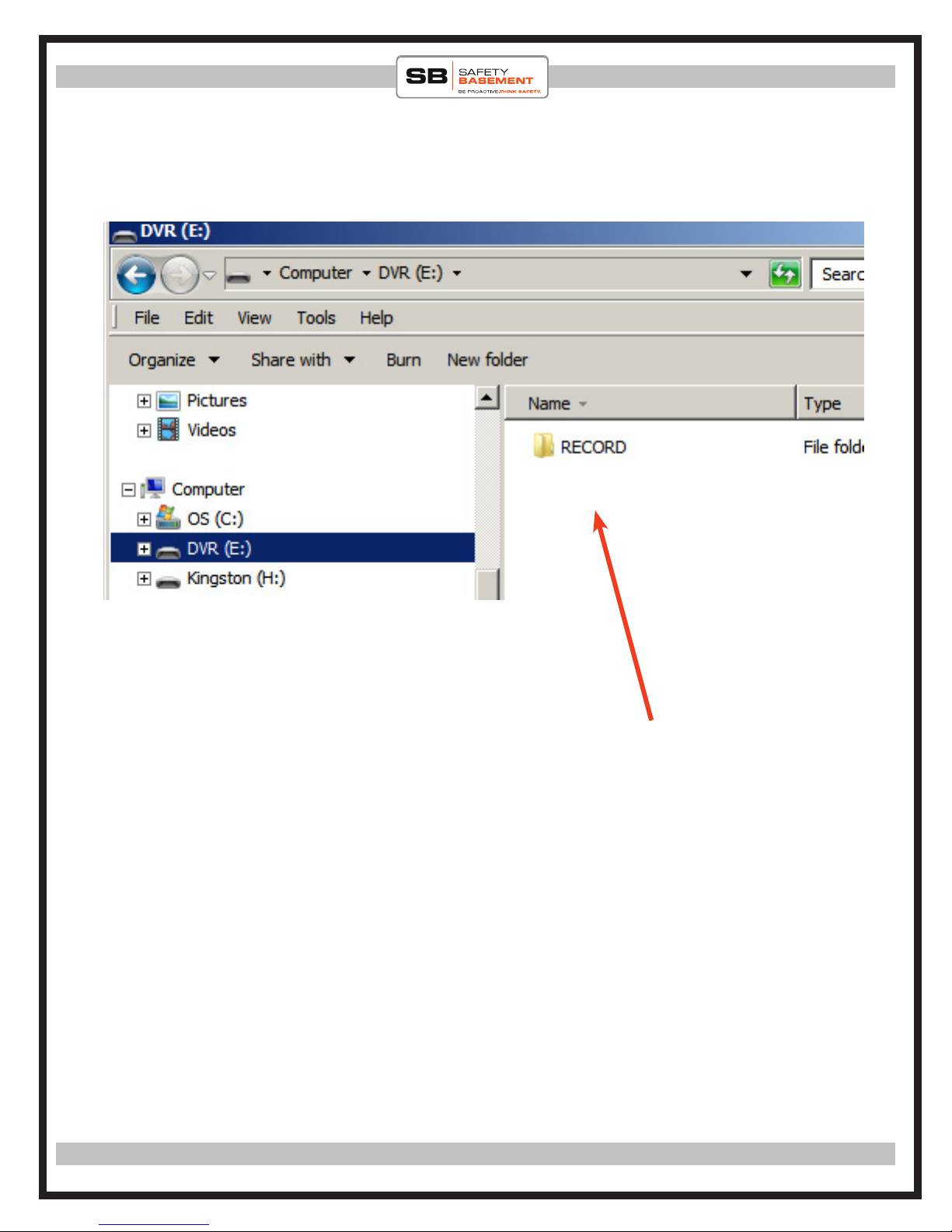
and then there is a folder that is created when you start recording. So
when you rst plug in your headphones to playback, you will start hear-
ing the sample songs on the recorder. To SKIP to the RECORD folder,
press the MINUS sign once. is will jump you into the folder. Once in
the folder you will start hearing your rst recording. While in that fold-
er, you can now use the PLUS + button to skip les within the folder.
If you want to move back to the songs outside the folder, pres the MI-
NUS button again.
is function is useful if you want to split les for whatever reason and
want to play les in a specic folder only.
HINT: If you want to skip all this and want to start hearing just your
recorded les aer you have plugged in your headphones and turned
your device on, we recommend you delete the sample songs from de-
vice! is way you’re not dealing with sections. See diagrams below for
diagrammatic demonstration
MINUS - button
ese are default les in root section. ey will
begin playing rst. To SKIP them and go into
the RECORD folder, press the MINUS button.
en you can press the PLUS button to jump
between les within the folder.
RolyPoly Voice Activated Micro Voice Recorder : SB-VR007