5
OPERATING YOUR NEW APPLIANCE
Beforerstuse,removeandsafelydiscardany
packing material, promotional labels and tape
fromthewaemaker.
1. Wipethewaemakercookingplateswith
a damp sponge or cloth. Dry thoroughly.
2. Placethewaemakeronaat,drysurface.
Ensure there is a minimum distance of 10cm
ofspaceonallsidesofthewaemaker.
Ensure there are no items on top of the
waemaker.
3. Unwind the power cord completely and insert
the power plug into a grounded 220–240V
power outlet.
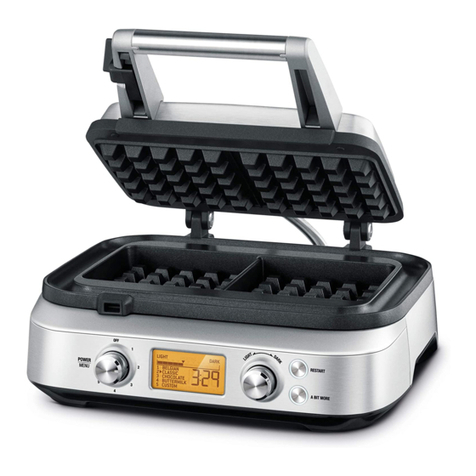
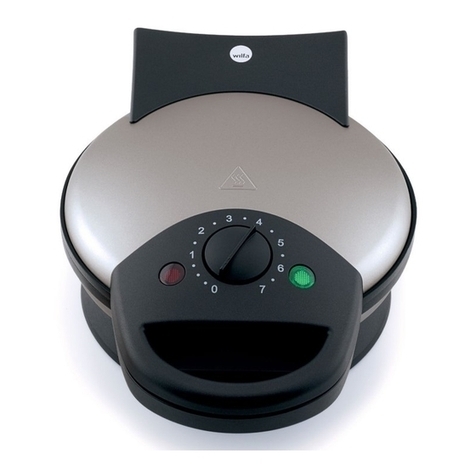
4. Turn the POWER/MENU dial clockwise until
thedialindicatorreachesthedesiredwae
type or choose the CUSTOM setting.
HEATING will be displayed on the LCD.
NOTE
Whenthewalemakeristurnedon
forthersttime,itmayemitvapors.
It is safe and not detrimental to the
performance of the appliance.
5. There are 12 browning settings ranging
from ‘1’ (lightest) to ‘12’ (darkest).The default
browning setting is‘6.’ Use the Light-Dark
browning control dial to adjust the brownness
ofyourwae.Rotateclockwisetoincrease
brownness, or rotate counterclockwise to reduce
thebrownnessforalightercolouredwae.
6. Oncethewaemakerhascompletedthe
preheating cycle, two audible alerts will sound
and the LCD screen will turn orange. Lift the
top plate lid completely into the open position.
When the lid is in the open position, the LCD
will turn blue and close lid to start will appear.
Pourinthebatterevenlyintothewaeplates.
Thebattershouldcoverthepeaksofthewae
plate(approximatelyhalfthewaedosingcup
foreachwae).
7. Close the lid once the batter has been
poured in. Once the lid is closed, the timer will
automatically begin to count down.The LCD
changes to orange to indicate that the cooking
cyclehascommenced.Thewaemakerwill
automatically calculate the correct cooking
time depending on a number of variables.
NOTE
The storage clip should be in it's open
positionwhenthewalemakeriscooking.
8. Three audible alerts will sound at the end
of the cooking cycle, the timer will disappear
and “End” will be shown on the screen.
Openthewaemakerlidandcarefullyremove
yourwaes.Ifyouwillnolongerbecooking
anymorewaes,turntheSelectorDialtothe
OFF position.
NOTE
Do not use metal utensils when removing
thewaesfromthewaemakerasthey
may scratch the non-stick surface.
NOTE
Ifwaesarenotremovedimmediately
after the cooking cycle has completed,
an audible alert will sound every
30 seconds.
9. Ifyouarecookingadditionalwaes,simply
addmorebattertothelowerwaeplateand
follow steps 7 & 8 above. If necessary to reset
the time cycle, press the RESTART button.
A BIT MORE™
Allows you to conveniently and quickly add time
to a cooking cycle. A BIT MORE™can be used
both during the cooking cycle or immediately
afterthecookingcyclehasnished.Inboth
instances, it will add a small amount of time
proportional to the overall cooking time for
thatbatchofwaes.
EN