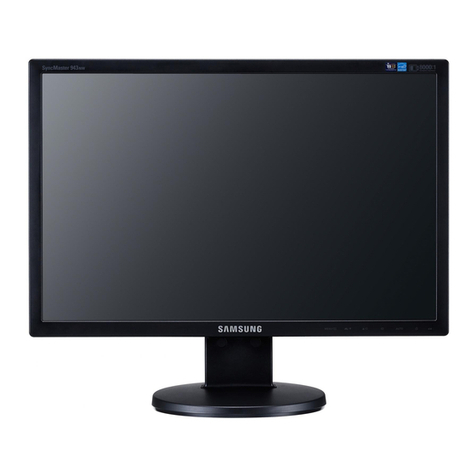
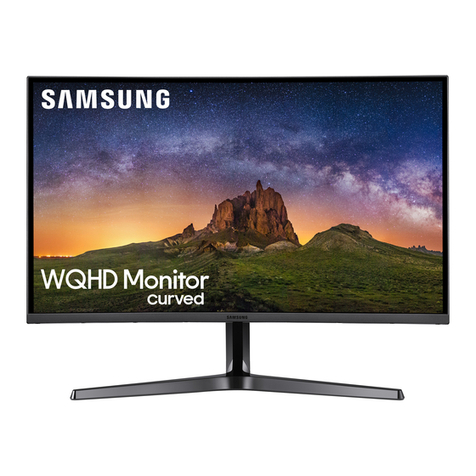
2220WM
2220WM HAS
220WM
920WM
Widescreen LCD Monitors
20.4"
16.4"
©2008 Samsung Electronics America, Inc. Samsung is a registered mark of Samsung Electronics Corp., Ltd.
Specifications and design are subject to change without notice. See www.samsung.com for detailed information.
Printed in USA. WMSeries2/08R2
Product Information: 1-866-542-7214 www.samsungforbusiness.com
Product Support: 1-800-SAMSUNG
Specifications 920WM 220WM 2220WM/2220WM HAS
Display Type a-si TFT/TN a-si TFT/TN a-si TFT/TN
Viewable Size 19" Wide 22" Wide 22" Wide
Native Resolution 1440 x 900 1680 x 1050 1680 x 1050
Pixel Pitch (mm) 0.284 0.282 0.282
Aspect Ratio 16:10 16:10 16:10
Contrast Ratio (Typical) 700:1 700:1 1000:1
Viewing Angle (Horizontal/Vertical) 160°/160° 170°/170° (CR>5) 160°/170° (CR=10)
Response Time 5ms 5ms 5ms
Light Source CCFL CCFL CCFL
Brightness (Typical) 250 cd/m2300 cd/m2300 cd/m2
Panel Surface Matte Matte Matte
Maximum Color Supported 16.7M 16.7M 16.7M
Video Input Signal Analog Analog RGB Analog RGB Analog RGB
Digital DVI DVI with HDCP DVI with HDCP
Frequency (H/V) 30~81kHz (H) / 56~75Hz (V) 30~81kHz (H) / 56~75Hz (V) 30~81kHz (H) / 56~75Hz (V)
Sync H/V Separated, Composite H/V, Sync
on Green
H/V Separated, Composite H/V, Sync
on Green
H/V Separated, Composite H/V, Sync
on Green
Compatibilty PC Windows Vista Premium/Basic
Certification, XP, 2000, 98
Windows Vista Premium/Basic
Certification, XP, 2000, 98
Windows Vista Premium/Basic
Certification, XP, 2000, 98
Mac Mac OS Leopard, X, 9 Mac OS Leopard, X, 9 Mac OS Leopard, X, 9
Input Connectors 15-pin D-sub, DVI-D, 3-pin AC
plug (CEE22)
15-pin D-sub, DVI-D, 3-pin AC
plug (CEE22)
15-pin D-sub, DVI-D, 3-pin AC
plug (CEE22)
Power Voltage AC 100-240 ~ VAC ( ± 10%), 60 /
50 Hz ± 3 Hz
AC 100-240 ~ VAC ( ± 10%), 60 /
50 Hz ± 3 Hz
AC 100-240 ~ VAC ( ± 10%), 60 /
50 Hz ± 3 Hz
Consumption (Max/Standby) 42 watts (max)/<1 watts (DPMS mode) 46 watts (max)/<1 watts (DPMS mode) 46 watts (max)/<1 watts (DPMS mode)
Controls Basic Power, Auto Adjustment, Source,
Brightness up/down, MagicBright 2
presets, OSD Menu
Power, Auto Adjustment, Source,
Brightness up/down, MagicBright 2
presets, OSD Menu
Power, Auto Adjustment, Source,
Brightness up/down, MagicBright 2
presets, OSD Menu
Advanced Picture (Brightness, Contrast, Magic
Bright), Color (MagicColor, Color Tone,
Color Control, Gamma), Image (Coarse,
Fine, Sharpness, H position, V position),
OSD (Language, H position, V position,
Transparency, Display Time), Setup (Auto
Source, Reset)
Picture (Brightness, Contrast, Magic
Bright), Color (MagicColor, Color Tone,
Color Control, Gamma), Image (Coarse,
Fine, Sharpness, H position, V position),
OSD (Language, H position, V position,
Transparency, Display Time), Setup
(Auto Source, Reset)
Picture (Brightness, Contrast, Magic
Bright), Color (MagicColor, Color Tone,
Color Control, Gamma), Image (Coarse,
Fine, Sharpness, H position, V position),
OSD (Language, H position, V position,
Transparency, Display Time), Setup
(Auto Source, Reset)
Features Plug & Play DDC 2B/DDC-CI DDC 2B/DDC-CI DDC 2B/DDC-CI
Stand Tilt Tilt 2220WM: Tilt
2220WM HAS: Height Adjustable
(70mm), Tilt
Wall Mount (VESA) 75mm 100mm 100mm
Cabinet Color Black High-gloss Black High-gloss Black
Special Features Built-In Speakers 1W x 2 2W x 2 2W x 2
Magic Technologies MagicColor (Full and Intelligent Mode) nnn
MagicBright 2 (Custom, Text,
Internet, Game, Sport, Movie)
nnn
MagicTune (On-Screen Asset
Management)
nnn
MagicStand HAS (Height
Adjustable, Swivel, Tilt, Pivot)
N/A N/A 2220WM: N/A
2220WM HAS: n
MagicRotation (Image Rotation
With Software)
N/A N/A N/A
Operating Conditions Temperature 10°C ~ 40°C 10°C ~ 40°C 10°C ~ 40°C
Humidity 10% ~ 80%, non-condensing 10% ~ 80%, non-condensing 10% ~ 80%, non-condensing
Dimensions and
Weight
Product Dimension (With Stand,
W x H x D)
17.9" x 14.5" x 3.5" 20.4" x 16.4" x 3.4" 20.4" x 16.4" x 3.4"
Product Dimension (Without
Stand, W x H x D)
17.9" x 12.5" x 2.4" 20.4" x 14.3" x 2.4" 20.4" x 14.3" x 2.4"
Shipping Carton Dimension
(W x H x D)
21.8" x 16.5" x 5.7" 23.8" x 19.9" x 5.8" 23.8" x 19.9" x 5.8"
Product Weight Product Weight (With Stand) 9.5 lbs. 11.2 lbs. 11.2 lbs.
Shipping Weight 12.3 lbs. 13.9 lbs. 13.9 lbs.
Environmental Emission Standard EMC, TCO 99 EMC EMC
RoHS Compliant N/A N/A N/A
Energy Star Compliant nnn
Product Recyclability CCFL panel contains mercury, please
dispose of properly
CCFL panel contains mercury, please
dispose of properly
CCFL panel contains mercury, please
dispose of properly
Packaging Recyclability All packing materials are recyclable All packing materials are recyclable All packing materials are recyclable
Package Contents Monitor, Power Cable, 15-pin D-sub
Cable, DVI-D Cable, Manuals, Driver CD
Monitor, Power Cable, 15-pin D-sub
Cable, DVI-D Cable, Manuals, Driver CD
Monitor, Power Cable, 15-pin D-sub
Cable, DVI-D Cable, Manuals, Driver CD
Warranty 3 years parts and labor 3 years parts and labor 3 years parts and labor
Features
Widescreen Format
Spread out on your desktop with the
wide 16:10 aspect ratio. See everything
clearly with up to 1680 x 1050 resolution.
Built-in Multimedia Speakers
Follow along on WebEx teleconferences
without having to buy speakers
separately. You can hear audio tracks on
corporate videos. And you can hear it all
with or without headphones.
MagicSpeed™5 ms Response
Fast pixel response means fast
action with virtually no blurring
or ghosting.
MagicBright 2™
Work is made easier with
rich, natural color and easily
selectable brightness modes that include
Text, Internet, Game, Sports and Movies.
Microsoft Windows Vista Certification
Premium certification is reserved
only for products proven to take
full advantage of everything the
Microsoft Windows Vista operating
system offers.
Wall-Mountable
Whether it’s on your desk or hanging on
your wall, they’ll make you look good.
2220WM Dimensions