manuals.online logo
Brands
  1. Home
  2. •
  3. Brands
  4. •
  5. Samsung
  6. •
  7. VCR System
  8. •
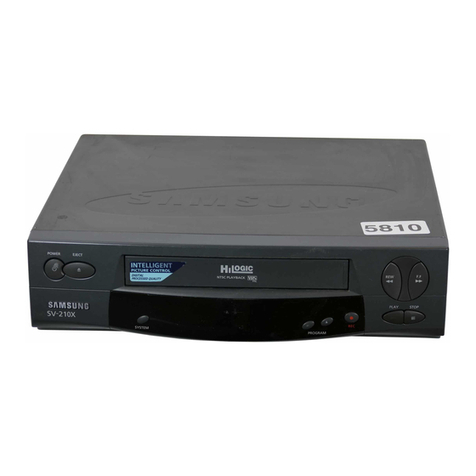
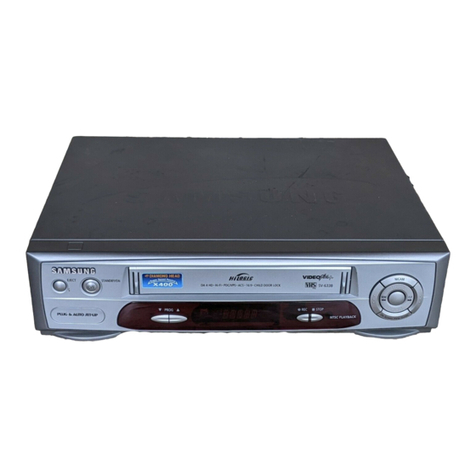
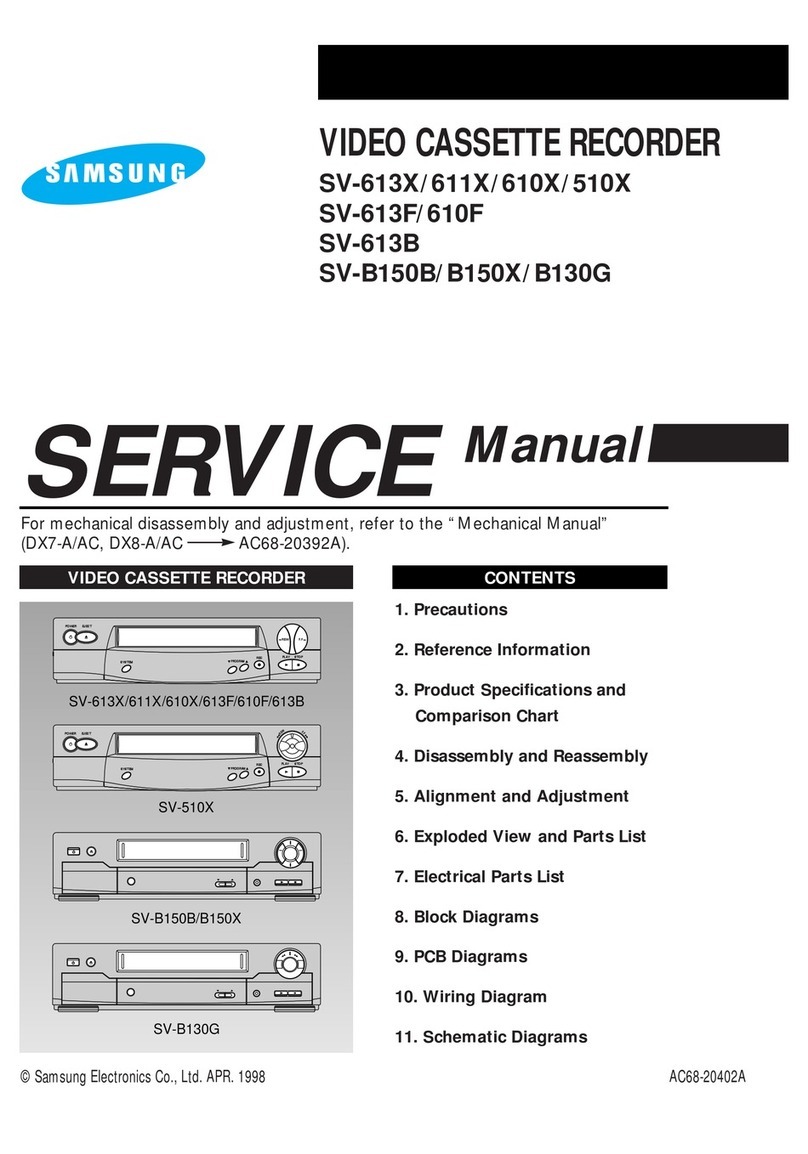
  9. Samsung SVR-433 User manual

Samsung SVR-433 User manual

Other manuals for SVR-433

1

This manual suits for next models

5

Other Samsung VCR System manuals

Samsung SV-647B/XEU User manual

Samsung

Samsung SV-647B/XEU User manual

Samsung SV-5L User manual

Samsung

Samsung SV-5L User manual

Samsung SV-5000 User manual

Samsung

Samsung SV-5000 User manual

Samsung SV-3000DS User manual

Samsung

Samsung SV-3000DS User manual

Samsung SV-2303X User manual

Samsung

Samsung SV-2303X User manual

Samsung SV-200B User manual

Samsung

Samsung SV-200B User manual

Samsung SV-150GS User manual

Samsung

Samsung SV-150GS User manual

Samsung SV-647F User manual

Samsung

Samsung SV-647F User manual

Samsung SV-232B User manual

Samsung

Samsung SV-232B User manual

Samsung SVR-24JP User manual

Samsung

Samsung SVR-24JP User manual

Samsung VR5160 User manual

Samsung

Samsung VR5160 User manual

Samsung VR9180 User manual

Samsung

Samsung VR9180 User manual

Samsung SVR-639 User manual

Samsung

Samsung SVR-639 User manual
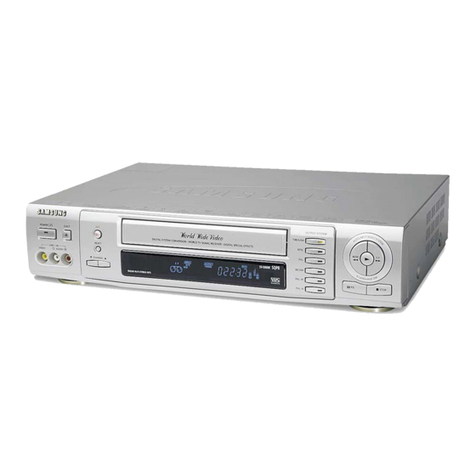
Samsung SV-C120UM User manual

Samsung

Samsung SV-C120UM User manual

Samsung SV-G600 User manual

Samsung

Samsung SV-G600 User manual

Samsung VR9260 User manual

Samsung

Samsung VR9260 User manual

Samsung SV-640X User manual

Samsung

Samsung SV-640X User manual

Samsung SVR-77H Administrator Guide

Samsung

Samsung SVR-77H Administrator Guide

Samsung SV-7000W User manual

Samsung

Samsung SV-7000W User manual

Samsung TB531VCT1X/XSA User manual

Samsung

Samsung TB531VCT1X/XSA User manual

Samsung SV-7000W User manual

Samsung

Samsung SV-7000W User manual

Samsung SV-271F User manual

Samsung

Samsung SV-271F User manual

Samsung CXJ1964BX/XAA User manual

Samsung

Samsung CXJ1964BX/XAA User manual

Samsung SV-H620K User manual

Samsung

Samsung SV-H620K User manual
Popular VCR System manuals by other brands

RCA VR678HF user guide

RCA

RCA VR678HF user guide

Zenith VRL4270HF Operating guide & warranty

Zenith

Zenith VRL4270HF Operating guide & warranty

Akai VS-606EA Operator's manual

Akai

Akai VS-606EA Operator's manual

Panasonic NV-SJ412EE operating instructions

Panasonic

Panasonic NV-SJ412EE operating instructions

FUNAI 27C-450 Service manual

FUNAI

FUNAI 27C-450 Service manual

Sanyo VHR-M262EV Service manual

Sanyo

Sanyo VHR-M262EV Service manual

Sony SLV-X37 operating instructions

Sony

Sony SLV-X37 operating instructions

JVC SR-VS20U - Dual Format S-vhs/minidv Recorder instructions

JVC

JVC SR-VS20U - Dual Format S-vhs/minidv Recorder instructions

Grundig GV 7400 EURO Service manual

Grundig

Grundig GV 7400 EURO Service manual

Zenith VCM321 Installation and operating guide

Zenith

Zenith VCM321 Installation and operating guide

JVC HR-A43U, HR-A63U instructions

JVC

JVC HR-A43U, HR-A63U instructions

Aiwa VX-S135U operating instructions

Aiwa

Aiwa VX-S135U operating instructions

RCA VR725HF user guide

RCA

RCA VR725HF user guide

JVC 0703-AH-PJ-BJ instruction manual

JVC

JVC 0703-AH-PJ-BJ instruction manual

TruTech ZV450TT8 owner's manual

TruTech

TruTech ZV450TT8 owner's manual

JVC HR-DVS1EK instructions

JVC

JVC HR-DVS1EK instructions

Sensory Science DDV2120 user guide

Sensory Science

Sensory Science DDV2120 user guide

JVC HR-VP78U instructions

JVC

JVC HR-VP78U instructions

manuals.online logo
manuals.online logoBrands
  • About & Mission
  • Contact us
  • Privacy Policy
  • Terms and Conditions

Copyright 2025 Manuals.Online. All Rights Reserved.

ELECTRONICS
©
Sarrsung
Hectronics
Co.,
Ltd.
APR.
2000
Printed
in
Korea
/AAC68-00806A,
TWANVWIW
JDIANSS
TET/TOEZ/
MOEZ/
BOEZ/EEZ/EED-UAS
SERVICE
Manual
For
rrecharical
disassembly
and
adjustrrent,
refer
to
the
“Mechanical
Manual”
(DX-9R—>
AC68-00001A).
LP
ti
2.
Alignmrert
and
Ac§ustrert
3.
Exploded
View
and
Parts
List
4.
Bectical
Parts
List
5
Schematic
Diagrams
)
IMPORTANT
SERVICEGUIDE
>}
MODE
SWITCH
(PROGRAM
SWITCH)
ASSEMBLY
POINT
1)
When
installing
the
ass’y
full
deck
on
the
M
ain
PCB,
be
sure
to
align
the
assembly
point
of
mode
switch.
Fig.
1
HOW
TO
EJ
ECT
THE
CASSETTE
TAPE
(If
the
unit
does
not
operate
on
condition
that
tape
is
inserted
into
housing
ass’y)
1)
Remove
the
Holder
Worm
@
and
the
gear
worm
@.
(See
Fig.
2)
2)
Turn
the
Gear
Worm
Wheel
@
counterclockwise
in
the
direction
of
arrow
with
screw
driver.
(See
Fig.
2)
3)
When
Slider
S,
T
are
approached
in
the
position
of
unloading,
rotate
holder
Clutch
counterclockwise
after
inserting
screw
driver
in
the
hole
of
frame's
bottom
in
order
to
wind
the
unwounded
tape.
(Refer
to
Fig.
3)
(If
you
rotate
Gear
W
orm
Wheel
continuously
when
tape
is
in
state
of
unwinding,
you
may
cause
a
tape
contamination
by
grease
and
tape
damage.
Be
sure
to
wind
the
unwounded
tape
in
the
state
of
set
horizontally.)
4)
Rotate
Gear
Worm
Wheel
@
counterclockwise
using
screw
driver
again
up
to
the
state
of
eject
mode
and
then
pick
out
the
tape.
(Refer
to
Fig.
2)
©
GEAR
WORM
WHEEL
SCREW
DRIVER
iao—
HOLDER
WORM
Fig.
2
Fig.
3
1,
Precautions
1.
Be
sure
that
all
of
the
built-in
protective
devices
are
replaced.
Restore
any
missing
protective
shields.
2.
When
reinstalling
the
chassis
and
its
assemblies,
be
sure
to
restore
all
protective
devices,
including
:
control
knobs
and
compartment
covers.
3.
Make
sure
that
there
are
no
cabinet
openings
through
which
people--particularly
children
--might
insert
fingers
and
contact
dangerous
voltages.
Such
openings
include
the
spacing
between
the
picture
tube
and
the
cabinet
mask,
excessively
wide
cabinet
ventilation
slots,
and
improperly
fitted
back
covers.
If
the
measured
resistance
is
less
than
1.0
megohm
or
greater
than
5.2
megohms,
an
abnormality
exists
that
must
be
corrected
before
the
unit
is
returned
to
the
customer.
4.
Leakage
Current
Hot
Check
(See
Fig.
1-1)
:
Warning
:
Do
not
use
an
isolation
transformer
during
this
test.
Use
a
leakage
current
tester
or
a
metering
system
that
complies
with
American
National
Standards
Institute
(ANSI
C101.1,
Leakage
Current
for
Appliances),
and
Underwriters
Laboratories
(UL
Publication
UL1410,
59.7).
5.
With
the
unit
completely
reassembled,
plug
the
AC
line
cord
directly
the
power
outlet.
With
the
unit’s
AC
switch
first
in
the
ON
position
and
then
OFF,
measure
the
current
between
a
known
earth
ground
(metal
water
pipe,
conduit,
etc.)
and
all
exposed
metal
parts,
including
:
antennas,
handle
brackets,
metal
cabinets,
screwheads
and
control
shafts.
The
current
measured
should
not
exceed
0.5
milliamp.
Reverse
the
power-plug
prongs
in
the
AC
outlet
and
repeat
the
test.
6.
X-ray
Limits
:
The
picture
tube
is
designed
to
prohibit
X-ray
emissions.
To
ensure
continued
X-ray
protection,
replace
the
picture
tube
only
with
one
that
is
the
same
type
as
the
original.
Samsung
Electronics
(READING
SHOULD
NOT
BE
ABOVE
0.5mA)
DEVICE
UNDER
TEST
[LU
TEST
ALL
EXPOSED
METER
SURFACES
2-W
IRE
CORD
ALSO
TEST
WITH
PLUG
REVERSED
+
aROuG
(USING
AC
ADAPTER
ies
PLUG
AS
REQUIRED)
Fig.
1-1
AC
Leakage
Test
7.
Antenna
Cold
Check
:
With
the
unit’s
AC
plug
disconnected
from
the
AC
source,
connect
an
electrical
jumper
across
the
two
AC
prongs.
Connect
one
lead
of
the
ohmmeter
to
an
AC
prong.
Connect
the
other
lead
to
the
coaxial
connector.
8.
High
Voltage
Limit
:
High
voltage
must
be
measured
each
time
servicing
is
done
on
the
B+,
horizontal
deflection
or
high
voltage
circuits.
Heed
the
high
voltage
limits.
These
include
the
X-ray
protection
Specifications
Label,
and
the
Product
Safety
and
X-ray
Warning
Note
on
the
service
data
schematic.
9.
Some
semiconductor
(“solid
state”)
devices
are
easily
damaged
by
static
electricity.
Such
components
are
called
Electrostatically
Sensitive
Devices
(ESDs);
examples
include
integrated
circuits
and
some
field-effect
transistors.
The
following
techniques
will
reduce
the
occurrence
of
component
damage
caused
by
static
electricity.
10.
Immediately
before
handling
any
semiconductor
components
or
assemblies,
drain
the
electrostatic
charge
from
your
body
by
touching
a
known
earth
ground.
Alternatively,
wear
a
discharging
Wrist-strap
device.
(Be
sure
to
remove
it
prior
to
applying
power--this
is
an
electric
shock
precaution.)
1-1
Precautions
11.
High
voltage
is
maintained
within
specified
limits
by
close-tolerance,
safety-related
components
and
adjustments.
If
the
high
voltage
exceeds
the
specified
limits,
check
each
of
the
special
components.
12.
Design
Alteration
Warning
:
Never
alter
or
add
to
the
mechanical
or
electrical
design
of
this
unit.
Example
:
Do
not
add
auxiliary
audio
or
video
connectors.
Such
alterations
might
create
a
safety
hazard.
Also,
any
design
changes
or
additions
will
void
the
manufacturer’s
warranty.
13.
Hot
Chassis
Warning
:
Some
TV
receiver
chassis
are
electrically
connected
directly
to
one
conductor
of
the
AC
power
cord.
If
an
isolation
transformer
is
not
used,
these
units
may
be
safely
serviced
only
if
the
AC
power
plug
is
inserted
so
that
the
chassis
is
connected
to
the
ground
side
of
the
AC
source.
To
confirm
that
the
AC
power
plug
is
inserted
correctly,
do
the
following
:
Using
an
AC
voltmeter,
measure
the
voltage
between
the
chassis
and
a
known
earth
ground.
If
the
reading
is
greater
than
1.0V,
remove
the
AC
power
plug,
reverse
its
polarity
and
reinsert.
Re-measure
the
voltage
between
the
chassis
and
ground.
14.
Some
TV
chassis
are
designed
to
operate
with
85
volts
AC
between
chassis
and
ground,
regardless
of
the
AC
plug
polarity.
These
units
can
be
safely
serviced
only
if
an
isolation
transformer
inserted
between
the
receiver
and
the
power
source.
15.
Never
defeat
any
of
the
B+
voltage
interlocks.
Do
not
apply
AC
power
to
the
unit
(or
any
of
its
assemblies)
unless
all
solid-state
heat
sinks
are
correctly
installed.
16.
Always
connect
a
test
instrument’s
ground
lead
to
the
instrument
chassis
ground
before
connecting
the
positive
lead;
always
remove
the
instrument's
ground
lead
last.
17.
Observe
the
original
lead
dress,
especially
near
1-2
the
following
areas
:
Antenna
wiring,
sharp
edges,
and
especially
the
AC
and
high
voltage
power
supplies.
Always
inspect
for
pinched,
out-
of-place,
or
frayed
wiring.
Do
not
change
the
spacing
between
components
and
the
printed
circuit
board.
Check
the
AC
power
cord
for
damage.
Make
sure
that
leads
and
components
do
not
touch
thermally
hot
parts.
18.
Picture
Tube
Implosion
Warning
:
The
picture
tube
in
this
receiver
employs
“integral
implosion”
protection.
To
ensure
continued
implosion
protection,
make
sure
that
the
replacement
picture
tube
is
the
same
as
the
original.
19.
Do
not
remove,
install
or
handle
the
picture
tube
without
first
putting
on
shatterproof
goggles
equipped
with
side
shields.
Never
handle
the
picture
tube
by
its
neck.
Some
“in-line”
picture
tubes
are
equipped
with
a
permanently
attached
deflection
yoke;
do
not
try
to
remove
such
“permanently
attached”
yokes
from
the
picture
tube.
20.
Product
Safety
Notice
:
Some
electrical
and
mechanical
parts
have
special
safety-related
characteristics
which
might
not
be
obvious
from
visual
inspection.
These
safety
features
and
the
protection
they
give
might
be
lost
if
the
replacement
component
differs
from
the
original--even
if
the
replacement
is
rated
for
higher
voltage,
wattage,
etc.
Components
that
are
critical
for
safety
are
indicated
in
the
circuit
diagram
by
shading,
(A\
or
A\).
Use
replacement
components
that
have
the
same
ratings,
especially
for
flame
resistance
and
dielectric
strength
specifications.
A
replacement
part
that
does
not
have
the
same
safety
characteristics
as
the
original
might
create
shock,
fire
or
other
hazards.
Samsung
Electronics
2.
Alignment
and
Adjustment
2-1
Reference
1)
X-Point
(Tracking
center)
adjustment,
“Head
switching
adjustment”
and
“NVRAM
option
setting”
can
be
adjusted
with
remote
control.
2)
When
replacing
the
M
icom
(IC601)
and
NVRAM
(IC605
;
EEPROM
)
be
sure
to
adjust
the
“Head
switching
adjustment”
and
“NVRAM
option
setting”.
3)
When
replacing
the
cylinder
ass’y,
be
sure
to
adjust
the
“X-Point”
and
“Head
switching
adjustment”.
4)
Among
Samsung
VCR
remote
control
used
for
adjustment
as
a
accessory,
only
the
remote
control
that
has
figures
buttons
(0
~9)
is
available
for
all
adjustment
regardless
of
chassis.
5)
How
to
adjustment.
-
Press
the
“SW718
(TEST)”
button
on
Main
PCB
to
set
the
adjustment
mode.
-
If
the
corresponding
adjustment
button
is
pressed,
the
adjustment
is
performed
automatically.
-
If
the
adjustment
is
completed,
be
sure
to
turn
the
power
off.
2-1-1
Location
of
adjustment
button
of
remote
control
EJECT
1®
@SHUTTLE@
X-Point
(Tracking
Center)
Adjustment
("5"
Button)
9
G
U
D0
NVRAM
Option
Setting
("M
ENU"
Button)
Head
Switching
Adjustment
("SPEED"
Button)
STANDBY/ON
DISPLAY
CNT.RESET
SPEED
<This
type
of
remote
control
can
adjust.>
<This
type
of
remote
control
can
not
adjust.>
Remote
Control
for
adjustment
is
not
supplied
as a
Service
J
ig.
Fig.
2-1
Samsung
Electronics
2-1
Alignment
and
Adjustment
2-1-2
SW718
(TEST)
location
for
adjustment
mode
setting
Eas
heey
at
I.
i
‘DD
heat
Desc
‘Das
one
=
«
4,
rama
:
*°
bib
)
aS
O16:
|
oe
»Oin
Wir
(4:))
SS
ao
peas
HDD
3
baec
st
A
2-2
Fig.
2-2
M
ain
PCB
(Top
View)
Samsung
Electronics
2-2
Mechanical
Adjustment
Alignment
and
Adjustment
Note
:
Refer
to
the
Mechanical
Manual
“DX-9R
(AC68-00001A)”
for
the
adjustment
and
confirmation
of
ass’y
full
deck.
2-2-1
The
number
and
position
of
test
point
Test
point:
TP601
(Control
Pulse)
TP602
(H’D
S/W
-Trigger)
TP301
(Envelope)
TP302
(Audio
output)
TP303
(Video
output)
L
AUDIO
OUTPUT
o
TP602
HO
SW
=a
1P302
A-OUT
|
TP301
aw
ENVELOPE
a
—
[|
HEAD
SWITCHING
Fig.
2-3
Location
of
Test
point
(M
ain
PCB-Top
View)
2-2-2
ACE
Head
Position
(X-Point)
Adjustment
(See
the
2-2-1(d)
ACE
Head
Position
(X-Point)
Adjustment
on
page
2-2
of
the
Mechanical
Manual)
1)
Playback
the
alignment
tape
(Color
bar).
2)
Press
the
“SW718
(TEST)”
button
on
Main
PCB
to
set
the
adjustment
mode.
(See
Fig.
2-2)
3)
Press
the
“5”
button
of
remote
control
then
adjustment
is
operated
automatically.
(See
Fig.
2-1)
Samsung
Electronics
4)
Connect
the
CH-1
probe
to
TP301
(Envelope)
the
CH-2
probe
to
TP602
(H’D
switching
pulse)
and
then
trigger
to
CH-1.
5)
Insert
the
(-)
driver
into
the
X-Point
adjustment
hole
and
adjust
it
so
that
envelope
waveform
is
maximum.
6)
Turn
the
Power
off.
2-3
Alignment
and
Adjustment
2-3
Head
Switching
Point
Adjustment
1)
Playback
the
alignment
tape.
2)
Press
the
“SW718
(TEST)”
button
on
Main
PCB
to
set
the
adjustment
mode.
(See
Fig.
2-2)
3)
Press
the
“SPEED”
button
of
remote
control
then
adjustment
is
operated
automatically.
(See
Fig.
2-1)
4)
Turn
the
Power
off.
2-4
NVRAM
Option
Setting
1)
NVRAM
Option
is
adjusted
at
production
line
basically.
2)
In
case
Micom
(IC601)
and
NVRAM
(IC605
;
EEPROM)
is
replaced,
be
sure
to
set
the
corresponding
option
number
of
the
repaired
model.
(If
the
option
is
not
set,
the
unit
is
not
operated.)
1)
Press
the
“SW718
(TEST)”
button
on
Main
PCB
to
set
the
adjustment
mode.
(See
Fig.
2-2)
2)
Press
the
“MENU”
button
on
the
remote
control
about
5
seconds
then
option
setting
display
is
appeared.
(See
Fig.
2-4
and
2-5)
3)
Select
the
option
number
(See
Table
2-1
;
Page
2-5)
of
corresponding
model
with
“FF”
and
“REW”
button
on
the
remote
control.
4)
If
selecting
the
option
number
is
completed,
press
the
“PLAY”
button
of
remote
control.
(If
“PLAY”
button
is
pressed,
the
selected
number
is
changes
reversed
color.
;
See
Fig.
2-4
and
2-5)
5)
Press
the
“OK
(VCR)”,
“MENU
(VCP)”
button
of
remote
control
again
to
store
the
option
number.
(“PLEASE
WAIT”
is
displayed
for
a
second
as
shown
Fig.
2-6,
2-7
and
this
setting
is
completed.)
6)
Turn
the
Power
off.
[>
OPTION
DIODE
x
x
*
OPTION
DIODEX*
_
|
>01
WA 03
04
[06
07 08
01
[A
03
04
GB
06
07 08
09
10
11 12
13
14
15
16
09
10
11 12
13
14
15
16
yee
1G)
00)
i
pe
a
2
17
18 19
20
21
22
23
24
25
26
27
28 29
30 31
32
25
26
27
28 29
30 31
32
33 34
35
36
37 38 39
40
33
34
35
36 37 38
39 40
41
42
43
44
45
46
47
48
41
42
43
44
45
46
47
48
49
50
51 52
53
54
55
56
49
50
51 52
53
54
55
56
|
<>¥
CNG:
a
SAVE:
OK
|
4b
¥
CNG:
4
SAVE:
CEM,
Fig.
2-4
(VCR)
Fig.
2-5
(VCP)
|
[xk
OPTION
DIODE
x
x
i
XX
OPTION
DIODEKk
|
|
01>
03
04
[A
06
07 08
01>
03
04
[I
06
07 08
09
10
11 12
13
14
15
16
09
10
11 12
13
14
15
16
eer
Ge
ly
Mle
17
18 19
20
21
22
23
24
25
26
27
28 29
30
31
32
25
26
27
28 29
30
31
32
33
34
35
36
37 38 39
40
33
34
35
36
37 38 39
40
1
2
43
44
45
46
47
M8
41
42
43
44
45
46
47
48
49
50
51
54
55
49
50.5
54
55
56
<—
PLEASE
WAIT
>
PLEASE
WAIT
>
|
<>
CNG:
SAVE:
|
(<<
CNG:
a
SAVE:
[EM
Fig.
2-6
(VCR)
Fig.
2-7
(VCP)
2-4
Samsung
Electronics
Alignment
and
Adjustment
<Table
2-1>
COUNTRY
M
ODELS
OPTION
NUMBER
RUSSIA
SVR-433
6, 8,
11,
12,
17,
18,
22,
25,
30,
31,
32, 35,
41,
42,
45,
50,
54
SVR-233
6, 8,
11,
17,
18,
22,
25,
30, 31,
32,
34,
41,
42,
45,
50,
54
SVR-230B
8,11,
17,
18,
22, 25, 30,
31, 32,
34, 37,
38,
41,
42,
50,
54
SVR-230W
8,11,
17,
18,
22, 25, 30,
31, 32,
34,
37, 38,
41,
42,
50,
54
SVR-2301
8,
11,
17,
18,
22, 25, 30,
31, 32,
34,
37, 38,
42, 50,
54
SVR-131
8, 9,
10,
11, 17,
18,
22,
30, 31,
32,
34, 39,
42,
45
Samsung
Electronics
2-5
Alignment
and
Adjustment
MEMO
2-6
Samsung
Electronics