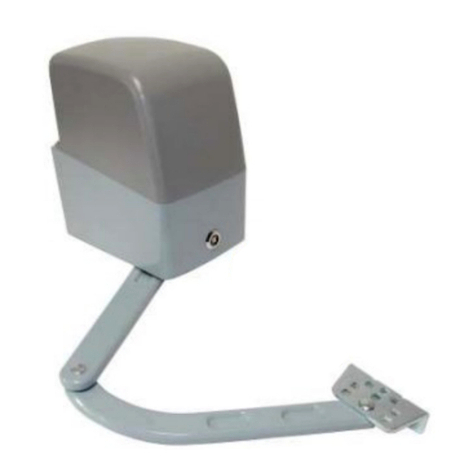
Sentex SW2200 User manual

Doc 01-G0181
Rev A
Installation Instructions
Swing Gate Operator
Model SW2200

2Contents
Doc 01-G0181
Rev A
Contents
Safety Information______________________________________________ 3
Definitions _____________________________________________________________ 3
Important Safety Information _______________________________________________ 3
Classifications___________________________________________________________ 5
Specifications__________________________________________________ 6
Mechanical _____________________________________________________________ 6
Electrical_______________________________________________________________ 6
Site Preparation _______________________________________________ 10
Pad Mounting __________________________________________________________ 10
Installation___________________________________________________ 11
Mechanical ____________________________________________________________ 11
Electrical______________________________________________________________ 13
Basic Setup and Device Connections ______________________________ 14
Setup ______________________________________________________________ 14
Device Connections _____________________________________________________ 16
Operator Programming Menu (LCD Screen)________________________ 17
Definitions and Options __________________________________________________ 17
Troubleshooting_______________________________________________ 19
Diagnostic Screen_______________________________________________________ 19
Entrapment Adjustment __________________________________________________ 20
No Position or Speed ____________________________________________________ 20
Replacement Parts Assembled____________________________________ 21
Parts List______________________________________________________________ 22
Maintenance _________________________________________________ 23
Cold Weather Operation__________________________________________________ 23
Appendix ____________________________________________________ 24
Wire Sizes and Distances _________________________________________________ 24
Non-Standard Installation_________________________________________________ 24

Safety Information 3
Doc 01-G0181
Rev A
Safety Information
Definitions
ENTRAPMENT
The condition when an object is
caught or held in a position that
increases the risk
of injury.
CAUTION
Indicates a potentially hazardous situation
which, if not avoided, may result in minor
or moderate injury. It may also be used to
alert against unsafe practices.
DANGER
Indicates an imminently hazardous
situation which, if not avoided, will
result in death or serious injury.
This signal word is to be limited to
the most extreme situations.
WARNING
Indicates a potentially hazardous
situation which, if not avoided,
could result in death or serious
injury.
NOTE
DANGER or WARNING should not
be considered for property damage
accidents unless personal injury risk
is appropriate to these levels is also
involved.
CAUTION is only permitted for
property damage accidents.
PASSPOINT
A reference point to set/find open/close
limits. When gate reaches passpoint, PP
LED blinks.
Important Safety Information
WARNING
Read and follow all instructions.
TO REDUCE THE RISK OF INJURY OR DEATH . . .
Never let children operate or play with gate controls. Keep the remote
control away from children.
Always keep people and objects away from the gate. No one should cross
the path of the moving gate.
Test the gate operator monthly. The gate must reverse when any safety
device is activated. After adjusting or setting limits of an operator, retest the
gate operator. Failure to adjust and retest the gate operator properly
can increase the risk of injury or death.
Use the emergency release only when the gate is not moving.
Keep gates properly maintained. Read the owner’s manual. Have a
qualified service technician make repairs to gate hardware.
The entrance is for vehicles only. Pedestrians must use separate entrance.
Save these instructions!

4Safety Information
Doc 01-G0181
Rev A
INSTALL THE GATE OPERATOR ONLY IF . . .
The operator is appropriate for the construction of the gate and the usage
class of the gate.
All openings are guarded or screened to prevent access by arms or legs
through openings anywhere in the gate.
All exposed pinch points are eliminated or guarded.
The operator is intended only for installation on gates used for vehicles.
Pedestrians must be provided with a separate access opening.
NOTES: The gate must be installed in a location so that sufficient
clearance is provided between the gate and adjacent structures when
opening and closing to reduce the risk of entrapment. Swinging gates
should not open into public access areas.
The gate must be properly installed and work feely in both directions prior
to the installation of the gate operator.
NON-CONTACT SENSORS (E.G., PHOTOCELL)
Read the following for gate operators utilizing non-contact sensors:
See instructions on the placement of non-contact sensors for each type of
application.
Exercise care to reduce the likelihood of nuisance tripping.
To prevent gate entrapment, install non-contact sensors on both sides of
the gate to cover the gate perimeter during closing and opening.
LOOP VEHICLE DETECTORS
Read the following for gate operators utilizing loop vehicle detectors:
WARNING
Loop Detectors do not provide protection for people! Loops should
only be used for vehicular control.
Follow manufacturers instructions for loop installation.
Gates can be made of metal and will therefore react with the loop system,
creating false tripping. Please note loop manufacturer’s recommendations
for minimum gate clearance.
Loop sense wiring must be secure within its ground track. Loose wiring will
cause false triggering. Leader wires from the loop track to the detector
must be wrapped 5 times per foot minimum to prevent false tripping.

Safety Information 5
Doc 01-G0181
Rev A
Classifications
CLASS I
Residential Vehicular Gate Operator
A vehicular gate operator (or system) intended for use in a home or one-to-four
single family dwelling, or a garage or parking area associated therewith. Required
additional equipment—Type B1 non-contact sensor.
CLASS II
Commercial/General Access Vehicular Gate Operator
A vehicular gate operator (or system) intended for use in a commercial location or
building such as a multi-family housing unit (five or more single family units) hotel,
garages, retail store, or other building servicing the general public. Required
additional equipment—Type B1 non-contact sensor, or Type E—an audio alarm.
CLASS III
Industrial/Limited Access Vehicular Gate Operator
A vehicular gate operator (or system) intended for use in an industrial location or
building such as a factory or loading dock area, or other locations not intended to
service the general public.
CLASS IV
Restricted Access Vehicular Gate Operator
A vehicular gate operator (or system) intended for use in a guarded industrial
location or building such as an airport security area or other restricted access
locations not servicing the general public, in which unauthorized access is
prevented via supervision by security personnel.

6Specifications
Doc 01-G0181
Rev A
Specifications
Mechanical
GENERAL SPECIFICATIONS
Overall Size Weight
19”L x 23”W x 31”H 190 Pounds
Table 1
GENERAL CONSTRUCTION
Electroplated, welded steel frame with
a dual gearbox reduction of 600:1 and
an ultimate strength of 2,000 foot
pound. The cover is UV durable
plastic.
GATE CAPACITY
This operator is designed for maximum
size gates. In general, the operator may
work with any gate below 1000 pounds
and 22 feet, with low wind resistance,
sturdy construction, and good hinges.
Electrical
Always use a qualified electrician and follow your local construction codes when
connecting power. General guidelines are:
Line voltage required is 115 VAC
(10% [103-127]) single phase. Wire size, accessory power (18-gauge
recommended).
Line amperage Required 15 Amps
Max. Device controls - any insulated wire can
be used (18-24 gauge recommended).
Wire size, operator power – see
Wire Sizes and Distances on
page 24.
NOTE: The operator is permanently
wired; it does not use a grounding plug.
ELECTRICAL BOX
See Figure 1. Stamped aluminum housing for the processor, motor VFD drive, and
front panel PCB's. For factory repair, the complete panel can be quickly removed
and replaced.
CAUTION
Do not repair or open box!
There is a potential shock
hazard from the High Voltage
capacitor! Danger exists even
when power is disconnected!

Specifications 7
Doc 01-G0181
Rev A
Figure 1
PROGRAMMING
Programming is accomplished with a 5 button, 2 LED membrane switch located on
top of the control box. Programming instructions are presented on a 2 row, 16
character LCD screen (see Figure 2).
Sentex
systems
01-16169F1
Figure 2
DEVICE CONNECTIONS
Connections are made to the lower half (exposed half) of the front panel PCB.
Provisions are made for:
J2 – Safety edge open (trailing edge contact
sensor); N/O & N/C J8 – Hold open (no timer); Single Button
J3 – Safety edge close (leading edge contact
sensor); N/O & N/C J9 – Photo eye (non-contact sensor); N/O
& N/C Contacts
J4 – 3 loop detectors JP5, JP6, JP7, & JP8 – Output relays for
lights, etc.
J5 – Close; Open w/ Timer JP5, JP6, JP7 – Master/Slave connections
J6 – Not Used
J7 – Stop (required N/C connection)
JP9 – 24 VDC power
JP12 – 24 VAC power
JP14 – 115 VAC power

8Specifications
Doc 01-G0181
Rev A
01-20211F1
(NO)
CLOSE
(NO)
OPENW/
TIMER
Figure 3
MASTER/SLAVE CONNECTIONS (OPTION)
Sentex Systems recommends18-20 gauge wire for the minimal wattage required to
run a pair in master/slave setups.
WHITE
BLACK
CLOSE RELAY
STOP RELAY
OPEN RELAY
MASTER
RED GREEN
SLAVE
J7
STOP
J8
J5
(NC)
STOP
J8
HOLDSINGLE
OPENBUTTON
01-20211F2
COM
COM
COM
COM
COM
COM
Figure 4

Specifications 9
Doc 01-G0181
Rev A
FULL BATTERY BACKUP (OPTION)
24 hours continuous operation with normal use of accessory! This is the only
operator offered with transparent battery backup.

Site Preparation 10
Doc 01-G0181
Rev A
Site Preparation
Pad Mounting
For pad mounting instructions, perform the steps below and refer to the Figures below.
AVAILABLE CABLE
ENTRY ZONE
(Keep All Conduits
Within Shaded Area)
4.50
1.37
1.50
3.25
0.75
TYP. 13.50
15.00
21.00
1/2” ANCHOR BOLTS
FOUR (4) PLACES TYP.
COVER
OUTLINE
01-G0181F5
Figure 5
1”
6” min.
01-G0181F6
Figure 6
1Excavate to the depth required by
local code or below frost line.
2Situate pad according to Figure 7.
3Using a license and qualified
electrician, route wiring for operator
power and controls prior to pouring
concrete. Situate conduit on pad
as shown in Figure 5.
4Pour concrete ensuring that the
pad is level and, 2" to 4" above
ground line.
5Sink (4) 1/2" x 6" minimum length
L-bolts (not supplied) as detailed in
Figure 6and Figure 7. The bolts
should protrude 1" above the pad.
The shipping crate bottom may be
used as a bolt pattern template.
6Allow concrete to set for 2 days
before installing operator.
7If there is existing concrete on the
site, use 1/2" anchor bolts (not
supplied) to secure the unit. If
needed, use washers to shim the
operator level with the gate.
NOTE: Local Codes - This
manual does not supersede
local codes for construction,
and was written to be used by
a qualified and licensed
electrician.
For non-standard installations or
retrofit applications, see Non-
Standard Installation on page 24
for instructions.
GATE
HINGE PIN
COLUMN FENCE
21.00
13.50
OPERATOR
SHAFT
LOCATION
CABLE ENTRY
ZONES
ANCHOR BOLT
LOCATION
4.75
35.75
40.50
7.50
01-G0181F7
Figure 7

11 Installation
Doc 01-G0181
Rev A
Installation
Mechanical
Only qualified contractors experienced with mechanical installations and the hazards
associated with them should perform the following instructions.
1Ensure all power is disconnected.
2Prepare the site (see Site Preparation, p. 10).
3Pull and label wires for power and control.
4Bolt operator in place (see Figure 8). Use washers to level operator.
5Attach Crank arm (see Figure 9).
01-G0181F8
Figure 8
01-G0181F9
Figure 9
6Attach gate bracket at fence 31” from top of pad (see Figure 10) and
approximately 36” from gate hinge.
5”
31”
+/-
½
Gate
01-G0181F10
Figure 10

12 Installation
Doc 01-G0181
Rev A
7Adjust length of crank arm (LC) to 25-1/2” (see Figure 11) and length of
extension arm (LE) to 44” (see Figure 12).
LC
25-1/2”
STANDARD
OPERATOR
CRANKSHAFT
CENTERLINE
01-G0181F11
Figure 11
LE
44”
STANDARD
01-G0181F12
Figure 12
8Modify the lengths and the gate bracket position so the crank and extension
arms lineup when the gate is closed (see Figure 13).
OPTIMUM CLOSED POSITION
01-G0181F13
Figure 13
9Open gate with quick disconnect (see
Figure 9)and manually swing gate to the
open position.
10 When open, the gate should travel at
about 95 degrees, and the crank arm
should overlap (parallel) the extension
arm (see Figure 14).
11 Lubricate gate pivot and elbow joint with
medium weight lubricant, superlube or
equivalent.
NOTE: For non standard or retrofit
installations, see page 24 for
custom installation instructions.
OPTIMUM OPEN POSITION
01-G0181F14
Figure 14

Installation 13
Doc 01-G0181
Rev A
Electrical
1Turn off line power (at the circuit breaker/panel) and operator (operator switch
to off).
2Attach power wiring (L1, L2, and ground).
3Apply line power (115VAC). Check to see if the pilot light is on and the
operator power switch is still off. Check if operator does not run, beep or
function, and LED's are off.
4Turn operator on. Listen for 2 beeps. The LCD should read “LIMITS MENU”.
NOTE: If limits have been previously set, the menu will read
"OPERATION NORMAL", with the status displayed underneath it.
CAUTION
If you do not know the limit settings, reset limits according to the Basic
Setup and Device Connection chapter, starting on p. 14.
01-G0181F15
Figure 15

Basic Setup and Device Connections 14
Doc 01-G0181
Rev A
Basic Setup and Device
Connections
Setup
WARNING
Use only qualified electricians. Serious injury or death can occur from
electrical shock or entanglement in operator.
NOTE: Follow manufacturer’s instructions for safety devices such as edges
and photo eyes.
UNLOCKED
LOCKED
01-G0181F16
Figure 16
1Install the stop button (normally closed)
on J7 terminals. The operator will not
run without this button.
2Turn off line power and battery power.
3Release (unlock) the quick disconnect
(see Figure 16) and check that the gate
swings freely.
4Lock quick disconnect (see Figure 16).
5Turn line power on. The LCD screen
should display the "Limits Menu" if limits
have not been set.
CAUTION
The unit should not move. If it does,
shut off power and check all
connections before proceeding.
NOTE: The operator is shipped from the
factory without limits. If limits have been
previously stored, the men will read
“OPERATION NORMAL”.
6Check to see that the Limits’ LEDs are
off.
7See Figure 17. Screen should read
“LIMITS MENU”; press enter and + to
set limits.
8Using the {+/-} buttons, run gate to the
closed position (crank and extension
arms to be lined up) and press enter to
set the close limit.
Sentex
systems
01-16169F1
Figure 17

Basic Setup and Device Connections 15
Doc 01-G0181
Rev A
9If during testing, the gate stops or
reverses due to entrapment, adjust
the entrapment settings (see the
SLMAX/SW2200 Programming
Manual).
PUSH TO
ENGAGE
GEARS
PULL TO
DISENGAGE
GEARS
PASSPOINT
LED
01-G0181F17
Figure 18
10 Using the {+/-} buttons, run gate to
the open position. stop when
passpoint LED flashes (see Figure
18).
11 If passpoint is near the center of
crank arm travel (see Figure 19)
continue to step 12.
If passpoint is not near
center, loosen (2) nuts with
1/2” wrench.
Using the {+/-} buttons, run
gate to center position.
Re-engage the passpoint and
tighten nuts.
12 Using the {+/-} buttons, continue
running gate to open position (crank
arm and extension arm parallel and
overlapped) and press enter.
13 LCD screen reads "PRESS ENTER
TO TEST". Now press enter and the
gate will self test by closing, opening
and closing. LED’s will flash until self
test is done and then will be
continually on.
Optimum
Passpoint
Location
CLOSED
OPEN
80%
20%
01-G0181F18
Figure 19
14 Run gate 5 times to test limits and
entrapment settings (25 from
factory). If during testing, the gate
stops or reverses due to entrapment,
adjust entrapment settings.

16 Basic Setup and Device Connections
Doc 01-G0181
Rev A
Device Connections
All electrical connections are made with a euro-connector for quick and easy
maintenance of the electrical box. You may make 95% of all accessory connections
with 18-24 gauge wire. Accessory power should be 16-18 gauge.
NOTE: Connect line power to the electrical box according to the instructions on
page 6.
NC (normally closed) terminals are required. That is, you must either connect them for
use or jumper them (non-use). The operator will not run without the NC terminals wired
to an NC device or otherwise shorted. These terminals are identified by safety bars
(see Figure 20).
J7 = STOP
J2 = SE OPEN (Safety Edge Open)
J3 = SE CLOSED (Safety Edge Closed)
J9 = PHOTO EYES
(NC)
EDGE
OPEN
(NO)
EDGE
OPEN
(NO)
EDGE
CLOSE
(NC)
EDGE
CLOSE
01-G0181F19
Figure 20

17 Operator Programming Menu (LCD Screen)
Doc 01-G0181
Rev A
Operator Programming Menu
(LCD Screen)
Programming occurs on a 5-button, 2-LED membrane switch located on top of the
control box (see Error! Reference source not found.). Programming instructions
appear on a 2-row, 16-character LCD screen.
NOTE: This chapter serves as an overview of the SW2200’s programming
functions and features. For more detailed instructions, refer to the
SLMAX/SW2200 Programming Manual.
Definitions and Options
GATE STATUS
The following status conditions will be displayed during normal gate operations:
Closed: Gate is in the closed condition and has not received any
commands to run.
Closing:
Midstop: Gate in any position other than closed or open and has not
received any run commands.
Opening: The operator has received a command to open and is opening
the gate.
Open: Gate is in the open condition and has not received any commands to
run.
LIMITS MENU
You may select the limits menu by scrolling thru the menu buttons. This menu will
be visible if the operator does not have limits already set (operators are sent from
the factory without limits).
NOTE: See Basic Setup and Device Connections for limit setting
procedures.
LOOP MENU
This feature allows you to program the desired loop function using the J4 inputs (A,
B, and C). Loop types include:
Open Loops
Safety Loops
Shadow Loops
TIMER TO CLOSE
This feature allows you to set the time (in seconds) the gate stays open prior to
closing automatically. Display time value [off, 0-120 seconds].

18 Running Header
Doc 01-G0181
Rev A
ELECTRIC LOCK DELAY
All gates installed with a maglock (connected to the JP6 connector/input) may have
the electric lock delay function programmed into the system. This delays the gate
from opening for a programmed number of seconds (1-10) when the operator is
prompted to open. After the delay, the operator will de-energize the maglock
(allowing the gate to unlock) and open the gate.
Display value of delay [off, 0-10 seconds].
GATE OPERATOR WARNING
This feature allows you to enable or disable the operator alarm that warns people
with beeps when the gate is moving. Display value of delay [off, 0-10 seconds].
RESET TO DEFAULT
Select Yes+/No- to reset operator to factory defaults.
SINGLE BUTTON
The Single Button (connected at the J8 input connector) programming feature
allows you to configure the single button function (i.e., how the gate reacts after you
press the single button).
Selectable options include the following:
GATE CONDITIONS PROGRAMMABLE FUNCTIONS POSSIBLE
STOP
OPEN ONLY
OPENING STOP, NO TMR RST
STOP
CLOSING REVERSE
MID-STOP OPEN
AT MID-STOP MID-STOP REVERSE
Table 2: Programmable Options
If the gate is and you select the gate will
STOP Stop. If “TIMER TO CLOSE” is activated
(see p. Error! Bookmark not defined.), the
gate closes after timer elapses.
OPEN ONLY Continue to open—does not allow you to
stop gate using single button.
OPENING
STOP, NO TMR RST Stop. If activated, “TIMER TO CLOSE”
function will not occur.
STOP Stop.
CLOSING REVERSE Stop and then reverse to the open position.
MID-STOP OPEN Travel to the open position.
AT MID-STOP MID-STOP REVERSE Close if the gate was previously opening.
Table 3: Single Button Functions

19 Troubleshooting
Doc 01-G0181
Rev A
Troubleshooting
Diagnostic Screen
The Diagnostic Screen is real-time screen displaying critical information for
troubleshooting the operator. Refer to Figure 21.
RELATIVE POSITION
This shows the position using the
passpoint as a zero reference. Each
value represents one hall effect count
or 1/12 of a motor revolution. This
value can be 4500 or higher.
COMMAND SPEED
The command velocity of the
processor, 0-222 max.
OPERATOR STATE
Shows the 5 stages of operation:
Open, Opening, Midstop, Close and
Closing.
HALL EFFECT
Symbol switches when hall sensor
trips > <.
TQ
Displays relative torque of the
operator.
PASSPOINT FLAG
“P” flashes upon seeing the passpoint.
“D” states that the entrapment is
disabled.
ENTRAPMENT MODE:
T = Normal torque measurement.
E = Indicates overtorque entrapment
has occurred.
P = Indicates a position entrapment
has occurred.
TQ LIMIT
Self adjusting limit that triggers TQ
entrapment. This value is different for
ramp up and ramp down and run.
LIMIT ACCURACY
This number represents the operator
and position relative to the open or
close limit. This number should be in
the range of +/- 10. The number will
be replaced by “**” if the operator and
position deviates by more than 20
counts.
ENTRAPMENT LEVEL
This represents the number of times
the operator has detected
entrapment.
01-G0181F20
Figure 21

20 Running Header
Doc 01-G0181
Rev A
Entrapment Adjustment
Changes sensitivity of the inherent entrapment system from off, 0-99. Increase value
until gate runs smoothly without false entrapment. 0 is the most sensitive and 99 is the
least sensitive. Set a nominal entrapment level of 25.
No Position or Speed
Verify with the Troubleshooting Screen (see page 19).
WARNING
Do not run system without hall sense (speed sense) for more than 1 minute, as
overheating will occur.
1Check sensor harness for connection and security (see Figure 22).
2Adjust sensor by loosening bracket screws and inserting sensor until it barely
touches the target disk inside the motor.
3If motor continues to surge or not run, adjust sensor again.
01-G0181F21
Figure 22
Table of contents
Other Sentex Gate Opener manuals