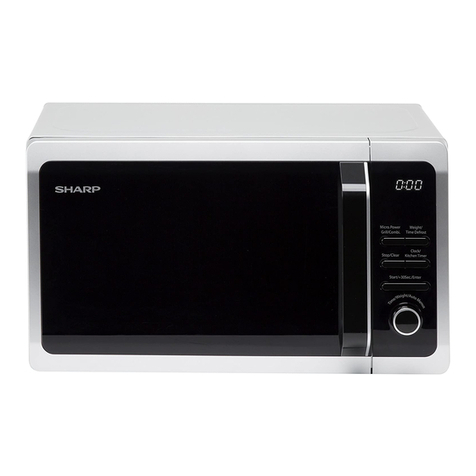
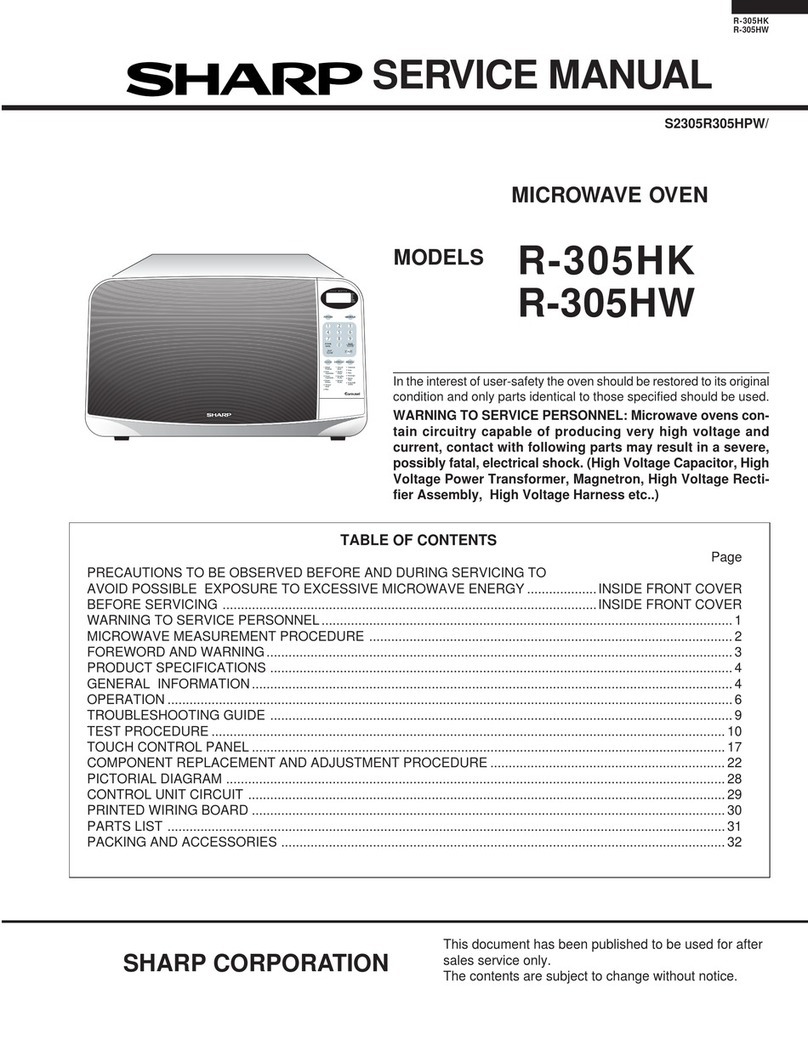
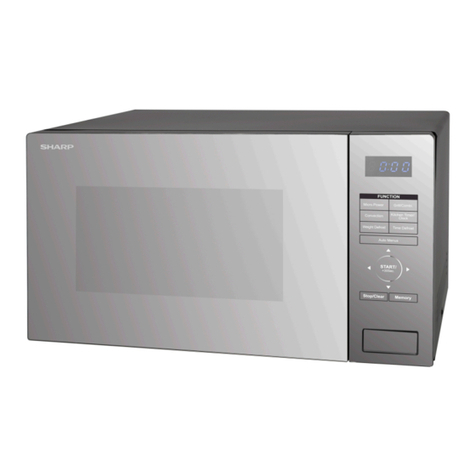
Sharp R-3S68 User manual

R-3S68
SHARP CORPORATION
SERVICE MANUAL
In interests of user-safety the oven should be restored to its original
condition and only parts identical to those specified should be used.
MODEL R-3S68
S3612R3S68PX/
MICROWAVE OVEN
TABLE OF CONTENTS Page
CAUTION, MICROWAVE RADIATION................................................................................................................. 1
WARNING..............................................................................................................................................................1
PRODUCT SPECIFICATIONS ............................................................................................................................. 2
GENERAL INFORMATION....................................................................................................................................2
APPEARANCE VIEW ........................................................................................................................................... 3
OPERATION SEQUENCE.................................................................................................................................... 4
FUNCTION OF IMPORTANT COMPONENTS .....................................................................................................5
SERVICING .......................................................................................................................................................... 6
TEST PROCEDURE ............................................................................................................................................. 8
TOUCH CONTROL PANEL .................................................................................................................................14
COMPONENT REPLACEMENT AND ADJUSTMENT PROCEDURE ............................................................... 18
MICROWAVE MEASUREMENT ........................................................................................................................ 24
WIRING DIAGRAM ............................................................................................................................................. 25
PICTORIAL DIAGRAM ....................................................................................................................................... 26
CONTROL PANEL CIRCUIT ...............................................................................................................................27
PRINTED WIRING BOARD .................................................................................................................................28
PARTS LIST ....................................................................................................................................................... 29

R-3S68

R-3S68
1
SERVICE MANUAL
PRODUCT SPECIFICATIONS
SHARP CORPORATION
OSAKA, JAPAN
TEST PROCEDURE
SERVICING AND
TROUBLESHOOTING CHART
FUNCTION OF IMPORTANT
COMPONENTS
OPERATING SEQUENCE
APPEARANCE VIEW
MICROWAVE MEASUREMENT
WIRING DIAGRAM
PARTS LIST
TOUCH CONTROL PANEL
ASSEMBLY
COMPONENT REPLACEMENT
AND ADJUSTMENT PROCEDURE
MICROWAVE OVEN
R-3S68
GENERAL IMPORTANT INFORMATION
ThisManualhasbeenpreparedtoprovideSharpCorp.Service
engineers with Operation and Service Information.
It is recommended that service engineers carefully study the
entire text of this manual, so they will be qualified to render
satisfactory customer service.
CAUTION
MICROWAVE RADIATION
DO NOT BECOME EXPOSED TO RADIATION FROM
THE MICROWAVE GENERATOR OR OTHER PARTS
CONDUCTING MICROWAVE ENERGY.
Serviceengineersshouldnotbeexposedtothemicrowave
energy which may radiate from the magnetron or other
microwave generating devices if it is improperly used or
connected. All input and output microwave connections,
waveguides, flanges and gaskets must be secured. Never
operate the device without a microwave energy absorbing
load attached. Never look into an open waveguide or
antenna while the device is energized.
WARNING
Never operate the oven until the following points are ensured.
(A) The door is tightly closed.
(B) The door brackets and hinges are not defective.
(C) The door packing is not damaged.
(D) The door is not deformed or warped.
(E) There is not any other visible damage with the oven.
Servicing and repair work must be carried out only by trained
service engineers.
All the parts marked "*" on parts list are used at voltages more
than 250V.
Removal of the outer wrap gives access to potentials above
250V.
All the parts marked "∆" on parts list may cause undue
microwave exposure, by themselves, or when they are dam-
aged, loosened or removed.

R-3S68
2
PRODUCT SPECIFICATIONS
ITEM DESCRIPTION
Power Requirements 220 Volts
50 Hertz
Single phase, 3 wire earthed
Power Consumption 1.37kW
Power Output 850 watts nominal of RF microwave energy (IEC 705)
Operating fequency 2450 MHz
Case Dimensions Width 520 mm
Height 305 mm including foot
Depth 389 mm
Cooking Cavity Dimensions Width 348 mm
Height 197 mm
Depth 368 mm
Turntable diameter 325mm
Control Complement Touch Control System
Clock ( 1:00 - 12:59)
Timer (0 - 99 minutes 90 seconds)
Microwave Power for Variable Cooking
Repetition Rate;
HIGH ...............................................Full power throughout the cooking time
MEDIUM HIGH ..................................................approx. 70% of Full Power
MEDIUM .............................................................approx. 50% of Full Power
MEDIUM LOW ....................................................approx. 30% of Full Power
LOW....................................................................approx. 10% of Full Power
TIME pads
AUTO COOK pad
AUTO DEFROST pad
STOP/CLEAR pad
POWER LEVEL /SERVE pad
INSTANT COOK / START pad
Set Weight Approx. 15 kg
GENERAL INFORMATION
WARNING
THIS APPLIANCE MUST BE EARTHED
IMPOTANT
THE WIRES IN THIS MAINS LEAD ARE COLOURED IN ACCORDANCE WITH THE FOLLOWING CODE:
GREEN-AND-YELLOW : EARTH
BLUE : NEUTRAL
BROWN : LIVE

R-3S68
3
APPEARANCEVIEW
1. Ventilation openings
2. Oven lamp
3. Door hinges
4. Door safety latches
5. See through door
6. Door seals and sealing
surfaces
7. Coupling
8. Door open button
9. Touch control panel
10.Digital readout
11.Wave guide cover
12.Power supply cord
13.Rating label
14.Earth wire
8
9
10
4 2
713
5
3
6
11 4
1
12
14
TOUCH CONTROL PANEL
1
MIN.
1O
MIN.
1O
SEC.
Rice
Congee / Chicken Sour Soup
Porridge
Noodles
Shark's Fin Soup / Beef Soup
Steamed Fish
Dim Sum Delight
Sticky Rice
AUTO
DEFROST
STOP
CLEAR
POWER
LEVEL INSTANT
COOK
SERVE
START
AUTO
COOK
A1
A2
A3
A4
A5
A6
A7
A8
TIME PADS
Press to enter cooking time or clock
time.
INSTANT COOK / START PAD
Press once to cook for 1 minute at
100% or increase by 1 minute multi-
ples each time this pad is pressed
during cooking.
Press to start oven after setting pro-
grammes.
POWER LEVEL / SERVE PAD
Press to set clock.
Press to select microwave power
setting.
If not pressed; 100% is automati-
cally selected.
Presstoenterservesafterselecting
AUTO COOK menu or pressing the
AUTO DEFROST pad.
AUTO COOK PAD
Press to select AUTO COOK
menu.
AUTO DEFROST PAD
Press to defrost meat.
STOP/CLEAR PAD
Presstoclearduringprogram-
ming. Press once to stop op-
eration of oven during cook-
ing;presstwicetocancelcook-
ing programme.
AUTO COOK MENUS

R-3S68
4
OPERATION SEQUENCE
OFF CONDITION
Closing the door activates all door interlock switches (1st.
latch switch and 2nd. interlock relay control switch).
IMPORTANT
When the oven door is closed, the monitor switch contacts
(COM-NC) must be open.
When the microwave oven is plugged in a wall outlet, rated
voltage is supplied to the point A3+A5 in the control unit.
Figure O-1 on page 25
1. The display flashes
88:88
.
2. To set any programmes or set the clock, you must first
touch the STOP/CLEAR pad.
3. : appears in the display.
NOTE: When the oven door is opened, the oven lamp
comes on at this time.
MICROWAVE COOKING CONDITION
HIGH COOKING
Enter a desired cooking time with the touching NUMBER
pad and start the oven with touching START pad.
Function sequence
Figure O-2 on page 25
CONNECTED COMPONENTS RELAY
Oven lamp, Fan motor, Turntable motor RY1
Power transformer RY2
1. Rated voltage is supplied to the primary winding of the
powertransformer.Thevoltageisconvertedtoabout3.3
volts A.C. output on the filament winding and high
voltageofapproximately2000voltsA.C.onthesecondary
winding.
2. The filament winding voltage (3.3 volts) heats the
magnetron filament and the high voltage (2000 volts) is
senttothevoltagedoublingcircuit,whereitisdoubledto
negative voltage of approximately 4000 volts D.C..
3. The 2450 MHz microwave energy produced in the
magnetron generates a wave length of 12.24 cm. This
energy is channelled through the waveguide (transport
channel)intotheovencavity,wherethefoodisplacedto
be cooked.
4. When the cooking time is up, a signal tone is heard and
therelaysRY1+RY2gobacktotheirhomeposition.The
circuits to the oven lamp, power transformer, fan motor
and turntable motor are cut off.
5. When the door is opened during a cook cycle, the
switches come to the following condition
CONDITION
DURING DOOR OPEN
SWITCH CONTACT COOKING (NOCOOKING)
1st. latch switch COM-NO Closed Open
2nd. interlock relay
control switch COM-NO Closed Open
Monitor switch COM-NC Open Closed
The circuits to the power transformer, fan motor and
turntablemotorarecutoffwhenthe1st.latchswitchand
2nd. interlock relay control switch are made open. The
oven lamp remains on even if the oven door is opened
after the cooking cycle has been interrupted, because
the relay RY1 stays closed. Shown in the display is the
remaining time.
6. MONITOR SWITCH CIRCUIT
The monitor switch is mechanically controlled by oven
door,andmonitorstheoperationofthe1stlatchswitch.
6-1 Whentheoven door isopenedduringorafter the cycle
of a cooking program, the 1st. latch switch and 2nd.
interlock relay control switch must open their contacts
first.
Afterthat thecontacts(COM-NC) ofthemonitor switch
can be closed.
6-2. Whentheoven dooris closed,the contacts(COM-NC)
of the monitor switch must be opened. After that the
contactsofthe1st.latchswitchand2nd.interlockrelay
control switch are closed.
6-3. When the oven door is opened and the contacts of the
1st.latchswitchand2nd.interlockrelayremainclosed.
The fuse M8A will blow, because the monitor switch is
closed and a short circuit is caused.
MEDIUM HIGH, MEDIUM, MEDIUM LOW, LOW
COOKING
When the microwave oven is preset for variable cooking
power, rated voltage is supplied to the power transformer
intermittently within a 32-second time base through the
relaycontactwhichiscoupledwiththecurrent-limitingrelay.
The following levels of microwave power are given.
SETTING;
32 sec. ON
24 sec. ON
18 sec. ON
12 sec. ON
6 sec. ON
8 sec. OFF
14 sec. OFF
20 sec. OFF
26 sec. OFF
HIGH
MEDIUM HIGH
MEDIUM
MEDIUM LOW
LOW
Approx. 70%
Approx. 50%
Approx. 30%
Approx. 10%
NOTE: TheON/OFFtimeratiodoesnotexactlycorrespond
to the percentage of microwave power, because
approx. 2 seconds are needed for heating up the
magnetron filament.

R-3S68
5
FUNCTION OF IMPORTANT COMPONENTS
DOOR OPEN MECHANISM
The door is opened by pushing the open button on the
control panel, refer to the Figure D-1.
Whentheopenbuttonispushed,theopenbuttonpushesup
the switch lever, and then the switch lever pushes up the
latch head. The latch heads are moved upward and re-
leased from latch hook. Now the door will open.
LATCH
HEADS
LATCH HOOK
2ND. INTERLOCK
RELAY CONTROL
SWITCH
MONITOR
SWITCH
SWITCH
LEVER
1ST. LATCH
SWITCH
Figure D-1. Door Open Mechanism
1ST. LATCH SWITCH AND 2ND. INTERLOCK RE-
LAY CONTROL SWITCH
1. When the oven door is closed, the contacts COM-NO)
must be closed.
2. Whentheovendoorisopened,thecontacts.(COM-NO)
must be opened.
MONITOR SWITCH
1. When the oven door is closed, the contacts (COM-NC)
must be opened.
2. When the oven door is opened, the contacts (COM-NC)
must be closed.
3. If the oven door is opened and the contacts (COM-NO)
of the 1st. latch switch and 2nd. interlock relay fail to
open, the fuse M8A blows simultaneously with closing
the contacts (COM-NC) of the monitor switch.
CAUTION: BEFORE REPLACING A BLOWN FUSE M8A
TEST THE 1ST. LATCH SWITCH, MONITOR
SWITCH, 2ND. INTERLOCK RELAY, 2ND.
INTERLOCKRELAYCONTROLSWITCHAND
MONITORRESISTORFORPROPEROPERA-
TION.
MONITOR RESISTOR R 0.8Ω20W
The monitor resistor prevents the fuse M8A bursting when
the fuse M8A blows due to the operation of the monitor
switch.
FUSE M8A
1. ThefuseM8Ablowswhenthecontacts(COM-NO)ofthe
1st. latch switch and 2nd. interlock relay remain closed
with the oven door open and when the monitor switch
closes.
2. If the wire harness or electrical components are short-
circuited, this fuse M8A blows to prevent an electric
shock or fire hazard.
THERMAL CUT-OUT TC 145˚C (MG)
This thermal cut-out protects the magnetron against over-
heating. If the temperature goes up higher than 145˚C
because the fan motor is interrupted, the ventilation open-
ings are blocked, the thermal cut-out will open and the line
voltages to the power transformer will be cut off and the
operation of the magnetron will be stopped.
The defective thermal cut-out must be replaced with new
one.
THERMAL CUT-OUT TC 145˚C (OVEN)
The thermal cut-out located on the top of the oven cavity is
designed to prevent damage to the oven if the foods in the
oven catch fire due to over heating produced by improper
setting of cook time or failure of control unit. Under normal
operation, the oven thermal cut-out remains closed. How-
ever, when abnormally high temperatures are reached
within the oven cavity, the oven thermal cut-out will open at
145˚C, causing the oven to shut down. The defective
thermal cut-out must be replace with new one.
THERMAL CUT-OUT 95˚C (FAN MOTOR)
Thethermalcut-out protectthefanmotor against overheat-
ing.Ifitstemperaturegoesuphigherthan95˚Cbecausethe
fanmotorislockedortheventilation operating are blocked,
the contacts of the thermal cut-out will open and switch off
the oven. When the oven cools itself down to 75˚C, the
contacts of the thermal cut-out will close again.
TURNTABLE MOTOR
The turntable motor drives the turntable roller assembly to
rotate the turntable.
FAN MOTOR
The fan motor drives a blade which draws external cool air.
This cool air is directed through the air vanes surrounding
the magnetron and cools the magnetron. This air is chan-
nelled through the oven cavity to remove steam and va-
pours given off from the heating foods. It is then exhausted
through the exhausting air vents at the oven cavity

R-3S68
6
SERVICING
WARNING TO SERVICE PERSONNEL
Microwave ovens contain circuitry capable of producing very high voltage and current, contact with any part of the
high voltage circuit will result in electrocution. High voltage capacitor, Power transformer, Magnetron, High voltage
rectifier assembly, High voltage harness.
REMEMBER TO CHECK 3D
1) Disconnect the supply.
2) Door opened, and wedged open.
3) Discharge high voltage capacitor.
WARNING: AGAINST THE CHARGE OF THE
HIGH-VOLTAGE CAPACITOR
The high-voltage capacitor remains charged about
60 seconds after the oven has been switched off.
Wait for 60 seconds and then short-circuit the con-
nection of the high-voltage capacitor (that is, of the
connectingleadof thehigh-voltagerectifier)against
thechassiswith theuseofan insulated screwdriver.
Sharp recommend that wherever possible fault-finding
is carried out with the supply disconnected. It may in,
some cases, be necessary to connect the supply after
theouter casehasbeen removed,inthis eventcarryout
3D checks and then disconnect the leads to the primary
of the power transformer. Ensure that these leads re-
main isolated from other components and the oven
chassis. (Use insulation tape if necessary.) When the
testing is completed carry out 3D checks and reconnect
the leads to the primary of the power transformer.
REMEMBER TO CHECK 4R
1) Reconnectallleadsremovedfromcomponentsduring
testing.
2) Replace the outer case (cabinet).
3) Reconnect the supply.
4) Run the oven. Check all functions.
Microwave ovens should not be run empty. To test for
thepresenceofmicrowave energy withinacavity,place
acupofcoldwateronthe oven turntable, close the door
andset the microwavetimerfor two(2)minutes.Setthe
powerleveltoHIGHand push the START button. When
the two minutes has elapsed (timer at zero) carefully
checkthatthewaterisnowhot.Ifthewaterremainscold
carry out3D checks and re-examine the connections to
the component being tested.
Whenallserviceworkiscompleted,andtheoven isfullyassembled,themicrowavepoweroutputshouldbechecked
and microwave leakage test carried out
TROUBLESHOOTING GUIDE
When troubleshooting the microwave oven, it is helpful to
follow the Sequence of Operation in performing the
checks. Many of the possible causes of trouble will require
that a specific test be performed. These tests are given a
procedure letter which will be found in the "Test
Procedure"section.
IMPORTANT: If the oven becomes inoperative because
ofablownfuseM8Ainthe1st.latchswitch
- 2nd. interlock relay - monitor switch -
monitorresistorcircuit,checkthe1st.latch
switch, 2nd. interlock relay, 2nd. interlock
relay control switch, monitor switch and
monitor resistor before replacing the fuse
M8A.

R-3S68
7
MAGNETRON
POWER TRANSFORMER
H.V. RECTIFIER ASSEMBLY
HIGH VOLTAGE CAPACITOR
1ST. LATCH SWITCH
2ND. INTERLOCK RELAY
CONTROL SWITCH
MONITOR SWITCH
MONITOR RESISTOR
THERMAL CUT-OUT 95˚C
THERMAL CUT-OUT 145˚C
FAN MOTOR
TURNTABLE MOTOR
FUSE M8A
TOUCH CONTROL PANEL
TACT SWITCH
RELAY (RY-1, RY-2)
FOIL PATERN ON P.W.B.
POWER SUPPLY CORD
SHORTED WIRE HARNESS
OPENED WIRE HARNESS
OVEN LAMP OR SOCKET
WALL OUTLET
MISADJUSTMENT SWITCH
HOME FUSE OR BREAKER
BLOCKED COOLING FAN
BLOCKED VENTILATION
Home fuse blows when power
supply cord is plugged into wall
outlet.
FUSE M8A blows when power
supply cord is plugged into wall
outlet.
Display does not show anything
whenpowersupplycordisplugged
into wall outlet.
Display does not operate prop-
erly when STOP/CLEAR pad is
touched.
Oven lamp does not light at door
opened. (Display appears.)
Oven does not start when the
START pad is touched. (Display
appears)
Ovenlampdoes notlight(Display
appears.)
Fanmotordoesnotoperate.(Dis-
play appears.)
Turntable motor assembly does
not operate. (Display appears.)
Oven or any electrical parts does
notstopwhencookingtimeis0or
STOP/CLEAR pad is touched.
Oven seems to be operating but
little or no heat is produced in
ovenload.(Microwavepowerlevel
is set at HIGH)
Oven does not seems to be oper-
ating properly when MEDIUM
HIGH, MEDIUM, MEDIUM LOW
or LOW is set. (Oven operates
properly at HIGH and when the
STOP/CLEARpad istouched the
oven stops.)
Oven goes into cook cycle but
shutsdownbeforeend of cooking
cycle.
OFF
CONDITION
PROBLEM
CONDITION
POSSIBLE CAUSE
AND
DEFECTIVE PARTS
TEST PROCEDURE
ON
CONDITION
CK = Check / RE = Replace
ABC
D
E E EGFFHHI KLMNRECKCKRE CK CKCKCK CK

R-3S68
8
TEST PROCEDURES
PROCEDURE
LETTER
CARRY OUT 3D CHECK.
Isolate the magnetron from high voltage circuit by removing all leads connected to filament terminal.
To test for an open circuit filament use an ohmmeter to make a continuity test between the magnetron
filament terminals, the meter should show a reading of less than 1 ohm.
To test for short filament to anode condition, connect ohmmeter between one of the filament terminals
and the case of the magnetron (ground). This test should be indicated an infinite resistance. If a low or
zero resistance reading is obtained then the magnetron should be replaced.
MICROWAVE OUTPUT POWER (IEC 705)
The following test procedure should be carried out with the microwave oven in a fully assembled
condition (outer case fitted). Microwave output power from the magnetron can be measured by way of
IEC 705, i.e. it can be measured by using water load how much it can be absorbed by the water load.
Tomeasurethemicrowaveoutputpower inthemicrowaveoven, therelationof calorieandwattis used.
When P(W) heating works for t(second), approximately P x t/4.187 calorie is generated. On the other
hand, if the temperature of the water with V(ml) rises∆T (°C) during this microwave heating period, the
calorie of the water is V x ∆T.
NEVER TOUCH ANY PART IN THE CIRCUIT WITH YOUR HAND OR AN INSULATED TOOL
WHILE THE OVEN IS IN OPERATION.
AMAGNETRON TEST
The formula is as follows;
P x t / 4.187 = V x ∆T P (W) = 4.187 x V x ∆T / t
Our condition for water load is as follows:
Room temperature..............around 20°C PowersupplyVoltage.........Ratedvoltage
Water load.........1000 g Initial temperature...........10±2°C Heating time.........49 sec.
P = 85 x ∆T
Measuring condition:
1. Container
The water container must be a cylindrical borosilicate glass vessel having a maximum material
thickness of 3 mm and an outside diameter of approximately 190 mm.
2. Temperature of the oven and vessel
The oven and the empty vessel are at ambient temperature prior to the start the test.
3. Temperature of the water
The initial temperature of the water is (10±2)°C.
4. Selecttheinitialandfinalwatertemperaturesothatthemaximumdifference between the final water
temperature and the ambient temperature is 5˚C.
5. Select stirring devices and measuring instruments in order to minimize addition or removal of heat.
6. Thegraduation ofthethermometermustbescaledby 0.1°Cat minimumandaccurate thermometer.
7. The water load must be (1000±5) g.
8. “t” is measured while the microwave generator is operating at full power. Magnetron filament heat-
up time is not included.
NOTE:The operation time of the microwave oven is “t + 2” sec. 2 sec. is magnetron filament heat-up time.
Measuring method:
1. Measure the initial temperature of the water before the water is added to the vessel.
(Example: The initial temperature T1 = 11°C)
2. Add the 1 litre water to the vessel.
3. Place the load on the centre of the shelf.
4. Operate the microwave oven at HIGH for the temperature of the water rises by a value ∆T of
(10 ±2)˚C.
5. Stir the water to equalize temperature throughout the vessel.
COMPONENT TEST

R-3S68
9
TEST PROCEDURES
PROCEDURE
LETTER COMPONENT TEST
6. Measure the final water temperature. (Example: The final temperature T2 = 21°C)
7. Calculate the microwave power output P in watts from above formula.
Initial temperature .................................................................................................. T1 = 11°C
Temperature after (49 + 2) = 51 sec. ..................................................................... T2 = 21°C
Temperature difference Cold-Warm.................................................................... ∆T1 = 10°C
Measured output power
The equation is “P = 85 x ∆T” ...................................................... P = 85 x 10°C = 850 Watts
JUDGMENT: The measured output power should be at least ±15 % of the rated output power.
CAUTION: 1°C CORRESPONDS TO 85 WATTS REPEAT MEASUREMENT IF THE POWER IS
INSUFFICIENT.
1000g
1000g
1000g
T1˚C T2˚C
Heat up for 51 sec.
B POWER TRANSFORMER TEST
WARNING: Highvoltagesandlargecurrentsarepresentatthesecondarywindingandfilament
winding of the power transformer. It is very dangerous to work near this part when
the oven is on. NEVER make any voltage measurements of the high-voltage
circuits, including the magnetron filament.
CARRY OUT 3D CHECKS.
Disconnect the leads to the primary winding of the power transformer. Disconnect the filament and
secondarywindingconnectionsfromtherestoftheHVcircuitry.Usinganohmmeter,setonalowrange,
it is possible to check the continuity of all three windings. The following readings should be obtained:
a. Primary winding ....................approx. 1.4 Ω
b. Secondary winding ...............approx. 98 Ω
c. Filament winding...................less than 1Ω
Ifthereadingobtainedarenotstatedasabove,thenthepowertransformerisprobablyfaultyandshould
be replaced.
CARRY OUT 4R CHECKS.
C HIGH VOLTAGE RECTIFIER ASSEMBLY TEST
HIGH VOLTAGE RECTIFIER TEST
CARRY OUT 3D CHECKS.
Isolate the high voltage rectifier assembly from the HV circuit. The high voltage rectifier can be tested
using an ohmmeter set to its highest range. Connect the ohmmeter across the terminal B+C of the high
voltage rectifier and note the reading obtained. Reverse the meter leads and note this second reading.
The normal resistance is infinite in one direction and more than 100 kΩin the other direction.

R-3S68
10
TEST PROCEDURES (CONT'D)
PROCEDURE
LETTER COMPONENT TEST
BC
HIGH VOLTAGE RECTIFIER
CARRY OUT 4R CHECKS.
NOTE: FOR MEASUREMENT OF THE RESISTANCE OF THE RECTIFIER, THE BATTERIES OF THE
MEASURING INSTRUMENT MUST HAVE A VOLTAGE AT LEAST 6 VOLTS, BECAUSE
OTHERWISE AN INFINITE RESISTANCE MIGHT BE SHOWN IN BOTH DIRECTIONS.
D HIGH VOLTAGE CAPACITOR TEST
CARRY OUT 3D CHECKS.
A. Isolate the high voltage capacitor from the circuit.
B. Continuity check must be carried out with measuring instrument which is set to the highest resistance
range.
C. Anormalcapacitorshowscontinuityforashorttime(kick)andthenaresistanceofabout10MΩafterithas
been charged.
D. A short-circuited capacitor shows continuity all the time.
E. An open capacitor constantly shows a resistance about 10 MΩbecause of its internal 10MΩresistance.
F. When the internal wire is opened in the high voltage capacitor shows an infinite resistance.
G. The resistance across all the terminals and the chassis must be infinite when the capacitor is normal.
If incorrect reading are obtained, the high voltage capacitor must be replaced.
CARRY OUT 4R CHECKS.
ESWITCH TEST
CARRY OUT 3D CHECKS.
Isolate the switch to be tested and using an ohmmeter check between the terminals as described in the
following table. Table: Terminal Connection of Switch
Plunger Operation COM to NO COM to NC
Released O.C. S.C.
Depressed S.C. O.C.
COM; Common terminal,
NO; Normally open terminal
NC; Normally close terminal
S.C.; Short,
O.C.; Open circuit
If incorrect readings are obtained, make the necessary switch adjustment or replace the switch.
CARRY OUT 4R CHECKS.
FTHERMAL CUT-OUT TEST
CARRY OUT 3D CHECKS.
Disconnect the leads from the terminals of the thermal cut-out. Then using an ohmmeter, make a
continuity test across the two terminals as described in the table below.
CARRY OUT 4R CHECKS .Table: Thermal cut-out Test
Temperature of "ON" condition Temperature of "OFF" condition Indication ofohmmeter
Parts Name (closed circuit) (˚C) (open circuit) (˚C) (When room temperature
is approx. 20˚C)
Thermal cut-out 145˚C This is not resetable type Above 145˚C Closed circuit.
Thermal cut-out 95˚C Below 75˚C Above 95˚C Closed circuit.
If incorrect readings are obtained, replace the thermal cut-out.
An open circuit thermal cut-out 145˚C (MG) indicates that the magnetron has overheated, this may be
due to resistricted ventilation, cooling fan failure or a fault condition within the magnetron or HV circuit.
An open circuit thermal cut-out 145˚C (OVEN) indicates that the foods in the oven may catch fire, this
may be due to over heating produced by improper setting of the cooking time or failure of the control
panel.
An open circuit thermal cut-out 95˚C (FAN) indicates that the fan motor winding has overheated, this
may be due to blocked ventilation or locked cooling fan.

R-3S68
11
PROCEDURE
LETTER COMPONENT TEST
TEST PROCEDURES (CONT'D)
CARRY OUT 3D CHECKS.
Disconnecttheleadsfromthemonitorresist.Usinganohmmeterandsetonalowrange.Checkbetween
the terminals of the monitor resistor.
The resistance of monitor resistor is approx. 0.8 ohms.
If incorrect readings are obtained, replace the monitor resistor.
CARRY OUT 4R CHECKS.
G MONITOR RESISTOR TEST
CARRY OUT 3D CHECKS.
Disconnect the leads from the motor.
Using an ohmmeter, check the resistance between the two terminals as described in the table below.
HMOTOR WINDING TEST
Table: Resistance of Motor
Motors Resistance
Fan motor Approximately 370 Ω
Turntable motor Approximately 16.08 kΩ
If incorrect readings are obtained, replace the motor. CARRY OUT 4R CHECKS
IBLOWN FUSE F M8A
CARRY OUT 3D CHECKS.
1. If the fuse M8A is blown, there could be shorts or ground in electrical parts or wire harness.
Check them and replace the defective parts or repair the wire harness.
2. If the fuse M8A is blown when the door is opened, check the 1st. latch switch, 2nd. interlock relay,
2nd. interlock relaycontrol switch, monitor switch and monitor resistor.
IfthefuseM8Aisblownbyincorrectdoorswitchingreplacethedefectiveswitch(s)andthefuseM8A.
CARRY OUT 4R CHECKS.
CAUTION: ONLY REPLACE FUSE M8A WITH THE CORRECT VALUE REPLACEMENT.
J TOUCH CONTROL PANEL ASSEMBLY TEST
The touch control panel consists of circuits including semiconductors such as LSI, ICs, etc. Therefore,
unlike conventional microwave ovens, proper maintenance cannot be performed with only a voltmeter
and ohmmeter.
In this service manual, the touch control panel assembly is in one unit, and troubleshooting by unit
replacement is described according to the symptoms indicated.
1. Tact Switch.
The following symptoms indicate a defective tact switch. Replace the tact switch.
a) When touching the tact switches, a certain tact switch produces no signal at all.
b) When touching the tact switches, sometimes a tact switch produces no signal.
2. Control Panel
The following symptoms may indicate a defective control unit. Before replacing the control unit,
perform the tact switch test (Procedure K) to determine if control unit is faulty.
2-1 In connection with tact switches.
a) When touching the tact switches, a certain group of tact switches do not produce a signal.
b) When touching the tact switches, no tact switches produce a signal.

R-3S68
12
TEST PROCEDURES (CONT'D)
PROCEDURE
LETTER COMPONENT TEST
2-2 In connection with indicators
a) At a certain digit, all or some segments do not light up.
b) At a certain digit, brightness is low.
c) Only one indicator does not light.
d) The corresponding segments of all digits do not light up or they continue to light up.
e) Wrong figure appears.
f) A certain group of indicators do not light up.
g) The figure of all digits flicker.
2-3 Other possible problems caused by defective control unit.
a) Buzzer does not sound or continues to sound.
b) Cooking is not possible.
K TACT SWITCH TEST
If the display fails to clear when the STOP/CLEAR tact switch is depressed, first verify that the door
sensing switch (stop switch) operates properly; that is the contacts are closed when the door is closed
and open when the door is open. If the door sensing switch (stop switch) is good, make sure the door
sensing switch is closed (either close the door or short the door sensing switch connecter). Use the tact
switch matrix indicated on the control panel schematic and place a jumper wire between the pins that
correspond to the STOP/CLEAR tact switch making momentary contact. If the control unit responds by
clearing with a beep, the tact switch is faulty and must be replaced. If the control unit does not respond,
it is a faulty and must be replaced. If a specific pad does not respond, the above method may be used
(after clearing the control unit) to determine if the control unit or tact switch is at fault.
SW1 10
MIN.
AUTO COOK
AUTO DEFROST
INSTANT
COOK
START
1
MIN. 10
SEC.
STOP
CLEAR
SW2 SW3
SW4 SW6
SW7
SW5
SW8
POWER
LEVEL
SERVE
L RELAY TEST
CARRY OUT 3D CHECKS.
Remove the outer case and check voltage between Pin Nos. 3 and 5 of the 3 pin connector (A) on the
control unit with an A.C. voltmeter.
The meter should indicate 220 volts, if not check oven circuit.
RY1 and RY2 Relay Test
These relays are operated by D.C. voltage.
CheckvoltageattherelaycoilwithaD.C.voltmeterduringthemicrowavecookingorconvectioncooking
operation.
DC. voltage indicated.................... Defective relay.
DC. voltage not indicated . ............ Check diode which is connected to the relay coil. If diode is good,
control unit is defective.
RELAY SYMBOL OPERATIONAL VOLTAGE CONNECTED COMPONENTS
RY1 APPROX. 19.0V D.C. Oven lamp / Turntable motor / Cooling fan motor
RY2 APPROX. 18.0V D.C. Power transformer
CARRY OUT 4R CHECKS.

R-3S68
13
TEST PROCEDURES (CONT'D)
PROCEDURE
LETTER COMPONENT TEST
NOTE: Atthetimeoftheserepairs,makeavisual
inspection of the varistor for burning
damage and examine the transformer
withtesterforthepresenceoflayershort-
circuit (check primary coil resistance). If
any abnormal condition is detected,
replace the defective parts.
CARRY OUT 4R CHECKS.
To protect the electronic circuits, this model is provided with a fine foil pattern added to the primary on
thePWB,thisfoilpatternactsasafuse.Ifthefoilpatternisopen,followthetroubleshootingguidegiven
below for repair.
Problem: POWER ON, indicator does not light up.
CARRY OUT 3D CHECKS.
STEPS OCCURANCE CAUSE OR CORRECTION
1 The rated voltage is not applied to POWER Check supply voltage and oven main unit.
terminal of CPU connector (CN-A).
2 The rated voltage is applied to primary side Low voltage transformer or secondary circuit defective.
of low voltage transformer. Check and repair.
3 Only pattern at "a" is broken. *Insert jumper wire J1 and solder.
(CARRY OUT 3D CHECKS BEFORE REPAIR)
4 Pattern at "a" and "b" are broken. *Insert the coil RCILF2003YAZZ between "c" and "d".
(CARRY OUT 3D CHECKS BEFORE REPAIR)
RY2
RY1
2
(J1) CN - A
D22
VRS1
LEAD
WIRE
LEAD WIRE
GREEN
1
3
5
POWER OL TTM
b
a
c
d
M PROCEDURES TO BE TAKEN WHEN THE FOIL PATTERN ON THE PRINTED WIRING BOARD
(PWB) IS OPEN

14
R-3S68
Control Unit
Control unit consists of tact switches, LSI, power source
circuit, synchronizing signal circuit, ACL circuit, buzzer
circuit and indicator circuit.
1) Tact Switches
The tact switches are composed of a matrix, signals
generatedintheLSIaresenttothetactswitchesthrough
R61-R63. When a tact switches is touched, a signal is
completedthroughthetactswitchesandpassedbackto
the LSI through R81-R83 to perform the function that
was requested.
2) LSI
This LSI controls the key strobe signal, relay driving
signal for oven function and indicator signal.
3) Power Source Circuit
This circuit generates voltages necessary in the control
unit.
Symbol Voltage Application
VC -5V LSI(IC1)
4) Synchronizing Signal Circuit
The power source synchronizing signal is available in
order to compose a basic standard time in the clock
circuit. It accompanies a very small error because it
works on commercial frequency.
TOUCH CONTROL PANEL ASSEMBLY
OUTLINE OF TOUCH CONTROL PANEL
5) ACL Circuit
AcircuittogenerateasignalswhichresetstheLSItothe
initial state when power is supplied.
6) Buzzer Circuit
The buzzer is responsive to signals from the LSI to emit
noticingsounds(keytouchsoundandcompletionsound).
7) Door Sensing Switch
A switch to “tell” the LSI if the door is open or closed.
8) Relay Circuit
To drive the magnetron, fan motor, turntable motor and
light the oven lamp.
9) Indicator Circuit
Indicator element is a Light-emitting diode.
Basically,aLight-emittingdiodeistriodehavingacathode
and an anode.
The Light-emitting diode has 4-digits, 9-segments are
used for displaying figures.

15
R-3S68
1 XOUT OUT Internal clock oscillation frequency control output.
Output to control oscillation input of XOUT.
2 XIN IN Internal clock oscillation frequency input setting.
Theinternalclockfrequencyissetbyinsertingthe ceramicfilteroscillationcircuitwith
respect to XIN terminal.
3 RESET IN Auto clear terminal.
Signal is input to reset the LSI to the initial state when power is supplied. Temporarily
setto “L”levelthe momentpowerissupplied,atthistimethe LSIisset. Thereafterset
at “H” level.
4 R70 OUT Segment data signal.
Refer to the touch control panel circuit for the relationship between signals and
indicators. Normally, one pulse is output in every synchronized signal period, and
input to the anode of the light -emitting diode.
5 PULSE OUT Signal to sound buzzer.
A: key touch sound(0.12 sec.).
B: Completion sound(2.4 sec.).
6 R72 OUT Digit selection signal.
Refer to the touch control panel circuit about the relation between signals and digits.
Normally,onepulseisoutputineverysynchronizedsignalperiod,andinputtothelight
-emitting diode.
7-9 R40-R42 OUT Digit selection signal.
Refer to the touch control panel circuit about the relation between signals and digits.
Normally,onepulseisoutputineverysynchronizedsignalperiod,andinputtothelight
-emitting diode.
10 AIN3 IN Terminal to change cooking constant.
11 R50 OUT Segment data signal.
Signal similar to R70.
12-13 R51-R52 OUT Segment data signal.
Refer to the touch control panel circuit for the relationship between signals and
indicators. Normally, one pulse is output in every synchronized signal period, and
input to the anode of the light -emitting diode.
14 VSS IN Connected to VC.
15 R53 OUT Segment data signal.
Signal similar to R70.
16 R60 OUT Segment data signal.
Signal similar to R70.
17 R61 OUT Segment data signal.
Signal similar to R70.
Switch strobe signal.
Signal applied to tact switch section. A pulse signal is input to R81, R82 and R83
terminal while one of diode D56 line switches on switch matrix is touched.
18 R62 OUT Segment data signal.
Signal similar to R70.
Switch strobe signal.
Signal applied to tact switch section. A pulse signal is input to R81, R82 and R83
terminal while one of diode D57 line switches on switch matrix is touched.
DESCRIPTION OF LSI
LSI(IZA677DR)
The I/O signal of the LSI(IZA677DR) is detailed in the following table.
Pin No. Signal I/O Description

16
R-3S68
Pin No. Signal I/O Description
19 R63 OUT Segment data signal.
Signal similar to R70.
Switch strobe signal.
Signal applied to tact switch section. A pulse signal is input to R81, R82 and R83
terminal while one of diode D58 line switches on switch matrix is touched.
20 INT2 IN Signal synchronized with commercial source frequency(50Hz).
This is basic timing for time processing of LSI.
21 R81 IN Signal coming from touch tact switch.
When either one of resistor R80 line switches on switch matrix is touched, a
corresponding signal out of R61-R63 will be input into R81. When no key is touched,
the signal is held at "L" level.
22 R82 IN Signal coming from touch tact switch.
When either one of resistor R81 line switches on switch matrix is touched, a
corresponding signal out of R61-R63 will be input into R82.
23 R83 IN Signal coming from touch tact switch.
When either one of resistor R82 line switches on switch matrix is touched, a
corresponding signal out of R61-R63 will be input into R83.
24 R90 OUT Terminal not used.
25 R91 OUT Oven lamp, turntable motor and cooling fan motor driving signal. (Square
Waveform : 50Hz)
Toturnonandoffthecontrol relay. The pulse signal (50Hz) is delivered tothecontrol
relay driving circuit and cook relay control circuit.
26 R92 OUT Magnetron high-voltage circuit driving signal.

Toturnonandoffthecookrelay.In100%power operation,thesignalsholds“L”level
during microwave cooking and “H” level while not cooking. In other cooking modes
(10%,30%,50%,70%)thesignalturnsto “H”leveland“L”levelin repetitionaccording
to the power level.
27 KE0 IN Input signal which communicates the door open/close information to LSI.
Door closed; “H” level signal.
Door opened; “L” level signal.
28 VDD IN Connected to GND.

17
R-3S68
SERVICING
1. Precautions for Handling Electronic Components
This unit uses CMOS LSI in the integral part of the
circuits. When handling these parts, the following pre-
cautions should be strictly followed. CMOS LSI have
extremely high impedance at its input and output termi-
nals. For this reason, it is easily influenced by the
surroundinghighvoltagepowersource, static electricity
charge in clothes, etc. and sometimes it is not fully
protected by the built-in protection circuit.
In order to protect CMOS LSI.
1) Whenstoringandtransporting,thoroughlywrapthemin
aluminiumfoil.AlsowrapallPWboardscontainingthem
in aluminium foil.
2) When soldering, ground the technician as shown in the
figure and use grounded soldering iron and work table.
2. Shapes of Electronic Components
3. Servicing of Touch Control Panel
We describe the procedures to permit servicing of the
touch control panel of the microwave oven and the
precautions you must take when doing so. To perform
the servicing, power to the touch control panel is avail-
able either from the power line of the oven itself or from
an external power source.
(1)Servicingthetouchcontrol panelwithpowersupply
of the oven:
CAUTION:
THE HIGH VOLTAGE TRANSFORMER OF THE MI-
CROWAVE OVEN IS STILL LIVE DURING SERVIC-
ING PRESENTS A HAZARD.
Therefore, when checking the performance of the touch
control panel, put the outer cabinet on the oven to avoid
touching the high voltage transformer, or unplug the
primary terminal (connector) of the high voltage trans-
former to turn it off; the end of such connector must be
insulatedwithaninsulatingtape.Afterservicing,besure
to replace the leads to their original locations.
A. On some models, the power supply cord between the
touchcontrolpanelandtheovenitselfissoshortthatthe
two can’t be separated. For those models, check and
repair all the controls (sensor-related ones included) of
thetouchcontrolpanelwhilekeepingitconnectedto the
oven.
B. On some models, the power supply cord between the
touch control panel and the oven proper is long enough
that they may be separated from each other. For those
models, therefore, it is possible to check and repair the
controls of the touch control panel while keeping it apart
from the oven proper; in this case you must short both
ends of the door sensing switch (on PWB) of the touch
control panel with a jumper, which brings about an
operational state that is equivalent to the oven door
being closed. As for the sensor-related controls of the
touchcontrolpanel,checking them ispossibleifdummy
resistor(s) with resistance equal to that of the controls
are used.
(2)Servicingthetouchcontrol panelwithpowersupply
from an external power source:
Disconnect the touch control panel completely from the
oven proper,and short both ends of the door sensing
switch(onPWB)of the touchcontrolpanel,whichbrings
about an operational state that is equivalent to the oven
doorbeing closed.Connectan externalpowersource to
the power input terminal of the touch control panel, then
itispossibletocheckandrepairthecontrolsofthetouch
control panel it is also possible to check the sensor-
related controls of the touch control panel by using the
dummy resistor(s).
4. Servicing Tools
Toolsrequiredtoservicethetouchcontrolpanelassem-
bly.
1) Soldering iron: 30W
(It is recommended to use a soldering iron with a
grounding terminal.)
2) Oscilloscope:Singlebeam,frequencyrange:DC-10MHz
type or more advanced model.
3) Others: Hand tools
5. Other Precautions
1) Before turning on the power source of the control unit,
remove the aluminium foil applied for preventing static
electricity.
2) Afteraluminiumfoilisremoved,becarefulthatabnormal
voltage due to static electricity etc. is not applied to the
input or output terminals.
3) Attach connectors, electrolytic capacitors, etc. to PWB,
making sure that all connections are tight.
4) Be sure to use specified components where high preci-
sion is required.
approx. 1M ohm
ECB
3
2
1
IC
LM7905CT
Transistor
KRA101M
KRA222M
KRA223M
KRC243M

18
R-3S68
COMPONENT REPLACEMENT AND ADJUSTMENT PROCEDURE
WARNING: Avoid possible exposure to microwave energy. Please follow the instructions below before
operating the oven.
1. Door does not close firmly.
2. Door hinge, support or latch hook is damaged.
3. The door gasket or seal or damaged.
4. The door is bent or warped.
5. There are defective parts in the door interlock system.
6. There are defective parts in the microwave generating
and transmission assembly.
7. There is visible damage to the oven.
Do not operate the oven:
1. Without the RF gasket (Magnetron).
2. If the wave guide or oven cavity are not intact.
3. If the door is not closed.
4. If the outer case (cabinet) is not fitted.
1. Disconnect oven from power supply.
2. Make sure that a definite” click” can be heard when the
microwave oven door is unlatched. (Hold the door in a
closed position with one hand, then push the door open
button with the other, this causes the latch leads to rise,
it is then possible to hear a “click’ as the door switches
operate.)
3. Visuallycheckthedoorandcavityfaceplatefordamage
(dents, cracks, signs of arcing etc.).
Carry out any remedial work that is necessary before
operating the oven.
Do not operate the oven if any of the following conditions
exist;
Please refer to ‘OVEN PARTS, CABINET PARTS, CONTROL PANEL PARTS, DOOR PARTS’, when carrying out any of
the following removal procedures:
OUTER CASE REMOVAL
To remove the outer case proceed as follows.
1. Disconnect oven from power supply.
2. Open the oven door and wedge it open.
3. Removethesix (6) screws from rear and along theright
side edge of case.
4. Slide the entire case back about 3cm to free it from
retaining clips on the cavity face plate.
5. Lift the entire case from the unit.
6. Discharge the H.V. capacitor before carrying out any
further work.
7. Do not operate the oven with the outer case removed.
N.B.; Step 1, 2 and 6 form the basis of the 3D checks.
CAUTION: DISCHARGE HIGH VOLTAGE CAPACITOR
BEFORETOUCHINGANYOVENCOMPONENT
OR WIRING.
MAGNETRON REMOVAL
4. Re-installoutercaseandcheckthattheovenisoperating
properly.
CAUTION: WHENREPLACINGMAGNETRON,BESURE
THER.F.GASKETISINPLACEANDMOUNT-
ING SCREWS ARE TIGHTENED SECURELY
Figure C-1. Magnetron replacement
WAVEGUIDE
FLANGE
SCREWS
MAGNETRON
Removal
1. CARRY OUT 3D CHECKS.
2. Disconnect wire leads from magnetron.
3. Remove the two (2) screws holding chassis support to
oven cavity front plate and magnetron.
4. Remove the chassis support from oven.
5. Carefully remove the two (2) screws holding magnetron
to waveguide flange.
6. Lift up magnetron with care so that magnetron antenna
is not hit by any metal object around antenna.
7. Now, the magnetron is free.
Re-install
1. Re-install the magnetron to waveguide flange with the
two (2) screws diagonally as shown in Figure C-1.
2. Re-install the chassis support to oven cavity front plate
and magnetron with the two (2) screws.
3. Reconnect the wire leads to the magnetron. Refer to
"PICTORIAL DIAGRAM".
POWER TRANSFORMER REMOVAL
1. CARRY OUT 3D CHECKS.
2. Disconnect wire leads from power transformer,
magnetron and capacitor terminals.
3. Remove four (4) screws holding transformer to bottom
plate right.
4. Remove transformer from bottom plate right.
5. Removetheone(1)terminalinsulatorfromfilamentlead
(longer one) of power transformer.
Table of contents
Other Sharp Microwave Oven manuals

Sharp
Sharp R200BKW User manual

Sharp
Sharp R-248J Technical specifications

Sharp
Sharp R-330E User manual

Sharp
Sharp R-210B Use and care manual

Sharp
Sharp R-898M User manual

Sharp
Sharp R-204 User manual

Sharp
Sharp R-308KW User manual

Sharp
Sharp R-60ST User manual

Sharp
Sharp R-343M Instruction Manual

Sharp
Sharp R-204EWA User manual

Sharp
Sharp 203H User manual

Sharp
Sharp R-970 Instruction Manual

Sharp
Sharp R-551ZS User manual

Sharp
Sharp R-3E52 User manual

Sharp
Sharp R-890 User manual

Sharp
Sharp Carousel R-380L User manual

Sharp
Sharp R-308HK User manual

Sharp
Sharp R-200 User manual

Sharp
Sharp R-21FBSTM Instruction Manual

Sharp
Sharp R-74STD Instruction Manual