- 5 -
RECEIVING RF AND RCC SIGNALS
RCC FUNCTION
The device will register RF signal for 3 minutes automatically when powered by battery,
then enter RCC receiving.
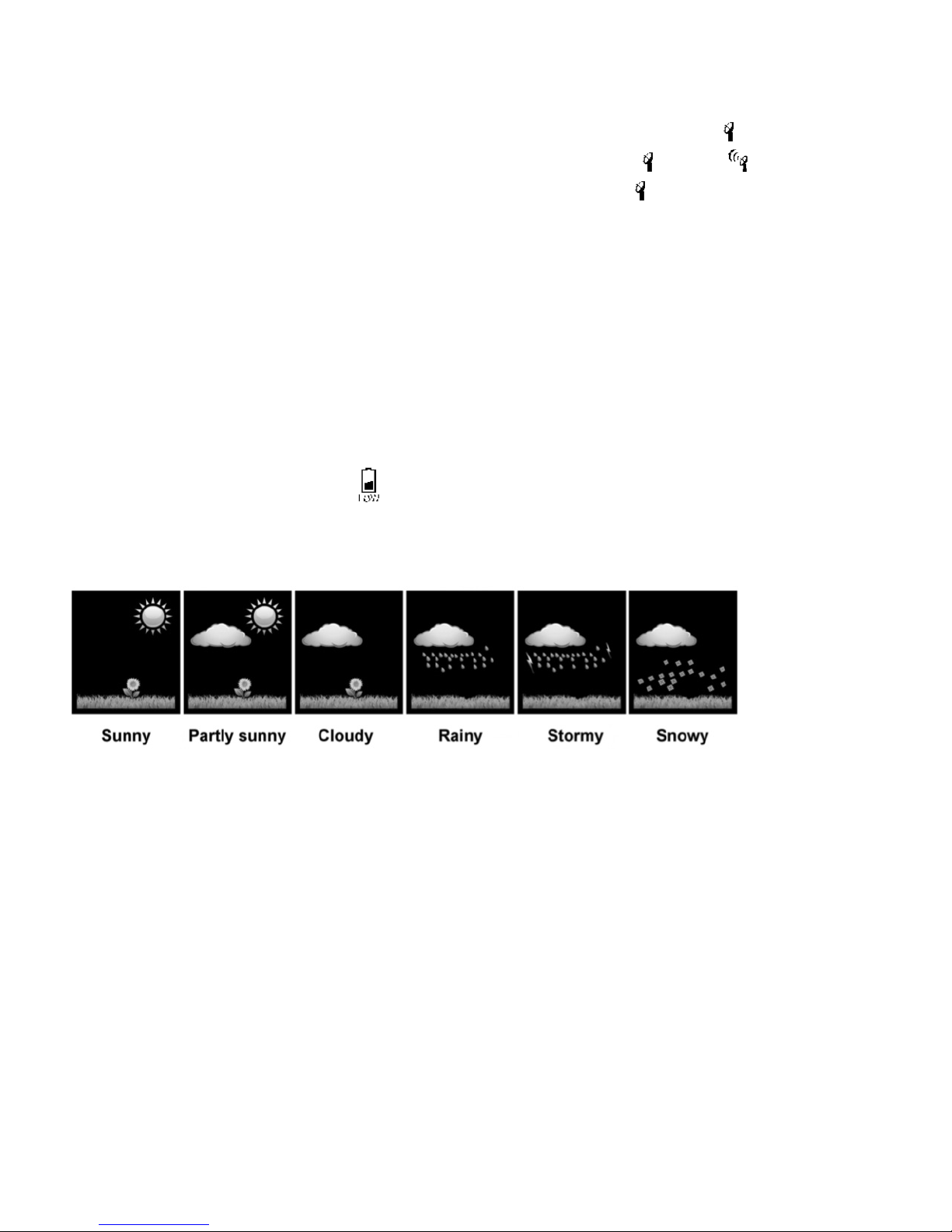
In RF registration process, the antenna symbol increases as follows:
• When it registers the RF signal successfully, it will display the maximum signal .
• During the sync process, if receive fails once, then the signal will change to .
• If synchronization continues to fail, the last antenna symbol will be displayed .
• If the RF register fails or loses signal for more than 1 hour, the antenna
symbol will flash .
• If RF synchronization failures reach one hour, then automatically open long receiving mode
(3 minutes), antenna symbol progressive increase (reserved ID).
• If RF synchronization failure more than 1 hour, and long receiving also fails; then the display is
temperature digit 3 seconds, 1 second switch.
• If RF synchronization failure more than 2 hours, automatically open long receiving mode
(3 minutes) to clear ID every hour.
• When RF temperature is 15.8°F to 30.2°F, the device will display 28.4°F. When RF temperature is
below 14° F, the device will display 10.4°F.
TEMPERATURE TRENDS
The device checks the temperature for trends every 30 minutes, comparing the current
temperature with the temperature from 3 hours ago.
• If the temperature rises 1 °C / 2 °F, the device will display an upward arrow.
• If the temperature drops 1 °C / 2 °F, the device will display a downward arrow.
• If the temperature stays within 1 °C / 2 °F, the device will display a horizontal arrow.
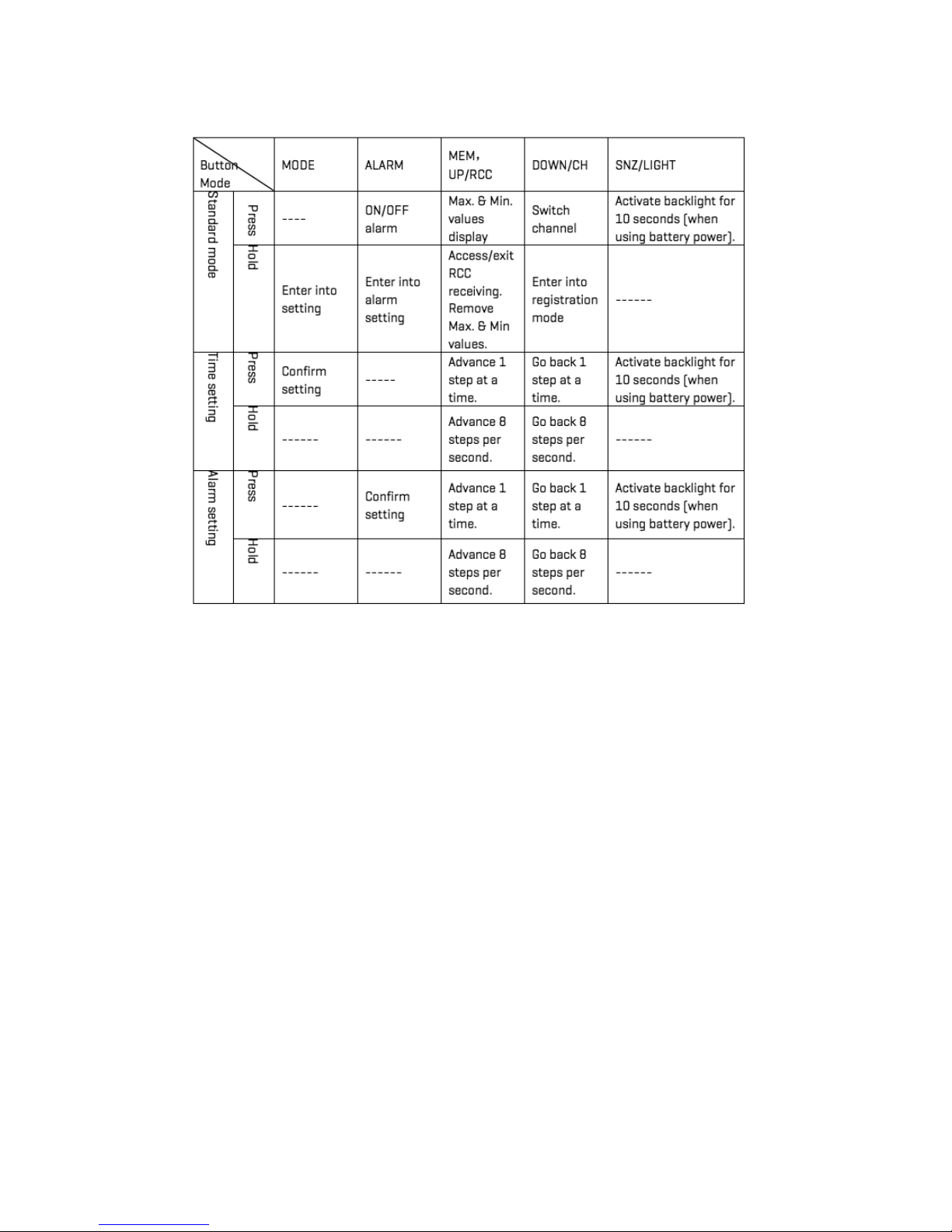
TO CLEAR AND RESET ALL DATA: In standard mode, press “DOWN/CH” to switch channel, hold
“DOWN/CH” button to re-register the RF (clear ID and all RF data). You will then receive new data.
• After RF receiving, the device enters RCC receiving mode. This is how it syncs with the U.S.
Atomic Clock.
• Hold “MEM, UP/RCC” enter to RCC receiving.
• It will automatically receive RCC every day.
• The time of RCC syncing is 1:00 a.m., 2:00 a.m., 3:00 a.m., 4:00 a.m. and 5:00 a.m.