manuals.online logo
Brands
  1. Home
  2. •
  3. Brands
  4. •
  5. Siemens
  6. •
  7. Thermostat
  8. •
  9. Siemens RDS120-B Owner's manual

Siemens RDS120-B Owner's manual

Other manuals for RDS120-B

1

Other Siemens Thermostat manuals

Siemens RDB160BN Operator's manual

Siemens

Siemens RDB160BN Operator's manual

Siemens TRG2 User manual

Siemens

Siemens TRG2 User manual

Siemens RDG405KN User manual

Siemens

Siemens RDG405KN User manual

Siemens REV13 series User manual

Siemens

Siemens REV13 series User manual

Siemens RDG200KN User manual

Siemens

Siemens RDG200KN User manual

Siemens RDF300 Series Operator's manual

Siemens

Siemens RDF300 Series Operator's manual

Siemens Connected Home RDZ100ZB User manual

Siemens

Siemens Connected Home RDZ100ZB User manual

Siemens QAF64 Series Instruction manual

Siemens

Siemens QAF64 Series Instruction manual

Siemens REA23.03RF User manual

Siemens

Siemens REA23.03RF User manual

Siemens RDJ100RF/SET User manual

Siemens

Siemens RDJ100RF/SET User manual

Siemens REV34 User manual

Siemens

Siemens REV34 User manual

Siemens RDG100 Series User manual

Siemens

Siemens RDG100 Series User manual

Siemens RAA10C User manual

Siemens

Siemens RAA10C User manual

Siemens RDH10RF Operating instructions

Siemens

Siemens RDH10RF Operating instructions

Siemens QAW740 User manual

Siemens

Siemens QAW740 User manual

Siemens RDF800 User manual

Siemens

Siemens RDF800 User manual

Siemens RDG400 Operator's manual

Siemens

Siemens RDG400 Operator's manual

Siemens RDH100RF/SET User manual

Siemens

Siemens RDH100RF/SET User manual

Siemens Free Energy Band TH 193 HC Owner's manual

Siemens

Siemens Free Energy Band TH 193 HC Owner's manual

Siemens RAG-ST.1 User manual

Siemens

Siemens RAG-ST.1 User manual

Siemens RDF302 Operator's manual

Siemens

Siemens RDF302 Operator's manual

Siemens RDF800KN User manual

Siemens

Siemens RDF800KN User manual

Siemens RDE20.1 User manual

Siemens

Siemens RDE20.1 User manual

Siemens RDS120 User manual

Siemens

Siemens RDS120 User manual

Popular Thermostat manuals by other brands

Full Gauge TIC-17C product manual

Full Gauge

Full Gauge TIC-17C product manual

Imit Chronomix S manual

Imit

Imit Chronomix S manual

ChiliTec ST-35 ana instruction manual

ChiliTec

ChiliTec ST-35 ana instruction manual

Salus VS05 Installer's/user's manual

Salus

Salus VS05 Installer's/user's manual

Azel D-500 user guide

Azel

Azel D-500 user guide

Honeywell Chronotherm III owner's manual

Honeywell

Honeywell Chronotherm III owner's manual

Charmeg MP-R user manual

Charmeg

Charmeg MP-R user manual

dixell WING XW40LS Installing and operating instructions

dixell

dixell WING XW40LS Installing and operating instructions

Network Thermostat NetX X7C-WIFI Installation and programming manual

Network Thermostat

Network Thermostat NetX X7C-WIFI Installation and programming manual

Radio Thermostat CT80 Operation guide

Radio Thermostat

Radio Thermostat CT80 Operation guide

HAI Omnistat RC-120 installation manual

HAI

HAI Omnistat RC-120 installation manual

Lennox iComfort E30 Installation and setup guide

Lennox

Lennox iComfort E30 Installation and setup guide

Lux Products PSD011Ba Installation and operating instructions

Lux Products

Lux Products PSD011Ba Installation and operating instructions

Computherm Q20 operating instructions

Computherm

Computherm Q20 operating instructions

Heatmiser neoStat user manual

Heatmiser

Heatmiser neoStat user manual

Mars HEAT CONTROLLER IR Wireless Thermostat user manual

Mars

Mars HEAT CONTROLLER IR Wireless Thermostat user manual

LUX LP0511D user manual

LUX

LUX LP0511D user manual

Saswell SAS920XWHB-7-S-RF User manual and warranty card

Saswell

Saswell SAS920XWHB-7-S-RF User manual and warranty card

manuals.online logo
manuals.online logoBrands
  • About & Mission
  • Contact us
  • Privacy Policy
  • Terms and Conditions

Copyright 2025 Manuals.Online. All Rights Reserved.

A6V11727385
Smart Infrastructure
06/20/2019
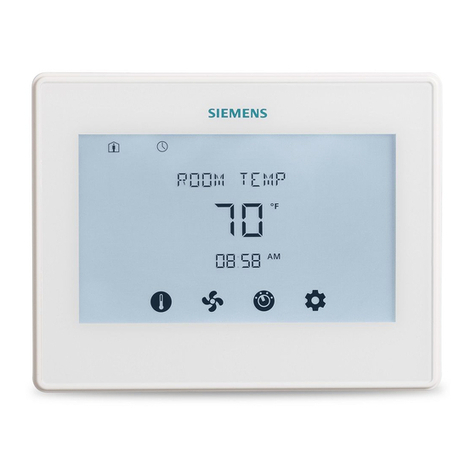
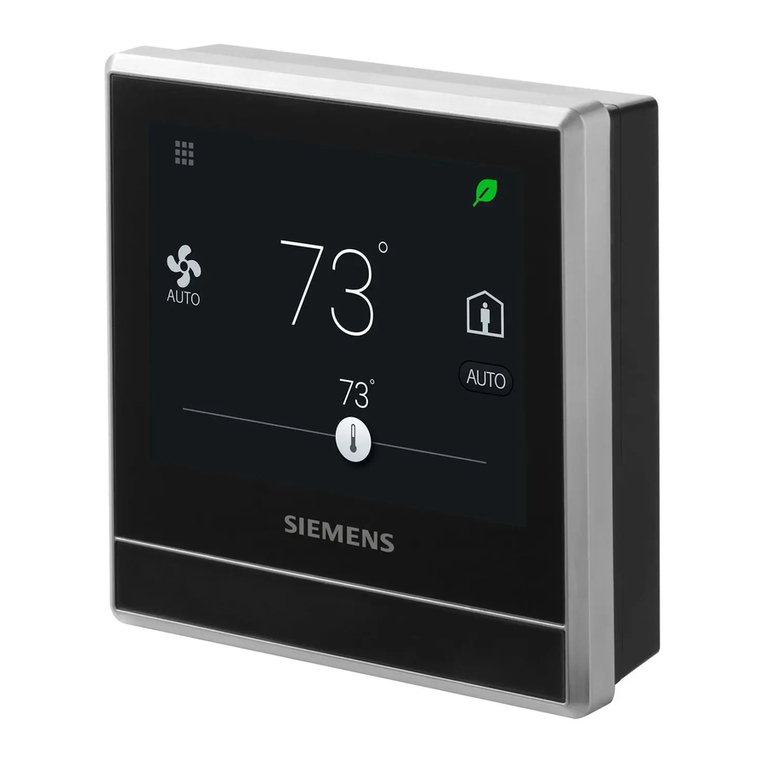
Smart Thermostat
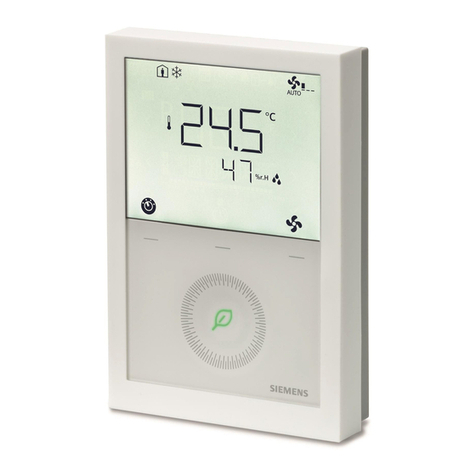
RDS120-B Technical Instructions
Advanced cloud connected thermostat for light commercial and residential
applications
•BACnet over IP Certified
•Controls conventional HVAC systems up to 3H/2C and heat pumps up to 4H/2C
•Easy to read, backlit, auto-dimming 3.5” color LCD touch
•Intuitive remote user control using Apple iOS and Android mobile phone
applications
•One-touch green leaf button to maximize energy efficiency
•Built-in Volatile Organic Compounds (VOC) sensor enables ventilation strategies
for optimum indoor air quality
•Built-in humidity sensor
•Built-in occupancy sensor and window / door contact enables smart occupancy
control
•Full, easy to program user schedule
2
Siemens Industry, Inc.
A6V11727385
Smart Infrastructure
06/20/2019
Thermostat Highlights
●Built-in VOC sensor senses wide range of offending organic odors that contribute to stale
air and drives ventilation control
●Easy to understand tri-level air quality indication: “Good”, “Okay”, “Poor”
●Built-in temperature and humidity sensors
●Inputs for remote or averaging temperature and humidity sensors
●One-touch operation for “Away”, “OFF”, “FAN” and “Heating/Cooling”
●Configurable setpoint limits
●Password protected screen lock
●Presence detection using a built-in sensor
●PID algorithm for precise control
●Advanced energy saving control with free cooling capability
●Two multifunctional inputs, optional and configurable for:
–Room temperature
–Operating mode switch
–Window / door contact
–Outside air temperature
–Room air humidity
–Presence detector
–Condensation monitor
–Room air quality
●Six relay outputs for:
–Conventional systems up to 3H/2C
–Heat pumps with up to 2 compressors and 2 stages of auxiliary heat
–Humidity or ventilation control
●Guided Setup Wizard
●Over the air (OTA) firmware upgradable
●Green Leaf button engages occupants in maximizing system efficiency. If scheduled
setpoint is overridden, the green leaf will turn red. One touch will return the system to the
programmed setpoint and the leaf will return to green.
Mobile App Features
●Support iOS and Android smartphones
●Support “Dark” and “Light” background colors on mobile app
●Full 7-day programmable schedule with three modes:
–“Comfort”: comfort settings during occupied periods
–“Economy”: setting for transition between “Unoccupied” and “Comfort”
–“Unoccupied”: setting for periods during absence to maximize energy savings
●Duplicates thermostat HMI on smartphone screen
●User account management
●Monitor temperature and humidity
●Monitor indoor air quality: “Good”, “Okay”, “Poor”
●Data security with Siemens Cloud Computing Platform
Application
The RDS120 is designed to control Heat Pump or Conventional HVAC heating and cooling
applications. It can control up to three stages of heating and two stages of cooling in
conventional systems and up to two compressors and two stages of auxiliary heat in heat
pump systems.
3
Siemens Industry, Inc.
A6V11727385
Smart Infrastructure
06/20/2019
Mechanical Design
The room thermostat consists of the following parts:
●Front housing with touch screen and sensors
●Back housing with terminals and relays
●Mounting hardware for installation on 2’’×4’’ electrical box or directly on drywall
Operation and Settings
Active Display
1
System setup screens and detailed information display
2
Shows if the system is working in an energy-optimized mode. If the leaf is red, some
predefined settings have been changed. One touch to the leaf returns settings to
configured settings and reverts leaf color to green.
3
Room temperature
4
Manually select between “At home” and “Away”
5
Shows if the thermostat is operating per the schedule ( ) or manually ( ). Please
note:
●If there is Cloud connection and the scheduler has been programmed, the
thermostat will follow it. Any temporary change of the temperature setpoint is
effective only during the currently scheduled mode.
●If there is Cloud connection, but the schedule has not been programmed, the
thermostat follows the default schedule.
●If there is no Cloud connection, the thermostat will have no schedule and will be
operated manually.
6
Fan mode (AUTO/ON)
7
Temperature setpoint slider. Icon color changes as setpoint is changed:
●Slider changes to red when heating relay is energized.
●Slider changes to blue when cooling relay is energized.
●If system has reached setpoint and is idle, the slider color stays white.
4
Siemens Industry, Inc.
A6V11727385
Smart Infrastructure
06/20/2019
Idle Display
1
Relative humidity
2
Shows room air quality:
●Green = Very Good
●Orange = Fair
●Red = Poor
3
Shows if the system is working in an energy-optimized mode. If the leaf is red, some
pre-defined settings have been changed. One touch to the leaf returns settings to
configured settings and reverts leaf color to green.
4
Room temperature
NOTE: Idle mode display will vary based on system configuration.
Ordering Information
Model Number
Orderable Part Number
Description
RDS120-B
RDS120-B
Room Thermostat
Contents
Items
Quantity
Thermostat (front and rear)
1
Metal mounting plates (small & large)
2
Plastic frame
1
Set of screws and drywall anchors
1
Quick guide
1
Mounting instructions
1
Wiring decals
1
Activation code decal
1
5
Siemens Industry, Inc.
A6V11727385
Smart Infrastructure
06/20/2019
Associated Equipment
Remote sensors
Sensor Type
Model Number
1k
Ohm at
32°F Ni
R
1k
Ohm
Pt
RTD
Type 2
Thermistor
0-10 Vdc
Datasheet*
Room Temperature Sensors
- Wall-mount
QAA2220.EWSN
x
149-714
QAA2212.EWSN
x
149-714
QAA2230.EWSN
x
149-714
QAA22SS.EWSN
x
149-714
- Flush-
mount1)
540-984 (Metal)
x
149-956
536-994A (Beige)
x
149-956
536-994B (White)
x
149-956
- Duct-mount
QAM2030.010 (4”)
x
149-915
Outdoor Temperature Sensors
QAC22
x
149-920
QAC2012
x
149-920
QAC2030
x
149-920
QAC3161
x
149-920
Cable Temperature Sensors
QAP22
x
149-918
QAP2012.150
x
149-918
QAP1030.200
x
149-918
Room Humidity Sensors
- Wall-mount
including
temperature
QFA3212.EWSN
x(T)
x (r.h.)
149-714
QFA32SS.EWSN
x (T+r.h.)
149-714
- Duct-mount
including
temperature
QFM2160U
x (T+r.h.)
149-991
Indoor Air Quality Sensors
- CO2
QPA2000
x
149-910
- VOC + CO2
QPA2002
x
149-910
QPA2002D1)
x
149-910
- CO2
including
temperature
QPA2060
x(CO2+T)
149-910
QPA2060D1)
x(CO2+T)
149-910
- Duct-mount
CO2
QPM2100
x
149-909
- Duct-mount
VOC + CO2
QPM2102
x
149-909
- Duct-mount
CO2including
temperature
QPM2160
x(CO2+T)
149-909
6
Siemens Industry, Inc.
A6V11727385
Smart Infrastructure
06/20/2019
* The documents can be downloaded from Siemens US Download Center by specifying the
product number as shown in the above table.
1) With digital display
Replacement Part
Description
Model
Number
Orderable
Part Number
Plastic trim plate and metal mounting
plate for 2’’ × 4’’ box (1 set)
ARG100.01
S55772-T102
Product Documentation
Topic
Title
Document
number
Mounting and installation
Installation guide
A6V11727380
Installation and operation
User guide
A6V11727414
Startup wizard
Quick guide
A6V11727429
Commissioning
Commissioning guide
A6V11727391
Submittal sheet
A6V11727426
CE declaration
A5W90002476
RCM declaration
A5W90002477
Product environmental declaration
A5W90003412
Notes
Security
CAUTION
National safety regulations
Failure to comply with applicable safety regulations may result in personal injury and
property damage
●Observe and comply with the appropriate safety regulations.
Engineering
See Product Documentation [➙6] for information on engineering, selection and sizing
connecting cables for supply voltage and field devices.
7
Siemens Industry, Inc.
A6V11727385
Smart Infrastructure
06/20/2019
Installation Location
●The devices are suitable for wall installation.
●Recommended height: 5 feet above the floor.
●Do not install the devices in recesses, shelves, behind curtains or doors, or above or
near heat sources.
●Avoid direct exposure to sun and drafts.
●Seal the conduit or backwall as drafts can affect sensor readings.
●Observe maximum ambient conditions.
Wiring
Use only class 2 rated power source with proper current limiting.
Installation
Thermostat may be mounted directly on wall using drywall anchors and screws (included).
For installation on a 2” × 4” conduit box , use the appropriate mounting plate and plastic trim
piece (included).
WARNING
No user serviceable parts inside.
Risk of fire and injury due to short-circuits
●Use properly sized wires for connections
Commissioning
Refer to the Quick guide and User guide (see Product Documentation [➙6]) to configure
your device. Commissioning includes the following:
●Internet connection
●Application setup
●Account registration and device pairing
NOTE: Before configuring your thermostat, make sure you have Internet connection, a valid
email address, and a smartphone.
Operation
Operating System
8
Siemens Industry, Inc.
A6V11727385
Smart Infrastructure
06/20/2019
OS
OS version
App Store
iOS
iOS 10 or above
App store®
Android
AndroidTM 5.0 or above
Google PlayTM
Maintenance
The thermostat is designed for maintenance-free operation.
Disposal
The device is considered an electronic device for disposal in accordance
with the European Guidelines and may not be disposed of as domestic
garbage.
●Dispose of the device through channels provided for this purpose.
●Comply with all local and currently applicable laws and regulations.
Regulatory information
Radio equipment directive
The equipment is using harmonized frequency in Europe, and also compliances with the
Radio Equipment Directive (2014/53/EU, formerly 1999/5/EC).
ISED Regulations (Canada)
This device complies with Industry Canada license-exempt RSS standard(s).
Operation is subject to the following two conditions: (1) this device may not cause
interference, and (2) this device must accept any interference, including interference that
may cause undesired operation of the device.
Le present appareil est conforme aux CNR d'Industrie Canada applicables aux appareils
radio exempts de licence. L'exploitation est autorisee aux deux conditions suivantes : (1)
l'appareil ne doit pas produire de brouillage, et (2) l'utilisateur de l'appareil doit accepter tout
brouillage radioelectrique subi, meme si le brouillage est susceptible d'en compromettre le
fonctionnement.
9
Siemens Industry, Inc.
A6V11727385
Smart Infrastructure
06/20/2019
FCC Regulations (USA)
WARNING
Modification of this device to receive cellular radio telephone service signals is
prohibited under FCC rules and federal law.
This equipment has been tested and found to comply with the limits for a Class B digital
device, pursuant to part 15 of the FCC Rules. These limits are designed to provide
reasonable protection against harmful interference in a residential installation. This
equipment generates, uses and can radiate radio frequency energy and, if not installed and
used in accordance with the instructions, may cause harmful interference to radio
communications. However, there is no guarantee that interference will not occur in a
particular installation. If this equipment does cause harmful interference to radio or
television reception, which can be determined by turning the equipment off and on, the user
is encouraged to try to correct the interference by one or more of the following measures:
Reorient or relocate the receiving antenna.
Increase the separation between the equipment and receiver.
Connect the equipment into an outlet on a circuit different from that to which the receiver is
connected. Consult the dealer or an experienced radio/TV technician for help.
This equipment complies with FCC radiation exposure limits set forth for an uncontrolled
environment. This equipment should be installed and operated with minimum distance of
20cm between the radiator & your body.
Changes or modifications not expressly approved by the party responsible for compliance
could void the user's authority to operate the equipment.
Statement
This device complies with part 15 of the FCC Rules. Operation is subject to the following two
conditions: (1) This device may not cause harmful interference, and (2) this device must
accept any interference received, including interference that may cause undesired operation.

10
Siemens Industry, Inc.

A6V11727385
Smart Infrastructure
06/20/2019
Technical data
Power Supply
Power Supply
Operating voltage
24 Vac (±20%)
Frequency
48 to 63 Hz
Power consumption
Max. 9 VA
Max. power supply current
4 A current limited
Radio Data
Radio Parameter
Frequency band
2.4 to 2.4835 GHz
Maximum radio-frequency power
18 dBm
WLAN standard
IEEE 802.11b/g/n (HT20)
WLAN channel
1-11
Inputs
Connections to Multifunctional Inputs X1 - M - X2
Passive temperature sensors
- Cable length max. (copper
cable
section)
- NTC type
Room temperature range
Outdoor temperature range
- Ni type
Room temperature range
Outdoor temperature range
- Pt type
Room temperature range
Outdoor temperature range
300 ft (90 m) (16 AWG wire), 230 ft (70 m) (18 AWG
wire)
200 ft (60 m) (18 AWGwire), 130 ft (40 m) (20 AWG
wire)
NTC10K Type 2 Thermistor
32 to 122°F (0…50°C)
-32 to 176°F (-50…80°C)
Ni1000 at 32°F (0℃) RTD
32 to 122°F (0…50°C)
-32 to 176°F (-50…80°C)
Pt1000_375/Pt1000_385 at 32°F (0℃) RTD
32 to 122°F (0…50°C)
-32 to 176°F (-50…80°C)
Active DC 0 V to 10 V sensors
- Room temperature range
(default)
- Outdoor temperature range
(default)
- Humidity range (default)
- CO2range (default)
Note: min./max. configurable via parameters
32 to 122°F (0…50°C)
-32 to 176°F (-50…80°C)
0 to 100%
0 to 2000 ppm
Digital contacts
- Operating action
- Contact sensing
Selectable N.O./N.C.
DC 14 to 40 V, 8 mA (typical)