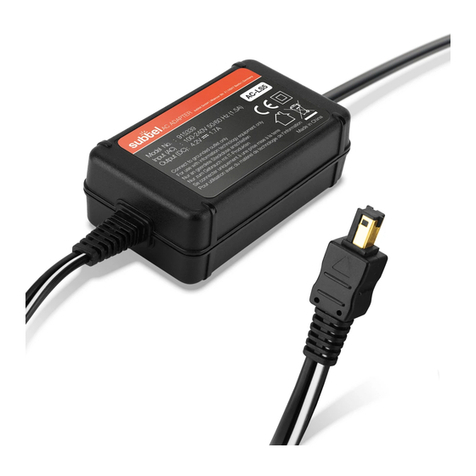
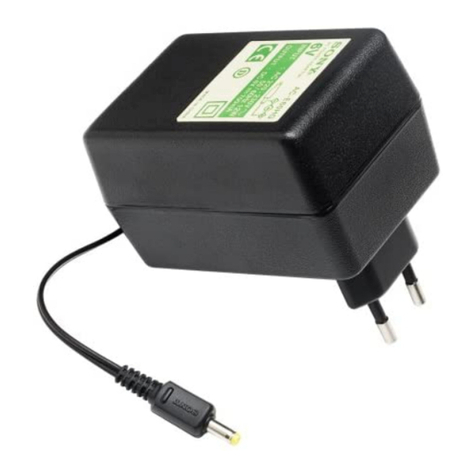
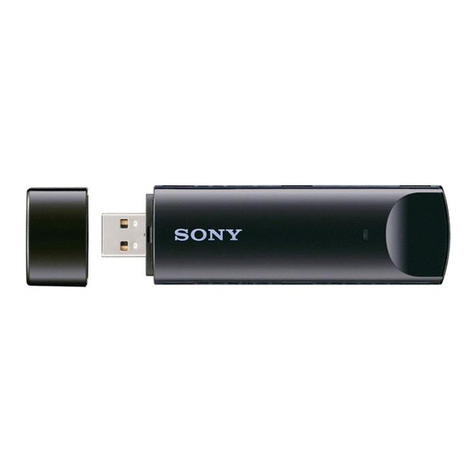
AC-ES300
English
WARNING
To reduce the risk of fire or electric shock, do not expose this
apparatus to rain or moisture.
To reduce the risk of fire, do not cover the ventilation of the apparatus
with newspapers, tablecloths, curtains, etc. Do not place the naked flame
sources such as lighted candles on the apparatus.
To reduce the risk of fire or electric shock, do not place objects filled
with liquids, such as vases, on the apparatus.
Do not install the appliance in a confined space, such as a bookcase or
built-in cabinet.
As the main plug is used to disconnect the unit from the mains,
connect the unit to an easily accessible AC outlet. Should you notice an
abnormality in the unit, disconnect the main plug from the AC outlet
immediately.
Precautions
Important Safety Instructions
1) Read these instructions.
2) Keep these instructions.
3) Heed all warnings.
4) Follow all instructions.
5) Do not use this apparatus near water.
6) Clean only with dry cloth.
7) Do not block any ventilation openings.
Install in accordance with the manufacturer’s instructions.
8) Do not install near any heat sources such as radiators, heat
registers, stoves, or other apparatus (including amplifiers) that
produce heat.
9) Do not defeat the safety purpose of the polarized or grounding-
type plug. A polarized plug has two blades with one wider than the
other. A grounding type plug has two blades and a third grounding
prong. The wide blade or the third prong are provided for your
safety. If the provided plug does not fit into your outlet, consult an
electrician for replacement of the obsolete outlet.
10) Protect the power cord from being walked on or pinched
particularly at plugs, convenience receptacles, and the point where
they exit from the apparatus.
11) Only u
se attachments/accessories specified by the manufacturer.
12) Use only with the cart, stand, tripod, bracket, or table specified by
the manufacturer, or sold with the apparatus. When a cart is used,
use caution when moving the cart/apparatus combination to avoid
injury from tip-over.
13) Unplug this apparatus during lightning storms or when unused for
long periods of time.
14) Refer all servicing to qualified service personnel. Servicing is
required when the apparatus has been damaged in any way, such
as power-supply cord or plug is damaged, liquid has been spilled
or objects have fallen into the apparatus, the apparatus has been
exposed to rain or moisture, does not operate normally, or has
been dropped.
Français
AVERTISSEMENT
Afin de réduire les risques d’incendie ou de choc électrique,
n’exposez pas cet appareil à la pluie ni à l’humidité.
Pour réduire les risques d’incendie, ne couvrez pas les orifices d’aération
de l’appareil avec des journaux, nappes, rideaux, etc. Ne placez pas de
sources de flamme nue, comme des bougies allumées, sur l’appareil.
Pour réduire les risques d’incendie ou d’électrocution, ne placez pas de
récipients remplis de liquides (vases, etc.) sur l’appareil.
N’installez pas l’appareil dans un espace confiné comme une
bibliothèque ou un meuble encastré.
La fiche principale étant utilisée pour déconnecter l’appareil du secteur,
branchez l’appareil sur une prise secteur facilement accessible. Si vous
constatez une anomalie de l’appareil, débranchez immédiatement la fiche
principale de la prise secteur.
Précautions
Consignes de sécurité importantes
1) Lisez attentivement ces instructions.
2) Conservez ces instructions.
3) Veillez à respecter tous les avertissements.
4) Suivez scrupuleusement toutes les instructions.
5) N’utilisez pas cet appareil à proximité de l’eau.
6) Nettoyez-le avec un chiffon sec uniquement.
7) Ne bloquez aucun des orifices de ventilation.
Installez l’appareil conformément aux instructions du fabricant.
8) N’installez pas l’appareil à proximité de sources de chaleur comme
des radiateurs, des bouches d’air chaud, des poêles ou tout autre
appareil (y compris des amplificateurs) générant de la chaleur.
9) N’essayez jamais de contourner le dispositif de sécurité de la fiche
polarisée ou de la fiche de terre. Une fiche polarisée dispose de
deux broches dont l’une est plus large que l’autre. Une fiche de
terre dispose de deux broches et d’une troisième dent pour la mise
à la terre. Cette broche plus large ou cette troisième dent visent
à assurer votre sécurité. Si la fiche fournie ne s’adapte pas à votre
prise murale, consultez un électricien afin de remplacer la prise
obsolète.
10) Faites en sorte de ne pas marcher sur le cordon d’alimentation ou
de ne pas le pincer au niveau des fiches, des rallonges et à l’endroit
où il sort de la prise.
11) Utilisez uniquement des fixations/accessoires spécifié(e)s par le
fabricant.
12) Utilisez cet appareil uniquement avec le chariot, le pied, le trépied,
le support ou la table spécifié(e) par le fabricant ou vendu(e) avec
l’appareil. Si vous utilisez un chariot, faites attention lorsque vous
déplacez l’ensemble chariot/appareil afin d’éviter toute blessure en
cas de chute.
13) Débranchez cet appareil pendant les orages ou lorsqu’il est inutilisé
pendant une période prolongée.
14) Confiez tout travail de réparation à un personnel qualifié.
Un travail de réparation est nécessaire lorsque l’appareil a été
endommagé de quelque manière que ce soit, par exemple si le
cordon d’alimentation ou la fiche est endommagé(e), si du liquide
ou des objets ont pénétré à l’intérieur de l’appareil, si ce dernier
a été exposé à la pluie ou à l’humidité, s’il ne fonctionne pas
correctement ou s’il a été échappé.