EnglishDeutsch
 logo
Brands
  1. Home
  2. •
  3. Brands
  4. •
  5. Sony
  6. •
  7. DVD Player
  8. •
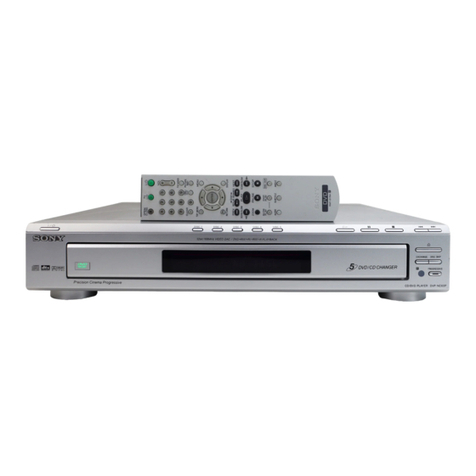
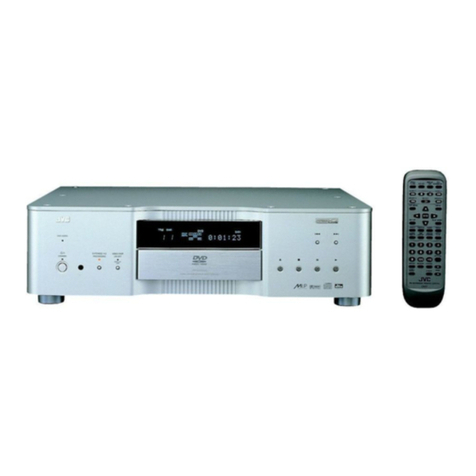
  9. Sony DVP-CX777ES Quick start guide

Sony DVP-CX777ES Quick start guide

Other manuals for DVP-CX777ES

6

Other Sony DVD Player manuals

Sony DVP-NS700H User manual

Sony

Sony DVP-NS700H User manual

Sony DVP-NS715P User manual

Sony

Sony DVP-NS715P User manual

Sony DVP-SR650P User manual

Sony

Sony DVP-SR650P User manual

Sony DVP-SR210P User manual

Sony

Sony DVP-SR210P User manual

Sony DVP-NC875V/S - Dvd/cd Player User manual

Sony

Sony DVP-NC875V/S - Dvd/cd Player User manual

Sony DVP-SR520P User guide

Sony

Sony DVP-SR520P User guide

Sony MEX-DV1500U User manual

Sony

Sony MEX-DV1500U User manual

Sony DVP-NC80V Operating Instructions (DVPNC80V) User manual

Sony

Sony DVP-NC80V Operating Instructions (DVPNC80V) User manual

Sony DVP-S320 User manual

Sony

Sony DVP-S320 User manual

Sony DVP-NC60P - Cd/dvd Player User manual

Sony

Sony DVP-NC60P - Cd/dvd Player User manual

Sony HCD-LF1 User manual

Sony

Sony HCD-LF1 User manual

Sony DVP-NC875V User manual

Sony

Sony DVP-NC875V User manual

Sony DVP-SR510H User manual

Sony

Sony DVP-SR510H User manual

Sony DVP-S336 User manual

Sony

Sony DVP-S336 User manual

Sony DVP-SR320 User manual

Sony

Sony DVP-SR320 User manual

Sony DVP-F41MS User manual

Sony

Sony DVP-F41MS User manual

Sony DVP-SR320 User guide

Sony

Sony DVP-SR320 User guide

Sony SLV-D300P Operating Instructions (SLVD300P) User manual

Sony

Sony SLV-D300P Operating Instructions (SLVD300P) User manual

Sony RDR-GX7 Manual

Sony

Sony RDR-GX7 Manual

Sony SLV-D350P Operating Instructions (SLVD350P... User manual

Sony

Sony SLV-D350P Operating Instructions (SLVD350P... User manual

Sony DVP-NS50P User manual

Sony

Sony DVP-NS50P User manual

Sony DVP-F21 - Cd/dvd Player User manual

Sony

Sony DVP-F21 - Cd/dvd Player User manual

Sony DVP-S533D - Cd/dvd Player User manual

Sony

Sony DVP-S533D - Cd/dvd Player User manual

Sony DVP-SR350 User guide

Sony

Sony DVP-SR350 User guide

Popular DVD Player manuals by other brands

JVC XV-S300BK null

JVC

JVC XV-S300BK null

JVC XV-N312S null

JVC

JVC XV-N312S null

LENCO DVP-740 X2 user manual

LENCO

LENCO DVP-740 X2 user manual

JVC XV-N650BEU Service manual

JVC

JVC XV-N650BEU Service manual

Aiwa XD-DV370 operating instructions

Aiwa

Aiwa XD-DV370 operating instructions

MedeaWiz Sprite 4K DV-S4 user manual

MedeaWiz

MedeaWiz Sprite 4K DV-S4 user manual

Denon DVM-1805 - DVD Changer operating instructions

Denon

Denon DVM-1805 - DVD Changer operating instructions

Toshiba SD-3815 owner's manual

Toshiba

Toshiba SD-3815 owner's manual

Tevion 44330 user guide

Tevion

Tevion 44330 user guide

Samsung DVD-HD860 manual

Samsung

Samsung DVD-HD860 manual

Sylvania DP170SL8 Service manual

Sylvania

Sylvania DP170SL8 Service manual

Toshiba SD-P1200 Service manual

Toshiba

Toshiba SD-P1200 Service manual

Dolby Laboratories CP650 user manual

Dolby Laboratories

Dolby Laboratories CP650 user manual

Philips DVD737K/931 Technical specifications

Philips

Philips DVD737K/931 Technical specifications

Denon DVD-5900 Service manual

Denon

Denon DVD-5900 Service manual

Philips DVD 951 Specifications

Philips

Philips DVD 951 Specifications

Philips DVDR3460 quick start guide

Philips

Philips DVDR3460 quick start guide

Toshiba SD-V394SU owner's manual

Toshiba

Toshiba SD-V394SU owner's manual

https://manuals.online logo
https://manuals.online logoBrands
  • About & Mission
  • Contact us
  • Privacy Policy
  • Terms and Conditions

Copyright 2026 Manuals.Online. All Rights Reserved.

HomeLogic LLC 100 Hoods Lane Marblehead, MA 09145 Phone (781) 639-5155 Fax (781) 639-9677
OneHome

DVD Integration Note
Manufacturer: Sony
Model Number(s): DVP-CX777ES
Comments:
Document Revision Date: 1/10/2006
O
VERVIEW AND
S
UPPORTED
F
EATURES
The DVD players include an RS-232 connection which is used to connect to the OneHome system and
provide communications, enabling reliable control of the DVD player.
IMPORTANT: This Integration Note covers the Sony DVD changer connected directly to the
OneHome System. It is also possible to integrate the DVD changer through a DVD media server,
such as the Escient DVDM-100: refer to the Integration Note for the compatible media server.
THESE DVD PLAYERS SUPPORT THE FOLLOWING FEATURES:
Basic Transport Control: Play, stop, etc.
Disc Selection: Select the desired disc.
DVD Information: The Viewer interface displays limited information about each DVD, using the
Carrousel + Select interface template.
I
NSTALLATION
O
VERVIEW
1. During the rough-in phase install the necessary power and A/V cabling for the DVD player.
2. Also during the rough-in phase, run a Cat5 wire from the location of the DVD player back to the
Network Assembly of the OneHome system to provide the serial connection needed to control the
receiver. Refer to the RS-232 Connection Options Integration Note for other serial connection
options.
3. Install the DVD player and other theater components.
4. Test the DVD player with the other theater components to ensure that the audio and video play
correctly.
5. Connect the OneHome system to the DVD player electrically. See the connection diagram for more
information.
6. Configure the OneHome system for the DVD player and confirm communication between the DVD
player and the HomeBrick.
7. Test the system by playing a DVD with the various transport controls.

2 of 4
C
ONNECTION
D
IAGRAMS
BILL OF MATERIALS
# Device Manufacturer Part Number Protocol Connector Type Notes
1 DB9F to RJ45 NULL Adapter HomeLogic HA-CB-328 RS-232 DB-9 Female X RJ-45 Female
2 Cat5 Cable Assy. Installer N/A RS-232 RJ-45 Male X Wire
3 Network Assembly HomeLogic HW-NA-18X4 RS-232 RJ-45 Female X DB-9 Female / USB
4 HomeBrick HomeLogic HW-HB-1080 RS-232 DB9 Male / USB
3 of 4
H
OME
L
OGIC
C
ONFIGURATION
D
ETAILS
The following table provides settings used in the HomeLogic Configurator. Please refer to the Configurator Reference Guide for more details.
o“<Select>” Select the appropriate item from the list (or drop-down) in the Configurator.
o“<User Defined>”, etc. Type in the desired name for the item.
Devices Variable Name Setting Comments
Communication Devices Name <User Defined> (Default:
Sony DVD
)
Type Serial Port
Communication Type Standard Connection
Location <User Defined> (Not Required)
COM Port <Select>
DVD Players Name
<User Defined> (Default:
Sony DVP-CX777ES
)
Device Type Sony DVP-CX777ES
Location <User Defined> (Not Required)
COM Device
<Select> (Default:
Sony DVD
)
Other Audio Devices/Interfaces Name
<User Defined> (Default:
New Interface
)
See Note 1
Template DVD (Carrousel + Select)
Default Device Sony DVP-CX777ES
<Audio Zone Controllers> Add an Audio Zone Controller: refer to the Integration Note for your particular receiver or zone controller. (See Note 2)
Notes:
1. If the DVD player is going to be connected to an Escient DVDM-100 then refer to the integration note for the Escient.
2. You must add an Audio Zone Controller to get a tab in the Viewer interface.
For compatible receivers and zone controllers, refer to the Integration Note for the particular system.
For a single zone where the DVD player is connected to a basic amp, refer to the
Single Zone Audio
Integration Note.
4 of 4
C
OMMON
M
ISTAKES