manuals.online logo
Brands
  1. Home
  2. •
  3. Brands
  4. •
  5. Sony
  6. •
  7. Software
  8. •
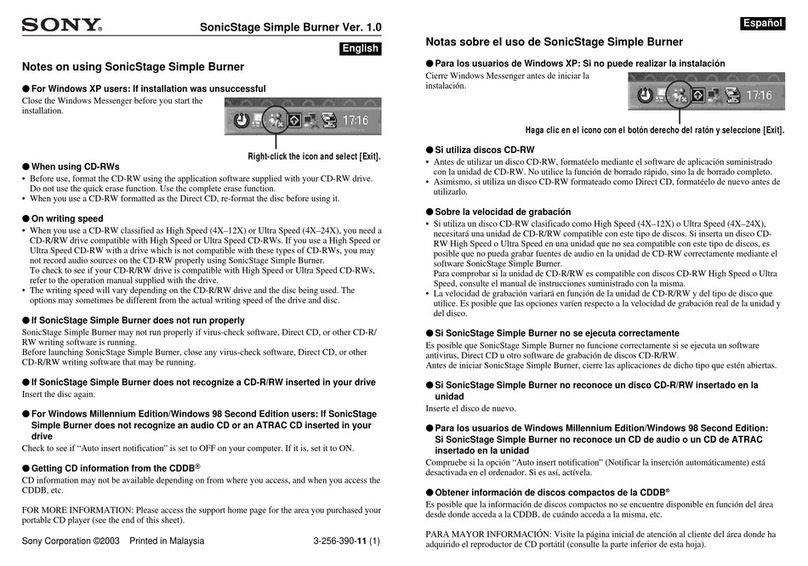
  9. Sony SRW5800/2 User manual

Sony SRW5800/2 User manual

Other manuals for SRW5800/2

5

This manual suits for next models

1

Other Sony Software manuals
Sony DCR-TRV260 - Digital Handycam Camcorder User guide

Sony

Sony DCR-TRV260 - Digital Handycam Camcorder User guide

Sony MSSW-IC2P User manual

Sony

Sony MSSW-IC2P User manual

Sony NWZ-A815BLK - 2gb Digital Music Player User manual

Sony

Sony NWZ-A815BLK - 2gb Digital Music Player User manual

Sony ICDBM1 - Memory Stick Media Digital Voice... User manual

Sony

Sony ICDBM1 - Memory Stick Media Digital Voice... User manual

Sony PEG-N710C Memory Stick Autorun v1.2 User manual

Sony

Sony PEG-N710C Memory Stick Autorun v1.2 User manual

Sony Memory Stick Gate User manual

Sony

Sony Memory Stick Gate User manual

Sony ICD-CX50 - Visual Voice Recorder User manual

Sony

Sony ICD-CX50 - Visual Voice Recorder User manual

Sony MZ-M10 User manual

Sony

Sony MZ-M10 User manual

Sony MZ-DH10P Hi-MD Music Transfer Version 1 for Mac  (User... User manual

Sony

Sony MZ-DH10P Hi-MD Music Transfer Version 1 for Mac (User... User manual

Sony Emma User manual

Sony

Sony Emma User manual

Sony Memory Stick Camera Application Version 1.0 User manual

Sony

Sony Memory Stick Camera Application Version 1.0 User manual

Sony ERS-210 AIBO Dancer User manual

Sony

Sony ERS-210 AIBO Dancer User manual

Sony ICS-FW40 User manual

Sony

Sony ICS-FW40 User manual

Sony Micro HI-FI Component System Installation guide

Sony

Sony Micro HI-FI Component System Installation guide

Sony PEG-N610C Intellisync Lite User manual

Sony

Sony PEG-N610C Intellisync Lite User manual

Sony CPF-IX001 - Wireless PC-Linked Audio System User manual

Sony

Sony CPF-IX001 - Wireless PC-Linked Audio System User manual

Sony ERS-311 AIBO Life User manual

Sony

Sony ERS-311 AIBO Life User manual
Sony MDS-PC3 User manual

Sony

Sony MDS-PC3 User manual

Sony ERS-311 AIBO Life User manual

Sony

Sony ERS-311 AIBO Life User manual
Sony CLIE World Alarm Clock User manual

Sony

Sony CLIE World Alarm Clock User manual

Sony DPP-EX5 Quick start guide

Sony

Sony DPP-EX5 Quick start guide

Sony CLIE User manual

Sony

Sony CLIE User manual

Sony PEG-NZ90 Read This First User manual

Sony

Sony PEG-NZ90 Read This First User manual

Sony SRW5800/2 User manual

Sony

Sony SRW5800/2 User manual

Popular Software manuals by other brands

Red Hat ENTERPRISE LINUX 4 -  FOR X86-ITANIUM AND... installation guide

Red Hat

Red Hat ENTERPRISE LINUX 4 - FOR X86-ITANIUM AND... installation guide

Avaya OAISYS NetSuite 4.2 Application notes

Avaya

Avaya OAISYS NetSuite 4.2 Application notes

Asante SmartBridge V1.0 user manual

Asante

Asante SmartBridge V1.0 user manual

Xerox Wide Format 6204 installation guide

Xerox

Xerox Wide Format 6204 installation guide

SAS Scalable Performance Data Server 4.5 Administrator's guide

SAS

SAS Scalable Performance Data Server 4.5 Administrator's guide

Lucid FM2A85X Extreme6 installation guide

Lucid

Lucid FM2A85X Extreme6 installation guide

Juniper JUNOS PUS MOBILE SECURITY SUITE datasheet

Juniper

Juniper JUNOS PUS MOBILE SECURITY SUITE datasheet

GRASS VALLEY NETCONFIG V2.0.12 instruction manual

GRASS VALLEY

GRASS VALLEY NETCONFIG V2.0.12 instruction manual

Epson Stylus Pro 9880 ColorBurst Edition - Stylus Pro 9880... Getting started

Epson

Epson Stylus Pro 9880 ColorBurst Edition - Stylus Pro 9880... Getting started

COMPRO COMPROFM manual

COMPRO

COMPRO COMPROFM manual

Muratec OFFICEBRIDGE ONLINE user guide

Muratec

Muratec OFFICEBRIDGE ONLINE user guide

Oracle Contact Center Anywhere 8.1 installation guide

Oracle

Oracle Contact Center Anywhere 8.1 installation guide

Avaya NULL One-X for RIM Blackberry user guide

Avaya

Avaya NULL One-X for RIM Blackberry user guide

HP ProLiant BL420c user guide

HP

HP ProLiant BL420c user guide

PS Audio PowerPlay Programming manual

PS Audio

PS Audio PowerPlay Programming manual

Brady LOCKOUT PRO 3.0 Administrator's guide

Brady

Brady LOCKOUT PRO 3.0 Administrator's guide

Avaya Interaction Center user guide

Avaya

Avaya Interaction Center user guide

Texas Instruments TI-83 Plus Silver Edition Guide book

Texas Instruments

Texas Instruments TI-83 Plus Silver Edition Guide book

manuals.online logo
manuals.online logoBrands
  • About & Mission
  • Contact us
  • Privacy Policy
  • Terms and Conditions

Copyright 2025 Manuals.Online. All Rights Reserved.

HDCAM-SR Workflow Guide
Avid offers a complete line of post production solutions that are designed to work hand in hand with Sony’s HDCAM-SR VTR from
offline to finishing to stereoscopy 3D editorial. Capture, Create and Deliver.
Avid Media Composer, Avid Symphony Nitris DX and Avid DS have specific features enabling versatile efficient and reliable workflows
with Sony’s HDCAM-SR VTR, Stereoscopy editorial, high speed conform and mastering.
To capture HDCAM-SR material at double-speed: AVID DS
1. Ensure that the HDCAM-SR is connected to the break out box using a dual-link HD-SDI connection.
2. Set the HDCAM-SR VTR to 422DBL.
3. From the Avid DS capture window, select the right model of your VTR. (2X Capture mode)
4. Capture the clip.
Avid Post Production Solutions:
Avid Media Composer 4.x, Avid Symphony Nitris DX 4.x, Avid DS 10.x
Supported Workflow*
Double-speed transfer
Stereoscopic 3D editorial
All video frame rates including 1080/50p 60p
DATA mode (DPX file transfer)
Applicable HDCAM-SR VTR
SRW-5800 with HKSR-5803HQ
SRW-5100 with HKSR-5103
SRW-5800 with HKSR-5803HQ/5804
*Supported workflow varies for each Avid system
©2009 Sony Corporation. All rights reserved. MK10646V1OHB09NOV AVD
Contact
Avid Corporate Headquarters
Avid Technology Park
One Park West
Tewksbury, MA 01876
United States
Phone 978 640 6789
Fax 978 640 3366
Website www.avid.com
e-mail [email protected]
To capture material recorded on 3D (stereoscopic) tapes for editorial:
Avid Media Composer and Avid Symphony Nitris DX
1. Ensure that the HDCAM-SR (MONITOR output) is connected to the single HD-SDI input of the Mojo DX or Nitris DX breakout box.
2. Set the HDCAM-SR VTR to 422x2 mode – Field Sequence playback.
3. Capture from the capture window in Avid Media Composer.
4. Capture the clip.
5. Within the application (record and source viewer) the clips can be displayed as:
•Off(nativestereo3D)
•Lefteye
•Righteye
•Stereocheckerboard
•Stereointerlaced
Note:Singleeyeplaybackenablesthecreativeeditortobuildhisor
hersequencewithouttheneedof3Dglasses,thusenablingafamiliarand
comfortableenvironment.
6. Full screen output and playback output can either be:
•Off(nativestereo3D)
•Lefteye
•Righteye
•Stereocheckerboard
•Stereointerlaced