Sony SRS-XB402M Reference guide
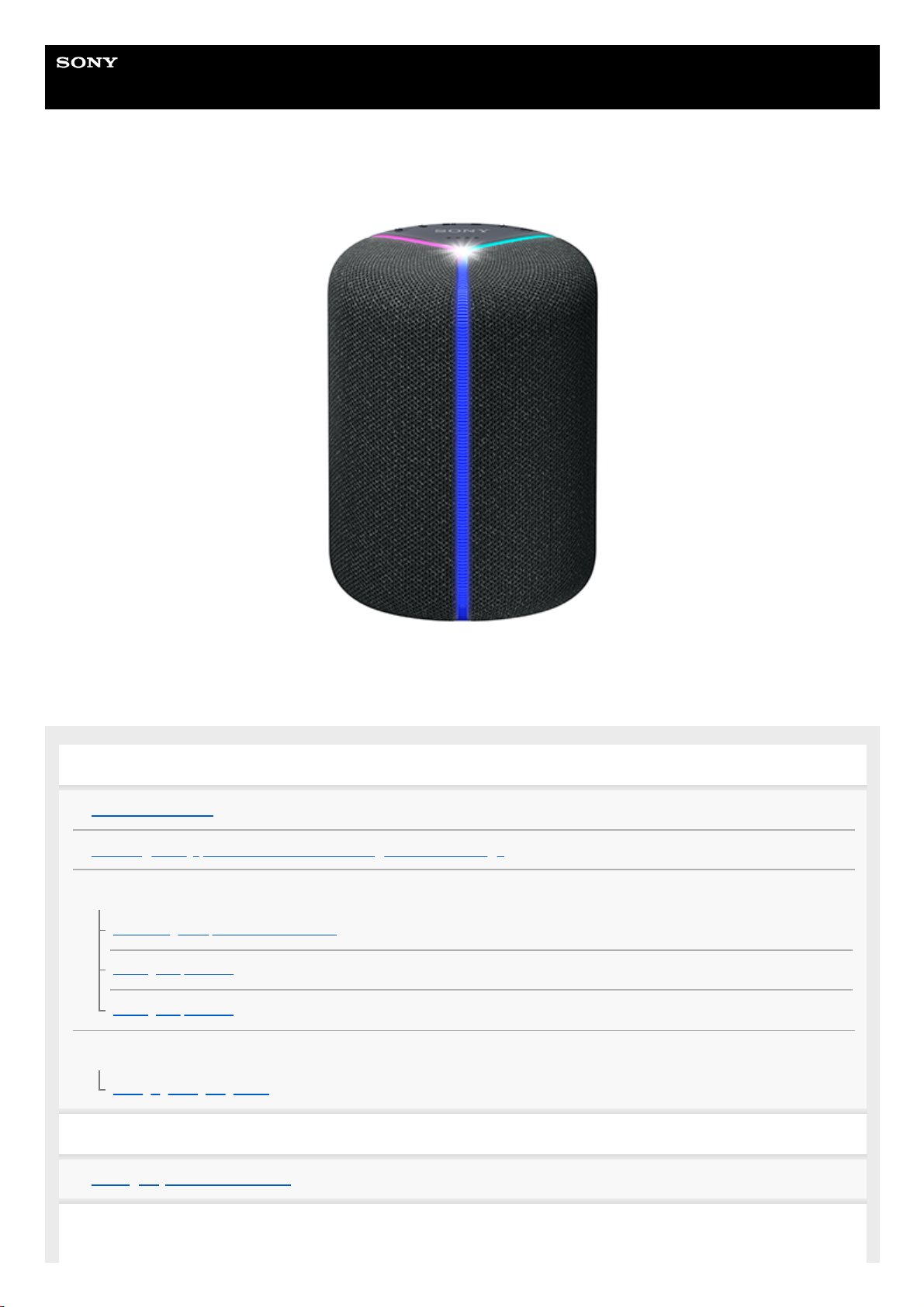
Help Guide
Wireless Speaker
SRS-XB402M
The following explains how to use this speaker. Select a topic from the navigation pane.
Getting started
Parts and controls
Installing “Sony | Music Center” and making the initial settings
Power source/charging
Connecting the speaker to an AC outlet
Turning the power on
Turning the power off
Lighting function
Changing the lighting mode
Using Amazon Alexa
Talking to your Amazon Alexa
Notes on using the Wi-Fi 5 GHz band
1
Disabling the Wi-Fi 5 GHz band
Using an online music distribution service (Spotify)
Spotify Connect
Using as a BLUETOOTH® speaker
Pairing and connecting with BLUETOOTH devices
Connecting with a computer via a BLUETOOTH connection (Windows)
Connecting with a computer via a BLUETOOTH connection (Mac)
Listening to music from the connected BLUETOOTH device
Terminating the BLUETOOTH connection (After use)
Enjoying switching the sound effects
Information
About the indicators
About software update
Notes on use
Precautions
Notes on charging
Notes on disposing of or giving away this speaker
Notes on waterproof and dust proof features
How to care for the speaker
Trademarks
Troubleshooting
What can I do to solve a problem?
Power supply
Unable to charge the built-in battery
Unable to turn on the speaker or the speaker suddenly turns off
Voice commands
The speaker is not responding to any voice commands
Sound
No sound is output or the playback sound distorts/interrupts
2

5-002-064-11(1) Copyright 2019 Sony Corporation
No phone calls are made
Sound becomes low while in use
Network connection
Unable to connect to a network via a Wi-Fi® connection
Unable to connect to “Sony | Music Center”
The speaker does not appear on the device selection screen in “Sony | Music Center”
Unable to connect to an online music distribution service
BLUETOOTH connection
Unable to pair the speaker with a BLUETOOTH device
Indicators
The status indicators are flashing in blue
When you find the speaker not working properly
Resetting the speaker
Initializing the speaker
3

Help Guide
Wireless Speaker
SRS-XB402M
Parts and controls
(power) button with indicator/ PAIRING button1.
(microphone mute) button with indicator
Reset: You can press and hold this button for about 8 seconds to reset the speaker.
2.
(play) button3.
(BLUETOOTH) indicator4.
LINK indicator5.
– (volume) button6.
+ (volume) button7.
LIVE button with indicator/ STANDARD button8.
Status indicators*1
9.
Built-in microphones10.
Lighting11.
LIGHT button*2/ BATTERY button
12.
Cap13.
4

Related Topic
About the indicators
5-002-064-11(1) Copyright 2019 Sony Corporation
DC IN 5V jack14.
CHARGE indicator15.
Indicates the volume level, the remaining battery power, and others.
*1
This button is enabled only while the speaker is connected through a BLUETOOTH connection or a Wi-Fi connection.
*2
5

Help Guide
Wireless Speaker
SRS-XB402M
Installing “Sony | Music Center” and making the initial settings
To use your speaker, you first need to install “Sony | Music Center” on your smartphone/iPhone and make the initial
settings for the speaker.
For details about “Sony | Music Center,” refer to the following URL:
https://www.sony.net/smcqa/
Operations that can be performed on a speaker with “Sony | Music Center”
Amazon Alexa setting
Sound quality setting and equalizer adjustment
Built-in battery level indication
Lighting (Illumination) setting (switching the lighting mode)
etc.
Note
To use Amazon Alexa, you need to create an Amazon account beforehand.
On this speaker, “Sony | Music Center” is available only through the Wi-Fi connection.
Install “Sony | Music Center” on your smartphone, iPhone, etc. from Google Play or the App Store.
Download “Sony | Music Center” from Google Play or the App Store and install it.
1
When the installation is complete, start “Sony | Music Center.”
2
Place the speaker as close to a Wi-Fi router as possible.
3
Establish a wireless connection from the smartphone/iPhone to the Wi-Fi router.
1.
Take a note of the SSID and the password (encryption key) of the connected Wi-Fi router.
Some of the Wi-Fi routers have multiple SSIDs.
Be sure to take a note of the SSID that you used for establishing the wireless connection from the
smartphone/iPhone.
For details, refer to the operating instructions supplied with the Wi-Fi router.
2.
In advance, you must turn on the BLUETOOTH function on the smartphone/iPhone.
3.
Connect the supplied AC adaptor to the speaker.
The speaker turns on automatically.
Connecting the speaker to an AC outlet
4
6

Note
To download the app and use network services, additional registrations and payment of communication charges and other fees
may be required.
Be sure to use the latest version of “Sony | Music Center.” If you cannot connect the speaker and a BLUETOOTH device via a
BLUETOOTH connection, or if there is a problem such as no sound being emitted, uninstall “Sony | Music Center” and try to
connect via the BLUETOOTH connection again.
For details about “Sony | Music Center,” refer to Google Play or the App Store.
Use of the Wi-Fi 5 GHz band is restricted to indoors only.
When using wireless connections outdoors, disable the Wi-Fi 5 GHz band.
For details on the Wi-Fi settings, refer to the operating instructions supplied with the Wi-Fi router.
This speaker may automatically update the built-in software upon completion of the Wi-Fi setup.
Please wait until the update is complete and the speaker restarts before setting up Amazon Alexa.
The status indicators flash or light in blue in accordance with the progress of the update.
After the update is complete (all four indicators are lit), the speaker restarts. While the update is in progress, do not turn off the
speaker for any reason.
Related Topic
Connecting the speaker to an AC outlet
Changing the lighting mode
Set up Wi-Fi with app.
5
Tap to start “Sony | Music Center” and select “SRS-XB402M.”
1.
Follow the directions in the app to set up your speaker for Wi-Fi. Set the speaker to the smartphone/iPhone’s
same Wi-Fi connection.
When a Wi-Fi connection is established, the LINK indicator lights up in green.
2.
Set up Amazon Alexa with app.
6
Select [ Settings] - [Amazon Alexa] from [SRS-XB402M] menu on “Sony | Music Center.”
1.
Follow the directions in the app to set up your speaker for Amazon Alexa.
Depending on your service, you may have to create an account in advance.
2.
7


Help Guide
Wireless Speaker
SRS-XB402M
Connecting the speaker to an AC outlet
This speaker can run on power either from the AC outlet to which it is connected by the supplied AC adaptor or from the
built-in battery.
When using the speaker for the first time, be sure to charge the built-in battery for more than 1 hour before turning on the
power.
You can operate the speaker with the built-in battery by charging the speaker before use.
Note
Depending on your countries/regions, the shape of the AC adaptor may be different from the one illustrated below.
Checking the built-in battery level of the rechargeable built-in battery
After pressing and holding the LIGHT button/ BATTERY button, when the speaker is turned on, the voice guidance
listed below is output from the speaker depending on the remaining built-in battery power.
The voice guidance is available in English only.
80% or more: “Battery fully charged.”
60% or more: “Battery about 80%.”
40% or more: “Battery about 60%.”
Connect the AC adaptor to the DC IN 5V jack on the speaker, and then plug the AC adaptor into an AC
outlet.
The speaker turns on automatically.
The CHARGE indicator lights up in orange while charging. Charging is completed in about 6 hours* and the
indicator turns off.
If the built-in battery is fully charged when you connect the speaker to an AC outlet, the CHARGE indicator lights up
in orange then turns off after about 1 minute.
Hint
While you listen to music through the speaker, the speaker is capable of charging the built-in battery as long as it is
connected to an AC outlet by the suppled AC adaptor. However, it may take longer to charge the battery depending on the
conditions of use. When you charge the battery, it is recommended that you turn off the power to the speaker.
1
Time that is required to charge the empty built-in battery to its full capacity when the speaker turns off.
*
9

20% or more: “Battery about 40%.”
10% or more: “Battery about 20%.”
Less than 10%: “Battery level low, please charge.”
Less than 10%: “Battery level low.” (While the speaker is charging.)
Built-in battery life (using the BLUETOOTH connection or the Wi-Fi connection)
About 12 hours
The volume level of the speaker is set to 31.
The lighting function is set to off.
The Sound Mode is set to STANDARD.
About 11 hours
The volume level of the speaker is set to 31.
The lighting function is set to on. (factory default settings)
The Sound Mode is set to EXTRA BASS. (factory default settings)
About 4 hours
The volume level of the speaker is set to maximum (50).
The lighting function is set to on. (factory default settings)
The Sound Mode is set to EXTRA BASS. (factory default settings)
The built-in battery life above is measured using the specified music source.
Actual performance time may vary from the listed time due to the volume, songs played, surrounding temperature,
and usage conditions.
When the built-in battery is running low
When the voice guidance says “Please charge” and the CHARGE indicator and (power) indicator flash slowly, the
built-in battery is running low and needs to be charged.
When the CHARGE indicator and (power) indicator flashes 3 times and turns off, the built-in battery is empty and
needs to be charged.
Using a USB AC adaptor (commercially available) for charging
Connect one end of a micro-USB cable compliant to the USB standard (commercially available) to the DC IN 5V
connector on the speaker and the other end to a USB AC adaptor (commercially available). Then, connect the USB AC
adaptor to an AC outlet.
The speaker turns on automatically.
10
Other manuals for SRS-XB402M
3
Table of contents
Other Sony Speakers manuals

Sony
Sony SRS-XE200 User manual
Sony
Sony SRS-A5 User manual
Sony
Sony SRS-BTS50 User manual
Sony
Sony XS-R1345 User manual
Sony
Sony RDP-X500IP Use and maintenance manual
Sony
Sony SRS-XB31 User manual
Sony
Sony SCA-S30 User manual

Sony
Sony XS-F1331 User manual
Sony
Sony SRS-XB32 User manual
Sony
Sony SS-SP20B Guide
Sony
Sony SRS-XB30 User manual

Sony
Sony SRS-XB31 Reference guide
Sony
Sony SA-NS300 User manual
Sony
Sony Walkman NWZ-E436FK User manual
Sony
Sony HT-CT370 User guide

Sony
Sony SRS-BTX300 User manual

Sony
Sony XS-6953 User manual
Sony
Sony RDP-XA900iPN User manual
Sony
Sony SA-C7 User manual

Sony
Sony WS-TV10A User manual