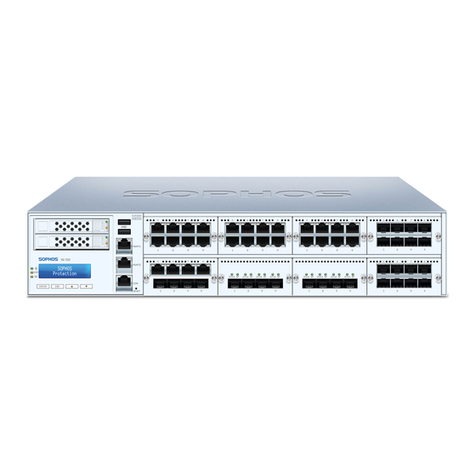
9SG 550/650 Rev. 2
Operating Instructions
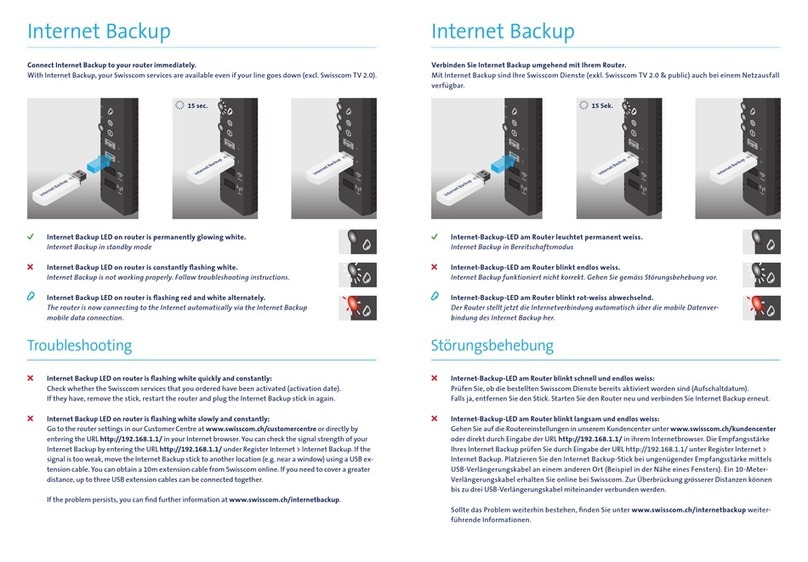
RAID (SSD) System
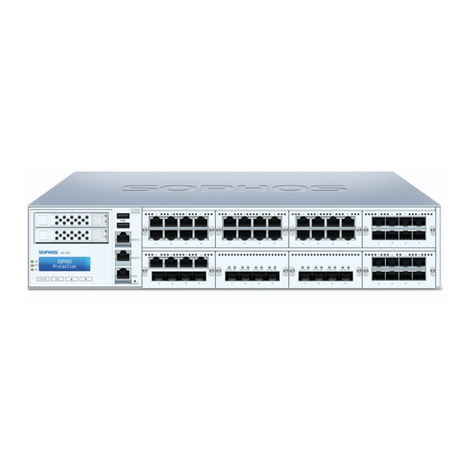
The SG 550/650 model are equipped with a RAID system with two Solid State
Drive. A RAID system (redundant array of independent disks) connects several
physical Solid State Drive to one particularly performing logical drive. This
type of Solid State Drive system enhances the transfer rate and data security.
Additionally, a RAID system increases the availability of the security appliance
since a defective Solid State Drive can easily and quickly be exchanged—it is not
necessary to shut down the system.
Important note: If you need to change a Solid State Drive because of a defect,
remember to remove the defective Solid State Drive from the RAID system,
otherwise the complete security appliance will fail. Please note that the safe
operation of the hardware appliance is only ensured in the long term if both
Solid State Drive are working. Immediately exchange damaged Solid State Drive.
Only use Solid State Drive which you purchased directly from Sophos or from
a Sophos distribution partner. Please remember that any warranty claims are
voided for the appliance if a defect has been caused by the use of Solid State
Drive which are not suited for the system.
Exchanging the hard disk
1. Identify the defective Solid State Drive.
In the event of a hardware defect the FAIL LED of the respective Solid State
Drive will turn on e.g., SSD 1 (upper Solid State Drive).
2. Open the Solid State Drive latch.
3. Unlock the Solid State Drive by pushing the latch to
the left and pulling the lever in your direction.
4. Remove the Solid State Drive from the chassis.
5. Now, insert the new Solid State Drive into the chassis.
6. Lock the Solid State Drive by pushing the lever in the direction
of the chassis. Lock the latch at the Solid State Drive.
Important note: Except for short periods of time (e.g., swapping Solid State
Drives), do not operate the server with an empty Solid State Drive.
As soon as the security appliance detects the new Solid State Drive, the existing
hard disk is mirrored to the new Solid State Drive. This process may take 30
minutes or more.
Redundant Power Supply
The SG 550/650 models are equipped with a redundant power supply. The power
supply system consists of two separate power supply units. This power supply
system increases the availability of the security appliance, since a defective
power supply unit can be exchanged easily and quickly during operation.
When the system is running error-free, LED on the back of the appliance shows
green. In the event of a hardware defect in one of the power supply units these
LEDs will turn red and you will hear a continuous beeping sound. The warning
sound can be reset by pressing the red buzzer reset switch on the system
chassis. This buzzer reset switch is on the back of the appliance right beside the
power supply system.