manuals.online logo
Brands
  1. Home
  2. •
  3. Brands
  4. •
  5. Su-Kam
  6. •
  7. UPS
  8. •
  9. Su-Kam FRENDY User manual

Su-Kam FRENDY User manual

This manual suits for next models

5

Other Su-Kam UPS manuals

Su-Kam Brainy Eco Solar Home UPS 1100 User manual

Su-Kam

Su-Kam Brainy Eco Solar Home UPS 1100 User manual

Su-Kam DSP SINEWAVE User manual

Su-Kam

Su-Kam DSP SINEWAVE User manual

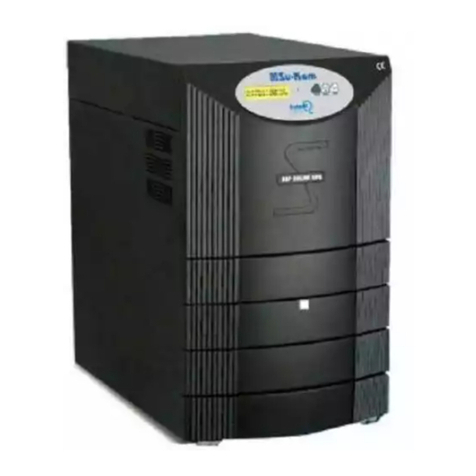
Su-Kam IntelliQ Series User manual

Su-Kam

Su-Kam IntelliQ Series User manual

Su-Kam shiny 700 User manual

Su-Kam

Su-Kam shiny 700 User manual

Su-Kam SU600WB User manual

Su-Kam

Su-Kam SU600WB User manual

Su-Kam STURDY User manual

Su-Kam

Su-Kam STURDY User manual

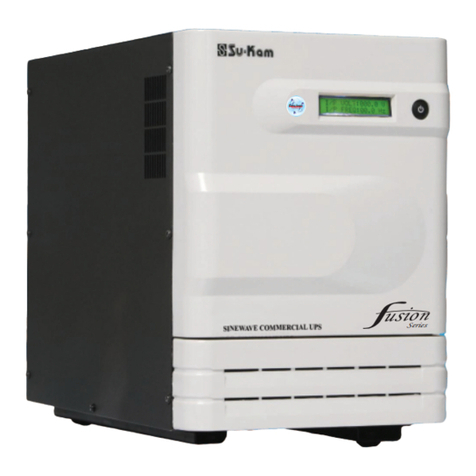
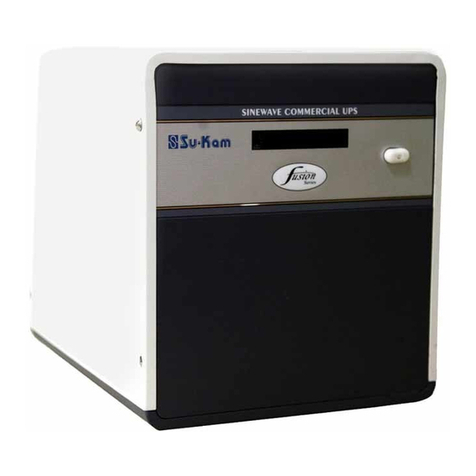
Su-Kam Fusion Series User manual

Su-Kam

Su-Kam Fusion Series User manual

Popular UPS manuals by other brands

AEG Protect 3.M 2.0 manual

AEG

AEG Protect 3.M 2.0 manual

Alpha Novus FXM 650 Installation and operation manual

Alpha

Alpha Novus FXM 650 Installation and operation manual

CyberPower RB12120X2A user manual

CyberPower

CyberPower RB12120X2A user manual

Pylontech Victron & Pylontech US5000 manual

Pylontech

Pylontech Victron & Pylontech US5000 manual

BEL LDX-U20 user manual

BEL

BEL LDX-U20 user manual

Mustek PowerMust 530(B) Plus Startup manual

Mustek

Mustek PowerMust 530(B) Plus Startup manual

Emerson Liebert NXL series Operation and maintenance manual

Emerson

Emerson Liebert NXL series Operation and maintenance manual

MAKELSAN BOXER SERIES user manual

MAKELSAN

MAKELSAN BOXER SERIES user manual

Block PC-0524-400-0 manual

Block

Block PC-0524-400-0 manual

CyberPower CP585LCD user manual

CyberPower

CyberPower CP585LCD user manual

Eaton 3S Advanced user's guide

Eaton

Eaton 3S Advanced user's guide

CyberPower Office Tower Series UPS 1000 user manual

CyberPower

CyberPower Office Tower Series UPS 1000 user manual

CyberPower BM100 quick start guide

CyberPower

CyberPower BM100 quick start guide

Best Power 610 quick start guide

Best Power

Best Power 610 quick start guide

Best Power Unity/I UT3K user manual

Best Power

Best Power Unity/I UT3K user manual

Mustek PowerMust 400 Offline user manual

Mustek

Mustek PowerMust 400 Offline user manual

Xantrex Trace 512 UR-UPS owner's manual

Xantrex

Xantrex Trace 512 UR-UPS owner's manual

Forza SL-1501UL user manual

Forza

Forza SL-1501UL user manual

manuals.online logo
manuals.online logoBrands
  • About & Mission
  • Contact us
  • Privacy Policy
  • Terms and Conditions

Copyright 2025 Manuals.Online. All Rights Reserved.

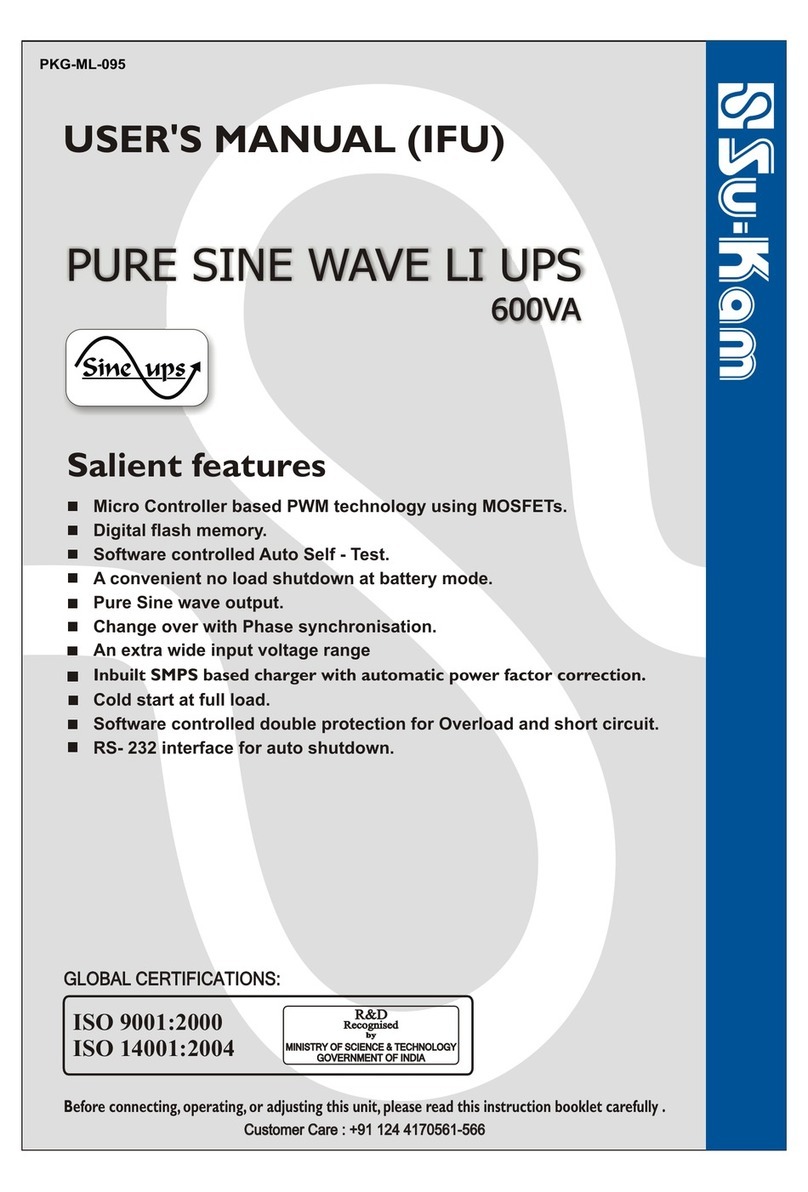
DIGITAL HOME UPS
USER'S MANUAL (IFU)
Before connecting, operating, or adjusting this unit, please read this instruction booklet carefully .
7M i c r o c o n t r o l l e r b a s e d
technology using MOSFETs
7Fuzzy logic control - a unique &
advanced technology
7Smart overload sense and short
circuit protection
7Automatic low battery cutout
7PWM controlled efficient fast
charging
7Great power saving
7User-friendly LED indication
Salient features
GLOBAL CERTIFICATIONS:GLOBAL CERTIFICATIONS:
GOVERNMENT OF INDIAGOVERNMENT OF INDIA
MINISTRY OF SCIENCE & TECHNOLOGYMINISTRY OF SCIENCE & TECHNOLOGY
R&DR&D
Recognised Recognised
ISO 14001:2004
Customer Care : +91 124 4170561-566Customer Care : +91 124 4170561-566
Dear Customer,
Congratulation as choosing Su-Kam Digital Home UPS! This Digital Home UPS
has been developed using state-of-the-art Micro controller based technology.
Some of the distinguishing features of the Su-Kam Digital Home UPS :
This manual will help you to better understand your Digital Home UPS , increase
your convenience in using it and maximize its benefits for you..
Feel free to contact our authorized dealer or us at [email protected] or
visit our website www.su-kam.com anytime for any clarification or more
information. We value your suggestions and comments. Su-Kam is committed to
continual product improvement and feel the best way to accomplish this task is by
listening our valued customers. This commitment gets strengthened every time
you buy a Su-Kam product.
We appreciate the support you have shown us through the purchase of our
product. Please read this manual to become familiar with its features and various
applications.
Regards,
Su-Kam Power Systems Limited
7M i c r o c o n t r o l l e r b a s e d 7 P W M controlled efficient fast
technology using MOSFETs charging
Great power saving
Fuzzy logic control-a unique & 7
7
advanced technology 7User-friendly LED indication
7Smart overload sense and short
circuit protection
7Automatic low battery cutout
REV. 08-02-07
DIGITAL
HOME UPS
Introduction
REV. 08-02-07
DIGITAL
HOME UPS
CONTENT
]KNOWING YOUR HOME UPS
(A) FRONT PANEL...........................................................................................1-2
(B) BACK PANEL................................................................................................3-4
]IMPORTANT SAFETY INSTRUCTIONS...................................................4-5-6
]SPECIAL NOTICES...............................................................................................6
]TROUBLE SHOOTING.......................................................................................7
]TECHNICAL SPECIFICATIONS....................................................................8-9
]WARRANTY CARD............................................................................................10
Contents
REV. 08-02-07
DIGITAL
HOME UPS
KNOWING Y OUR HOME UPS
Now lets begin the journey to explore various aspect of your Su-Kam Digital
Home UPS. Welcome aboard!
In its most basic form, an Digital Home UPS transforms Direct Current (DC) to
Alternating Current (AC). The battery bank with the Digital Home UPS acts as a
reservoir to ensure continuous supply of power whenever mains supply from
utility power is not available.
On the front panel of the digital Home UPS there is one Power Active switch and
a graphical symbol panel, for indications.
1. MAINS ON : This white graphical symbol, when lit, indicates that incoming
mains is available.
2. INV. ON : This white graphical symbol shows that incoming mains is not
available and the output is from Home UPS.
3. BATT. CHARGING / CHARGED : This white graphical symbol, shows
that the incoming mains is available and simultaneously the battery is also
being charged . This white graphical symbol, glows intermittently during
charging and glows continuously when battery is charged.
4. FUSE BLOWN : Mains fuse blows off when the Home UPS is operating on
mains and the load connected through the Home UPS exceeds the specified
limits prescribed for the Home UPS. In this case, at once reduce the extra
load and replace the glass fuse given at back to restore the mains line. During
this stage, the Mains ON graphical symbol, glows intermittently with buzzer
beeps .
FRONT VIEW:
.N
IV
NO
+
+
-
-
TT
. O
B L W
A
+
+
-
-
CGE
A
H R
E
V LOAD
OR
N
A O
MIS
N
Front
Panel
MAINS ON BATT. CHRG.
INV. ON OVER LOAD
BATT. LOW
OR
REV. 08-02-07
DIGITAL
HOME UPS
5. LOW BATT. : This graphical symbol, appeals when battery voltage goes
down to a low limit during discharge. The Digital home UPS will shut
down automatically after a few minutes. During this stage the graphical
symbol glows and the buzzer gives continuous beep.
6. O.L. / SHORT CIRCUIT : This graphical symbol, shows that either
Short circuit has occurred or there is overload on the Home UPS. The
Digital Home UPS resets itself automatically and makes 8 attempts in
case of overload and 4 attempts in case of short circuit to switch ON. If
the overload or short circuit continues even after these attempts, the
Digital Home UPS switches OFF and will switch ON only after the
power active switch is first OFF and then put ON. In the event of
unsuccessful attempts the Digital Home UPS automatically shuts down.
During overload or short circuit the graphical symbol glows and the
buzzer gives a intermittent beep. If there is short circuit at the output,
the Digital Home UPS will switch OFF permanently after a few attempts.
It can be reset by repairing the short circuit and then switching OFF and
ON the power active switch.
7. POWER ACTIVE SWITCH : The latching ON/OFF switch in the front is
to be pressed to ensure that the Digital Home UPS switch on in the event of
mains failure and connected load is energised by Digital Home UPS.
Front
Panel
REV. 08-02-07
DIGITAL
HOME UPS
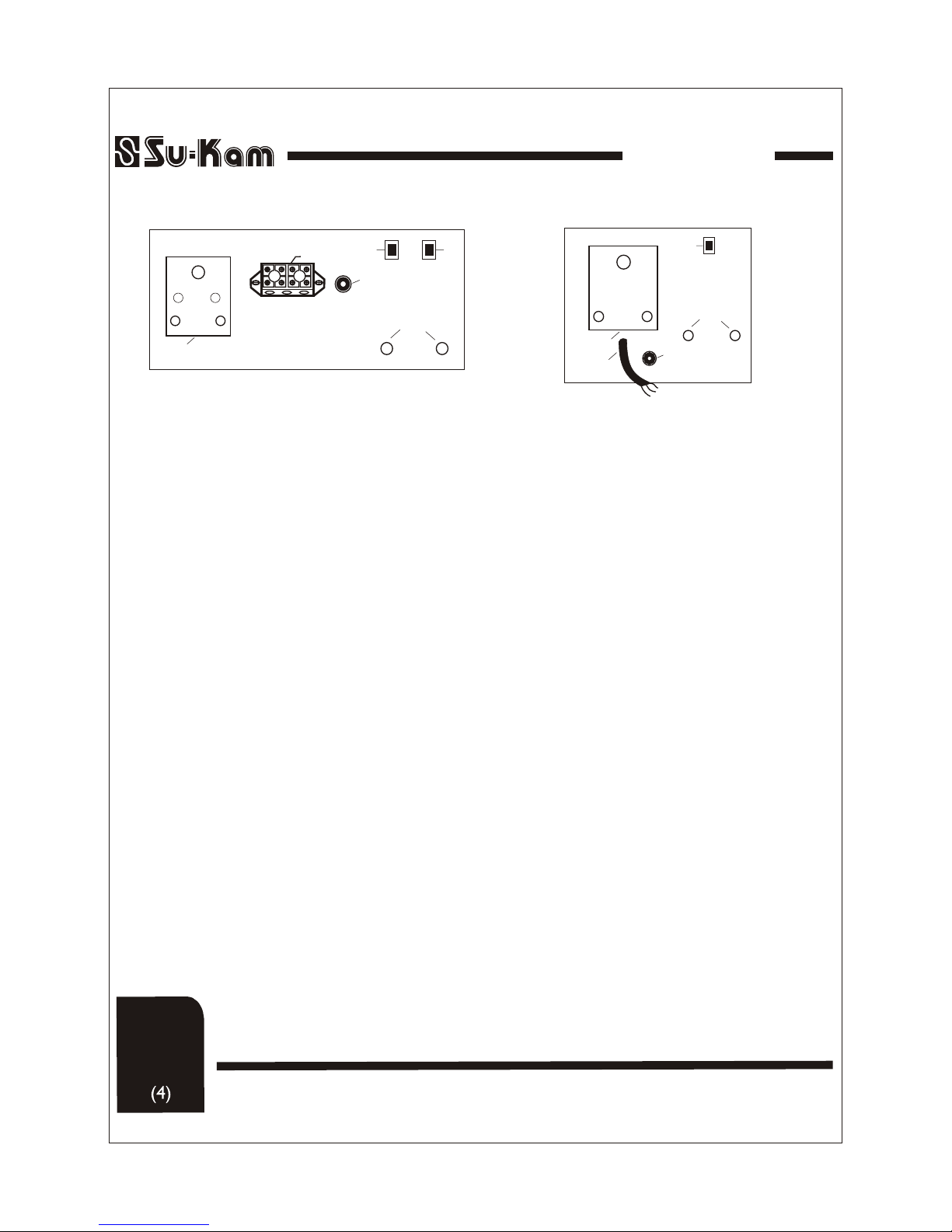
The has two battery wires coming out from the rear side,
a Fuse holder, 2 toggle switches, an output Socket and an input mains
or 3 way cable .We connect the two battery wires to the terminals of the
battery, the red coloured to positive terminal and the black coloured to the
negative. A three core input cable has to be used to connect the
to incoming AC Mains. Ensure that incoming phase (or line) is
connected to line (Red wire) neutral is connected to neutral (Black Wire)
and earth is connected to earth (Green Wire). After this the output is
connected through the output socket at the rear of the
Digital Home UPS
home
UPS
Home UPS.
BACK PANEL:
REAR VIEW:
1. 3 Core Input Wire (Mains Input for Home UPS).
2. 15A AC Output Socket.
3. F6.3A/250V (Fast Blow) Fuse upto 800VA.
4. Toggle Switch Narrow Window(UPS) / Wide
Window (INV) mode.
5. Toggle Switch Normal Charging Current (NC)/
High Charging Current (HC) mode
6. Battery Wires.
1. Position the Toggle Switch(4) at the rear panel of the Home UPS to
Narrow window (UPS) mode if you want to run PC load otherwise always
place the switch to Wide Window(INV) mode.
2. Position the Toggle switch(5) to HC mode during frequent power cuts
for fast charging of battery otherwise place to NC mode.
OUTPUTOUTPUT INV
(RED)
RED
(BLACK)
BLACK
GREEN
BATTERY WIRES
UPS
NC
HC
1
2
6
+_
3
45
Note :
Back
Panel
Back panel view 600&800VA
IMPORTANT SAFETY INSTRUCTIONS
Before proceeding further kindly go through the safety instructions
carefully.
General Precautions:
1. Before using the Home UPS read all instructions and cautionary markings
on the Home UPS, the Batteries, all appropriate section of this instruction
manual.
2. Do not expose Home UPS to rain, liquids of any type. The Home UPS is
designed for interiors only.
3. Do not disassemble the Home UPS, take it to a Su-Kam Engineering
Service Centre when service or repair is required. Opening by unqualified
personnel entails electric shock or fire hazard.
4. To reduce risk of electric shock, disconnect all wiring before cleaning.
OUTPUTOUTPUT
INV
(RED) (BLACK)
UPS
NC
HC
2
6
+_
3
45
Input
N E L
1
1. Input Terminal Block (Mains Input for Home UPS).
2. 15A AC Output Socket.
3. T10A/250V (Slow Blow ) Fuse.
4. Toggle Switch Narrow Window (UPS)/ Wide
Window (INV) mode.
5. Toggle Switch Normal Charging Current (NC)/
High Charging Current (HC) mode
6. Battery Wires.
Back panel view 1400VA
REV. 08-02-07
DIGITAL
HOME UPS
Safety
Instructions
1. 3 Core Input Wire (Mains Input for
Home UPS).
2. 6A AC Output Socket.
3. F6.3A/250V (Fast Blow).
4. Toggle Switch Narrow Window(UPS)
/ Wide Window (INV) mode.
5. Battery Wires.
OUTPUTOUTPUT INV
(RED)
RED
(BLACK)
BLACK
BATTERY WIRES
UPS
1
2
5
+_
3
4
Back panel view 400VA
GREEN
8. Be extra cautious when working with metal tools on and around batteries.
It could short-circuit the batteries or other electrical parts, producing a spark
that could cause an explosion.
9. Remove conductive jewelry such as rings, bracelets, necklaces, and watches
when working with a battery. A battery can produce a short-circuit current
high enough to weld a ring or causing severe burns.
5. Warning-Risk of Explosive gases
WORKING IN THE VICINITY OF A LEAD ACID BATTERY
MAY BE DANGEROUS. BATTERIES GENERATE EXPLOSIVE
GASES DURING NORMAL OPERATION.
Provide ventilation to outdoors from the Battery compartment.
The battery enclosures should be designed to prevent accumulation and
concentration of hydrogen gas in“pockets’’ at the top of the compartment.
V ent the battery compartment from the highest point. A sloped lid can also be
used to direct the flow to the vent opening location. To reduce the risk of
battery explosion, follow all the instructions of batteries supplier or any
equipment you intend to use in the vicinity of batteries.
6. Do not cover your Home UPS with any cover or cloth.
7. Do not install this Home UPS on or near flammable materials (plywood,
Chemicals, gasoline etc.).
REV. 08-02-07
DIGITAL
HOME UPS
Safety
Instructions
Special Notices:
!Do not switch on the heavy load TV, Refrigerators, Motor, Cooler, etc when
Home UPS is running on battery backup and is in UPS mode. This may
cause rebooting of your computer.
!Avoid connecting the stabilizer between utility power and Home UPS. The
AVR of stabilizer may cause your computer to reboot.
!We recommend that you have point to point wiring of the Home UPS.
GROUNDING INSTRUCTIONS: This Home UPS must be
connected to a grounded, permanent wiring system.
!
IMPORTANT PRECAUTIONS:
The output side of the AC wiring should never be connected to a
generator or incoming utility power. This condition is far worse than a short
circuit. If the unit survives this condition, it will shut down until correction is
made.
Note : Never disconnect the battery cables while the is delivering
power or battery charger is operating. The Power Active Switch has no effect on
the charger; it turns off only the power output during backup mode. To disconnect
the batteries for service:
(a) turn off the power switch.
(b) disconnect all AC power.
(c) disconnect all the battery cables.
Home UPS
Home UPS
REV. 08-02-07
DIGITAL
HOME UPS
Special
Notices
TROUBLE SHOOTING
REV. 08-02-07
DIGITAL
HOME UPS
Trouble
Shooting
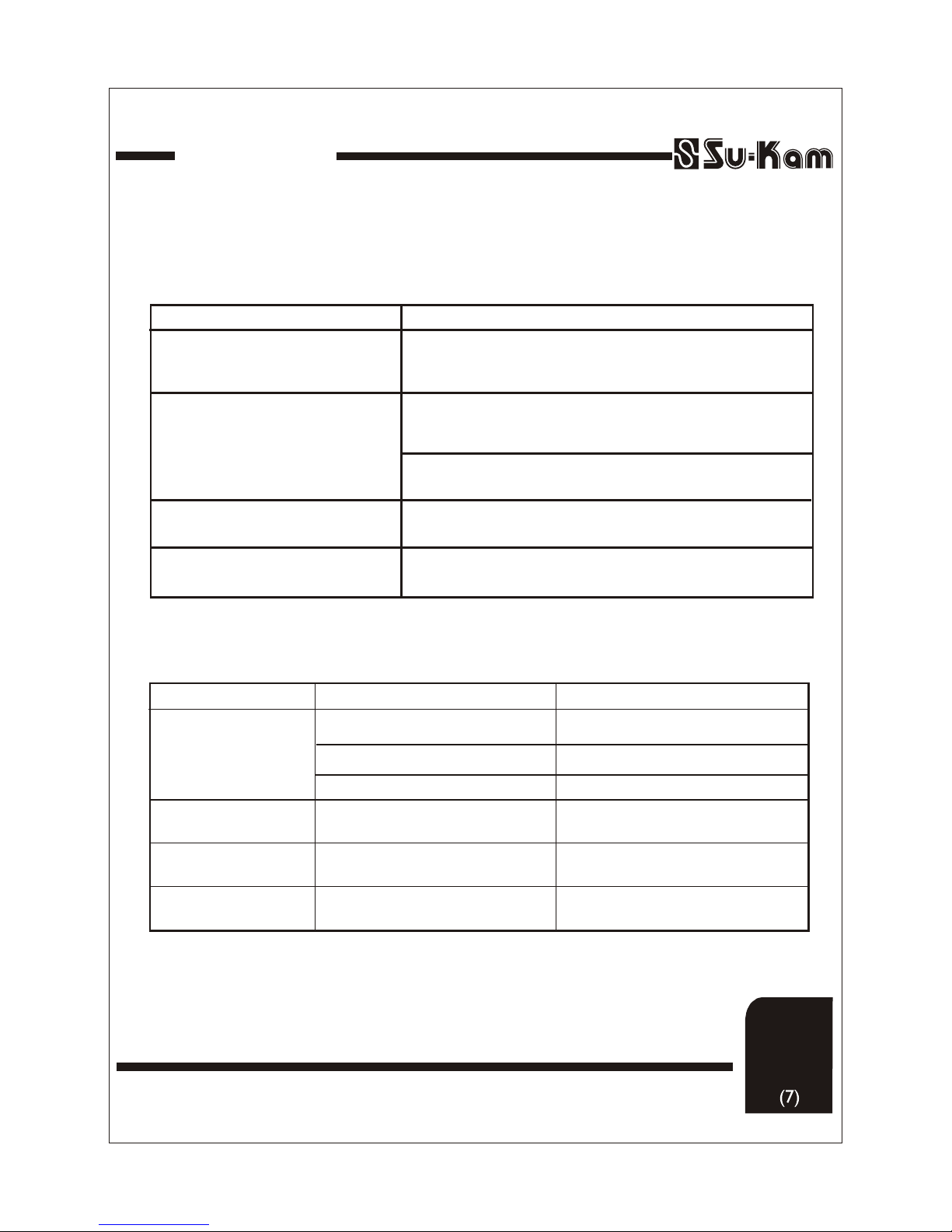
Symptoms
Main power is coming. Home UPS
shows mains fuse blown on its display
panel.
No power during backup mode.
Home UPS does not operate.
Home UPS trips frequently at backup
mode.
Check the battery connections and the mains connections
Symptoms
There is no output power
System shuts down after
20 sec no display at all
Low/High AC output
voltage
Low surge power
Problem
(1) Low Battery.
(2) Loose or corroded batt. Connections.
(3) Loose AC output connection.
Output of home UPS is wired back to its
own input.
Remedy
Check condition of batteries and recharge.
Check and clean all connections.
Check all AC output connections.
Check for proper AC input and output wiring.
Meter must be a true RMS reading meter.
Refer to cable and battery recommendations
in this manual.
Weak batteries, battery cable too long.
Measuring with the wrong type Voltmeter.
Reduce the load and restart Home UPS through Power Active Switch.
Reduce the load and replace the glass fuse of specified ratings given at
rear side of the home UPS.
(1) Check if low battery graphic symbol is glowing, switch OFF the Home
UPS by power active switch. Allow the battery to charge when the mains is
resumed before running the Home UPS on battery again.
(2) Check if overload/short circuit graphic symbol is glowing.Reduce load
and reset theHome UPS by Power Active switch.
Rectifications