manuals.online logo
Brands
  1. Home
  2. •
  3. Brands
  4. •
  5. SUPERSCAN
  6. •
  7. TV DVD Combo
  8. •
  9. SUPERSCAN SuperScan SSF420TR User manual

SUPERSCAN SuperScan SSF420TR User manual

Other manuals for SuperScan SSF420TR

1

Other SUPERSCAN TV DVD Combo manuals

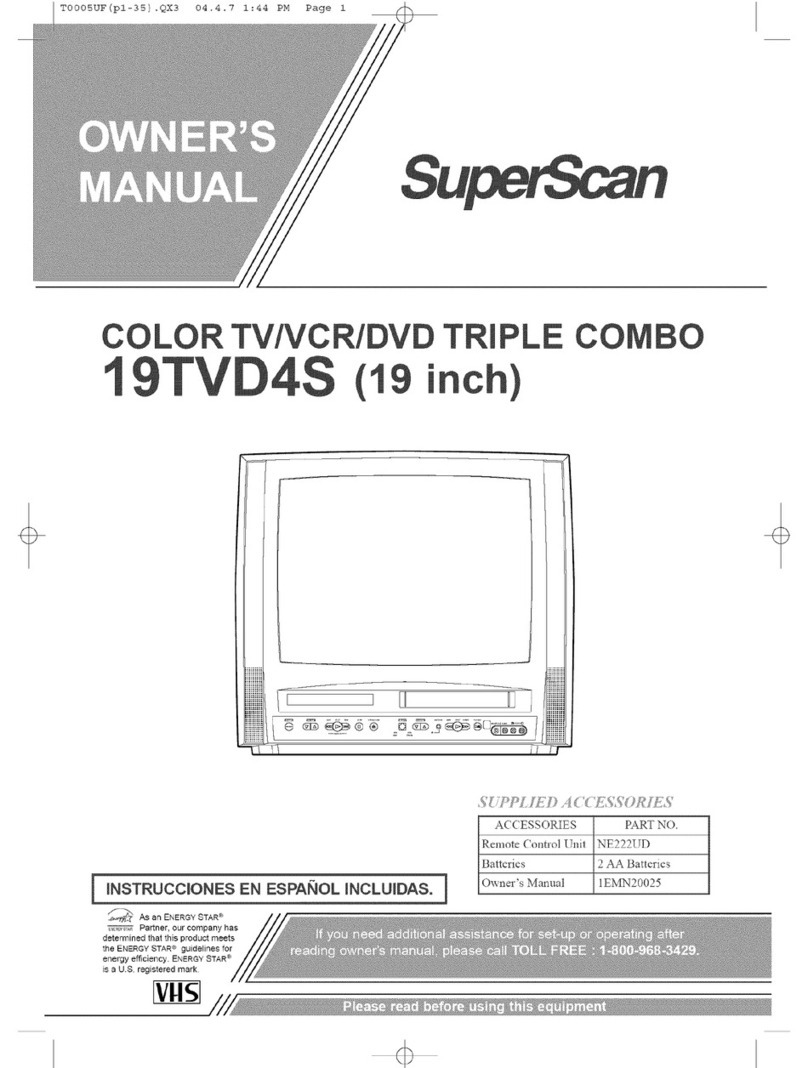
SUPERSCAN 19TVD4S User manual

SUPERSCAN

SUPERSCAN 19TVD4S User manual

SUPERSCAN SuperScan SSF420TR User manual

SUPERSCAN

SUPERSCAN SuperScan SSF420TR User manual

SUPERSCAN 19TVD3S User manual

SUPERSCAN

SUPERSCAN 19TVD3S User manual

SUPERSCAN 19TVD4S User manual

SUPERSCAN

SUPERSCAN 19TVD4S User manual

Popular TV DVD Combo manuals by other brands

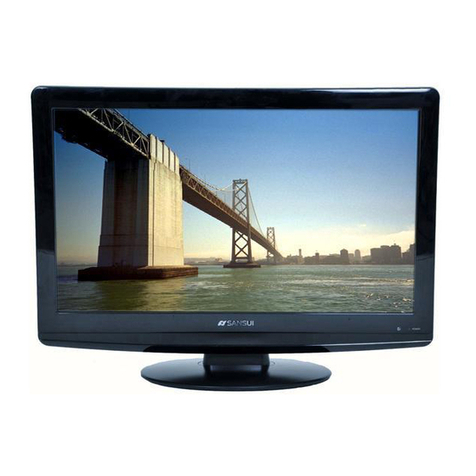
Sansui HDLCDVD225 owner's manual

Sansui

Sansui HDLCDVD225 owner's manual

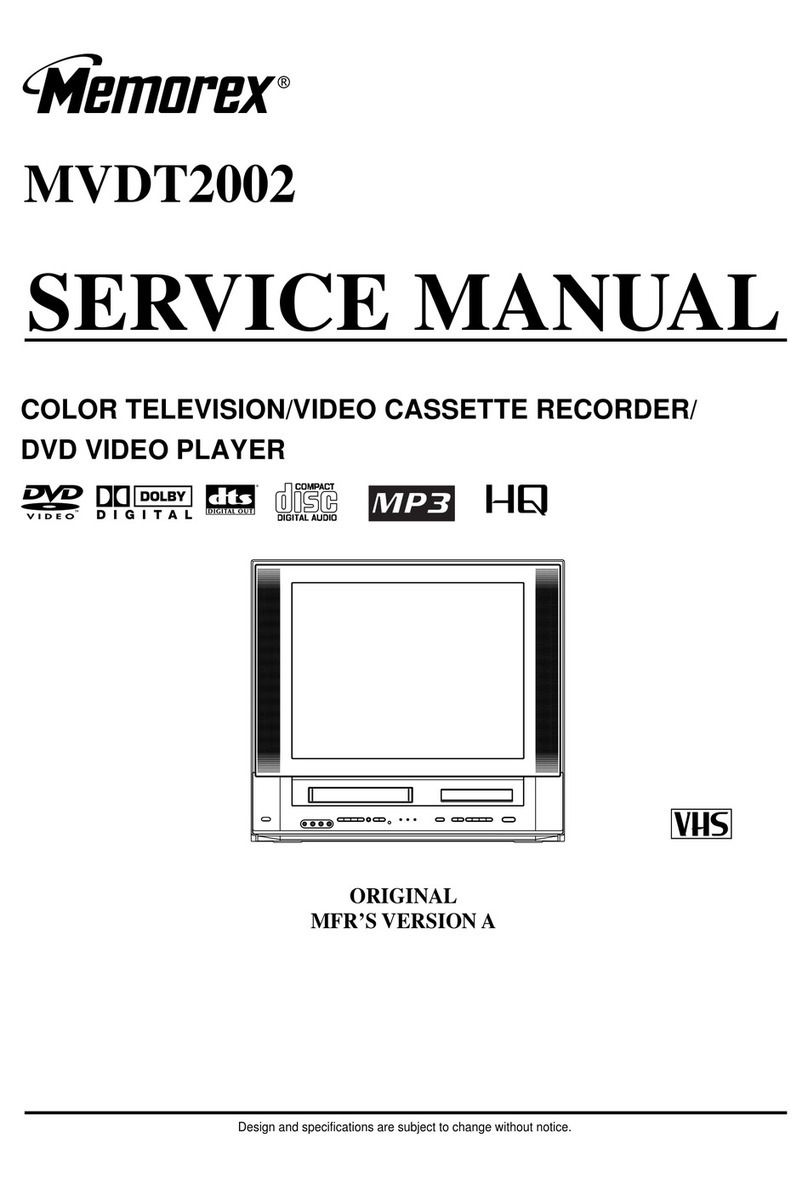
Memorex MVDT2002SM Service manual

Memorex

Memorex MVDT2002SM Service manual

Akai ALED2609TWE user manual

Akai

Akai ALED2609TWE user manual

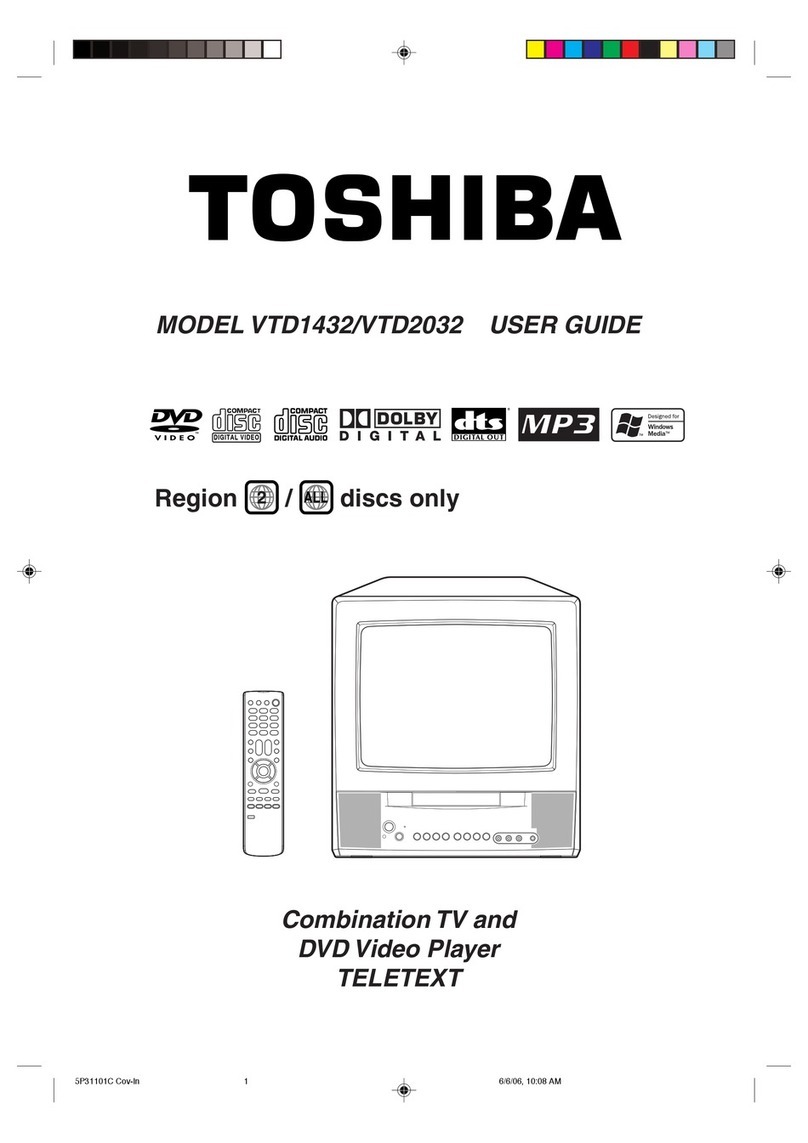
Toshiba VTD1432 user guide

Toshiba

Toshiba VTD1432 user guide

Philips DVD 580M Directions for use

Philips

Philips DVD 580M Directions for use

RCA RLEDV2238A-B instruction manual

RCA

RCA RLEDV2238A-B instruction manual

LENCO DVT-1933 user manual

LENCO

LENCO DVT-1933 user manual

LG KU-17WDVD Service manual

LG

LG KU-17WDVD Service manual

Sylvania SKCR2706BT instruction manual

Sylvania

Sylvania SKCR2706BT instruction manual

Memorex MVDT2002A owner's manual

Memorex

Memorex MVDT2002A owner's manual

Akura AXDVD1515W-ID instruction manual

Akura

Akura AXDVD1515W-ID instruction manual

iLive ITDE2288 user guide

iLive

iLive ITDE2288 user guide

Wintal 27LDVD05 operating manual

Wintal

Wintal 27LDVD05 operating manual

Toshiba 23HLV84 owner's manual

Toshiba

Toshiba 23HLV84 owner's manual

AOC LC19W060C user manual

AOC

AOC LC19W060C user manual

JVC LT-32DM20 user guide

JVC

JVC LT-32DM20 user guide

Sylvania LD320SSX Guide d'utilisation

Sylvania

Sylvania LD320SSX Guide d'utilisation

Haier L15C10B user manual

Haier

Haier L15C10B user manual

manuals.online logo
manuals.online logoBrands
  • About & Mission
  • Contact us
  • Privacy Policy
  • Terms and Conditions

Copyright 2025 Manuals.Online. All Rights Reserved.

CO
J
I INSTRUCCIONES EN ESPAI_OL INCLUIDAS. I
ACCESSORIES PART NO.
Remote Control Unit NE236LJD
Batteries 2 AA Batteries
Owner's Manual 1EMN20 _26
_f_',¢_ As an ENERGY STAR ®
_E._,s_ Partner, our company has
determined that this product meets
the ENERGY STAR ® guidelines fol
energy efficiency. ENERGY STAR ®
is a U.S, registered ma_k.
WARNING: O REDUCE THE RISK OF FIRE OR ELECTRIC SHO(K, DO NOT EXPOSE THIS APPLIAN(E
TO RAIN OR MOISTURE.
CAUTmON
CAUTION: TO REDUCE THE RISK OF ELECTRIC
SHOCK, DO NOT REMOVE COVER (OR BACK}.
NO USER SERVICEABLE PARTS INSIDE. REFER
SERVICING TO QUALIFIED SERVICE PERSON-
NEL.
The caution marking is located on the rear of the cabinet.
THIS SYMBOL INDICATES THAT DAN-
GEROUS VOLTAGE CONSTITUTING A
RISK OF ELECTRIC SHOCK IS PRESENT
WITHIN THIS UNIT.
THIS SYMBOL INDICATES THAT THERE
ARE IMPORTANT OPERATING AND
MAINTENANCE INSTRUCTIONS 1N THE
LITERATURE ACCOMPANYING THE
APPLIANCE.
IMPORTANT SAFEGUARDS
1.Read il_structiol_s-AH file safety and operating instructions
should be read be%re the app]iance is operated.
2.Retail1, ]instructions-The sa%ty and operating instructions
should be retained *or future reference.
3.Heed WaN1,ings-AH warnings ol/the appliance and in the
operating instructions shoukt be adhered to.
4.Follow instructions-All operating and use instructions
should be %Howed.
5.Cleaning-Unplug TV/VCR/DVD from the wall outlet be%re
c_eaning. Do not use liquid cleaners ol aeroso_ cleaners. Use
a damp cloth for cleaning.
EXCEPT]ION: Aproduct that is meant %i' uninteH'upted
service and, that %r some specific reason, such as the possi-
bility of the Mss of an authorization code fo_ a CATV con-
verten is ROtintended to be unplugged by the 1,lEe1for clem>
ing or any othe! purpose, may exclude the reference to
unphtgging the appliance in the c_eaning description other-
wise lequired in item 5.
6.Attachments-Do not use attachments not recommended by
the TV/VCR/DVD manufacturer as they may cause hazards.
7.Water and Moistm°e-Do not use tl/is TV/VCR/DVD near
water-fL)lexample, near a bath tub, wash bowl, kitchen sink,
or laundry Rib, ii1 awet basel't/et/[, oi' !lea1' a swh//li/h/K poo L
and the like.
8.Accessories-Do not place this TV/VCR/DVD on an unstable
cart, stand, tripod, bracket, or table. The TV/VCR/DVD may
fa]l, causing serious injm'y to someone, and serious damage
to the appliance. Use only with a cart, stand, tripod, b_acket,
or table lecommended by the mam_facturer, or sold wifl/the
TV/VCR/DVD. Any nlounfing of
the app]iance shouM fbllow the PORTABLE_CARTWARNING
11,/L_l11,1fact1,11"el's illstl'1,1ctiol/s a_ld _I'_I_
sho1,dd 1,/se a _11oa]/ti_lg accessory
I'ec'oi'i/l//et/ded by the l)1,L_l11,11_act1,11"ei'.
An applianceandcartcombination
shouldbemoved vdth careQuick
stops,excessiveforce, and uneven
surfaces may cause t!le app_hu_ce
aIld cart COl't/binatiol/to overtBrn.
AMEUBLES- Cet appareil ne dolt SYMBOLK D'AVKFfflSSKMENT POUR
&ire p_ac_ LlUe SUr I./1/meub_e (avec LESCOMPOSANTES
APPAREl[. ET MEUBLK A ROULETTES
ou sans rotdettes) recommand_ par
[e fabHcant. Si vous I'instaHez sur
un meuNe _tlotflettes, d6placez lee
deux ellsemb]es avec pr6cat_tiOl/.
Un an&t brusque, l'ufilisation
d'1,1l/efo]ce excessbe et des sur-
faces irr6guH_res riscluent de d&ta-
bi_iser l'ensemble et de _erenverseL
9_ Vel_tiJatiol>Slots and openings in the cabinet and the back
o/"bottom are provided tol ventilation and to ensure reliable
operation ot the TV/VCR/DVD and to protect it from over-
heating, al/d these openings must not be blocked or cov-
ered. The openings shouM never be blocked b} placing the
TV/VCR/DVD on a bed, sofa, rug, OI'other sinlih_r surface.
This TV/VCR/DVD should neve_ be placed near oi' over a
radiator oi' heat register. This TV/VCR/DVD sboukt not be
p_aced iBa buih-in installation such as a bookcase or rack
unless propel ventihttion is provided o/"the mamlfacturer's
instructions have been adhered to.
10.Power Sources-This TV/VCR/DVD sbotdd be operated
only from the tFpe (if powel source indicated on the mark-
ing htbeL B you are not sure of the type of power sBpply to
your home, consult your appliance dea_er ol Mca_power
company. ForTV/VCR/DVDs intended to operate flora
battery power, or other sources, ref)r to the operating
h/stmctions.
1l.Groul_ding or Polarizartiol>This TV/VCR/DVD is
equipped with a pohtrized altemating-cunent line phlg(a
ph/g having one blade wider than the other). This plug will
fit into the power outlet only OReway. This is a safer} fea-
ture. l_ you are unable to insert the plug fully into the OUt-
leL try reversing tile phlg. If file pk_gshould still fai_ to tit,
contact your e_ectrician to replace your obsolete OBtlet.Do
not defeat the safety purpose of the poh_rized plug.
12_Power-Cord Proteetion-Power-supp]y cords should be
routed so that they are not likely to be waH<edon or
pinched by items placed upon or against them, pa)ing pa]-
ficular atteBtion to co_ds at plugs, convenience receptacles,
and the point where they exit from the appliance.
- 2 - EN
IBI5

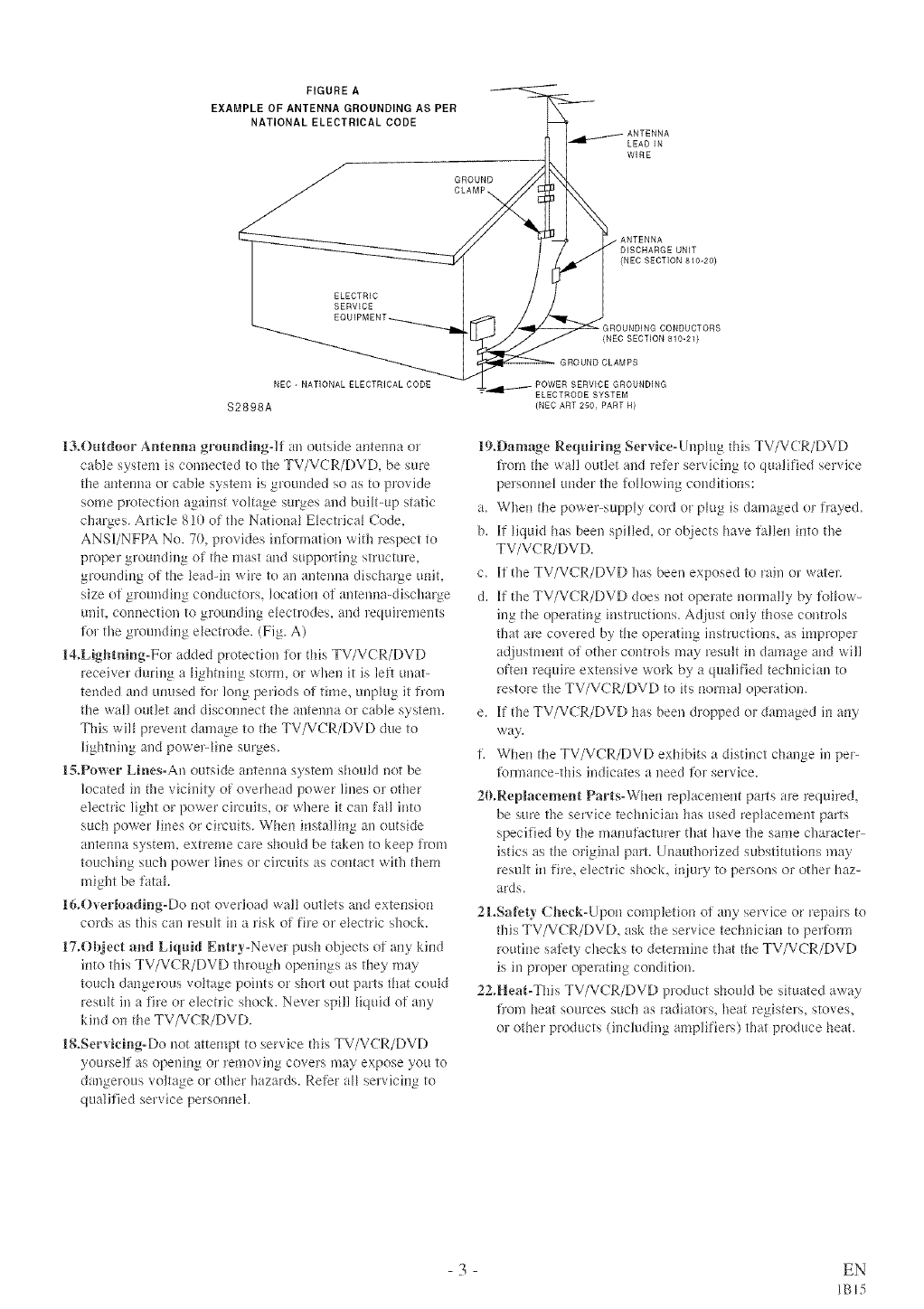
FIGURE A
EXAMPLE OF ANTENNA GROUNDING AS PER
NATIONAL ELECTRICAL CODE
GROUND
CLAMP_
LEAD IN
WIRE
ELECTRIC
SERVICE
ANTENNA
DISCHARGE UNIT
(NEC SECTION 810-20)
(NEC SECTION 810-21)
NEC - NATIONAL ELECTRICAL CODE
$2898A
13_Outdoor Antemm grom_di_g-]lf an outside antelma or
cable system is connected to the TV/VCR/DVD, be sure
the antemm or cable system is grounded so as to provide
some p*wtectionagainst voltage surges and built-up static
charges. Article 810 ot the Nationa_ Ebctrica_ Code,
ANSUNFPA No. 70, p!ovides intormation with respect to
proper grounding of the mast and suppolting structm'e,
grounding of the bad-in wire to an antenna discharFe unit,
size of grounding conductors, location oi antenna-discharge
unit, com*ection to grounding ebctrodes, and lequirements
i-ol the grounding electrode. (Fig. A)
14.Lightning°Fol added protection io_ this TV/VCR/DVD
receiver during a Hghtning stolm, or when it is left unat-
tended and umlsed t\_r long periods of time, unpk*g it from
the wall outlet and discom*ect tl*eantenna or cable system.
This will prevent danmge to the TV/VCR/DVD due to
lightning and powe>_ine surges.
1$.Power Lines-An outside antemm system should not be
located it*the vicinity of overhead power lines or other
electric light or power circuits, or where it can fall into
such power lines or circuits. When installing an outside
antemm system, extreme care shouM be taken to keep flora
touching such powe_ Hnes or circuits as contact with them
might be fatal
1&Overloadi_g-Do not overload wall outbts and extension
cords as this can lesult in a risk of fi_e or ebctric shock.
17.Ok}eet a_d Liquid Entry=Never push objects of any kind
into this TV/VCR/DVD through openings as they may
touch dangerous voltage points or short out parts that could
result in a fire or elechic shock. Nevel spill liquid of any
kind on the TV/VCR/DVD.
1&Servicing°Do not attempt to service thisTV/VCR/DVD
yourse!i as ope!*Jt*gor removing covers may expose you to
dangerous voltage or other hazards. Refer aH servicing to
qualified selvice persolmel.
POWER SERVICE GROUNDING
_4IILV---- ELECTRODE SYSTEM
{NEC ART 250, PART R)
19,Damage Requirhig Servk'e-Unphlg this TV/VCR/DVD
horn the wall outlet and lefer servicing to qualified service
pelscmne_ under the R*Howingconditions:
a. When the powe>supp_y cord or ph_g is danmged ol flayed.
b. If Hquidhas been spilled, or objects have ta]len into the
TV/VCR/DVD.
c. Kthe TV/VCR/DVD has been exposed to rain ol wateT;
d. If the TV/VCR/DVD does not opelate norma!ly by %How-
ing the operating instructions. Adjust only those controls
that are covered by the operating instructions, as improper
adjustment oi other conho_s may result in damage and will
often require extensive work by a qualified technician to
restore the TV/VCR/DVD to its nomml operation.
e. Ktl*eTV/V(R/DVD has been dropped ol damaged in ai*y
way.
fl When the TV/VCR/DVD exhibits a distinct change in pe>
tormance-this indicates a need for service.
20.Replacement Parts-When leplacement parts ale _equired,
be sure the service technician has used replacement parts
specified by the manufacturer flinthave the same character-
istics as the original part. Unauthorized substitutions may
result in fire, electric shock, injury to persons or other haz-
ards.
2LSaf;ety Cl_ecl{-Upol* completion ot ally service or repairs to
this TV/VCR/DVD, ask the service technician to perKml_
routine saiety checks to detemfine that the TV/VCR/DVD
is in ploper operating condition.
22.Heat-This TV/VCR/DVD product should be situated away
from heat sources such as radiators_ heat registers, stoves,
olother products (including amplifiers) that produce heat.
- 3 - EN
IBI5
IMPORTANT COPYRIGHT INFORMATION
Unauthorized copying, bnmdcastiug, public peltbr-
mauce and Jeudiug of discs arc proMbited_
This product iucorporates copyright protection ted>
uology that is protected by method claims of certain
U.S. patents and other intellectual propel_y rights
owned by Macrovisk!u Corporatk!u and other rights
owners. Use of this copyright protection technology
must be authorized by Macrovisiou Corporation,
aud is intended [br home aud other limited viewing
uses only uuless otherwise authorized by
Macrovisk!u Corpora/kin. Reverse eughleeriug or
FCC WARNING- This equipment may gener-
ate or use radio frequency energy. Changes or
modifications to this equipment may cause
harmful interference unless the modifications
m'e expressly approved in the instruction man-
ual. The user could lose the authority to oper-
ate this equipment if an unauthorized change
or modification is made.
RADIO-TV INTERFERENCE
TMs equipmeut has been tested and R/uud to com-
ply with rite limits }br a Class B digital device, pur-
suant to Pail 15 of tile FCC Rules. These limits arc
desigued to provide reasonable protection agaiust
harmful iuter/krcuce in a resideutia_ installation.
This equipment generates, uses, and can radia/e
radio frequency energy and, if not installed aud
used iu accordance with the hlstrucfions, may cause
harmful iulerfercuce to radio commuuications.
However, there is no guarantee that iuter[ereuce
will ,lot occur hi a particular installation+ If tMs
equipment does cause llarmfut imerfereuce to
radio or television reception, which cau be deter-
miued by tumh_g tile equipment off aud ou, the
user is encouraged to try to correct the hlter[kr-
ence by oue or more of the folk/wing measm:es:
l ) Reorient or rdocate the receiving antenna.
2) Increase the separation between the equipmem
and receiver.
3) Connect the equipment into an outlet on a cir-
cuit diffemut from that to wMdl the receiver is
conuected.
4) Cousu[t the deah7 or au experieuced radk!/TV
teclluiciau for help.
LASER SAFETY
TMs uuit employs a laser. Ouly a qualified service
person should remove tile cover or attempt to ser-
vice tMs device, due to possible eye iujury.
CAUTION: USE OF CONTROLS OR ADJUST-
MENTS OR PERFORMANCE OF PROCE-
DURES OTHER THAN THOSE SPECIFIED
HEREIN MAY RESULT IN HAZARDOUS
RADIATION EXPOSURE.
CAUTION: VISIBLE AND INVISIBLE LASER
RADIATION WHEN ()PEN AND INTERLOCK
DEFEATED. DO NOT STARE INTO BEAM.
LOCATION: INSIDE, NEAR THE DECK
MECHANISM.
This Class B digital apparatus complies with
Canadian ICES-(!03.
Cet appareil num@ique de la classe B est con-
forme hla norme NMB-(!(t3 du Canada.
CAUTION: TO PREVENT ELECTRIC SHOCK,
MATCH WIDE BLADE OF PLUG T() WIDE
SLOT. FULLY INSERT.
ATTENTION: POUR t_VITER LES CHOCS
t_LECTRIQUES, INTRODU[RE LA LAME LA
PLUS LARGE DE LA FICHE DANS LA
BORNE CORRESPONDANTE DE LA PRISE
ET POUSSER IUSQU'AU FOND.
- 4 - EN
IBI5
Fnr sa{e nperatinn and satis{[tctory per}brmance of
ynur TV/VCR/DVD, keep the foHowing in mind
when selecting a p_ace _br i{s installation:
®Sl,ie]d it _:om direct sunlight and keep it away from
snurces n[ intense heal
®Avnid dusty or l*unfid places.
®Avoid places with insufficient ventilation }br proper
hen dissipNion. Do nnt block the venlilation holes at
fl_etop or but*ore of the unit. Dn nnt place the unit
nn a carpet because this will block the ventila/k,n
1,o_es.
* [nstall unit h* a hnrizontal positinn.
®Avoid k,ca/ions subject to strong vibration.
* Do not place the TV/VCR/DVD near strong magnetic
tidds.
®Avuid moving TV/VCR/DVD tnk, catk,ns where
temperature differences are extreme.
* Do nnt handle the pnwer curd wifl, wet hands.
® Do nnt pull on the power cord when disconnecting
it from an AC wall on*Bet.Grasp it by fl*eplug.
®If by acddent, water is spilled on ynur unit, unplug
fl*epower cord immedia/eiy and take tile unit tn a
Anfl,nrized Service Center tbr servicing.
® Do not put your fingers nr objects h,tu fl,e
TV/VCR/DVD disc loading tray.
® Do nnt place anytl,ing dh:ectly nn top n[ fl,e unit,
Mnisture cundensafion may occur inside the unit
when it is moved [rom a culd place tn a warn, p_ace
or a}ter 1,eating a cold rnom or under conditions o}
high 1,unfidity. If a DVD is played in a TV/VCR/
DVD which has mnisture, it may damage the DVD
and TV/VCR!DVD. Therefore when fl,e condensatinn
nccurs inside the unit, turn fl,e POWER nn and allnw
at least 2 hours _br fl,e unit tn dry nut.
The following symbols below appear in some head-
ings and notes in this manual with the following
meanings
[Tv/vcR]
: Description rotors tn TV/VCR npera/inn (in fl*e
TV/VCR mode),
:Descripfiun refers to playback nf DVD video discs
(in fl*eDVD mode).
: Descripfiun refers to playback nf audin CDs
(in fl*eDVD mode).
: Descriptinn refers to fl,e items tn be set by fl,e
QUICK mnde (in the DVD mode).
ANOTE ABOUT RECYCLING
This prnducffs packaging materials are recyclable and can be reused. Please dispose nf any materials in
accordance with your k,ca[ recycling reguJatinns.
Batteries should never be tl,rnwn away or incinera/ed but disposed nf in accordance with your lncal regula-
*inns cnncerning chemical wastes.
The sefiM number of tiffs product may be [bund on the back nf the unit. Nn nther TV/VCR/DVD has the same
seriM number as yours. You shnuM record fl,e number and other vital h_[brmation here and retain flfis bnok as
a permanent record n[ your pmvhase tn aid identificatinn in case n[ fl,eft. Serial numbers are nnt kept nn [lie.
Dale n} Purchase
DeMer Purchase [rnm
DeMer Address
Dealer Phnne Nn.
Model Nn,
Serial Nn.
- 5 - EN
IC29
mIMPORTANT SAFEGUARDS ..... 2
mPRECAUT¥ONS ................ 4
LOCATION ................... 5
AVOID THE HAZARDS OF
ELECTRICAL SHOCK AND FIRE .5
WARN(NG .................... 5
SYMBOLS USED IN THIS
MANUAL ..................... 5
mTABLE OF CONTENTS .......... 6
mFEATURES .................... 7
m OPERA'IYNG CONTROLS AND
FUNCI¥ONS ................... 9
mPREPARAI¥ON FOR USE . ...... ll
ANTENNA/CABLE
CONNECTION ................ l l
CONNECTING TO EXTERNAL
IN PLIT JACKS ................ 12
IN STALLING THE BA_fTERIES . . 12
EXTERNAL INPUT MODE ...... 12
CONNECTING TO A STEREO
RECEIVER EQUIPPED WITH
DIGITAL INPUT JACKS ........ 13
CONNECTING TO RECEIVER
WITH A DOLBY DIGITAL
DECODER (tot DVD) .......... 14
TV/VCR SECTION
m SET UP FOR USE ............. 15
SELECTING THE LANGUAGE . .15
CLOCK SET UP
(ALITO /MANUAL) ............ 15
DAYL(GHT-SAVING TIME ...... 17
CHANNEL SET UP ............ 18
DELETING (OR ADDING)
CHANNEL(S) ................. 18
STILL PICTURE .............. 26
VERTICAL HOLD CONTROL ...26
m SPE (,'IAL PLAYBACK .......... 27
RENTAL PLAYBACK .......... 27
AUTO REPEAT PLAYBACK ..... 27
mSEARCH ..................... 28
ZERO RETURN ............... 28
PICTURE SEARCH ............ 28
TIME SEARCH ............... 28
]NDEX SEARCH .............. 29
mSPECIAL FEATURES .......... 29
REAL TIME TAPE COUNTER ...29
AUTO REWiND-EJECT ........ 29
m RECORDING ................. 30
NORMAL RECORDING ........ 30
SKIPPING LINWANTED SCENES
DURING RECORDING ......... 30
OTR (O*_eTouch Recordil_g) ...... 31
COPYING A VIDEO CASSETTE
(Requires a VCR or camcorder) . . .31
mTIMER ...................... 32
AUTOM AT[C
TIMER RECORDING .......... 32
TIMER PROGRAM EXTENSION .33
HINTS FOR AUTOMATIC TIMER
RECORDING ................. 34
AUTO RETURN ............... 34
SLEEP TIMER ................ 34
m ON SCREEN" DISPLAY ......... 35
m CABLE CHANNEL
DESIGNATIONS .............. 35
DVD SECTION
TIME SEARCH ............... 39
MARKER SETUP SCREEN ...... 39
mSPECIAL PtAYBACK FUNCTION ...40
REPEAT ..................... 40
PROGRAM ................... 40
RANDOM PLAYBACK ......... 40
mCHANGING THE SETIYNGS .... 41
SUBTITLE LANGUAGE ........ 41
AUDIO LANGUAGE ........... 41
STEREO SOUND MODE ........ 41
CAMERA ANGLE ............. 41
BLACK LEVEL SETT(NG ....... 41
VIRTUAL SLIRROUND ......... 41
mTHE ONoSCREEN INFORMATION ...42
mCHANG1N(;, THE DVD SETUP
ITEMS ....................... 43
LANGUAGE SETTING ......... 43
DISPLAY SETTING ............ 44
AUDIO SETTINGS ............ 44
PARENTAL CONTROL ......... 45
]NITIARIZE .................. 45
mTROUBLESHOOTING GUIDE ...46
m MAINTENANCE. .............. 49
DISC HANDLING ............. 49
mSPEC1FICAI¥ONS ............. 50
mESPAN'OL .................... 51
mWARRANTY ........... Back Cover
mTV OPERATION . .............. 19
WATCH(NG A TV PROGRAM ...19
DEGAUSSING ................ 19
PICTU RE CONTROL ........... 19
CLOSED CAPTION SYSTEM .... 20
V-CHIP SET LIP ............... 21
w?vlTS(Multi-Channel Television
sound) SYSTEM ................ 23
CHECKING THE SELECTED
MTS MODE .................. 23
MTS RECORDING/MONITOR
MODE ...................... 23
SELECTING THE MTS SYSTEM .24
mVIDEO CASSETTE ............. 25
mPLAYBACK ................... 26
NORMAL PLAYBACK ......... 26
TRACKING ADJUSTMENT ..... 26
SLOW MOTION .............. 26
mABOUT THE DISCS ............ 36
PLAYABLE DISCS ............ 36
DISC TYPES ................. 36
mPLAYING A DISC .............. 37
BASIC PLAYBACK ............ 37
GEN ERAL FEATU RES ......... 37
DISC MENU ................. 37
TITLE MENLI ................. 37
RESUME .................... 38
PAUSE ...................... 38
STEP BY STEP PLAYBACK ..... 38
EAST FORWARD/REVERSE
SEARCH .................... 38
SLOW FORWARD /SLOW
REVERSE .................... 38
m SEARCH FUNCI¥ON. .......... 39
TRACK SEARCH ............. 39
T]TLE /CHAPTER SEARCH .... 39
- 6 - EN
IC29
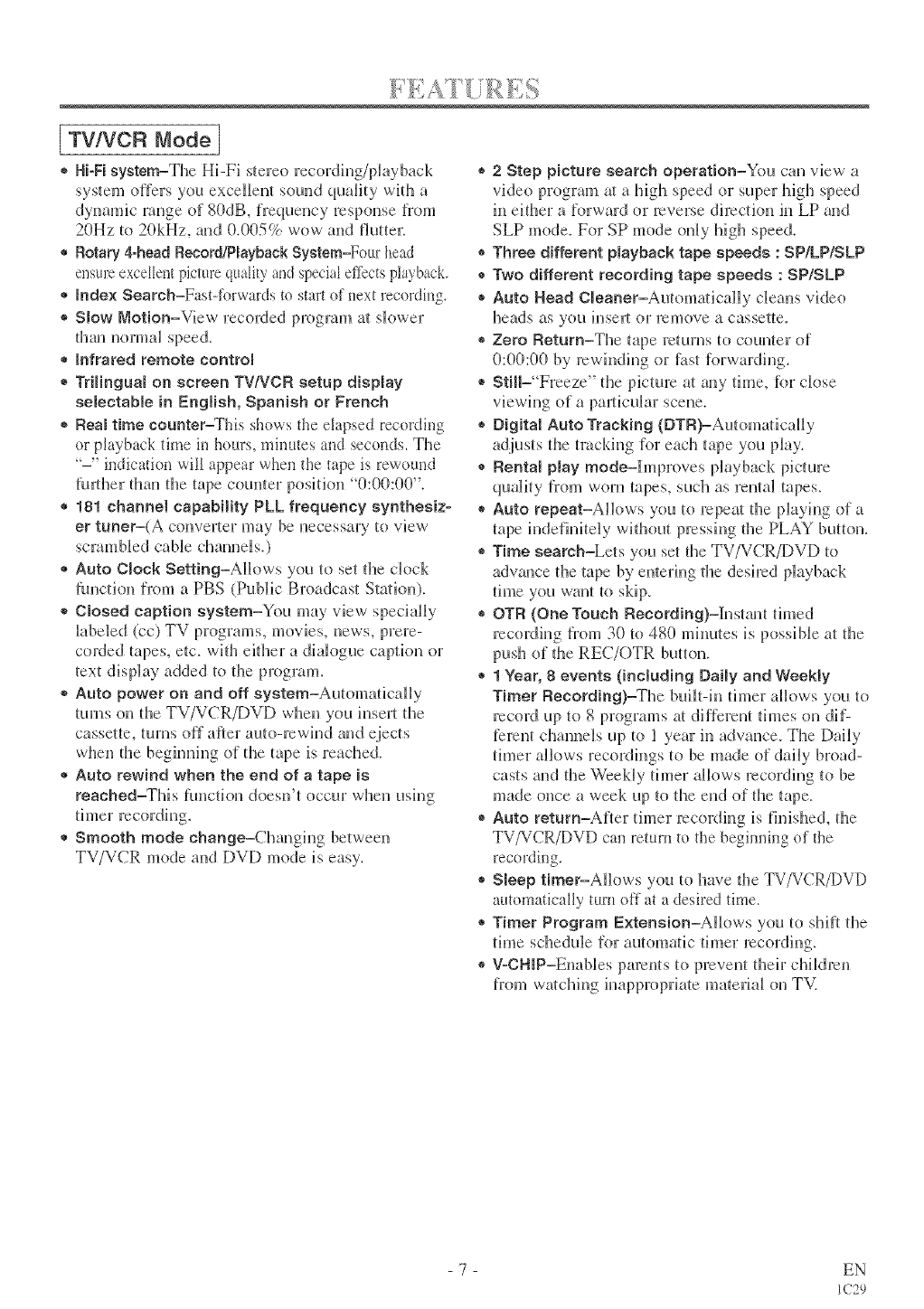
[ TWVCR Mode ]
* Hi-Fi system=The Hi-Fi stereo recording/phyback
system offers you excellent sound quality with a
dynamic range of 80dB, frequency response }]7om
20Hz to 20kHz, and 0.005% wow and flutter:.
® Rotary &head Reeord/PmaybaekSystem=Four head
ensure excellent[ picture quality and special effects playback.
® Index Search=Fast4brwards to start of _*extrecording.
® Slow Motion=View recorded program at skewer
than normal speed.
®Infrared remote contrN
® TriHnguN on screen TV/VCR setup disptay
eelectaMe in English, Spanish or French
® Real time counter=This shows the elapsed recording
or playback time in hours, minutes and seconds. The
"-" indication will appear when the tape is rewound
further titan the tape counter positkm "0:00:00".
®181 channel capability PLL frequency synthesiz-
er tuner=(A converter may be necessary to view
scramNed cane channels.)
® Auto Clock Setting=AHows you to set the dock
function from a PBS (Public Broadcast Station).
®Closed caption system=You may view specially
Babeled (cc) TV programs, movies, new's, prere-
corded tapes, etc. with either a diak_gue caption or
text display added te the program.
*Auto power on and off system=AutomaticalBy
turns on the TV/VCR/DVD when you insert the
cassette, turns off after auto-rewind and ejects
when the begimfing of the tape is reached.
®Auto rewind when the end of a tape is
reached=This function doesn't occur when using
® Smooth mode change=Changing between
TV/VCR mode and DVD mode is easy.
® 2 Step picture search operation=You can view' a
video program at a high speed or super high speed
in either a Rnyward or reverse directkm in LP and
SLP mode. For SP mode only high speed.
®Three different Nayback tape speeds : SP/LP/SLP
® Two different recording tape speeds : SP/SLP
® Auto Head Cmeaner=Automa/icMly deans video
heads as you h]sert or remove a cassette.
® Zero Return=The tape returns to counter of
0:00:00 by rewinding or f?__stforwarding.
® StiH="Freeze" the picture at any time, fin: close
viewing of a paJticuHar scene.
®Digitam Auto Tracking (DTR)=Automa/icaHy
adjusts the tracking for each tape you play.
® Rental play modeMmproves playback picture
quality from worn tapes, such as renlal tapes.
* Auto repeat=Allews you to repeal the playing of a
rope indefinitely without pressing the PLAY button.
® Time seamh=Lets you set the TV/VCR/DVD to
advance the tape by entering fl_e desired playback
time you wm_t to skip.
® eTA (One Touch Recording)=][nstant timed
recording from 30 to 480 mhmtes is poss i Ne at the
push of the REC/OTR button.
®1Year, 8 events 0ncluding Da{ly and Weekly
Timer Recording)=The built-in timer allows you to
record up to 8 programs at different times on dif-
ferent channels up to I year in advance. The Daily
timer allows recoNh]gs to be made of dally broad-
casts aid the Weekly timer allows recording to be
made once a week up to the end of the tape.
® Auto return-After timer recording is finished, the
TV/VCR/DVD can return to the beginning of the
recording.
* Sleep timer=Allows you to have the TV/VCR/DVD
automatically turn off at a desired time.
* Timer Program Extension=AHows you to shift the
time schedule for automatic timer recording.
® V-CHiP=Enables parenls to prevent their children
fr(m] watching inappropriate materiaJ on TV.
- 7 - EN
IC29
[DVD Mode 1
® Dolby Digital sound
TM s TV/VCR/DVD can output a Dol by Digimm
surround signal from file coaxial digital audio out-
put jack.
®Stilm/fastJsmow/step playback
Various phyback modes are awdhble including still
pictures, fast forward/reverse, slow modon and
frame by frame.
o Random Nayback for audio CD
This TV/VCR/DVD can shuffle the order of m_cks
to p_ay them in random order.
o Program Nayback for audio CD
You can program the order of tracks to play them in
any desh:ed ordel:
® DVD menus in adesired language
You can dispby DVf) menus in a desired language,
if awdk_Ne on a DVf).
®Screen saver/Auto power-off functions
The screen saver program starts when them is no
input flxm_ die TV/VCR/DVD tbr 5 mimltes in the
stop mode. When the screen saver program is activated
for 15 minutes, the power automatically tmns off.
®Subtitmes in a desired manguage
You can select a desired kmguage R_r the display
subfides, if that h_guage is available on a disc.
®Semecting a camera angle
You can select the desired camera angle, if a disc
contains sequences recorded flxm_ different angles.
®Choices for audio manguage and sound mode
You can select the desired audio language and sound
mode, if different Banguages and modes are available
on a disc.
®Parental lock
You can set the control level to limit playback of
discs which may not be suitable for children.
®Automatic detection of discs
This TV/VCR/DVD automatically detects if the
k_aded disc is DVD or audio CD on disc.
®On-screen disNay
h_{brmatJon about the current operation can be dis-
p_ayed on a TV screen, allowing you to confim_ the
currendy active functions (such as program pk_y-
back), on tlle TV screen using tlle remote control.
®Search
Chapter search /TitBe search /Track search Time
search
® Repeat
Chapter /Tide /Track /AH /A-B
o Marker
Allows the user to return t(} a spedfic locatkm on a
DVf) disc.
® Resume Play
User can resume to p_ayback fl:om d3especific loca-
tion to wMch the p_ay was stopped.
®Virtual Surround (for DVD, CD onmy)
Creates a surrot,md sound effect.
® Bit rate indication
® DRC (Dynamic range contro0
You can limit the range of volume.
NOTE:
® We do not recommend the use of universal remote controls. Not aH of the functions may be c(mtroHed with
a universa_ remote comroL
If you decide to use a universal remote control with tMs TV/VCR/DVD, please be aware dtat the code num-
ber given may not operate this TV/VCR/DVf). [n this case, please call the manu[)._cturer of fl_e universal
remote control.
-8-EN
IC29
-TV/VCR/DVD FRONT PANEL - [Fig.J]
oO /
/ °o
2
r_DVD buttons '
343 5 6 78 9 101112 13144 15 16171819 20 21
I
- REMOTE CONTROL - [Fig. 2]
......................
22 .................
23
24
25 ...............
26
(DVD)3
NcRt4
13
27
28
29 .....
30
31 ...................
32
3 ...................
.................. 5
.............. 4
....................11
....................
.................. 3
.................. 2
3 (DVD)
15 (TV/VCR)
................41
........ 0
39
............ 8
37
• 36
...... 5
............ 4
1. POWER Button [TV/VCRP.15/DVDP.371
Press to turn the power on and off.
2.VOLUME (VOL) AFT Buttons
Press to control the volume level for the
TV/VCR/DVD.
3.SKtP Buttons (for DVD) [R3Sl
Press once [o skip chapters or tracks [o a desh'ed
poinL
Press and hold to change R_rward or reverse play-
back speed.
4, PLAY Button [TV/V(R R26/DVDR371
Starers playback of the disc or video [ape. -9 -
5.STOP Button [TV/VCRP.26/DVDP.371
Stops operation of d_edisc. (or fl:on[ pand)
Stops operation of d_e disc or tape conten[s.
(remo_e control)
&OPEN/CLOSE Button [DVDR371
Press [o insert a disc into or remove fl:om the [ray.
7. Disc _oading tray
8. DVD _ndicator
[Humina[es during DVD mode.
9.SELECT Button
Press [o change [o TV/VCR mode, ex[emM input
mode or DVD mode.
10.TWVCR indicator
Illuminates during TV/VCR mode.
ll. CHANNEL (CH.) _,/_ Buttons
Press [o select memorized cl_annel.
12. Recording indicator
Flashes during recording. Lights up in[l_e Stand-
by mode for Tinier Recording.
13. REC/OTR Button (Front Pane0 [TV/VCRR3[I
Press [o start manual recording. Press repeatedly
to begin One Touch Recording.
RECORD Button (Remote Contro0 [TV/VCRR30]
Press [o begin manual recording.
14, REW Button (for TWVCR) [TV/VCRR28I
Press to rewhld the tape, or to view the picture rapidly
in reverse during playback mode. (Rewired Sem'ch)
15. F.FWD Button (for TWVCR)[TV/VCR R2Sl
Press to rapkfly advance d_e [ape, or to view d_e
picture rapidly in forward dining playback mode.
(Forward Search)
l& STOP/EJECT Button [TV/VCRP.25,31I
Press _o s_op d_e rope mohon. Press in [tie Stop
mode {o remove tape from tl_e TV/VCR/DVD.
17. Remote sensor window
18. HEADPHONE Jack
To connect headphone (not supplied) for personal
19. VIDEO input Jack
Connect to die video output jack of a video
camera, VCR, video game system. EN
Ic29
-TV/VCR/DVD REAR PANEL - [Fig.3]
20. AUDIO L/R input Jacks
Com]ect to the audio output jacks of a video
camera, VCR, video game system.
21. Cassette compartment
22. PICTURE Sutton
Press to adjust the picture.
23. Number Buttons
TV/VCR Mode: [P.lSl
Press two digits tu directly access the desired
channel
Remember to press a "0" beRtre a single digit
channel.
+100 Sutton=
Press to select cable cllamlels which arc equal or
greater than hum be]7 100.
DVD Mode: [R391
Press to enter the desired humbert
+10 Button=
Press to enter the desired numbers wMch are
equal or grea/er than numbe]7 10.
24. PAUSE Button [TV/VCRR26/DVD R381
Pauses the disc or tape movement.
25. SPEED Button [TV/VCRR301
Press to choose ]lie desired recording speed:
SP/SLR
26, C.RESET Button [TV/VCRR281
Press tu reset counler to 0700700.
Press to cancel a setting of timer program. (See
page 33.)
27. DISPLAY Button
TV/VCR Mode: [R231
Display the counter or the current cllam]el number
and current time on tlle TV screen.
DVD Mode: [R42J
Disphys the current stares on tlle TV screen tot
clleckh]g purposes.
28. SETUP Button [TV/VCRR15][DVDR43-451
Press to enter or exit the TV menu or DVD setup
mode.
29. T_TLE Button [DVb R371
Displays the titBe menu.
30, CLEAR Button [DVDR391
Resets a setth]g.
48
31. MODE Button [DVDP.40i
Activates program playback or random playback mode.
32. SEARCH MODE Button [DVD R391
Press tu locate a desired point on a DVD disc.
33, AUDIO Button [DVD R411
Press to select a desired audio language or sound
mode.
34. SUBTITLE Button [DVb R4[I
Press to select a desired subtitle language.
3S. REPEAT Button [DVD R40I
Repeats playback of tile current disc, title, cllapter
or track.
36. ANGLE Button (DVD mode) [DVD R411
PJess to change the camera angle to see the
sequence being played back flora a dittereut angle
(if avaiBaNe).
37. A-B REPEAT Button [bvD R401
Repeats p_ayback of a selected section.
38, RETURN Button [TV/VCRR331[DVDR391
Returns to the previous operation in the DVD
setup mode.
39. ENTER Button [TV/VCRR15][DVDR371
Press tu accept a setting.
40. Arrow Buttons
TV/VOR Mode: [_151
Press to select a setth]g mode fl'om the menu on
the TV screen.
Press to select or adjust from a particular menu.
DVD Mode: [R371
Use when making settings wMle watchh]g the
display on a TV screen.
41. DISC MENU Button [DVD R371
Displays the menus in tlle DVD.
42. VoSURR (VIRTUAL SURROUND) Button [DVb R411
Sets virtual surround on/off (DVD and CD sound
only),
43. MUTE Button
Mutes the sound. Press it again tu resume sound.
44. SLEEP Button [TV/VCRP.341
Sets the Sleep Time]:
45oSELECT Button [TV/VCRPJ51[bvD R371
Press to switch TV/VCR and DVD mode. You can
see the mode (TV/VCR or DVID) on the fl'ont
panel indica/oJ:
10 EN
IC29