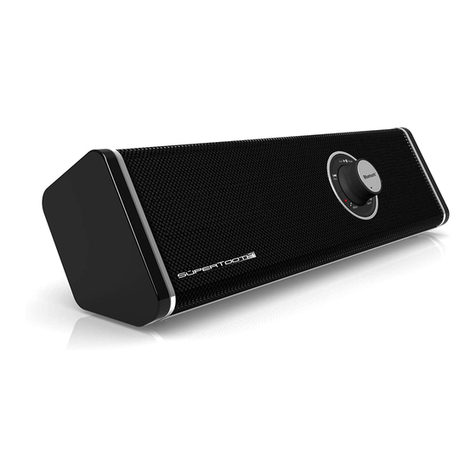
While music is playing on the SUPERTOOTH B ASTER, you can still receive
and answer calls from your phone. When a call gets through, music will be
muted then resumes when call is ended or rejected. However, on some
phones, you have to press the Play/Pause Button (2) for 1 second or
transfer audio to SUPERTOOTH B ASTER manually using the options on
your phone to resume music on SUPERTOOTH B ASTER.
Streaming Music from a Bluetooth-enabled PC/Laptop:
If your computer’s Bluetooth dongle supports A2DP, the user can stream music
from the PC to the SUPERTOOTH B ASTER.
Go to your PC/ aptop’s music player and play a track. Audio will be on the
SUPERTOOTH B ASTER and the Bluetooth Indicator (7) will turn steady
blue. When connected, you will now be able to control track selection from
the buttons on the SUPERTOOTH B ASTER. Note: Some computers may
require user to set output of audio. In this case, set audio manually using the
options on your computer.
Connecting Music players directly to the SUPERTOOTH BLASTER:
At the back of the SUPERTOOTH B ASTER is a Stereo Line Input ( ) used to
directly connect music players such as iPods and MP3 players.
1. Plug the audio cable into the Stereo Line Input ( ) found at the back of the
SUPERTOOTH B ASTER and the other end to the output of the music
player.
2. Press the Play button of your music player to play music.
3. When the Stereo Line Input ( ) is selected, you cannot control the player
using the buttons on the SUPERTOOTH B ASTER. Please use the music
player buttons directly. However, you can still adjust the volume settings and
turn On/Off the SUPERTOOTH B ASTER using the respective buttons on
the SUPERTOOTH B ASTER.
SUPERTOOTH BLASTER Button Functions (for Bluetooth connections only) :
The following functions can be controlled using the buttons on the
SUPERTOOTH B ASTER.
To stop a track, press the Stop Button (8) for 1 second.
To pause a track, press the Play/Pause Button (2) for 1 second and press
again to play.
To skip to the next track, press the Forward/Fast-forward Button (6) for 1
second.
To skip to the previous track, press the Backward/Rewind Button (3) for 1
second.
To fast-forward a track at a specific point, press and hold the Forward/Fast-
forward Button (6) and release to resume play (possible on some phones
only).