
SUPERTOOTH LIGHT User manual

Bluetooth Handsfree Kit
For Bluetooth Mobile Phones
Operating Manual
Contents
______________________________________________________________________________________________________________
Product Overview..............................................2
Charging .............................. ......................3
Power On/Off .................................................3
Pairing to your Bluetooth Mobile Phone . . . . . . . . . . . . . . . . . . . . . . . . . . . . . .3
Basic Operations...............................................
Advanced Functions............................................5
Button Functions Matrix..........................................6
______________________________________________________________________________________________________________
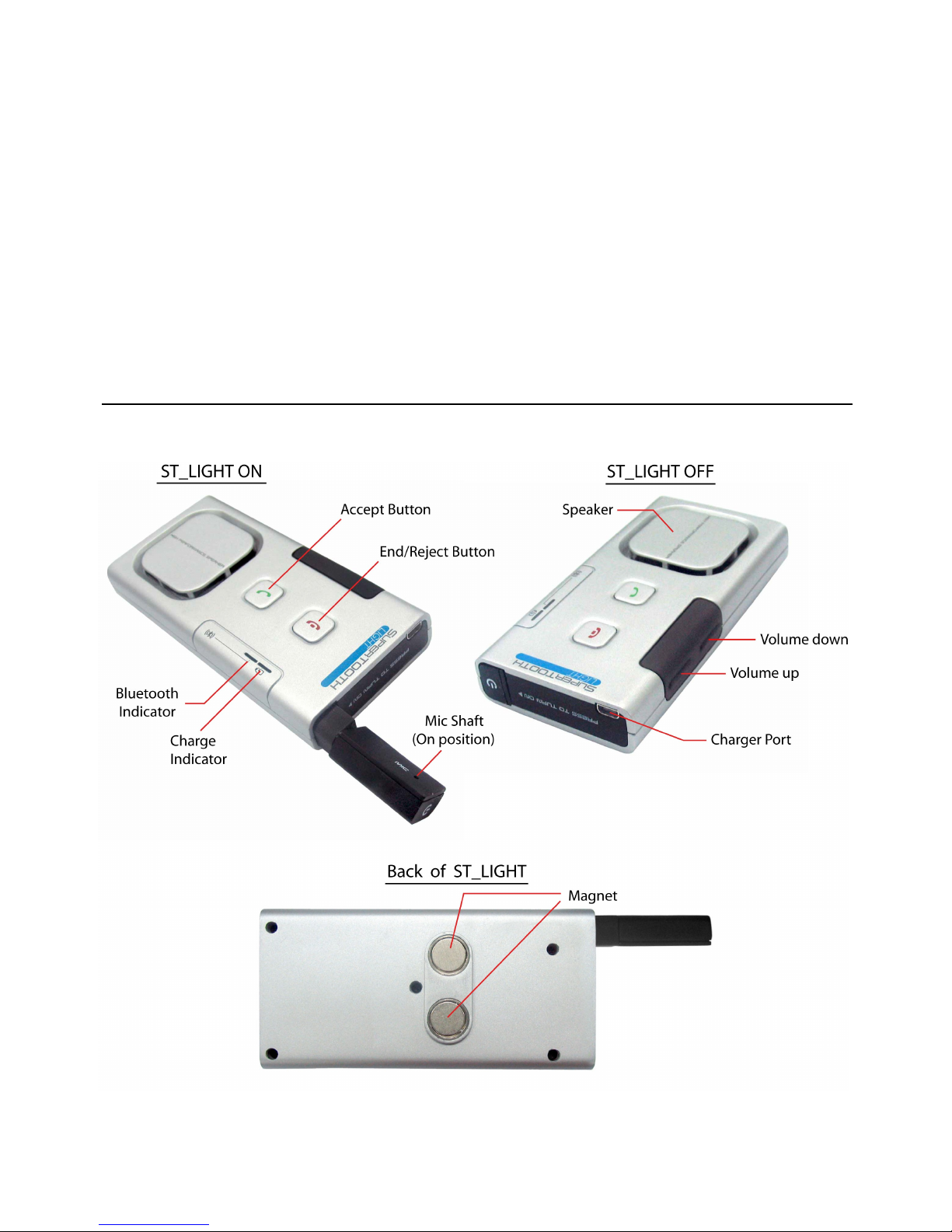
Product Overview
2

Charging
When the Charge Indicator turns red, the battery of the kit is low. Charge the
unit.
1. Connect the charger’s plug into the Charger
Port of the ST LIGHT. Connect the charger to
an external power source.
2. When fully charged, disconnect the charger.
Charge Indicator Status:
Low Batt: steady red
Charging: steady orange
Full Charge: steady green
Power On/Off
Power On: Press-and-release the Mic Shaft.
Power Off: Push the Mic Shaft in.
Pairing to your Bluetooth Mobile Phone
Pair the ST LIGHT to your Bluetooth mobile phone to create the link or audio
connection between the two.
1. From OFF, press and hold the Accept Button of
the ST LIGHT.
2. While holding the Accept Button, switch the kit on.
3. When the Bluetooth Indicator turns blinking red/blue, release the Accept
Button. This means the kit is now in pairing mode.
3

4. While the kit is at pairing mode, access the Bluetooth menu of your phone.
Turn on the Bluetooth function then execute a Bluetooth search, or
discover.
5. When the phone displays the list of Bluetooth devices it found, select ST
LIG T.
6. When the phone asks for the passcode, enter 0000. The phone will show if
pairing and connection is successful.
Important Note: The kit is paired now. Most phones automatically connect to the
kit after pairing. With some phones you need to connect manually after pairing.
Go back to Bluetooth > Paired devices > highlight the name of this kit (ST
Light) > ress Options > then ress Connect.
The kit is now ready to use.
Basic O erations
IMPORTANT:
The kit needs to be ‘ aired’ to your Bluetooth mobile phone first, before you can
use the following functions.
Make a Call (Normal Dial):
Dial the number on your phone. Audio will automatically be on the kit.
Note: With some hones like Siemens S55 and Panasonic X70, audio is always
on the hone during an outgoing call. You will need to ress the Accept Button
for 1 second to transfer the audio to your kit.
Redial (For Handsfree Profile Phones only) :
Press Accept Button for 3 seconds. The last dialed number will be redialed.
Audio will be on the kit.
Voice Dial:
Important Be sure the voice dialing function of your phone is activated. Record
at least one voice tag. (Kindly refer to the procedure in your phone’s manual.)
Note: Voice dialing entries must be stored in the hone’s memory, not on the
SIM card!
Execute Voice dial:
1. Press the Accept Button for 1 second.
2. A voice dial tone/beep will be heard on the kit, prompting the user to say
the voice tag of a contact to call.
3. Say the voice tag exactly as how you recorded it.
4. The voice will be played back to you, and then the phone will dial the
number automatically.

Answer a Call:
During the ring tone, press Accept Button for 1 second to answer the call.
End a Call:
When conversation is over, press End/Reject Button for 1 second to end the
call.
Reject a Call (For Handsfree Profile Phones only) :
During the ring tone, press End/Reject Button. The incoming call will be
rejected.
Volume Setting:
Increase or decrease the volume by pressing the volume up or volume down
button. Press repeatedly until desired level is reached.
Audio Transfer (For Handsfree Profile Phones only) : During an ongoing call,
you can transfer the audio.
Kit to Phone: Push in the microphone shaft (or turn off the kit). The audio
will be transferred to the phone.
Phone to Kit: Press-and-release the microphone shaft (or turn on the kit).
Some phones do not connect automatically to the kit after turning on. With
these phones, you need to press Accept Button for 1 second. Then the
audio will be transferred to the kit.
Advanced Functions
Multi-Pairing / Switching Connections Between Phones
The ST LIGHT can be paired to 5 Bluetooth phones. An additional pairing will
automatically delete the phone that has not been used for the longest time.
Thus, maintaining 5 phones in its memory.
You can easily switch to any of the paired phones by:
1. Disconnecting the currently used phone using the “Active devices” in the
Bluetooth menu of that phone and then;
2. Connect to the wanted phone by using the “Paired devices” in the
Bluetooth menu of that wanted phone.
Note: Reconnection to a paired phone can also be done by pressing the Accept
Button. But when you press the Accept Button, the ST LIGHT will attempt to
connect to the last used phone only. It is recommended to connect to the ST
LIGHT using your phone.
5
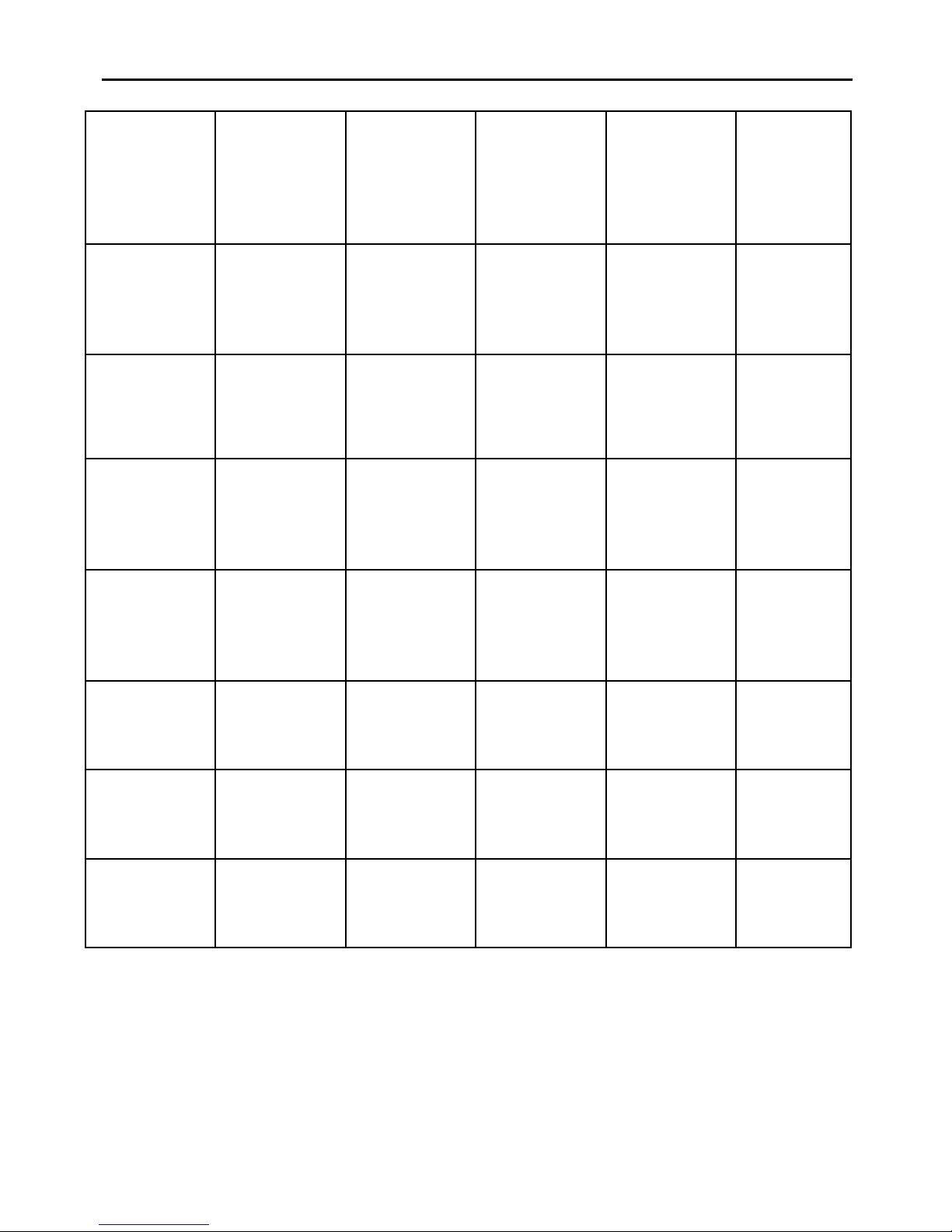
Button Functions Matrix
Status
Accept Key /
(Short press /
1 second)
Accept Key /
(Long press /
2 seconds)
End / Reject
Key
(Short press)
Mic Shaft
(Push in)
Mic Shaft
(Press-and-
release)
Connected /
On and
Standby
Initiates Voice
dial
Redials last
dialed number
Turns ff kit /
Disconnects
Off Turns n kit /
Reconnects
On and
Standby but
Disconnected
Creates
reconnection/
initiates voice
dial
Incoming call
ring being
generated)
Accepts the call Rejects the call
Active call on
ST LIGHT Ends the call Transfers audio
to phone
Active call on
Phone
Transfers
audio to kit
Outgoing call
being set-up Ends the call
6

7
(Applicable in the European Union and other European countries with separate
collection systems) This marking shown on the product or its literature, indicates that
it should not be disposed with other household wastes at the end of its working life. To
prevent possible harm to the environment or human health from uncontrolled waste
disposal, please separate this from other types of wastes and recycle it responsibly to
promote the sustainable reuse of material resources.
Household users should contact either the retailer where they purchased this product, or their
local government office, for details of where and how they can take this item for environmentally
safe recycling.
Business users should contact their supplier and check the terms and conditions of the
purchase contract. This product should not be mixed with other commercial wastes for disposal.
FCC Notices
Federal Communications Commission (FCC) Statement
15.21
You are cautioned that changes or modifications not expressly approved by the part responsible for compliance could
void the user’s authority to operate the equipment.
15.105(b)
This equipment has been tested and found to comply with the limits for a Class B digital device, pursuant to part 15 of
the FCC rules. These limits are designed to provide reasonable protection against harmful interference in a residential
installation. This equipment generates, uses and can radiate radio frequency energy and, if not installed and used in
accordance with the instructions, may cause harmful interference to radio communications. However, there is no
guarantee that interference will not occur in a particular installation. If this equipment does cause harmful interference
to radio or television reception, which can be determined by turning the equipment off and on, the user is encouraged
to try to correct the interference by one or more of the following measures:
-Reorient or relocate the receiving antenna.
-Increase the separation between the equipment and receiver.
-Connect the equipment into an outlet on a circuit different from that to which the receiver is connected.
-Consult the dealer or an experienced radio/TV technician for help.
Operation is subject to the following two conditions:
1) this device may not cause interference and
2) this device must accept any interference, including interference that may cause undesired operation of the device.
FCC RF Radiation Exposure Statement:
This equipment complies with FCC radiation exposure limits set forth for an uncontrolled environment. End users must
follow the specific operating instructions for satisfying RF exposure compliance. This transmitter must not be co-located
or operating in conjunction with any other antenna or transmitter.
8
Table of contents
Other SUPERTOOTH Speakers manuals
SUPERTOOTH
SUPERTOOTH DISCO TWIN User manual

SUPERTOOTH
SUPERTOOTH Disco 2 User manual
SUPERTOOTH
SUPERTOOTH DISCO 2 User manual
SUPERTOOTH
SUPERTOOTH BLASTER User manual
SUPERTOOTH
SUPERTOOTH Disco 3 Installation guide
SUPERTOOTH
SUPERTOOTH BTD4 User manual
SUPERTOOTH
SUPERTOOTH DISCO 3 User manual
SUPERTOOTH
SUPERTOOTH Bluetooth multimedia speaker User manual
SUPERTOOTH
SUPERTOOTH BTCRY6 User manual

















