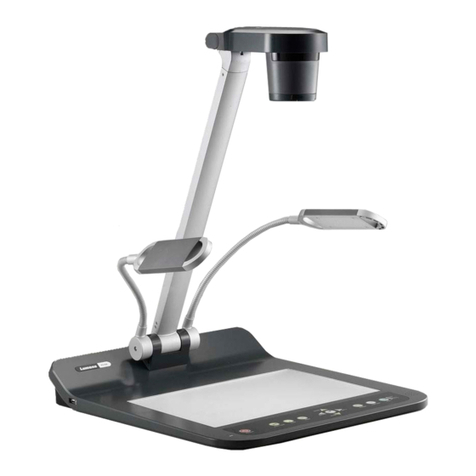
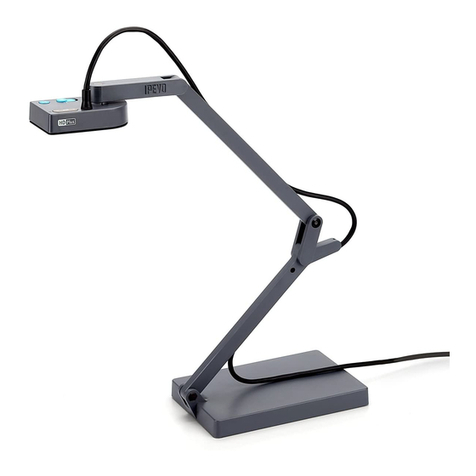
SyncCam GS60 User manual

Document Camera
GS60
USER MANUAL
Please read this manual carefully before operating the document camera and keep it for reference.

1
NOTICES: PLEASE READ CAREFULLY BEFORE USE
Use the document camera under the rated electric conditions.
Do not place the document camera on any unstable surface. It may fall and cause
injuries or damages.
Do not place this device under direct sunlight or near heaters.
Do not place this device near water.
Keep the camera away from acid or alkali gas.
Do not place this document camera in humid, dusty, windy or vibrant locations.
The recommended operating environment is:
Temperature: 0ºC--45ºC(32ºF-113ºF)
Humidity: less than 75%
Always unplug BEFORE cleaning the device. Use a damp soft-cloth for cleaning. Do
not use volatile solvent.
When this equipment functions abnormally, such as smoke, smell, noise, immediately
unplug and call for professional assistance.
Unplug the document camera when not in use.

2
CONTENTS
PART NAME AND FUNCTIONS:.......................................................1
Appearance:........................................................................................................................... 1
Rear Panel.............................................................................................................................. 2
Side Panel.............................................................................................................................. 3
Control Panel:........................................................................................................................ 4
REMOTE CONTROL...........................................................................6
ON BOARD ANNOTATION AND CONTROL..................................8
MULTIMEDIA SYSTEM....................................................................10
USB SOFTWARE.................................................................................12
CONNECTION:.................................................................................................................. 12
SOFTWARE:....................................................................................................................... 12
MOBILE SOFTWARE: ......................................................................15
SPECIFICATIONS:.............................................................................16
TROUBLE-SHOOTING:....................................................................17
PACKING LIST AND ACCESSORIES: ...........................................17

1
PART NAME AND FUNCTIONS:
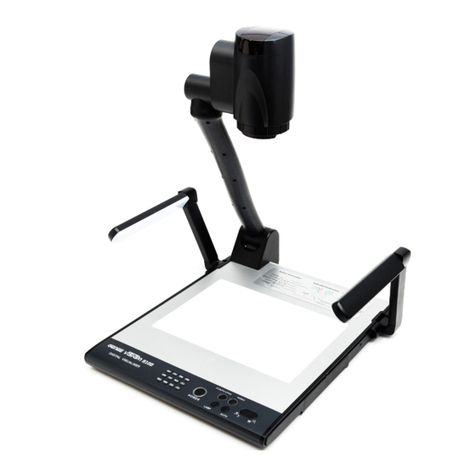
Appearance:

2
Rear Panel
1. DC12V: power input
2. VGAIN: VGA input
3. AUDIO IN: audio input for VGA input
4. HDMI IN: HDMI input
5. HDMI OUT: HDMI output
6. Audio OUT: audio output for VGA output
7. VGAOUT: VGA output
8. USB-PC: USB connector, used to connect with PC.
9. USB: USB connector, used to connect with a wifi dongle.

3
Side Panel
1. SD-CARD: SD card connector
2. USB: USB connector, used to connect USB mouse or USB memory sticker.
1. ZOOM KNOB: Zoom in/zoom out knob
2. USB: USB connector, used to connect USB mouse or USB memory sticker.
3. POWER: Power button, power on or power off.
4. KENSINTON: Kensington lock

4
Control Panel:
1. CAMERA: To switch back to camera image.
2. HDMI IN: To switch to HDMI input.
3. VGAIN: To switch to PC input.
4. SAVE: Capture and save the image to Memory stick, SD card, or built-in memory. GS60
can detect when there is an external storage media and automatically save the images to SD
card or USB memory stick. If there is no external storage connected, all captured image will
be saved in the built-in memory.

5
5. RECORD: To start/stop recording a video.
6. RECALL: Image recall mode enabled, display the saved images and video clips.
7. PIP: To enable the picture in picture mode.
8. TITLE: To freeze the title area.
9. MIRROR:To toggle horizontal mirror , vertical mirror and horizontal+vertical mirror.
10. SPLIT: To get image split.
11. FREEZE: To freeze the current on-screen image
12. ROTATE: To rotate the image with 90o180o and 270 o.
13. FPS: To adjust the frame rate.
To get return in image recall mode.
14. 1080P: To adjust the resolution.
15. LAMP: To turn on/off the LED light.
16. DELETE: Delete the selected images or video clips.
17. OK:To confirm the selection.
18. ARROW: To select the saved image when image recall mode is enabled.
19. BRIGHTNESS+/-: To adjust the brightness of displaying image.
20. AUTO:Adjust white balance and focus automatically.
21. ZOOM+/-: Image zoom in and zoom out.

6
REMOTE CONTROL

7
1. CAMERA: To switch back to camera image.
2. HDMI:To switch to HDMI input.
3. VGA: To switch to PC input.
4. ARROW: To confirm the selection.
5. OK: To select the saved image when image recall mode is enabled.
6. DELETE:To delete the select image or video clip.
7. BACK: Return to previous menu.
8. RESOLUTION: To adjust the resolution.
9. AUTO: To carry out auto focus and white balance.
10. LAMP: To turn on/off the LED light.
11. ZOOM+/-: Image zoom in and zoom out.
12. RECALL: To enable the image recall mode, displaying saved images and video clips
13. RECORD: To start/stop recording a video.
14. SAVE: Capture and save the image to Memory stick, SD card, or built-in memory. GS60
can detect when there is an external storage media and automatically save the images to SD card
or USB memory stick. If there is no external storage connected, all captured image will be saved
in the built-in memory.
15. ROTATE: To rotate the image with 90o180o and 270 o.
16. SPLIT: To get image split.
17. FREEZE: To freeze the current on-screen image.
18. MIRROR:To toggle horizontal mirror , vertical mirror and horizontal+vertical mirror.
19. TITLE: To freeze the title area.
20. PIP: To enable the picture in picture mode.
21.MASK: To enable the mask mode.
22. MASAIC: To enable the masaic mode.
23. FOCUS+/-: To adjust focus manually.
24. BRIGHTNESS+/-: To adjust the brightness of displaying image.
This manual suits for next models
2
Table of contents